Managing members in your workspace
Vizcom is even more powerful when you invite people to join you in your workspace.
Inviting members
It's important to know that only Admins of a workspace can invite members. Make sure you're in a workspace in which you are the Admin of.
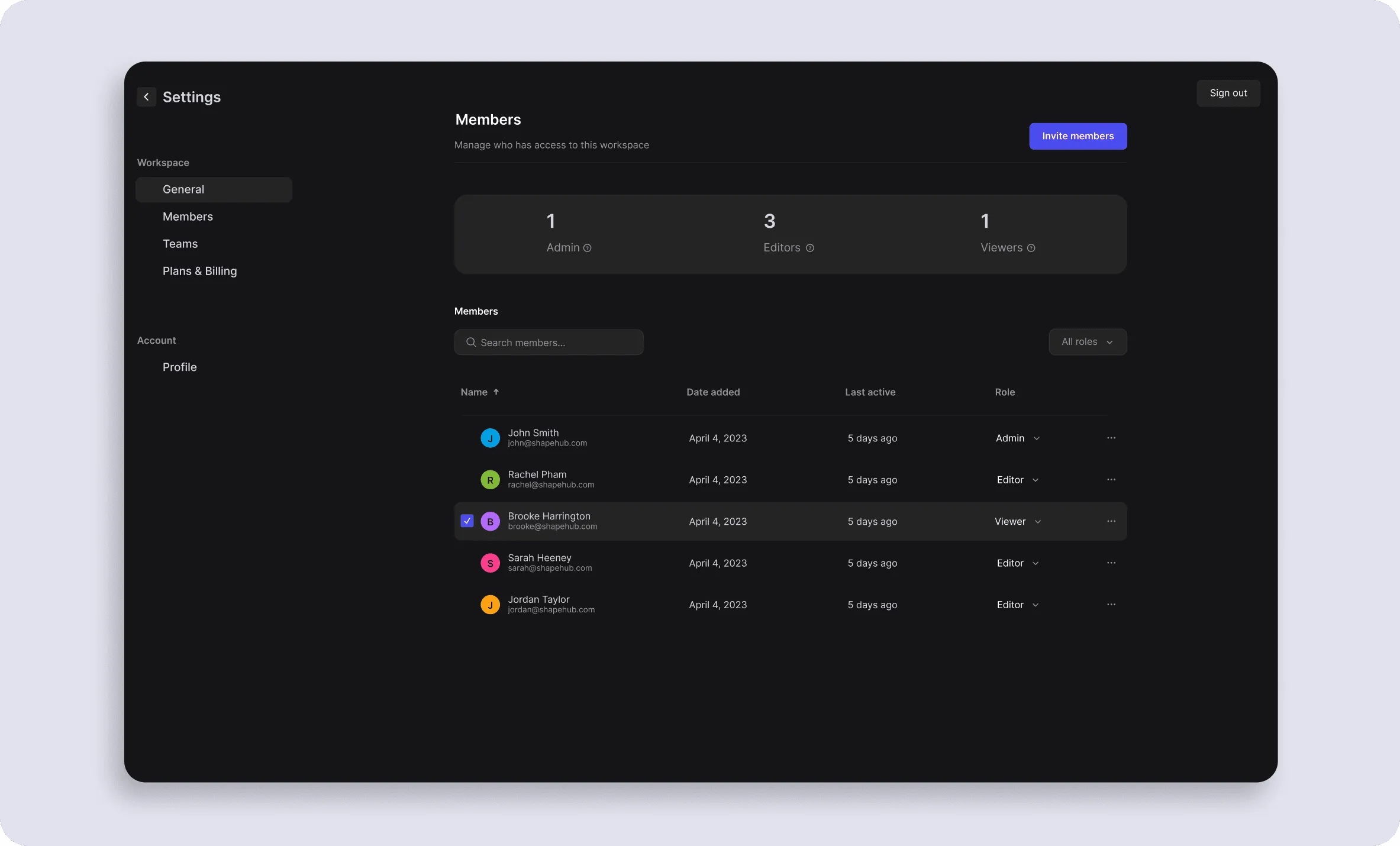
To invite members, you can use any of the invite members buttons in the application to open the invite modal. You can also manage the members list by navigating to Settings > Members.
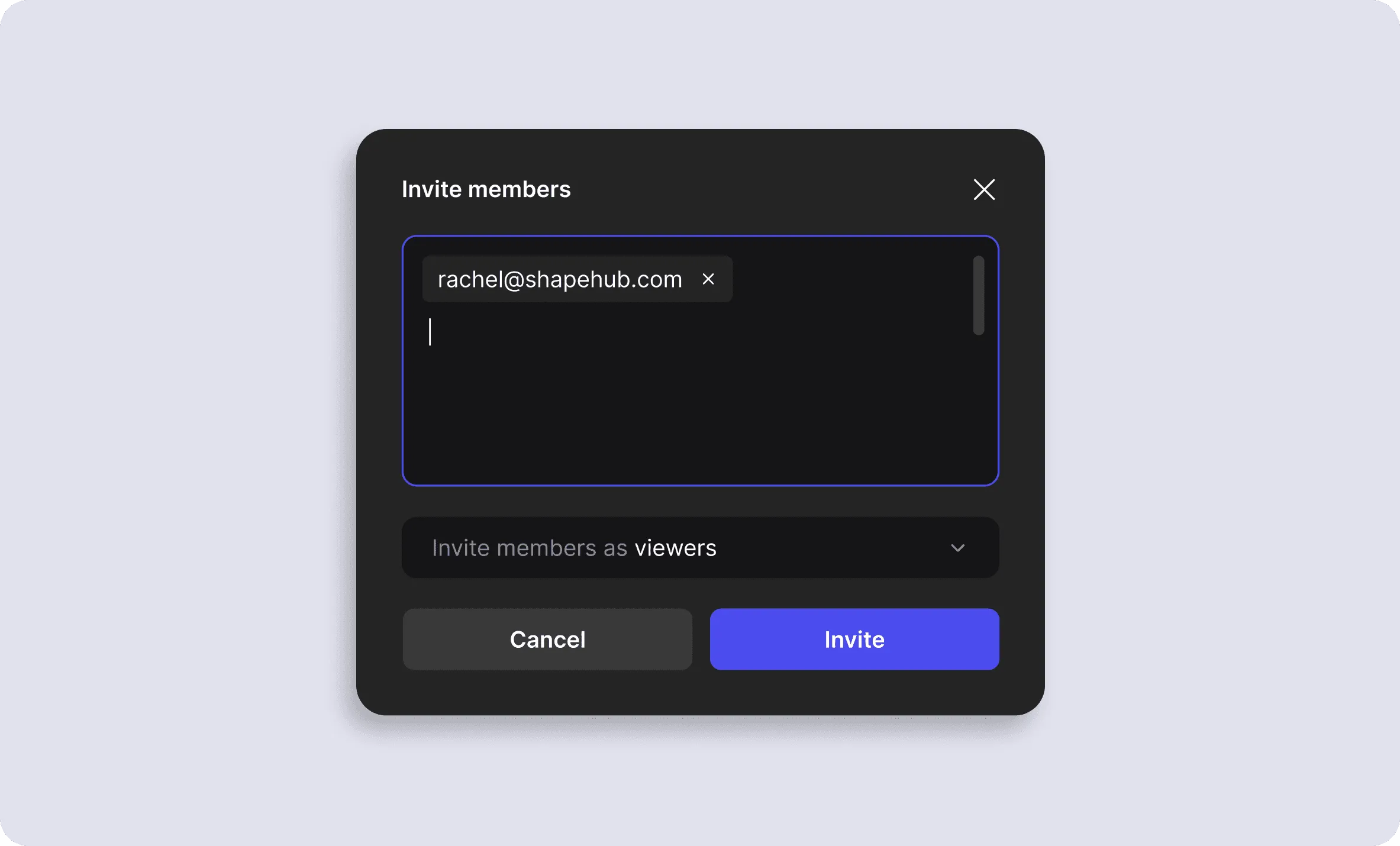
From here, type the email addresses of the individuals you are inviting. You can set the role type for these users as well. See below for information about these role types.
Once the invites are sent, each invited member will receive an invite email in their email inbox. Members without a Vizcom account will need to create one. Members who already have a Vizcom account will automatically see this new workspace in their workspace dropdown. As an Admin, you can check to see who has not accepted the invite by navigating to Settings > Members and locating the members who are "pending."
Member roles
Your Workspace comes with different roles depending on the plan you have. Below you can find a breakdown of the types of roles and permissions provided for each plan.
- Starter plans offer two seats as either Admin or Editor, and unlimited Viewers (free).
- Professional plans offer two seats: Admins (paid), Editors (paid), and Viewers (free).
- Enterprise plans offer unlimited Admins (paid), Editors (paid), and Viewers (free).
Viewers in a Workspace
- Viewers are free and unlimited on all plans
- Can view and download files shared in a Workspace
- Cannot invite other members to the Workspace
- Cannot start a new file or edit existing files
Editors in a Workspace
- Editors are paid roles. Price differs based on the plan. See more about our pricing here
- Can create and edit files
- Cannot invite other members to the Workspace
- Cannot create teams
- Cannot manage Workspace settings, billing, security, or privacy
- If an Editor wants to upgrade to an Admin, they will need to contact an Admin of the Workspace. Admins are listed on the Members page in the Workspace settings
Admin in a Workspace
- Every Workspace, regardless of the plan, must have at least one Admin
- Admins have all the privileges of an Editor to create and edit files
- Can edit the Workspace settings, manage billing, security, and privacy
- Can manage the Workspace members
- Can manage Teams, members, and visibility settings
- Professional and Enterpise plans can have unlimited Admins
Have a question for our team?
Frequently asked questions
Explore all features in Vizcom or book a tailored demo for you and your
Yes of course! Our starter plan is completely free, no credit card required. This is a great plan to explore vizcom with.
We accept all major credit and debit cards.
Admins (paid) – can edit files, manage workspace settings, billing, teams, and invite members. Editors (paid) – can edit files but not manage settings, billing, or teams. Viewers (free) – can only view files in read-only mode.
Team billing is handled centrally by the Admin. All paid seats, whether Admins or Editors, are included in a single invoice under the same billing cycle, while Viewers remain free and do not affect the cost.
Yes, you can. An Admin can update the plan in the billing settings, and the switch will take effect on the next billing cycle at the annual rate.
Yes, you own everything you create in Vizcom. For free users, while Vizcom may use generated images to improve its services, it does not claim ownership of your designs, concepts, or original ideas—you keep full rights to them. For paid users, your images and designs remain entirely private and are only used to deliver the service. Every design, concept, and image you create or upload is fully yours and kept confidential.
Vizcom does not use your data to train AI models if you’re on a paid plan. Everything you create stays private and is only used to provide the service. Free users may have their generated images included to help improve Vizcom’s services, but even then, Vizcom does not claim ownership of your designs, concepts, or original ideas—you retain full rights.