Best Practices
👉 Try Vizcom : vizcom.ai
Tips when uploading a sketch
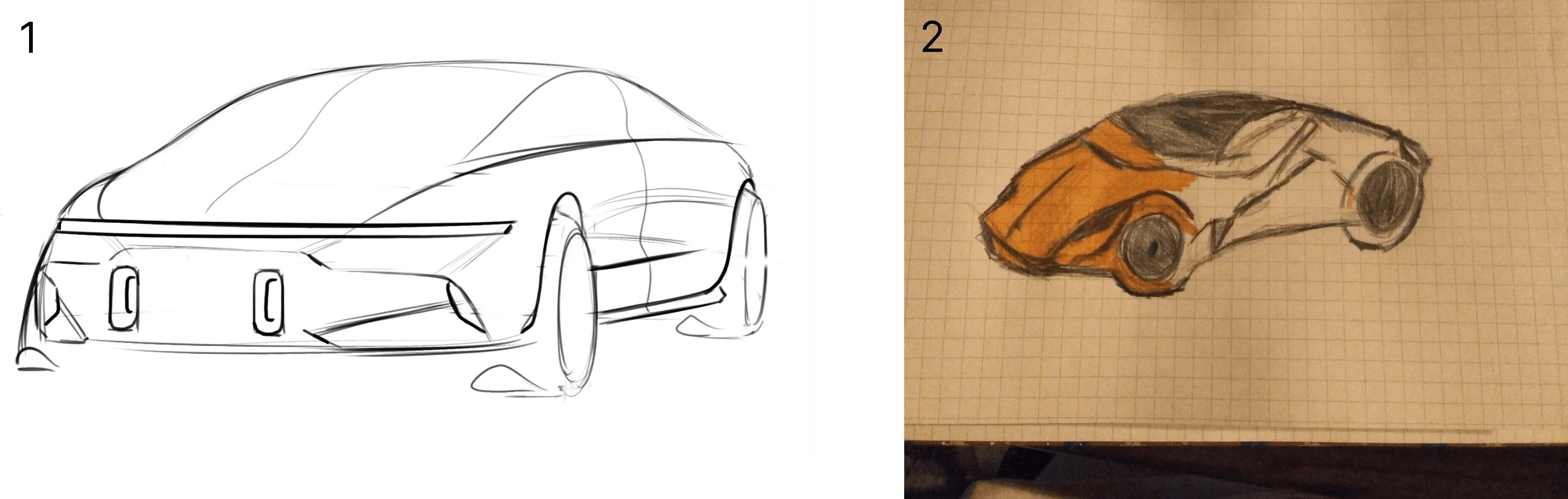
Clean sketch
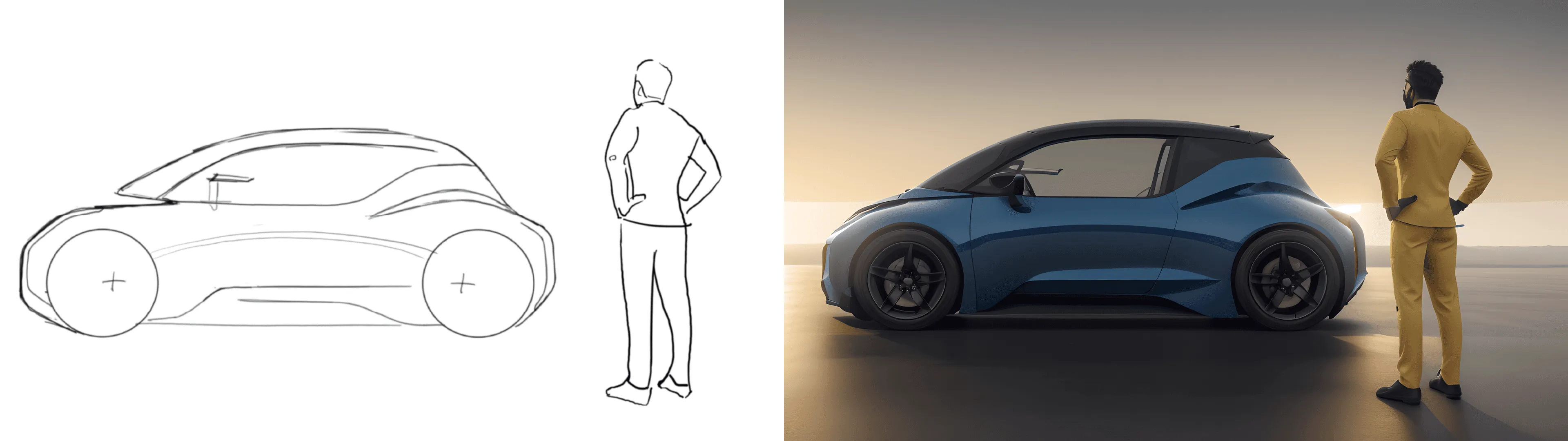
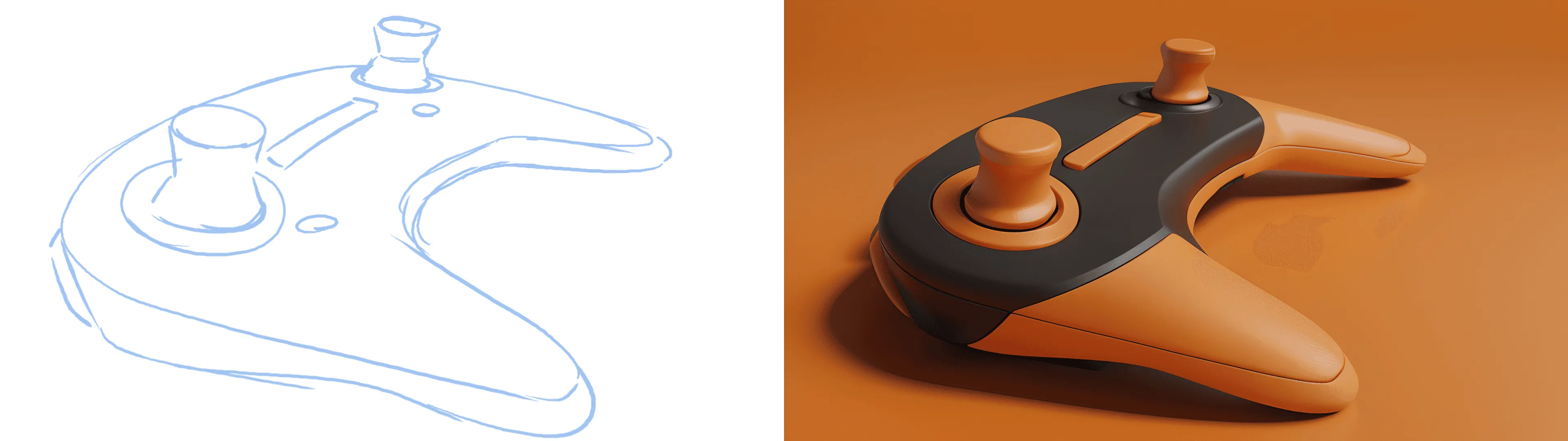
- Which of the 2 sketches do you think would be easier for you to render by hand? Vizcom AI needs a clean drawing to produce clean results.
- Make sure to upload one sketch at a time. If multiple sketches exist on a page Vizcom will get confused about which drawing to prioritize.
- Try to make sure your drawings are uniform in color, no backgrounds, and have clean readable linework.
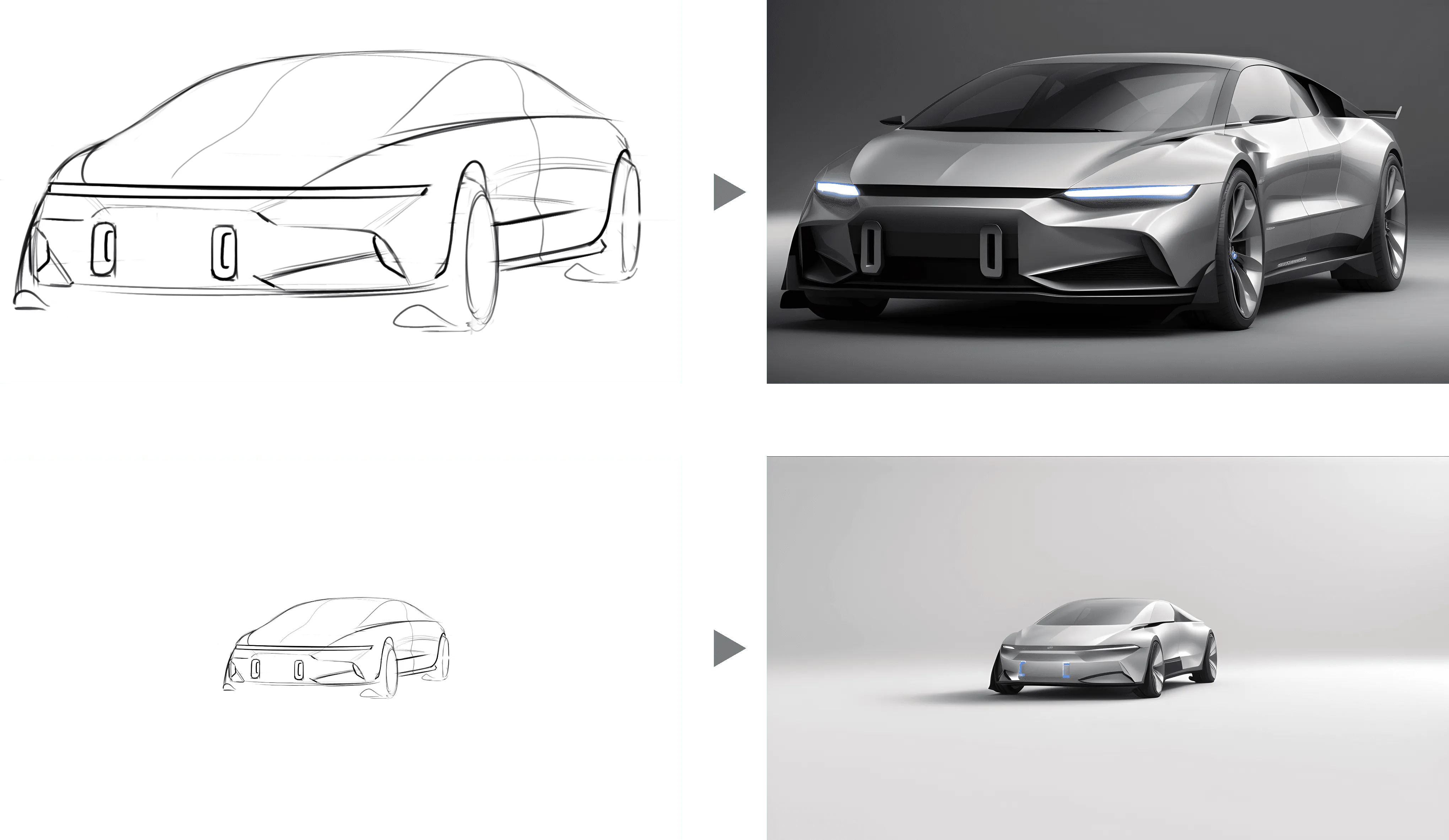
Bigger sketch - more details
- Scale your sketch up with the transform tool [m], to get more details in your rendering, also to put the emphasis on the product and not on the added background
Bad Examples
❌Too many drawings on one page
❌Messy background
❌Too small sketches
❌Results

Good Examples
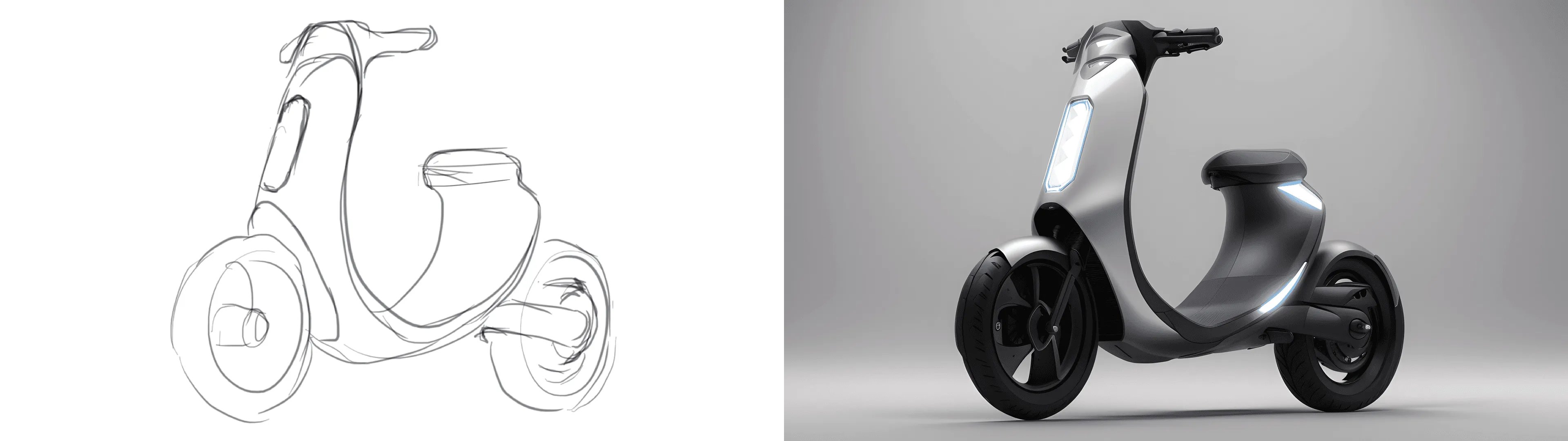
✅Single Sketch
✅No background
✅Contrast Lines
✅ Minimal Linework
✅ Results
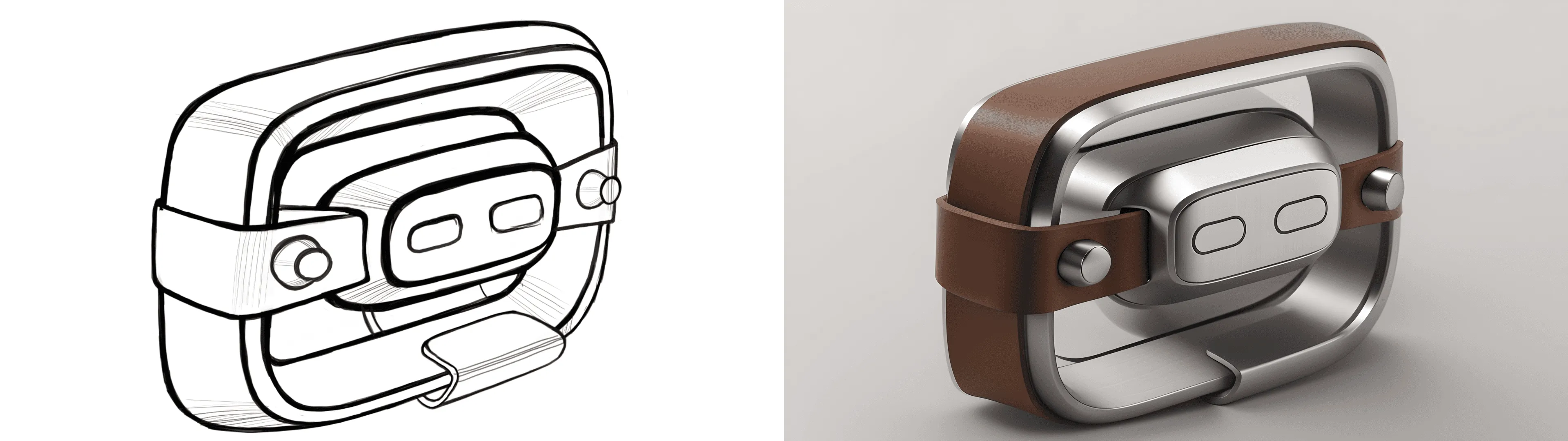

Combining aesthetics
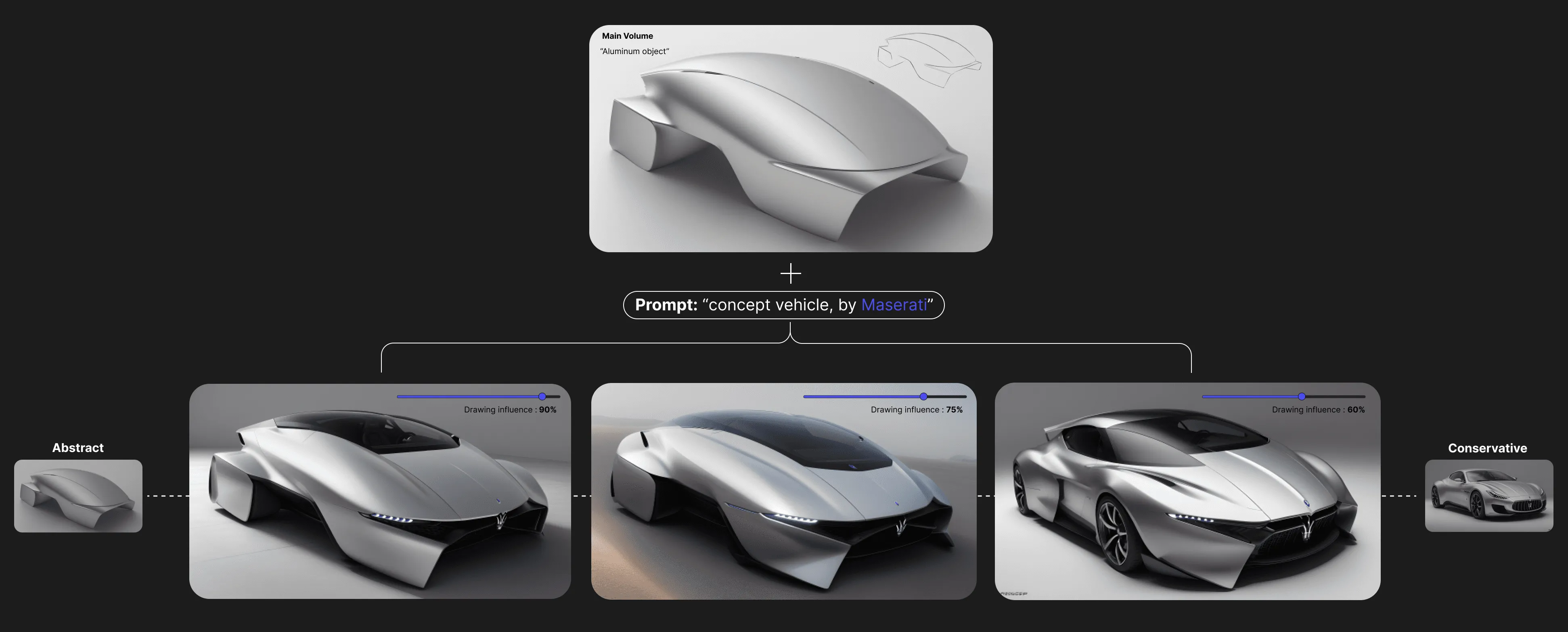
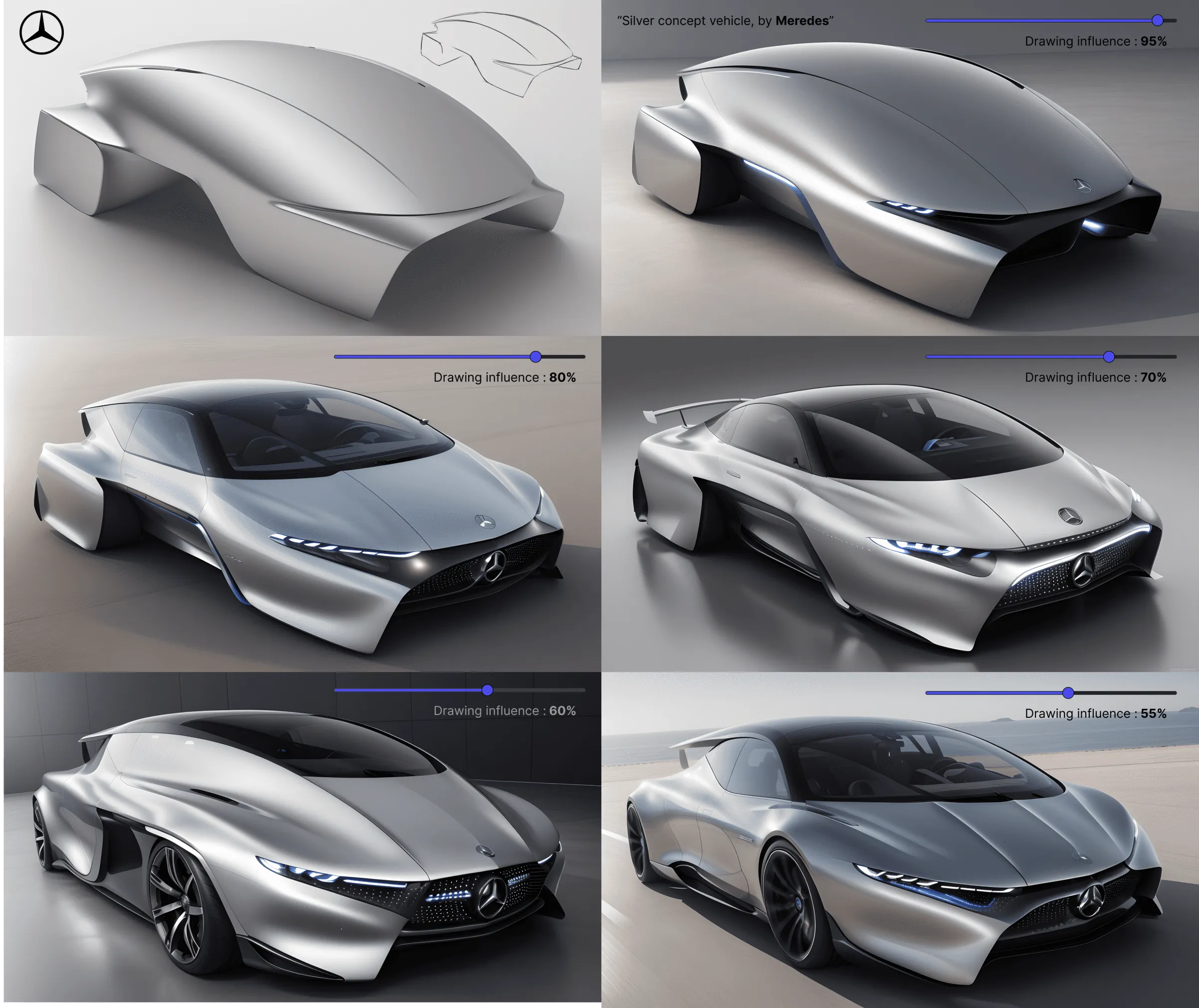
Combine your unique shape with existing brand's DNA
This way you can cover the stylistic range from abstract shape to more conservative concept vehicles and explore the interesting in-between results.
Step 1
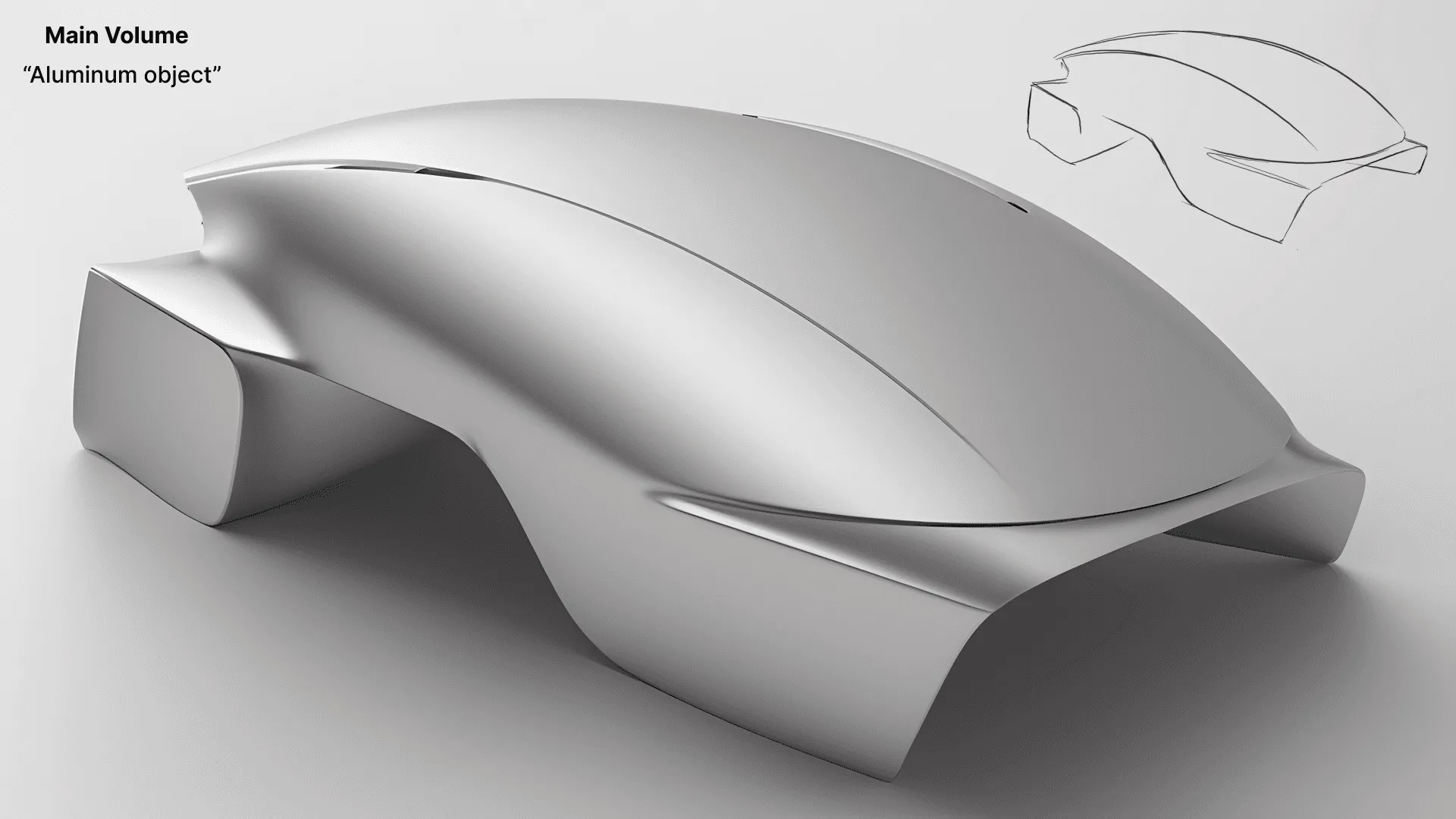
Create a volume on your input sketch
Step 2
use that volume to increasingly merge the certain brand's aesthetics together as you lower the drawing influence slider.


Step 3
Push the bundaries and find the lowest drawing influence number, where you get an interesting combination of your shape, interpreted as a concept car.

Step 4
Analyze the results of your advanced shape exploration
Have a question for our team?
Frequently asked questions
Explore all features in Vizcom or book a tailored demo for you and your
Yes of course! Our starter plan is completely free, no credit card required. This is a great plan to explore vizcom with.
We accept all major credit and debit cards.
Admins (paid) – can edit files, manage workspace settings, billing, teams, and invite members. Editors (paid) – can edit files but not manage settings, billing, or teams. Viewers (free) – can only view files in read-only mode.
Team billing is handled centrally by the Admin. All paid seats, whether Admins or Editors, are included in a single invoice under the same billing cycle, while Viewers remain free and do not affect the cost.
Yes, you can. An Admin can update the plan in the billing settings, and the switch will take effect on the next billing cycle at the annual rate.
Yes, you own everything you create in Vizcom. For free users, while Vizcom may use generated images to improve its services, it does not claim ownership of your designs, concepts, or original ideas—you keep full rights to them. For paid users, your images and designs remain entirely private and are only used to deliver the service. Every design, concept, and image you create or upload is fully yours and kept confidential.
Vizcom does not use your data to train AI models if you’re on a paid plan. Everything you create stays private and is only used to provide the service. Free users may have their generated images included to help improve Vizcom’s services, but even then, Vizcom does not claim ownership of your designs, concepts, or original ideas—you retain full rights.