Understanding Add-ons and Premium Usage
What are Add-ons?
Add-ons are one time purchases that grant you additional premium usage that can be redeemed for premium actions like, 3D generations and animations.
Each plan includes a base amount of premium actions every month and each time you create, you’ll use a portion of that monthly premium usage. Add-ons give you the flexibility to add more usage anytime, without upgrading your entire plan.
Available Add-On Packages
- Pack 1 - $35
- Adds ~ 25–33 premium actions
- Pack 2 - $75
- Adds ~62 - 83 premium actions
- Pack 3 - $135
- Adds ~125 - 166 premium actions
*Range may vary with your usage of 3D generations and length of animations.
Each month, your base premium usage amount resets automatically and any unused Add-ons will carry over to the next month, so nothing goes to waste.
How to Purchase Add-ons
If you’re currently on the Free plan, here’s how add-ons work for you:
- Upgrade Required
In order to purchase add-ons, you must first upgrade to the Professional plan.
- Usage Notifications
When you’re reaching your limit of premium actions (3D generations or animations), you’ll see a notification letting you know that your usage is almost full.
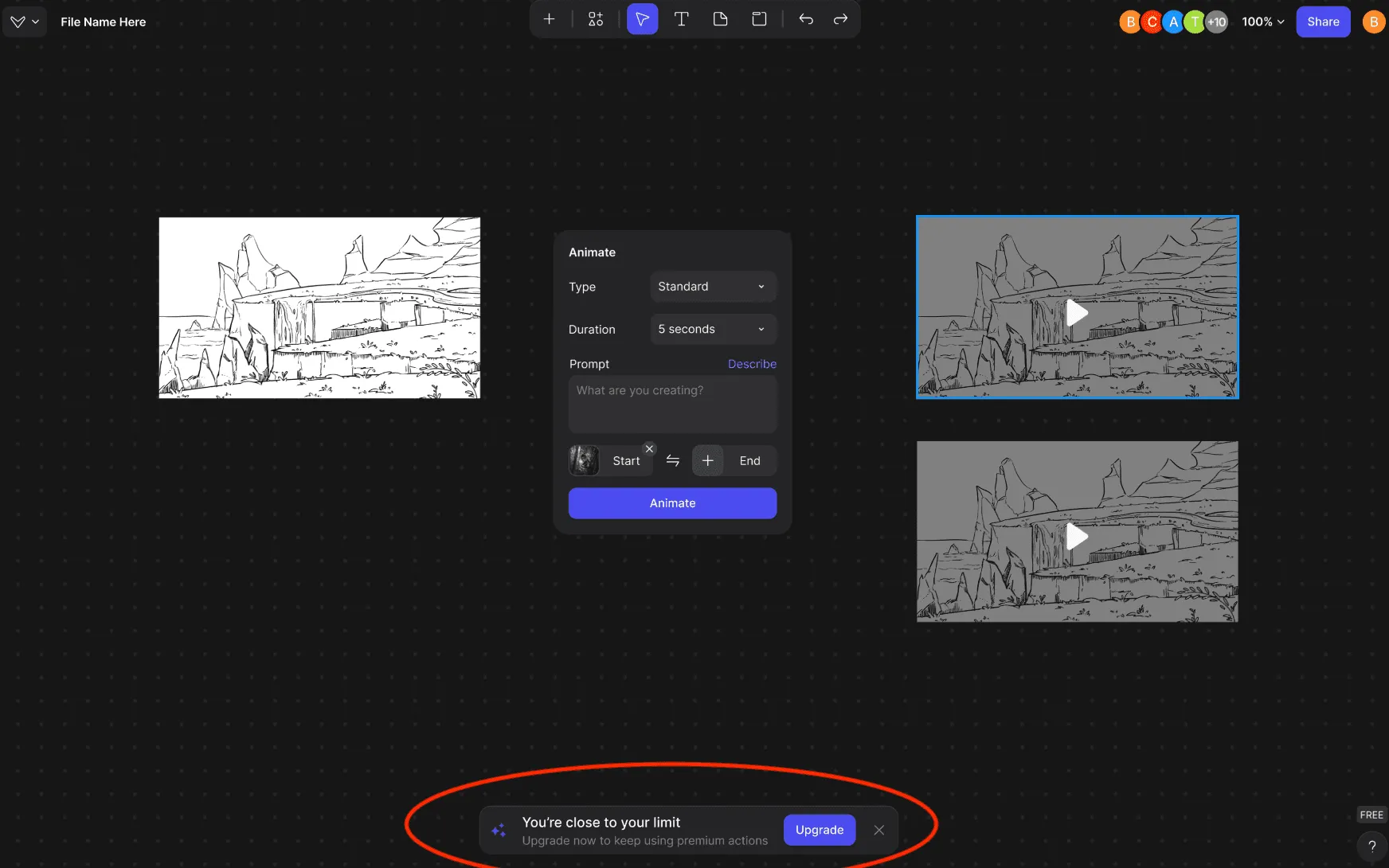
Check Your Premium Usage
Click on the Free Plan button located in the bottom right corner of Vizcom to see your usage. This shows how many premium actions you’ve used and how many remain.
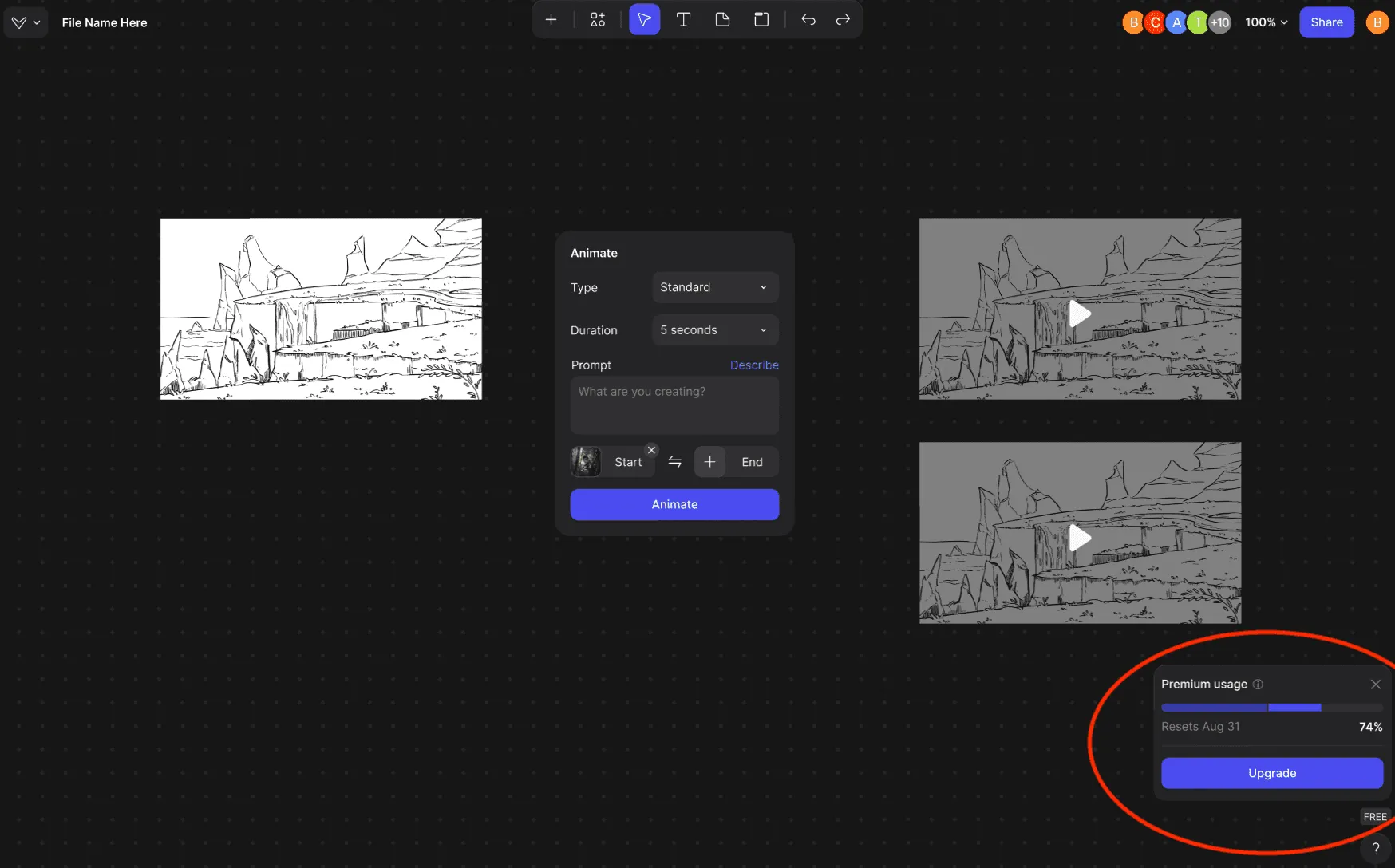
Upgrade to the Professional Plan
1. Click your profile picture in the top-right corner of Vizcom.
2. Select Account Settings → Plans & Billing.
3. Scroll down to the Plans section and choose Upgrade to move to the Professional plan.
4. Once upgraded, you’ll be able to purchase add-ons at any time.
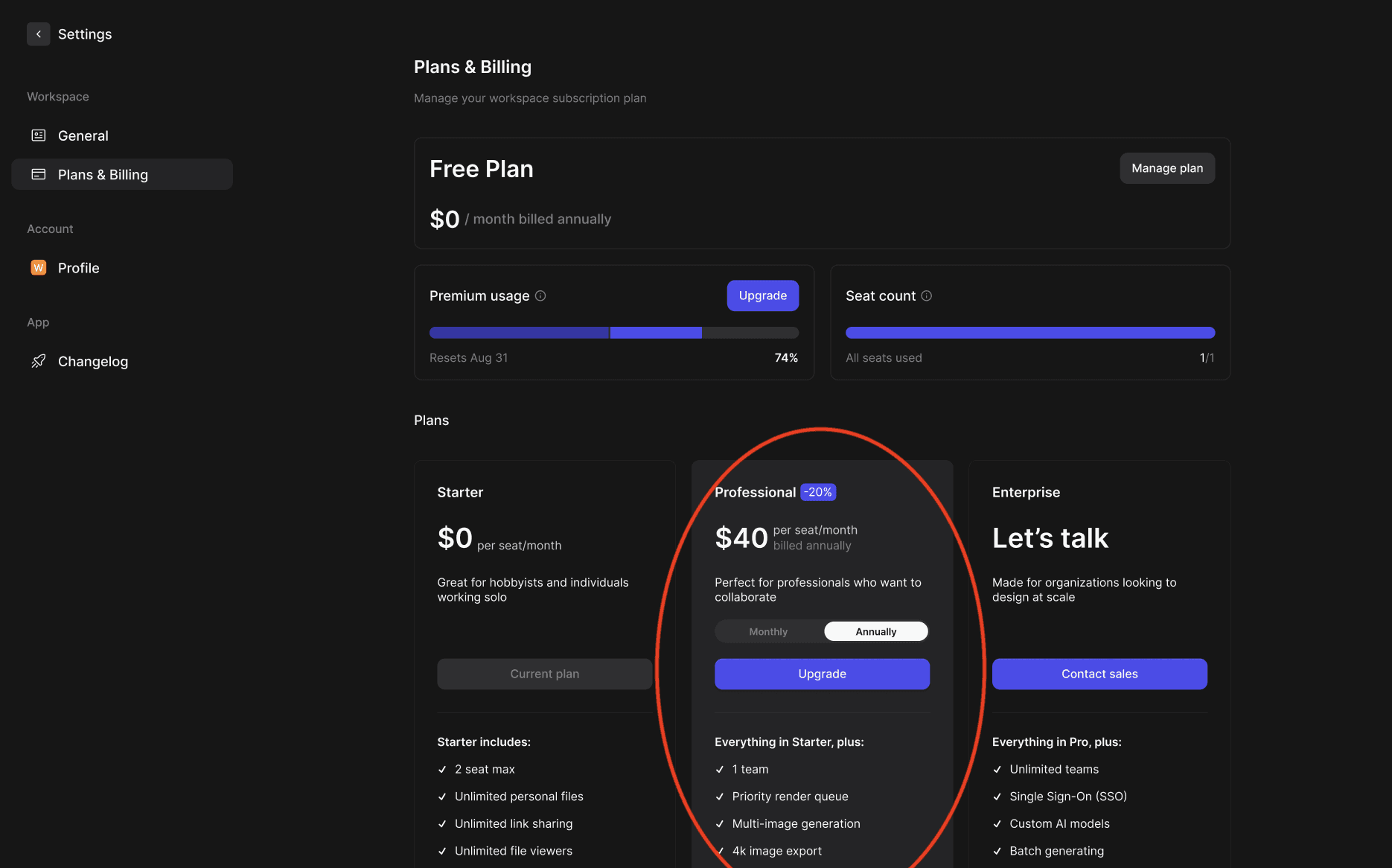
For users on the Professional Plan
Add-ons are available to purchase whenever you need additional usage for 3D generations or animations.
To purchase Add-ons:
- Click your profile picture on the top-right corner of Vizcom.
- Select Account Settings → Plans & Billing.
- In the premium usage dashboard, click “Buy add-on”
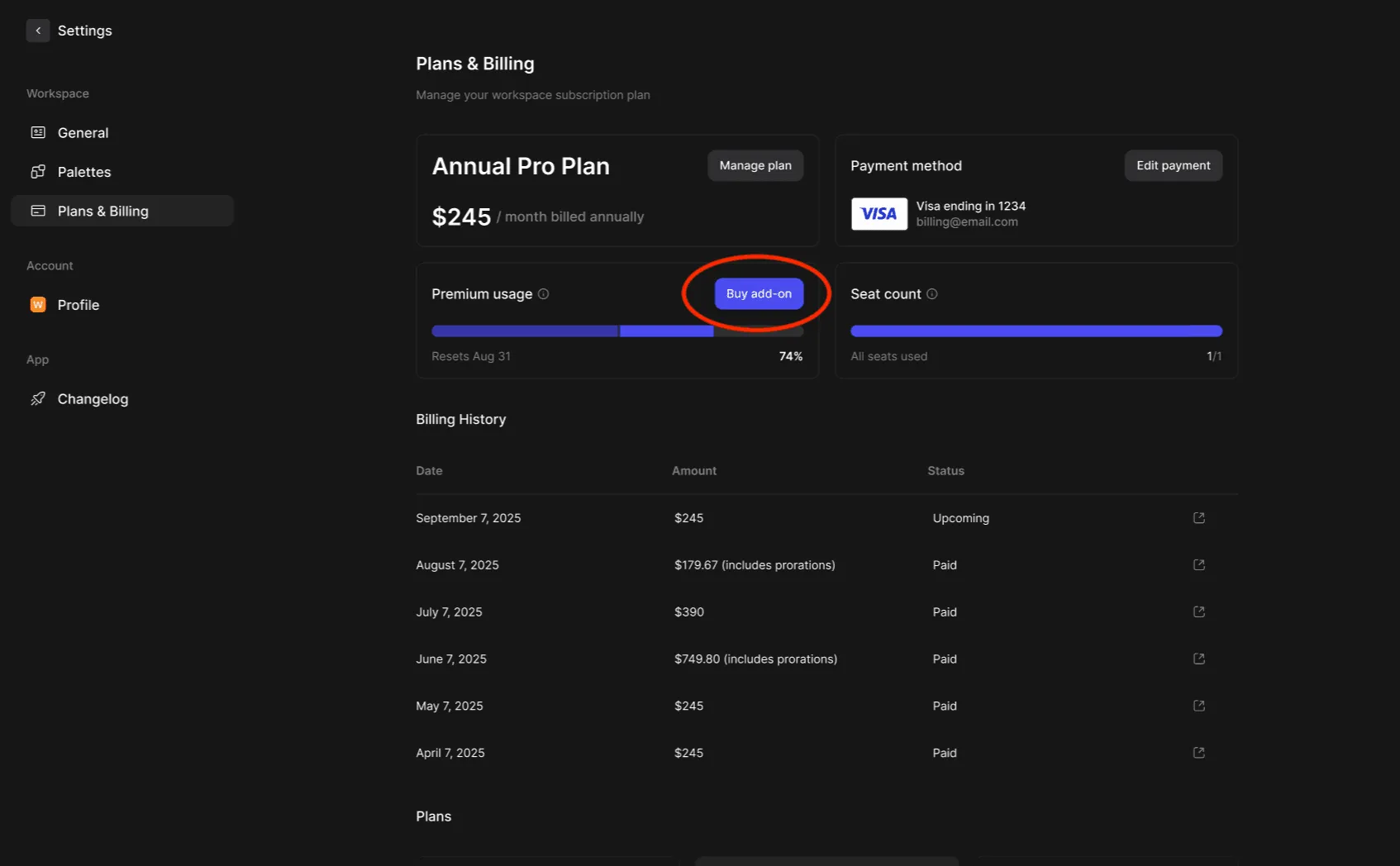
- Choose your desired add-on package
- Pack 1 - $35: Adds ~ 25–33 premium actions
- Pack 2 - $75: Adds ~62 - 83 premium actions
- Pack 3 - $135: Adds ~125 - 166 premium actions
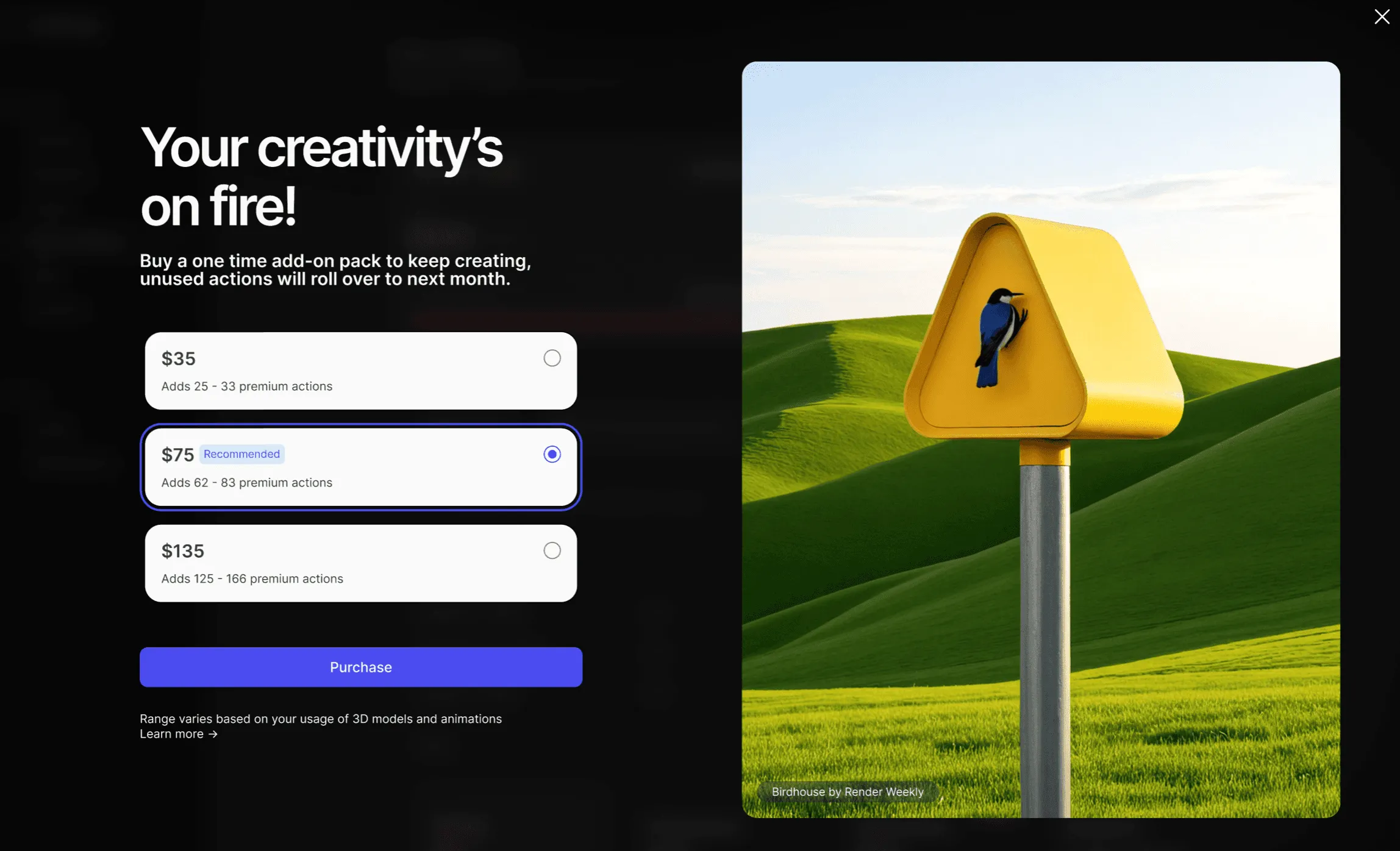
- Confirm your purchase — the additional premium usage will be added instantly to your account.
Premium Usage Dashboard
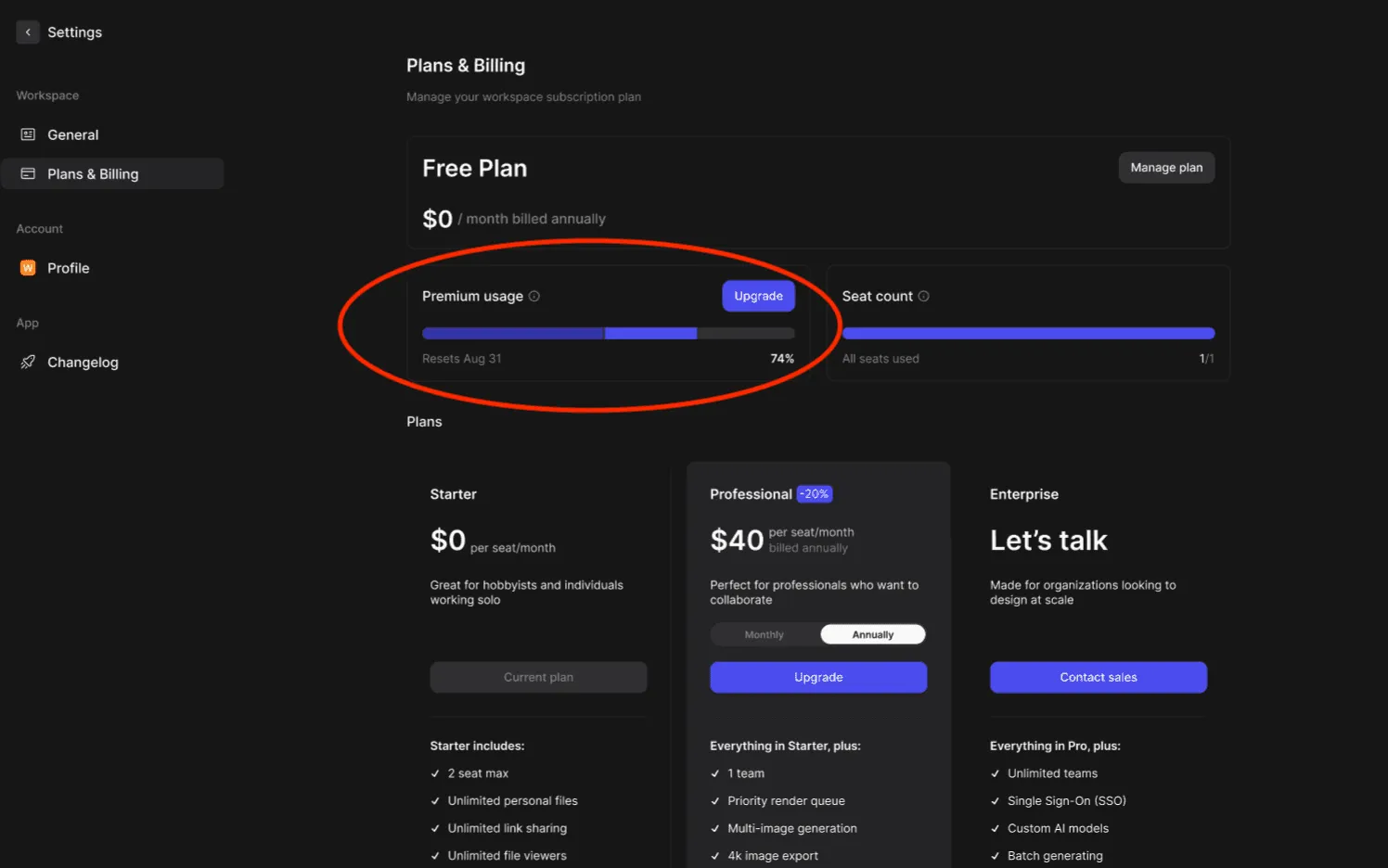
The Premium Usage Dashboard is available on both the Free and Professional plan. It provides real-time visibility into how you’re using premium actions, helping you plan and manage your creative workflow effectively.
Dashboard Insights
- Track total premium actions used (i.e. 3D generations & animations).
- Understand how your activity translates into premium usage.
- See when you might need Add-Ons to extend your creative capacity.
For Free & Professional Users
To access your Premium Usage Dashboard:
- Go to Settings → Plans & Billing.
- Locate the Premium Usage dashboard.
- Review your monthly 3D and animation usage.
Have a question for our team?
Frequently asked questions
Explore all features in Vizcom or book a tailored demo for you and your
Yes of course! Our starter plan is completely free, no credit card required. This is a great plan to explore vizcom with.
We accept all major credit and debit cards.
Admins (paid) – can edit files, manage workspace settings, billing, teams, and invite members. Editors (paid) – can edit files but not manage settings, billing, or teams. Viewers (free) – can only view files in read-only mode.
Team billing is handled centrally by the Admin. All paid seats, whether Admins or Editors, are included in a single invoice under the same billing cycle, while Viewers remain free and do not affect the cost.
Yes, you can. An Admin can update the plan in the billing settings, and the switch will take effect on the next billing cycle at the annual rate.
Yes, you own everything you create in Vizcom. For free users, while Vizcom may use generated images to improve its services, it does not claim ownership of your designs, concepts, or original ideas—you keep full rights to them. For paid users, your images and designs remain entirely private and are only used to deliver the service. Every design, concept, and image you create or upload is fully yours and kept confidential.
Vizcom does not use your data to train AI models if you’re on a paid plan. Everything you create stays private and is only used to provide the service. Free users may have their generated images included to help improve Vizcom’s services, but even then, Vizcom does not claim ownership of your designs, concepts, or original ideas—you retain full rights.