-cover.jpg)
The Yoga Mat That Actually Fits in Your Bag
Design student Tara Harcombe used origami engineering and Vizcom to redesign the yoga mat around a problem every practitioner knows: it doesn't fit in your bag.

The Yoga Mat That Folds Down to Fit in Your Bag
Origami is a real engineering tool. Design student Tara Harcombe used it and Vizcom to redesign the yoga mat around a problem every practitioner knows.
A few weeks ago, Tara Harcombe (@taralaradesign) designed a vase because she'd been given flowers and didn't own one. If you've followed along, you know the pattern by now: Tara studies product design engineering at the University of Glasgow, and she can't sit with a problem for long without trying to fix it.
This time the problem was one a lot of people share.
"My yoga mat doesn't fit in my bag."
So she redesigned the mat. Here's how she did it.
The idea: borrow from origami
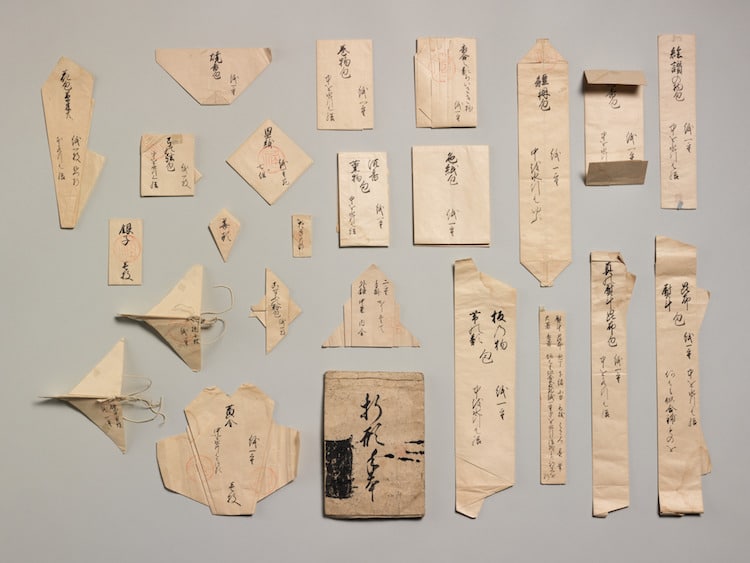
Origami isn't only paper art. It's a genuine engineering discipline. The same fold logic packs airbags into a steering wheel, deploys solar arrays on satellites, and collapses medical stents small enough to travel through an artery. The appeal is always the same: take something large and flat, and make it small and compact in a controlled, repeatable way.
That's exactly the problem with a yoga mat.
"Origami is used for engineering solutions all the time, so it just made sense to apply this logic to my mat."
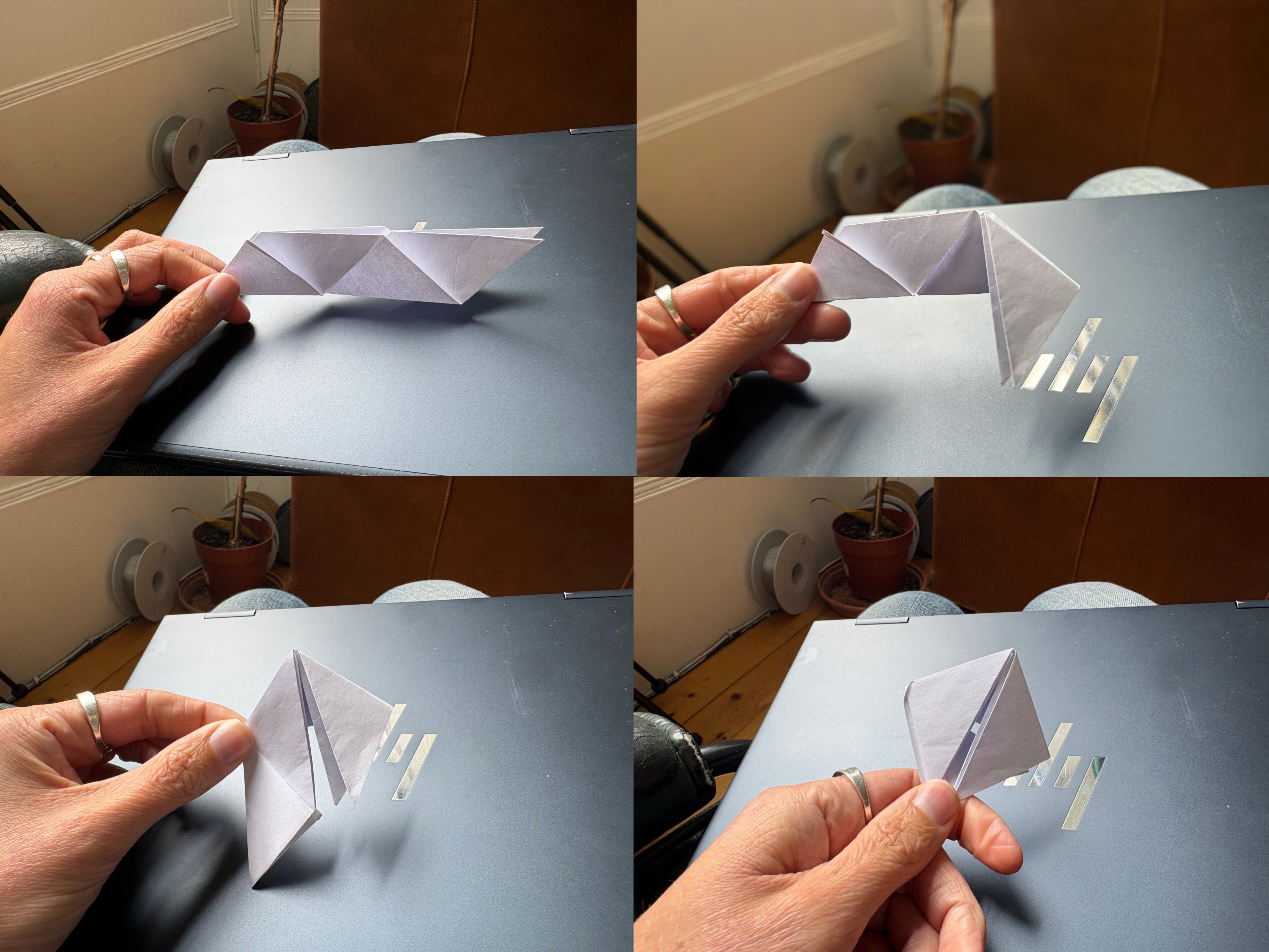
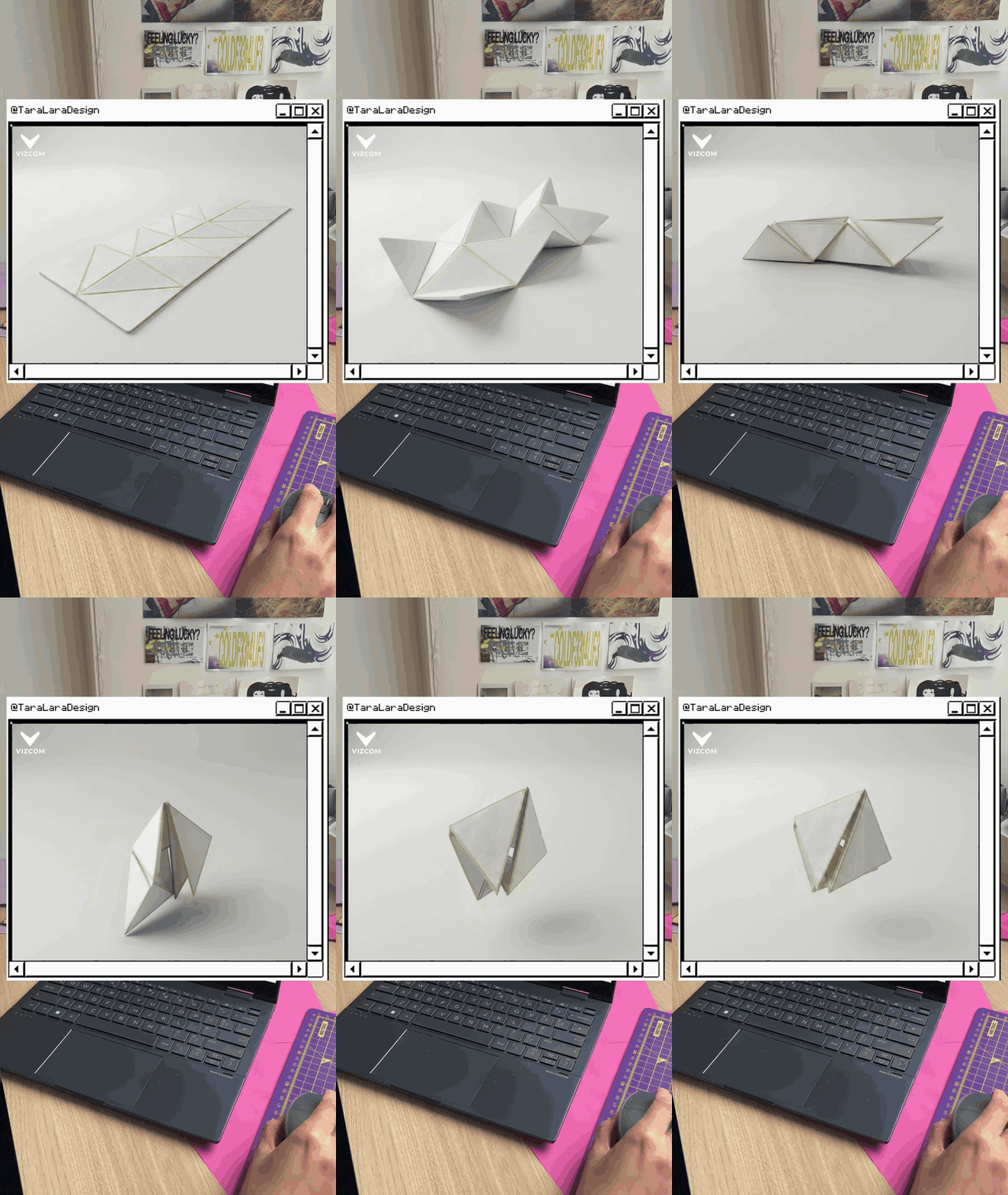
She started on paper. Before touching the real thing, she folded a series of tessellated studies to find a pattern that would collapse down predictably, testing how the peaks and valleys behave and how tightly the whole thing packs.
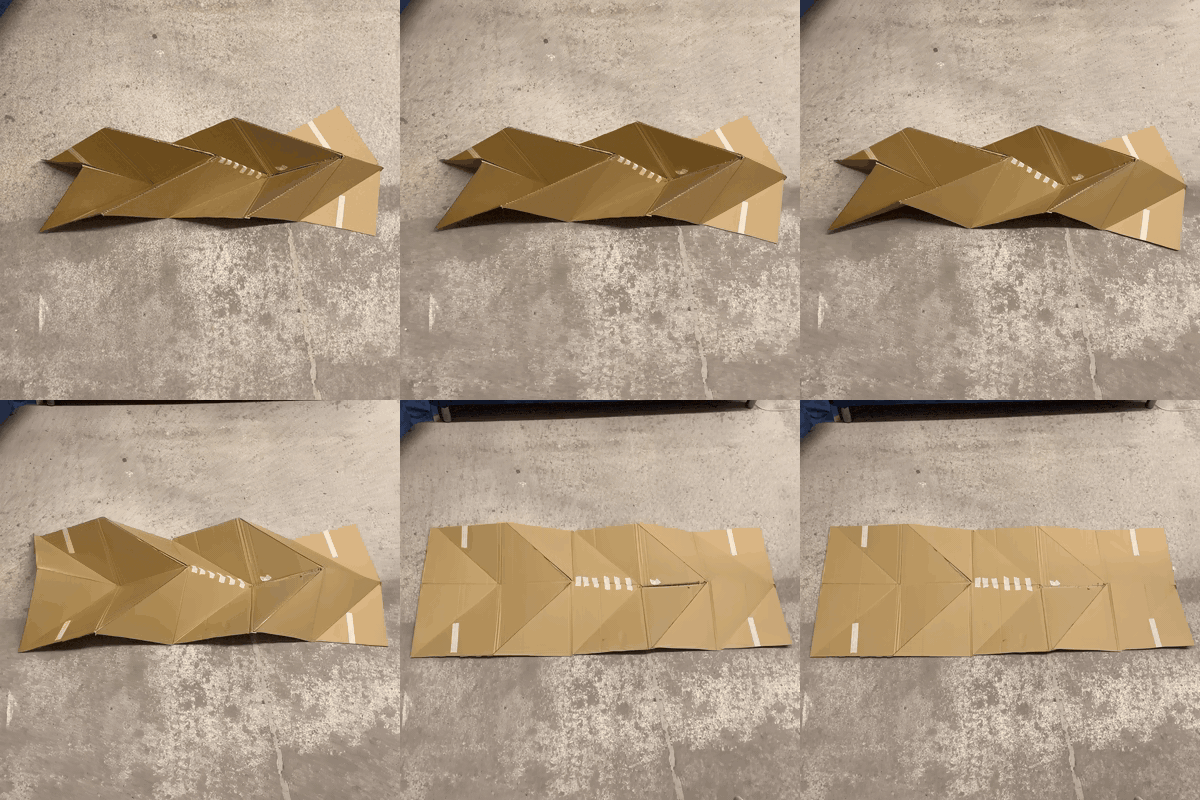
Paper proves the pattern, but a yoga mat is a meter of surface. So Tara scaled the same tessellation up in cardboard, to check that it still folded and packed down predictably at full size.
%20(1).png)
Visualizing it in Vizcom
Here's the hard part about a folded square of paper: it's difficult to look at it and see a finished product. The idea lives in your head, and everyone else just sees paper.
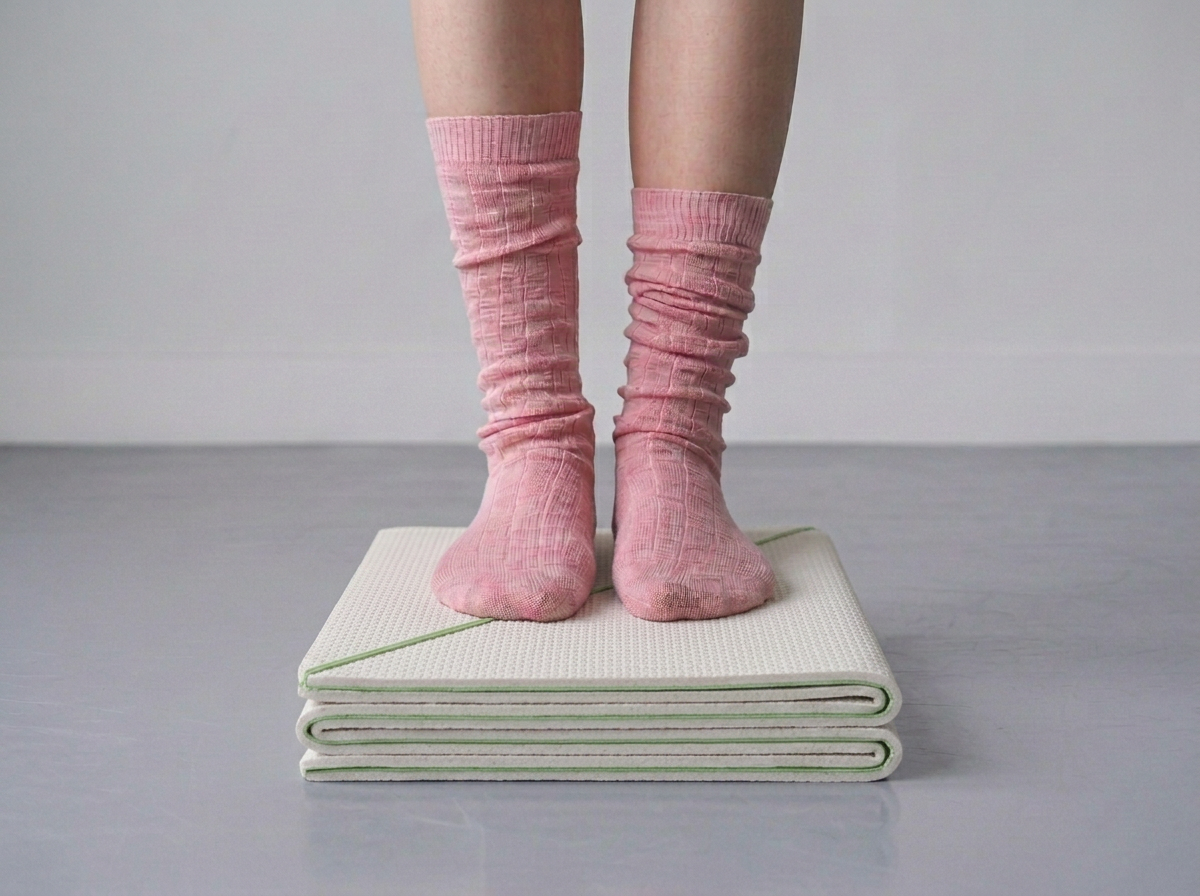
Tara used Vizcom to close that gap. "What would this piece of paper actually look like as a yoga mat? I used Vizcom to visualize it, and it was able to take my paper prototype and create a photorealistic render," she says. In minutes the fold study became a clean product: the textured surface, the green fold lines, the way it collapses into a flat stack.
Building the world with Modify
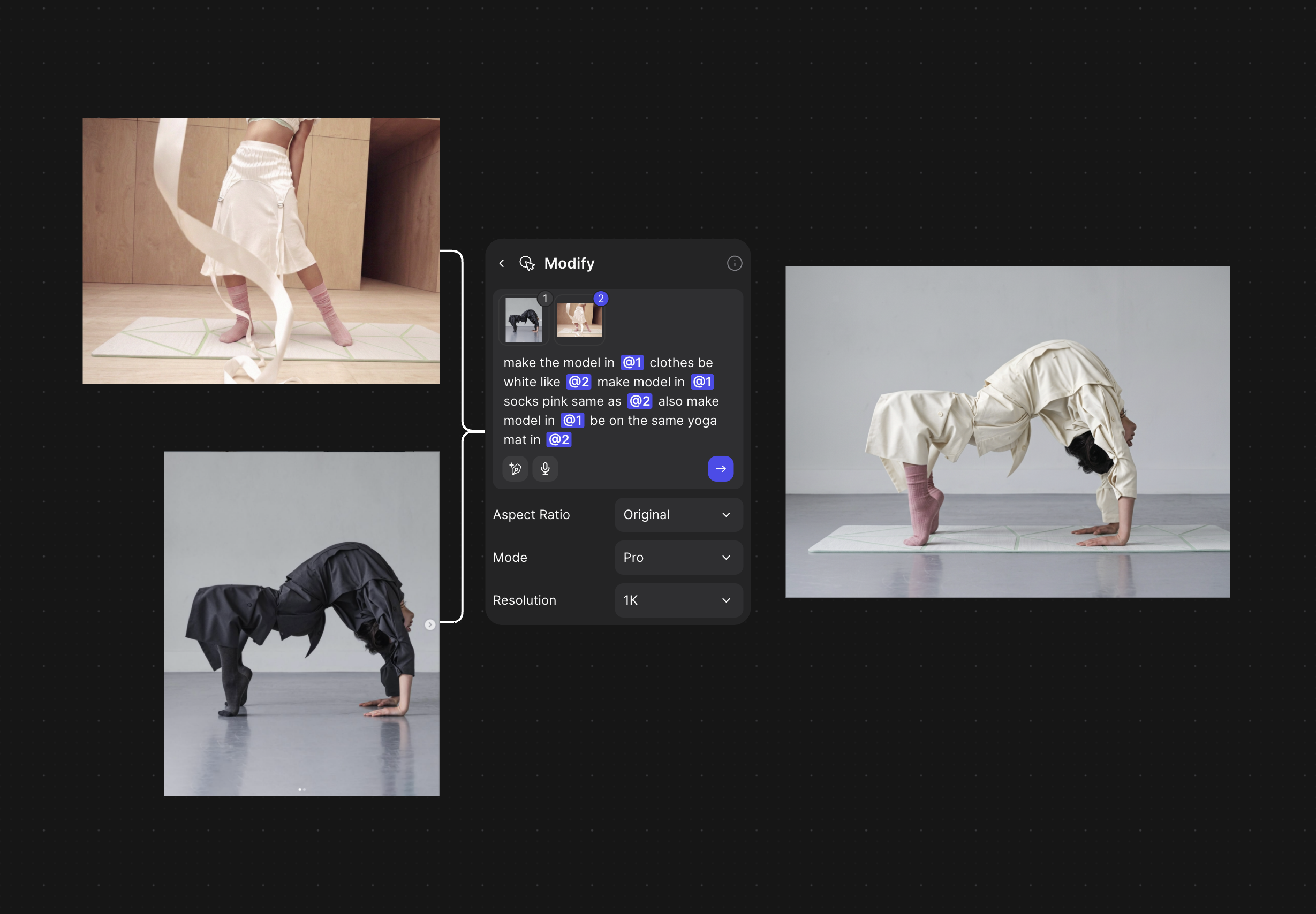
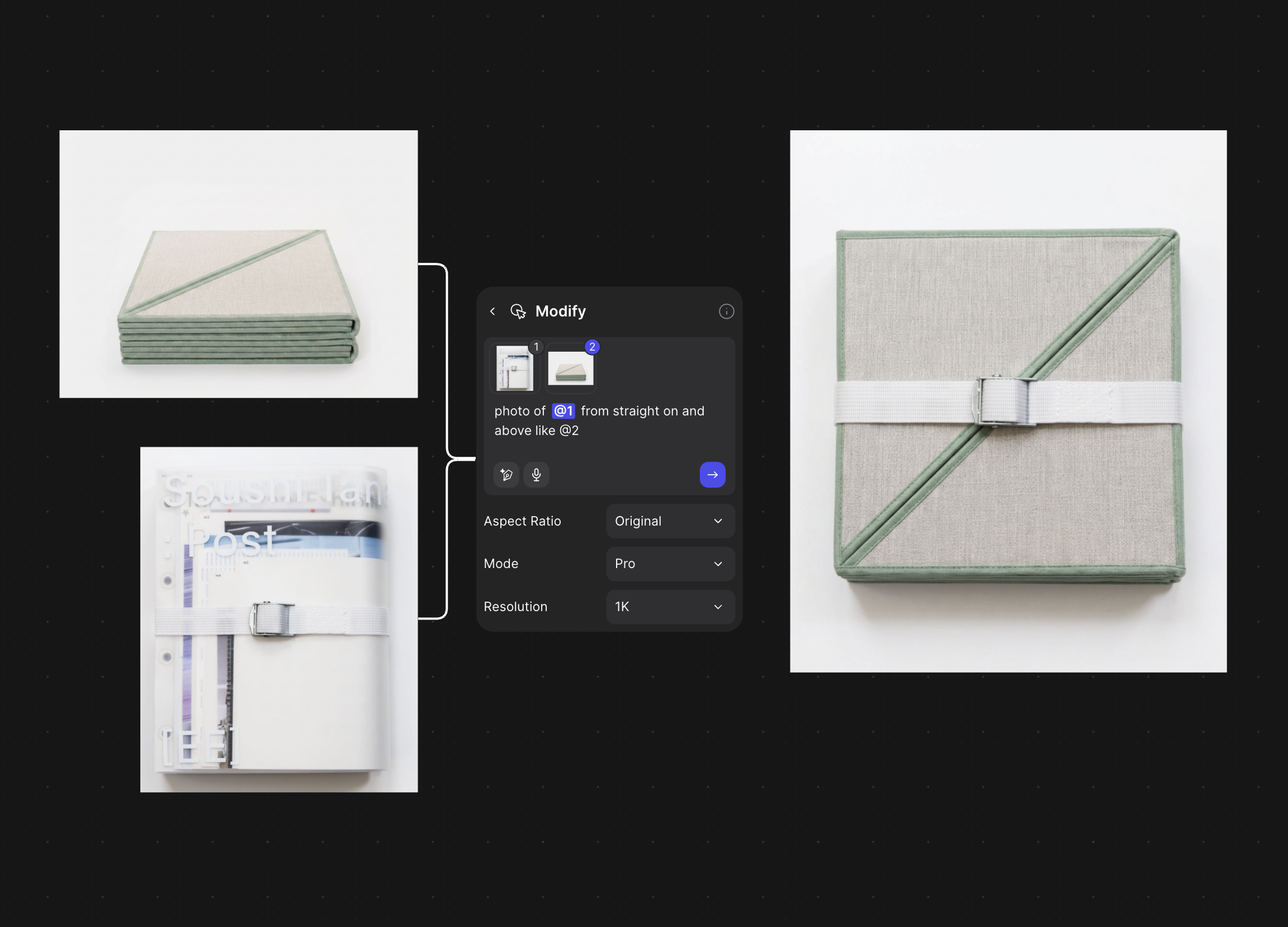
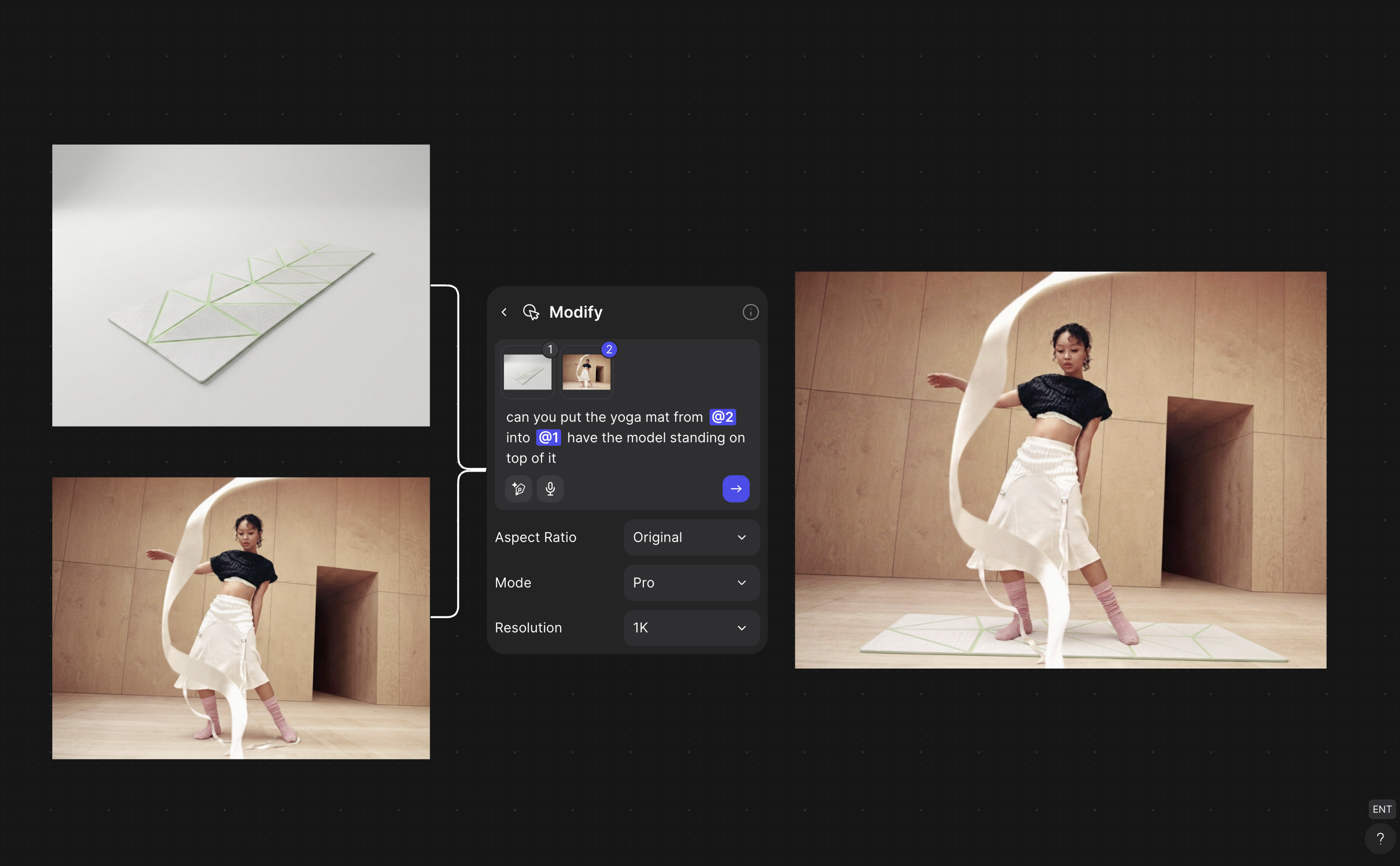
This is where Tara went past a single render. Using Vizcom's Modify tool, she combined reference images and described the change she wanted in plain language: tag one image as @1, another as @2, and write the instruction.
Drop in a bare product render and a lifestyle shot and ask it to "put the yoga mat from @2 into @1, model standing on top of it," and the mat lands in the scene. Swap the model's wardrobe to match another frame, keep the pink socks consistent, restyle the folded mat to sit "straight on and above" like a reference photo for packaging. Each of those is one sentence, not an afternoon of masking and retouching.
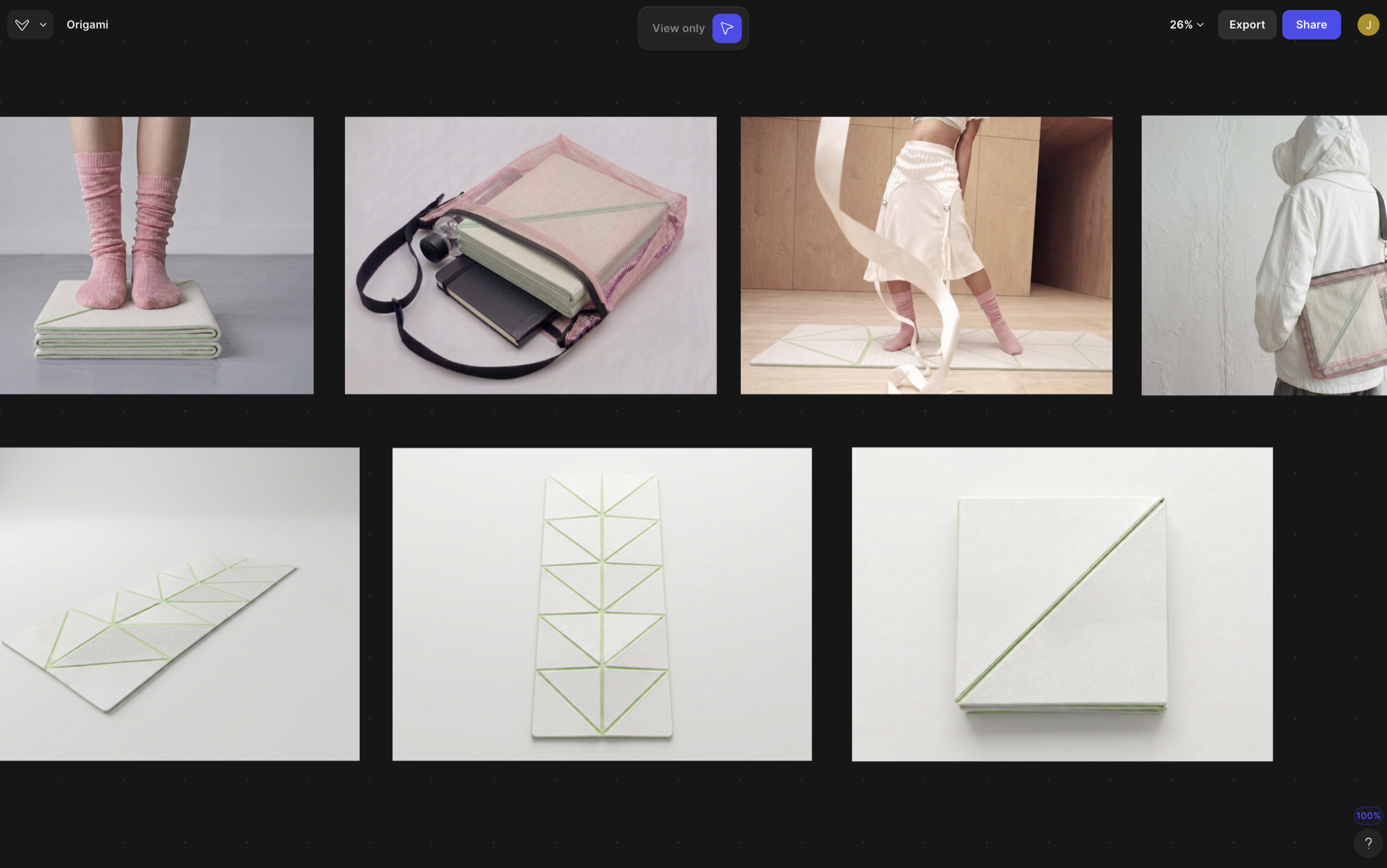
And once the pieces were consistent, she kept building.
"I got a bit carried away on Vizcom and created a whole brand identity and world for my origami yoga mat, which was so much fun."
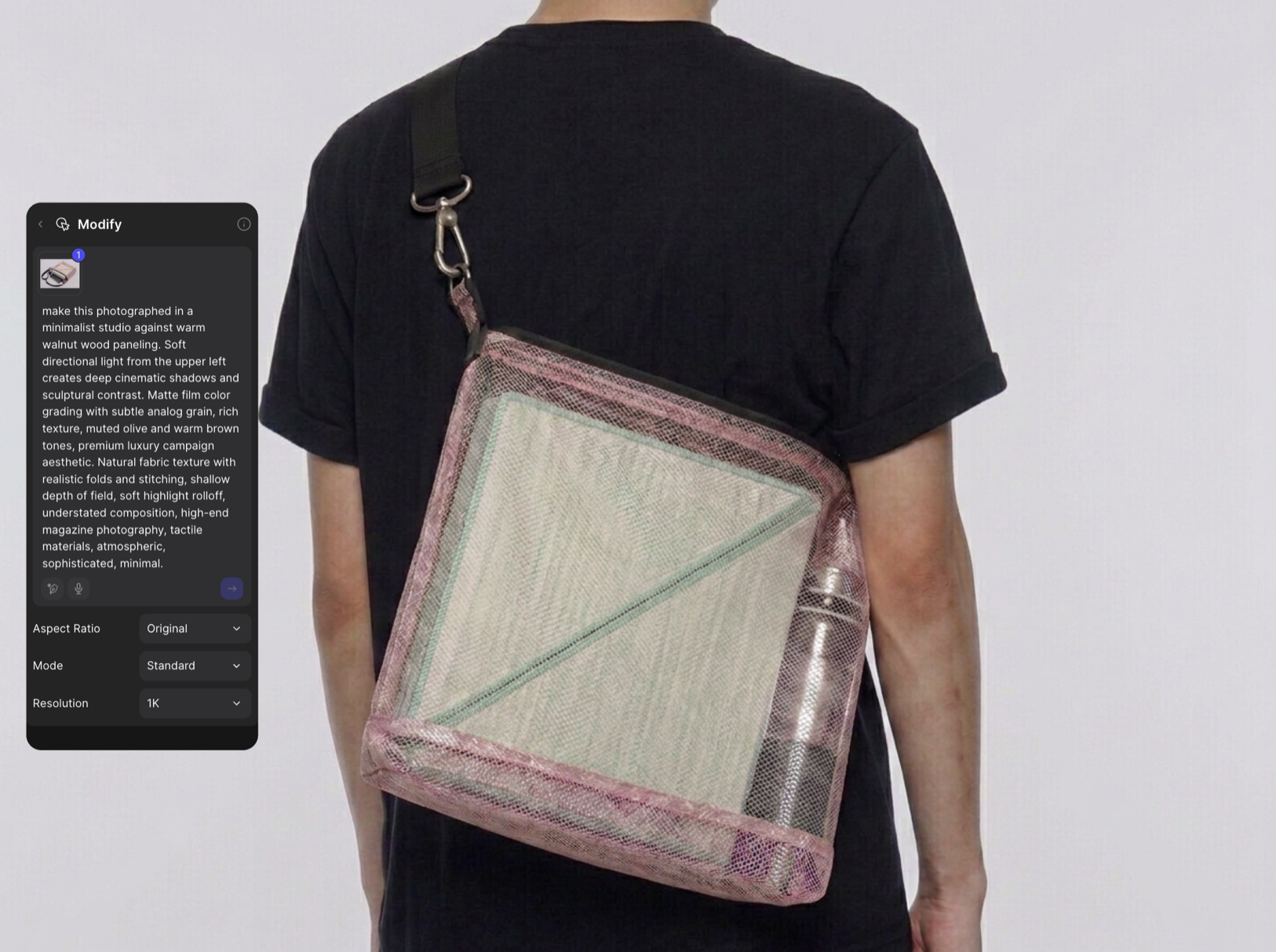
That world is remarkably complete: lifestyle imagery of the mat in use, a webbing carry strap, a mesh shoulder bag sized to the folded mat, even branded apparel. All generated in Vizcom, all visually consistent, none of it needing a studio or a photoshoot.
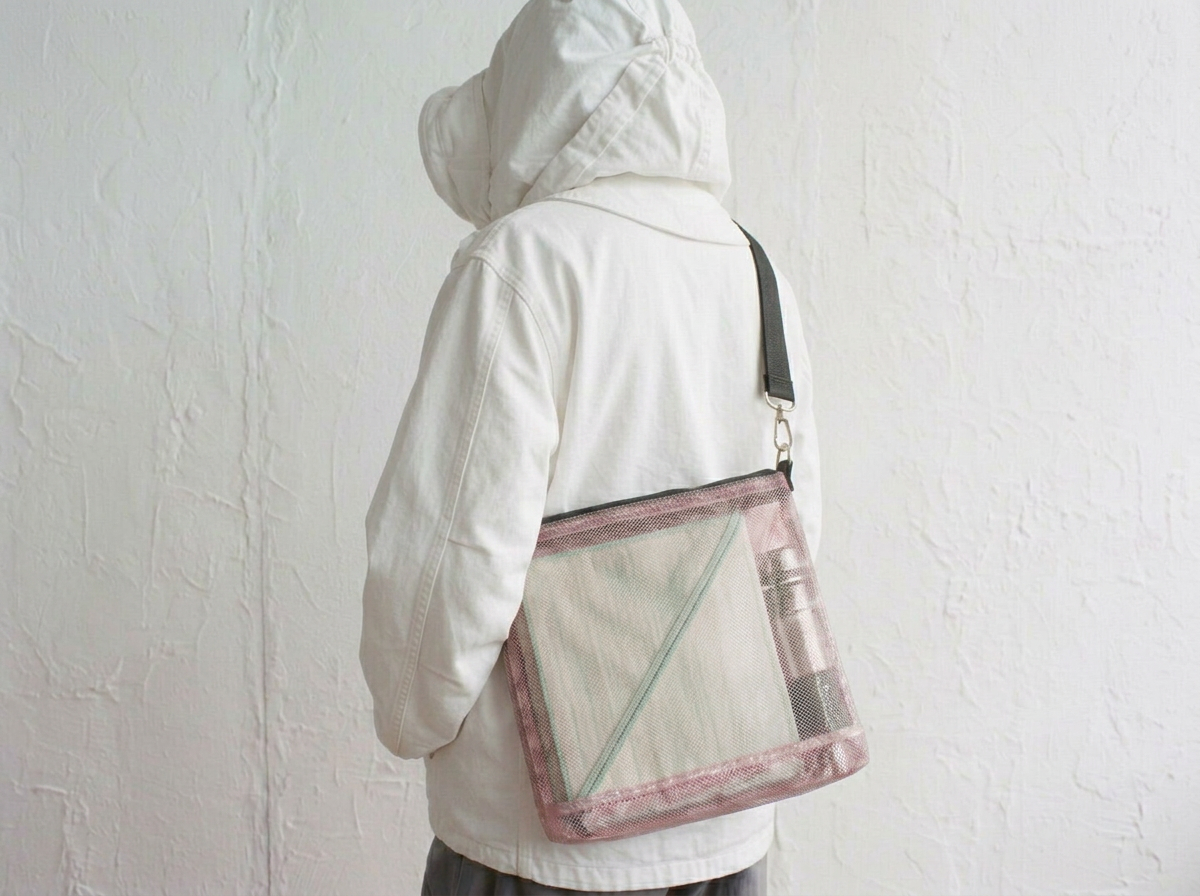
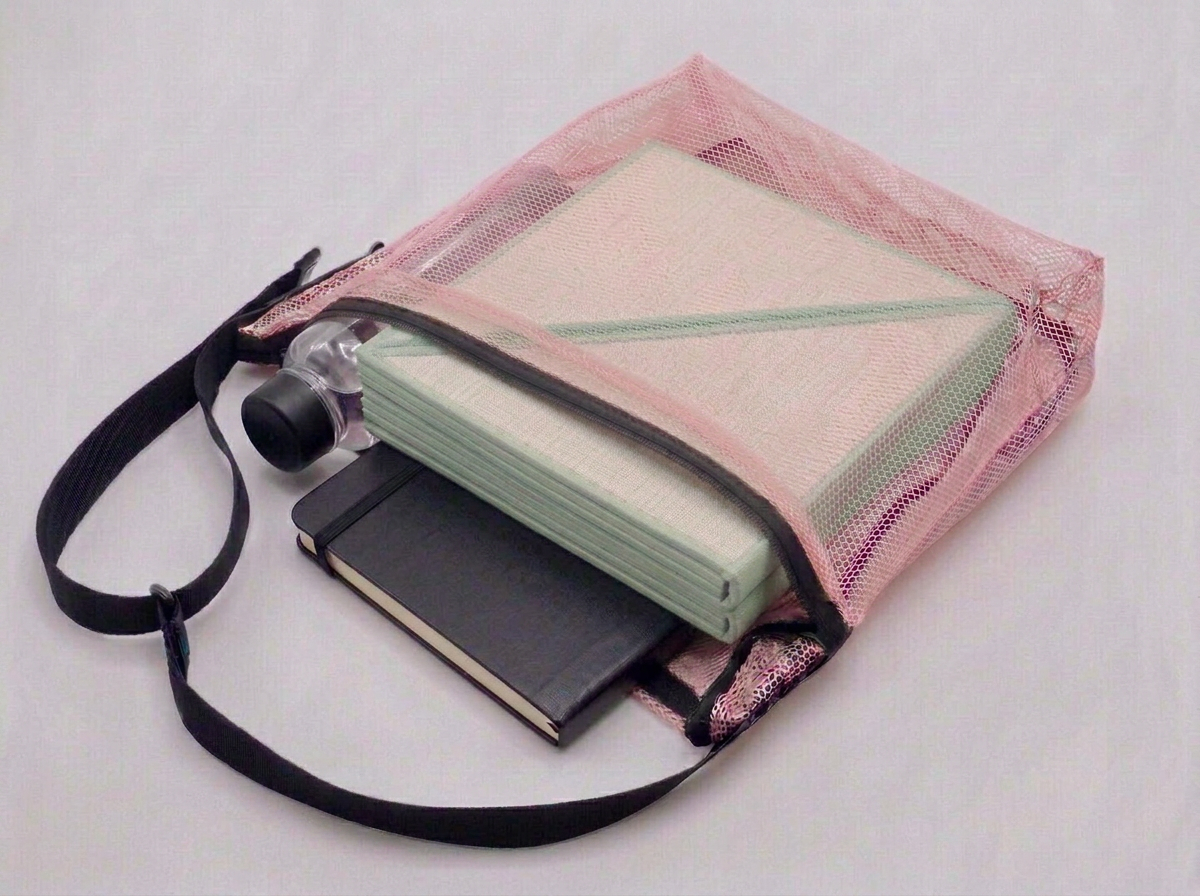
This is the part worth sitting with. By the time Tara was done, she hadn't just rendered an object. She had the form, the motion, the packaging, and the brand: the entire story of a product that did not physically exist yet. The visualization wasn't documenting a finished design. It was making an idea real enough that thousands of other people could react to it.
Making it real
With the concept resolved on screen, Tara went back to the physical prototype, and this is where the engineering degree earns its keep.
She measured carefully to place precise fold lines, then scored them into the mat itself with a Dremel: peaks on one side, valleys on the other. "Peak and valley, peak and valley. That's the whole thing with origami," she says. Thinning the material along each fold line created clean, controlled paths for the mat to collapse along, instead of creasing wherever it felt like it.
"Dremeling the fold lines worked really well at creating paths for the mat to fold down."
.png)
The result is a full-size yoga mat that folds flat and compact enough to actually fit in a bag.
"I love practical solutions to everyday problems, and using my design engineering degree," Tara says. "So here it is, my origami yoga mat, designed by me."
The internet wants one
The response to the video was immediate, and it wasn't the usual polite applause. The comments filled up with people trying to buy a mat that is, for now, a prototype: "I need this to be patented and produced ASAP," "this is the redesign we actually need," "when can I get one." One of the most-liked comments got straight to the point: origami serves both the aesthetic and problem-solving sides of product design at once.

That reaction is the whole thesis in miniature. A folded square of paper doesn't make anyone want to buy anything. A photorealistic render, an animation of the fold, and a brand to wrap it in make people ask where to send their money. Good visualization doesn't just show a design. It creates demand for it before the design is even real.
The workflow, in five steps
Tara's full process, start to finish: a real, shared problem to solve; origami paper studies scaled up in cardboard to prove the fold pattern collapses cleanly at full size; Vizcom to turn the prototype into a photorealistic render, animate the folding mechanism, and build a brand world around it; a Dremel to score precise peak-and-valley fold lines into the physical mat; and a finished mat that packs down to fit in a bag.
The distance between an idea and a real object keeps shrinking, and so does the distance between a prototype and something people already want to own.
Real is the new render.
Watch the full video: Instagram ·
Follow Tara: @taralaradesign for more industrial design process content.
Want to see your sketches and paper prototypes as finished products? Try Vizcom at vizcom.com.
This is our favorite kind of work. The tool gets out of the way and the designer's idea does the talking.
Explore
Explore more blog posts & resources to get inspired
.webp)
Hatch Duo is a design studio based in San Jose built around a simple premise: great products hatch when two forces meet, your insight and their execution. Hatch's focus sits squarely in consumer packaged goods. For their latest collaboration with Vizcom, industrial designer Alec Comido wanted to see what he could design in one hour.
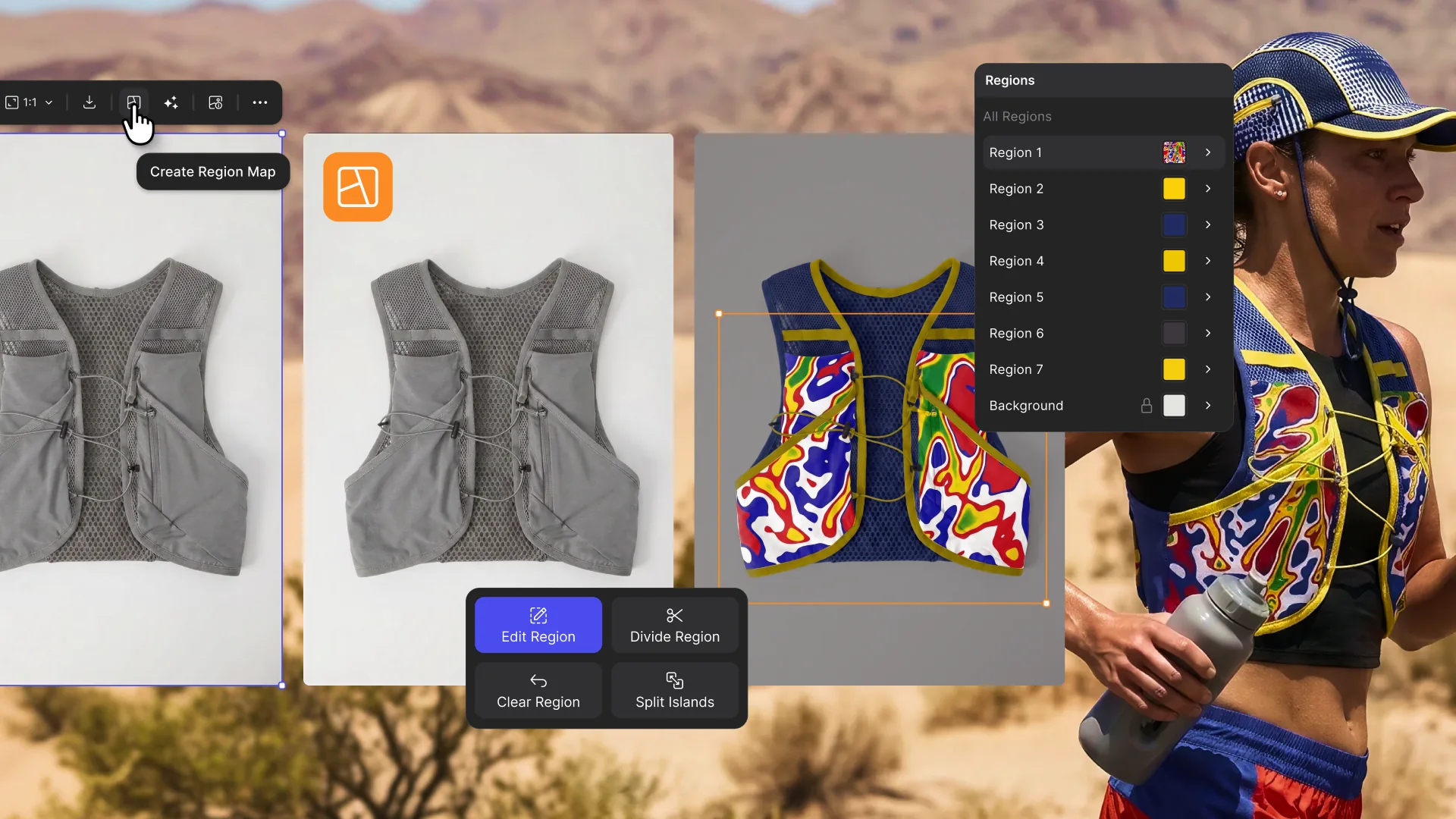
Explore color and material variations part-by-part without leaving Vizcom.

Frequently asked questions
Yes of course! Our starter plan is completely free, no credit card required. This is a great plan to explore vizcom with.
We accept all major credit and debit cards.
Admins (paid) – can edit files, manage workspace settings, billing, teams, and invite members. Editors (paid) – can edit files but not manage settings, billing, or teams. Viewers (free) – can only view files in read-only mode.
Team billing is handled centrally by the Admin. All paid seats, whether Admins or Editors, are included in a single invoice under the same billing cycle, while Viewers remain free and do not affect the cost.
Yes, you can. An Admin can update the plan in the billing settings, and the switch will take effect on the next billing cycle at the annual rate.
Yes, you own everything you create in Vizcom. For free users, while Vizcom may use generated images to improve its services, it does not claim ownership of your designs, concepts, or original ideas—you keep full rights to them. For paid users, your images and designs remain entirely private and are only used to deliver the service. Every design, concept, and image you create or upload is fully yours and kept confidential.
Vizcom does not use your data to train AI models if you’re on a paid plan. Everything you create stays private and is only used to provide the service. Free users may have their generated images included to help improve Vizcom’s services, but even then, Vizcom does not claim ownership of your designs, concepts, or original ideas—you retain full rights.