From a Rough Sketch to a Vase You Can Actually Put Flowers In
Designer Tara Harcombe took her idea all the way from the first pencil lines to the finished piece, with Vizcom in the loop the whole way.

From Flowers Without a Vase to a Vase Worth the Flowers
How design student Tara Harcombe took a vase from first sketch to finished object with Vizcom in the middle of the process.
Tara Harcombe (@taralaradesign) studies product design engineering at the University of Glasgow, which means she has a habit most designers will recognize: she can't see a problem without wanting to fix it.
"I got given flowers the other day and I didn't have a vase, so obviously I had to design one."
What followed is a clean example of a modern design workflow. From sketch, visualize, decide, model, make all compressed into a single project, and documented start to finish in her video. Here's how she did it.
The idea: four intersecting panels

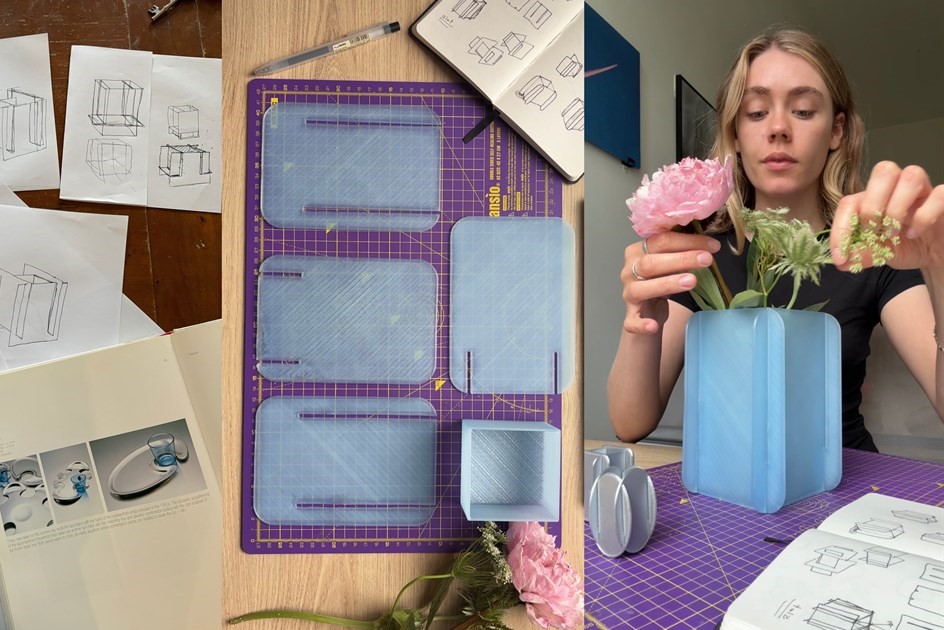
Tara's concept was simple and structural: four rectangular panels intersecting to form the body of a vase. No adhesives, no fasteners just flat parts that slot together into a rigid, sculptural whole.
She started where every project should start: on paper. Loose perspective sketches exploring how the panels overlap, how the negative space reads, and how the form sits on a surface.
Visualizing the idea before committing to it
This is the stage where a lot of ideas stall. The sketch looks promising, but committing to CAD and then to a print usually means hours of work before you find out whether the object actually holds up visually.
Tara used Vizcom to close that gap. "I used Vizcom to visualize my design into what I was actually imagining for my product," she says. Her rough sketches became photorealistic renders of the vase in minutes, letting her evaluate the concept as an object rather than a drawing.
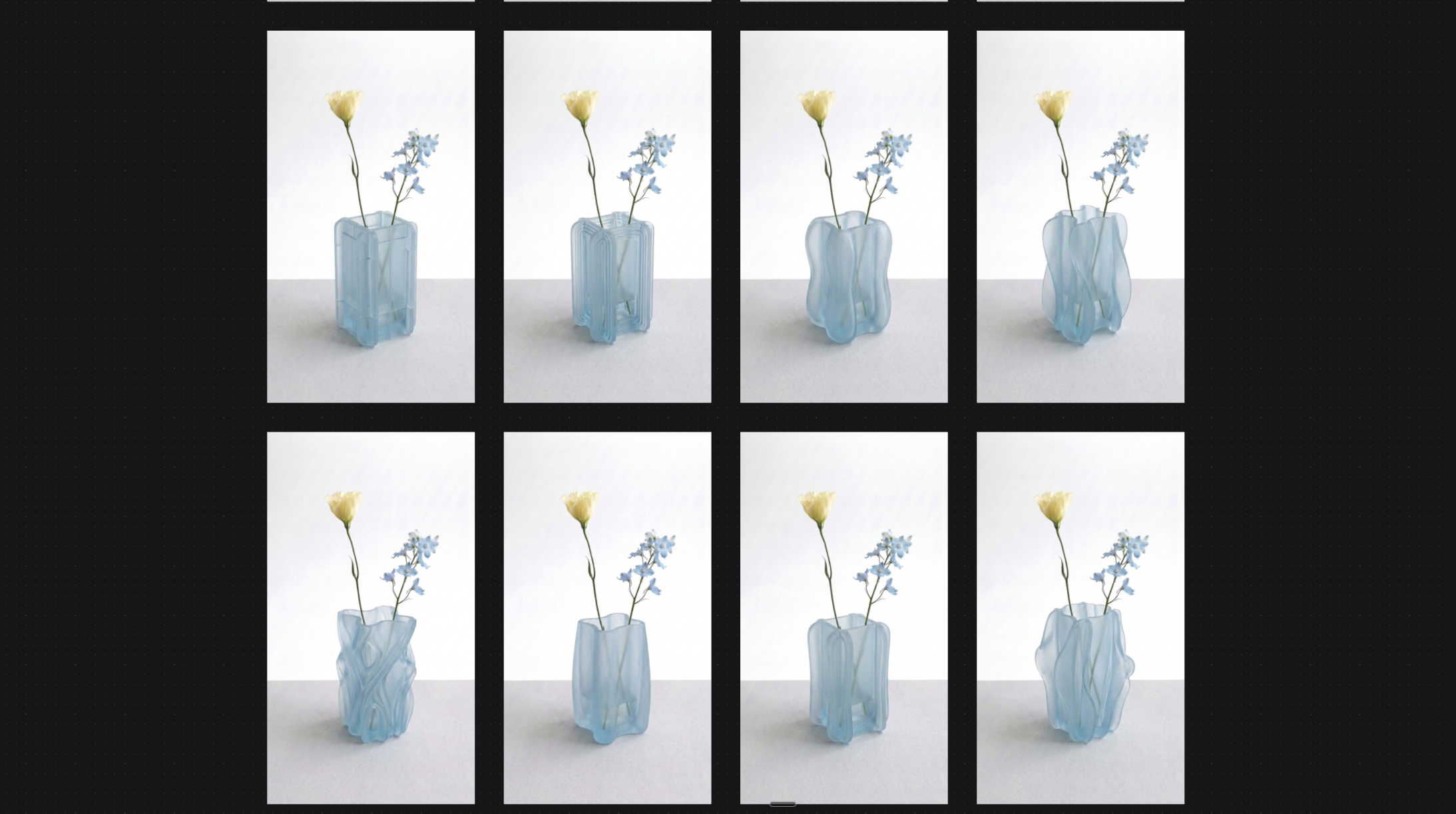
Instead of settling that debate in her head, she settled it on the canvas, cycling through materials and colorways in Vizcom until one clicked: a frosted, translucent blue that lets light pass through the panels and softens the geometry.
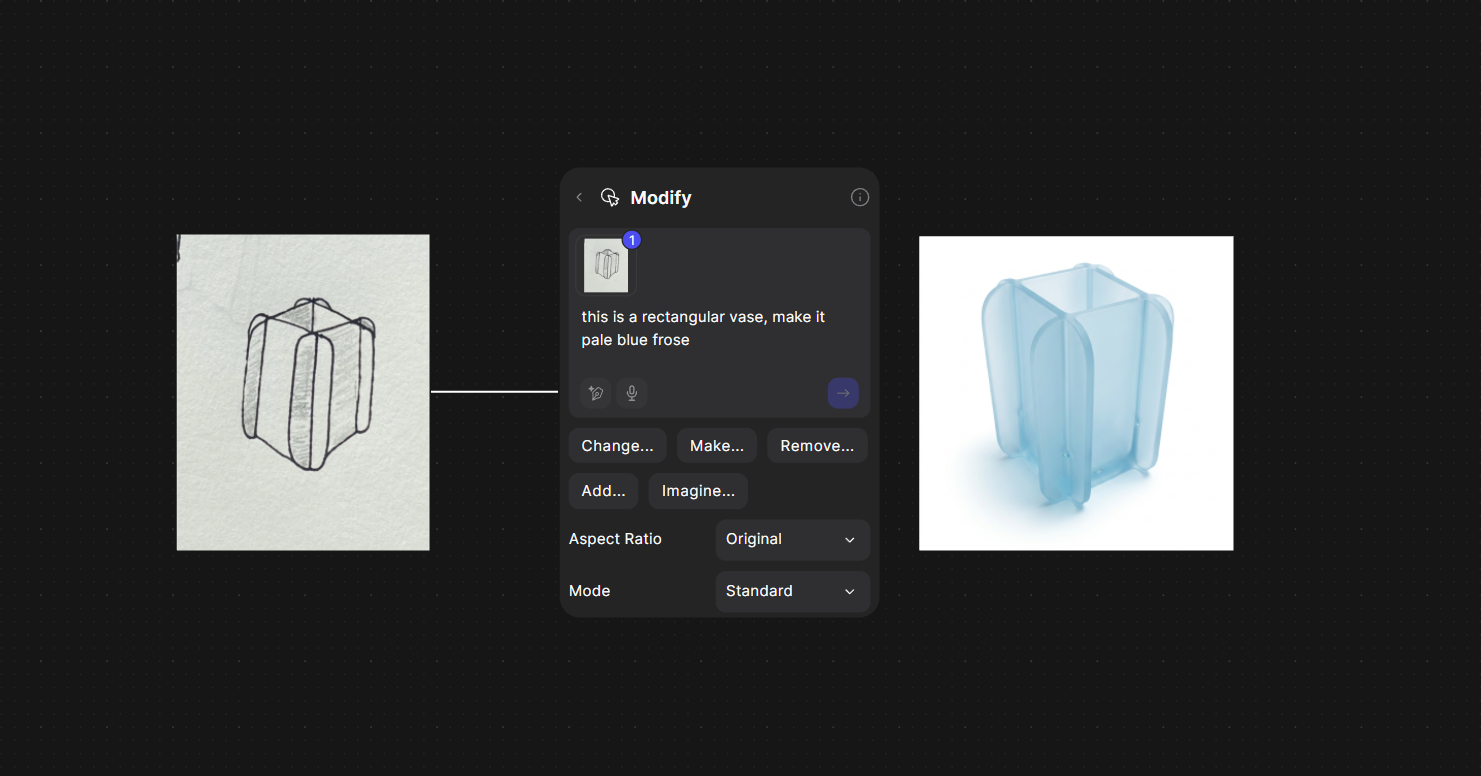
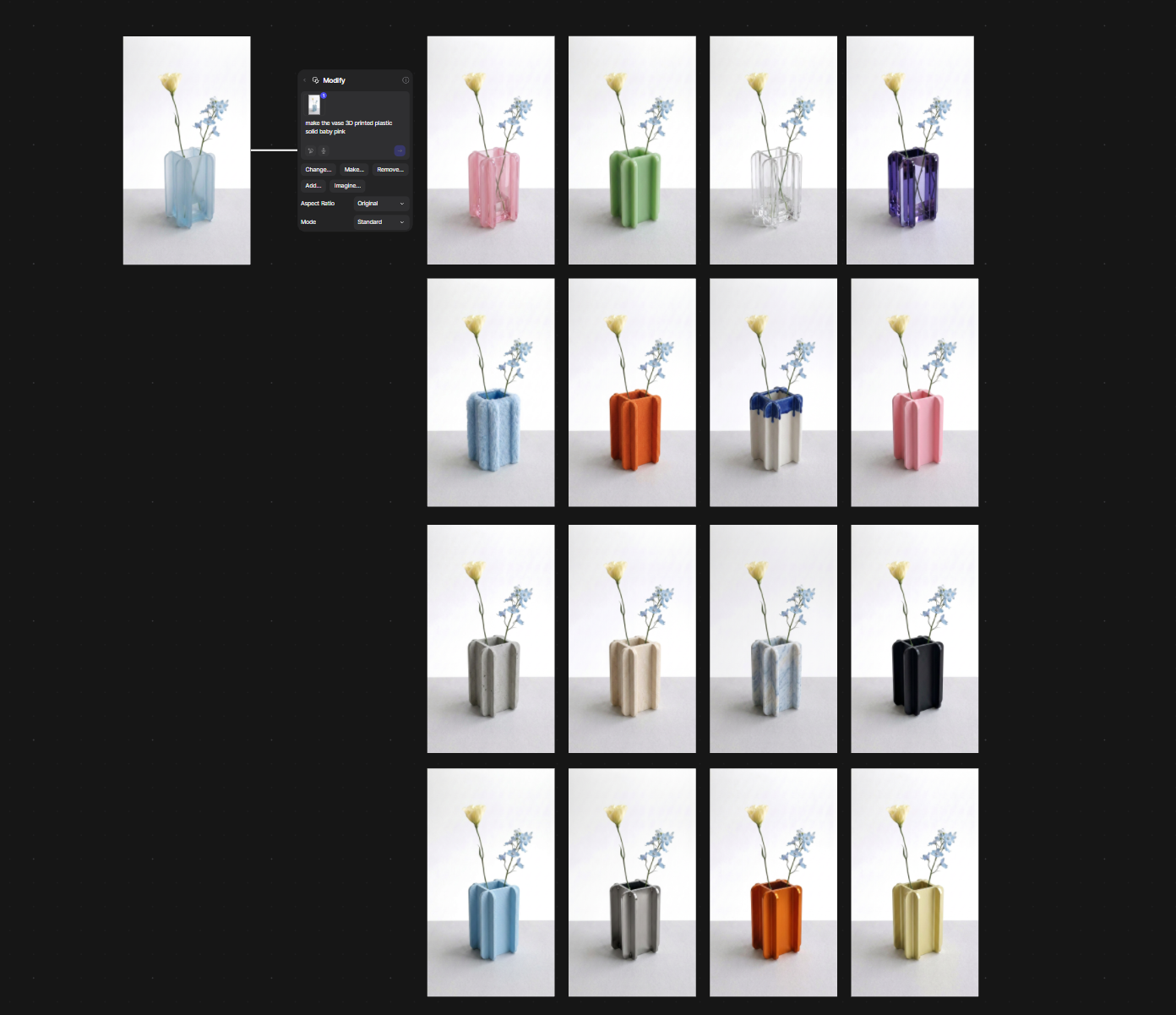
You can explore Tara's interactive Vizcom workbench here →
"As a design student, Vizcom is such a great tool for me because it allows me to see my designs at this high-quality render stage before I've even brought it to CAD."
That's the workflow inversion that matters. The render stopped being the last step of the process and became a decision-making tool at the front of it. By the time Tara opened her CAD software, the design questions were already answered. She wasn't modeling to find out what the vase should be. She was modeling something she'd already seen.
Making it real
With the direction locked, Tara modeled the four panels and base, then 3D printed the parts in a frosted translucent material that matched her chosen render almost exactly.
%20(3).png)
The construction is the clever part. Each panel has routed slots, and the base is a textured tray that the walls key into. The whole vase assembles by hand in seconds — flat parts becoming a finished object with a satisfying press-fit.
An earlier silver test print sits on her desk in the video as a reminder that even a compressed workflow keeps its prototyping loop. The final piece holds water via the sealed inner tray, holds flowers via the geometry, and holds attention via the frosted blue she found in Vizcom.
.png)
.png)
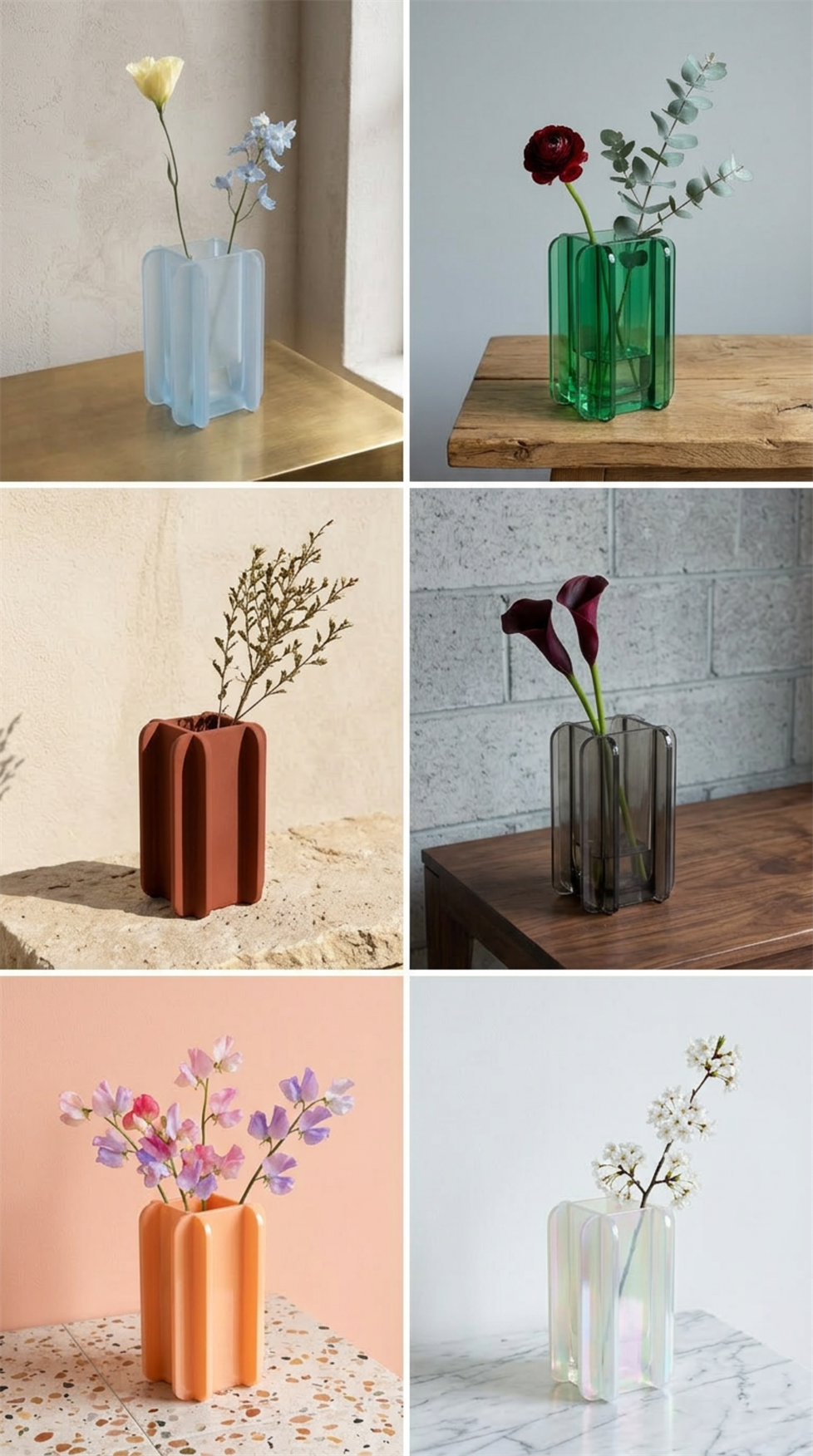
"I think simplicity in design is really beautiful, and finding something that clicks is really hard," Tara says. "But I absolutely love how this vase turned out. This beautiful intersection between simplicity and a pop of color."
The workflow, in five steps
Tara's full process, start to finish: pencil sketches to explore the intersecting-panel concept; Vizcom to turn the strongest sketch into photorealistic renders and run the material and color study; a decision made on the canvas, not in CAD; modeling and 3D printing the slot-together parts; and a real object on the desk, matching the render she chose.
The distance between an idea and a real object keeps shrinking. What used to take weeks of back-and-forth sketch, model, render, revise, repeat now fits inside a single student project, filmed on a desk in Glasgow.
Real is the new render.
Watch the full video: Instagram · YouTube
Explore the Vizcom workbench: Vizcom
Follow Tara: @taralaradesign for more industrial design process content.
Want to see your sketches as finished products? Try Vizcom at vizcom.com.
This is our favorite kind of work. The tool gets out of the way and the designer's idea does the talking. Thanks for bringing us along, Tara.
Explore
Explore more blog posts & resources to get inspired
.webp)
Hatch Duo is a design studio based in San Jose built around a simple premise: great products hatch when two forces meet, your insight and their execution. Hatch's focus sits squarely in consumer packaged goods. For their latest collaboration with Vizcom, industrial designer Alec Comido wanted to see what he could design in one hour.
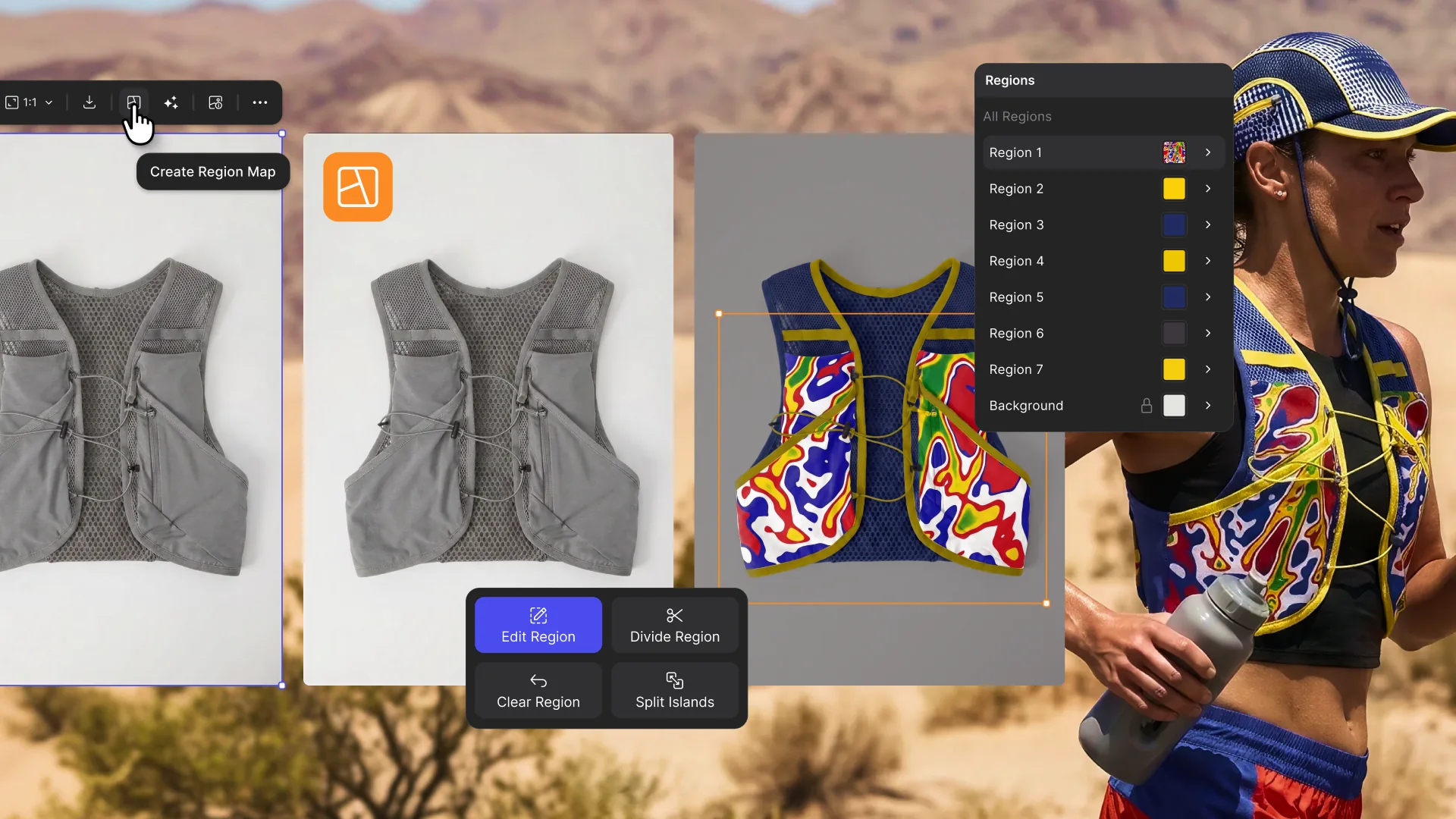
Explore color and material variations part-by-part without leaving Vizcom.

Frequently asked questions
Yes of course! Our starter plan is completely free, no credit card required. This is a great plan to explore vizcom with.
We accept all major credit and debit cards.
Admins (paid) – can edit files, manage workspace settings, billing, teams, and invite members. Editors (paid) – can edit files but not manage settings, billing, or teams. Viewers (free) – can only view files in read-only mode.
Team billing is handled centrally by the Admin. All paid seats, whether Admins or Editors, are included in a single invoice under the same billing cycle, while Viewers remain free and do not affect the cost.
Yes, you can. An Admin can update the plan in the billing settings, and the switch will take effect on the next billing cycle at the annual rate.
Yes, you own everything you create in Vizcom. For free users, while Vizcom may use generated images to improve its services, it does not claim ownership of your designs, concepts, or original ideas—you keep full rights to them. For paid users, your images and designs remain entirely private and are only used to deliver the service. Every design, concept, and image you create or upload is fully yours and kept confidential.
Vizcom does not use your data to train AI models if you’re on a paid plan. Everything you create stays private and is only used to provide the service. Free users may have their generated images included to help improve Vizcom’s services, but even then, Vizcom does not claim ownership of your designs, concepts, or original ideas—you retain full rights.