New in Vizcom: Adaptive Canvas Updates
Adaptive Canvas removes fixed aspect ratio limits across Vizcom Workbench and Studio, allowing creators to resize, expand, and crop their canvas at any point without restarting or losing work.

Ideas shift and evolve as you explore and now your canvas can too.
We’ve updated canvas spaces across both Workbench and Studio to be fully adaptive, so you’re no longer locked into a fixed aspect ratio at the start of a project. With Adaptive Canvas, you can resize, expand, and crop your frame anytime, from first sketch to final render, without restarting your work or losing your composition.
Here’s what’s new:
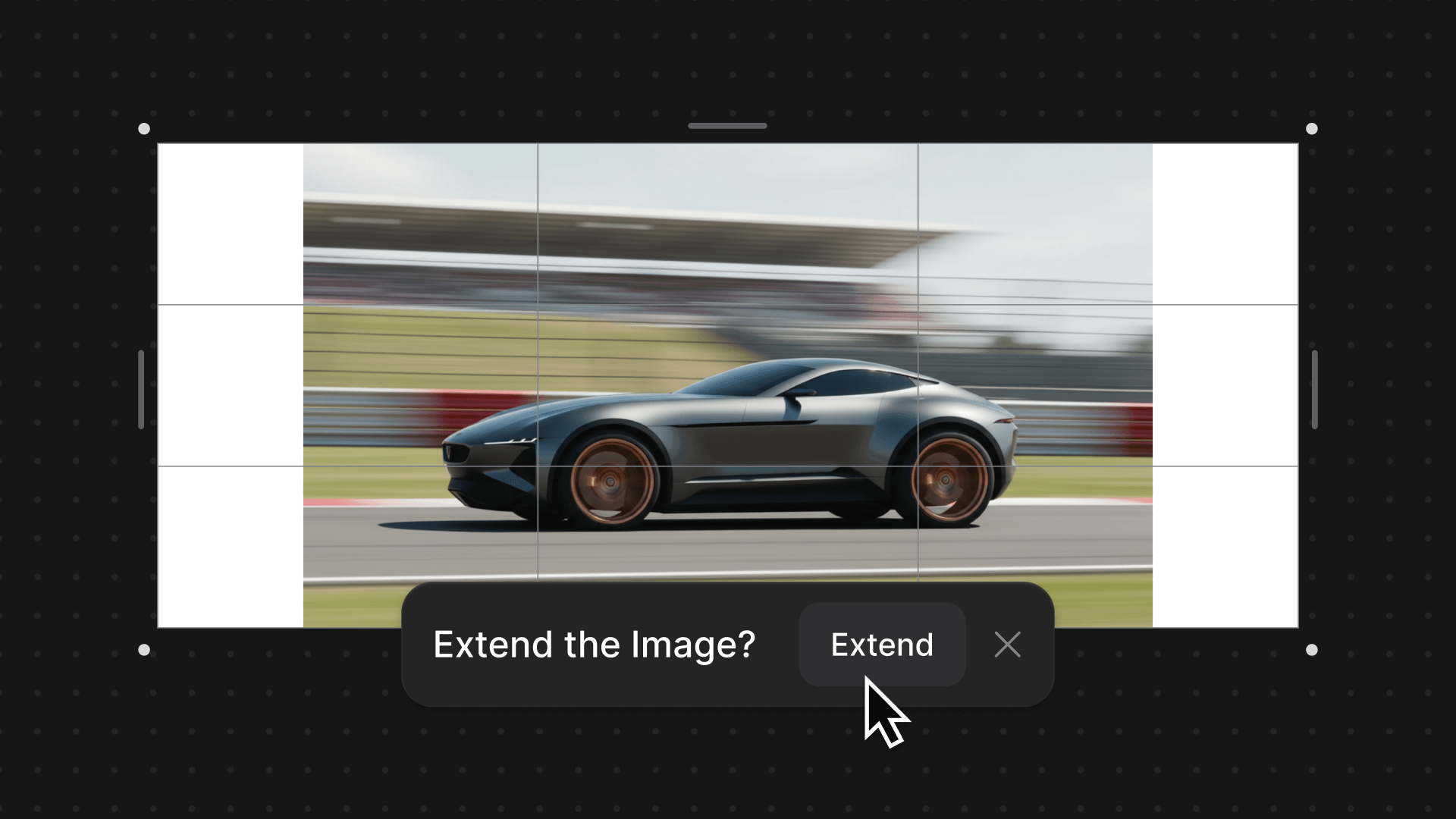
Extend Images
Grow your ideas in any direction. Whether you’re extending the canvas or expanding a specific layer, Vizcom intelligently generates new content that blends seamlessly into your existing sketch or render. Build larger scenes, push environments further, and explore alternate compositions with confidence — all while maintaining visual continuity as your work evolves.
Flexible Resizing & Custom Aspect Ratios
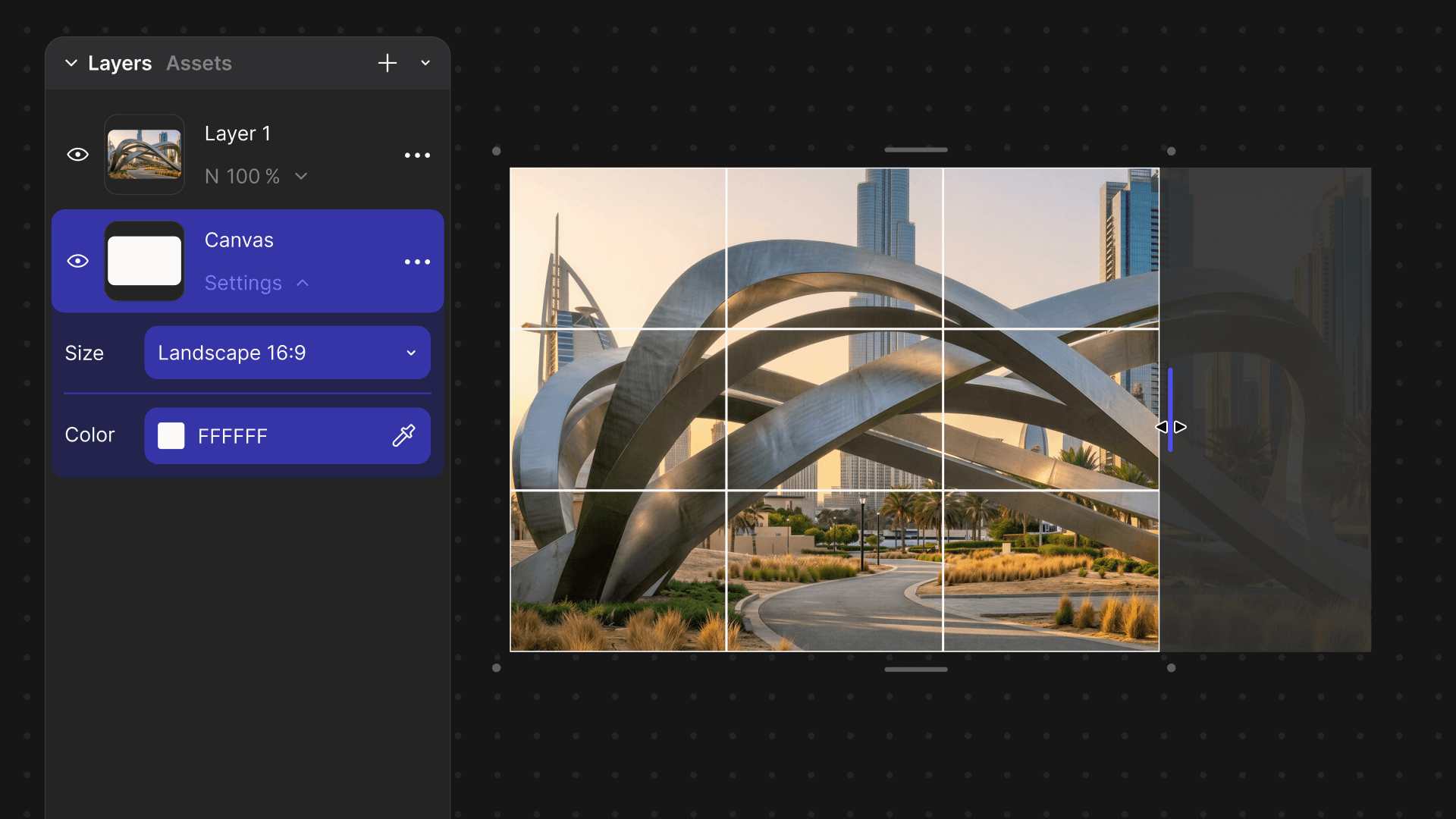
Resize your canvas at any time. Choose from common aspect ratios or define a custom ratio that fits your workflow, from cinematic wides to ultra-vertical boards. You can also drag canvas edges directly to reframe your work on the fly.
As you resize or crop, your work remains fully preserved beyond the visible frame. Push elements past the canvas boundary, experiment with new compositions, and refine your framing without deleting or permanently altering any part of your original work — everything stays intact as you explore.
Available now — for all users
Adaptive Canvas is a simple shift with a big impact: your frame no longer limits your idea. Resize, expand, and crop whenever you need and let your canvas evolve right alongside your work.
Want to see these updates in action? ➡️ Watch the video
Try it out ➡️ Expand your next idea
Explore
Explore more blog posts & resources to get inspired
.webp)
Hatch Duo is a design studio based in San Jose built around a simple premise: great products hatch when two forces meet, your insight and their execution. Hatch's focus sits squarely in consumer packaged goods. For their latest collaboration with Vizcom, industrial designer Alec Comido wanted to see what he could design in one hour.

Explore color and material variations part-by-part without leaving Vizcom.


Frequently asked questions
Yes of course! Our starter plan is completely free, no credit card required. This is a great plan to explore vizcom with.
We accept all major credit and debit cards.
Admins (paid) – can edit files, manage workspace settings, billing, teams, and invite members. Editors (paid) – can edit files but not manage settings, billing, or teams. Viewers (free) – can only view files in read-only mode.
Team billing is handled centrally by the Admin. All paid seats, whether Admins or Editors, are included in a single invoice under the same billing cycle, while Viewers remain free and do not affect the cost.
Yes, you can. An Admin can update the plan in the billing settings, and the switch will take effect on the next billing cycle at the annual rate.
Yes, you own everything you create in Vizcom. For free users, while Vizcom may use generated images to improve its services, it does not claim ownership of your designs, concepts, or original ideas—you keep full rights to them. For paid users, your images and designs remain entirely private and are only used to deliver the service. Every design, concept, and image you create or upload is fully yours and kept confidential.
Vizcom does not use your data to train AI models if you’re on a paid plan. Everything you create stays private and is only used to provide the service. Free users may have their generated images included to help improve Vizcom’s services, but even then, Vizcom does not claim ownership of your designs, concepts, or original ideas—you retain full rights.