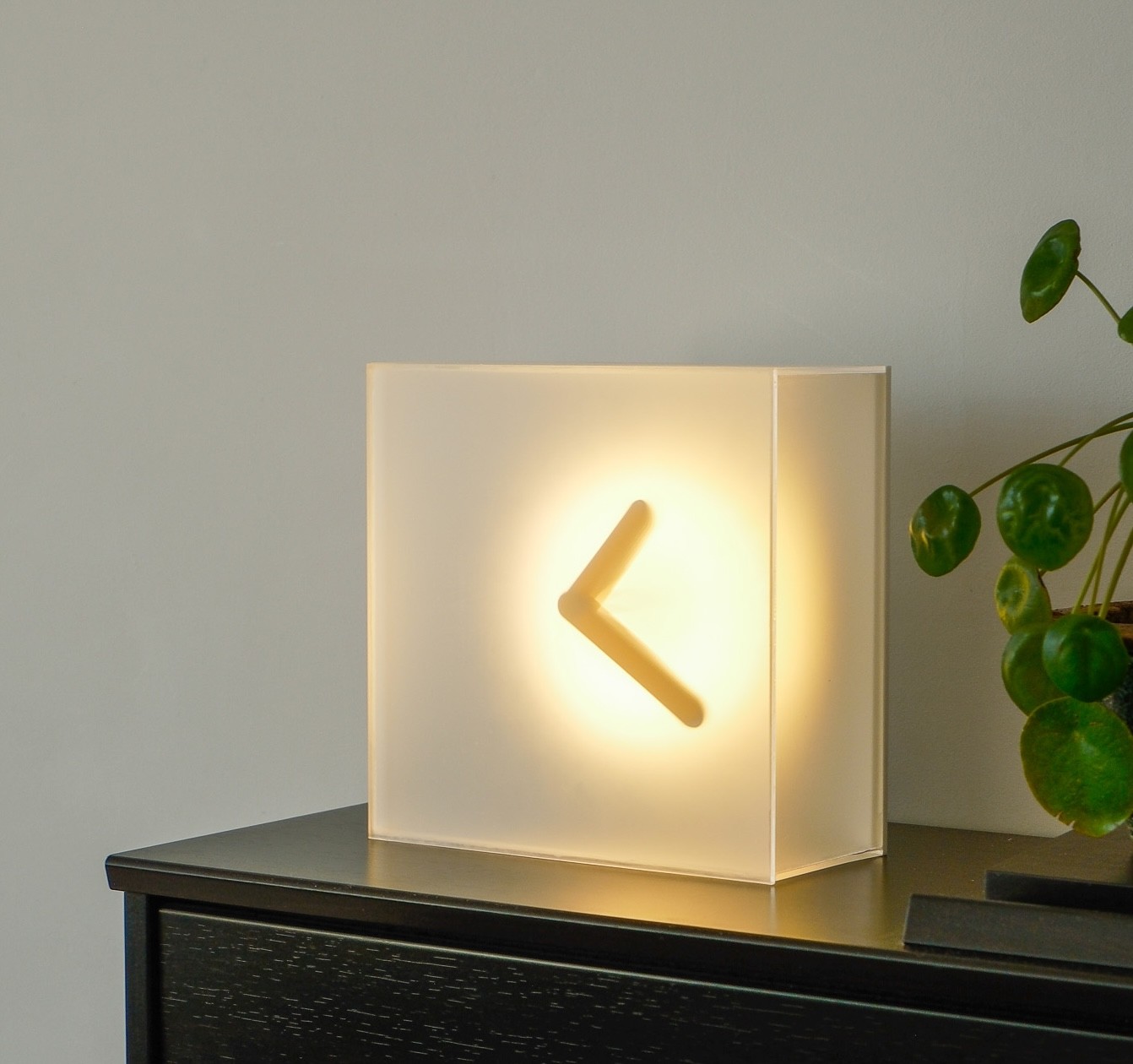
Bring Your Own Sun
Kai Bettermann took the oldest clock there is, built the sun into it, and found out with a ring light before he found out with a render.

Kai Bettermann teaches people to sketch. He runs his own studio out of Germany, about 184,000 people follow along while he draws, and his whole pitch is sketching for busy people.
His latest project is a clock.
"I was always fascinated by how simple Egyptian sundials were."
A shadow clock is the least a clock can be. A raised edge, the sun, and a scale for the shadow to fall across. Nothing to decode. Kai wanted one on his piano. A piano is indoors, and by the time you'd look at it, the sun is gone.
Here's how it came together, and where the real test happened.
A red sun
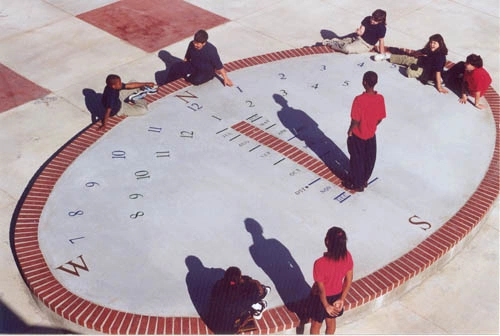
Before he sketched anything, Kai went back through the history of clocks, and he kept landing on the Egyptian ones. Not as a style reference. As the brief: a clock that tells you the time by where a shadow is, and asks nothing else of you.
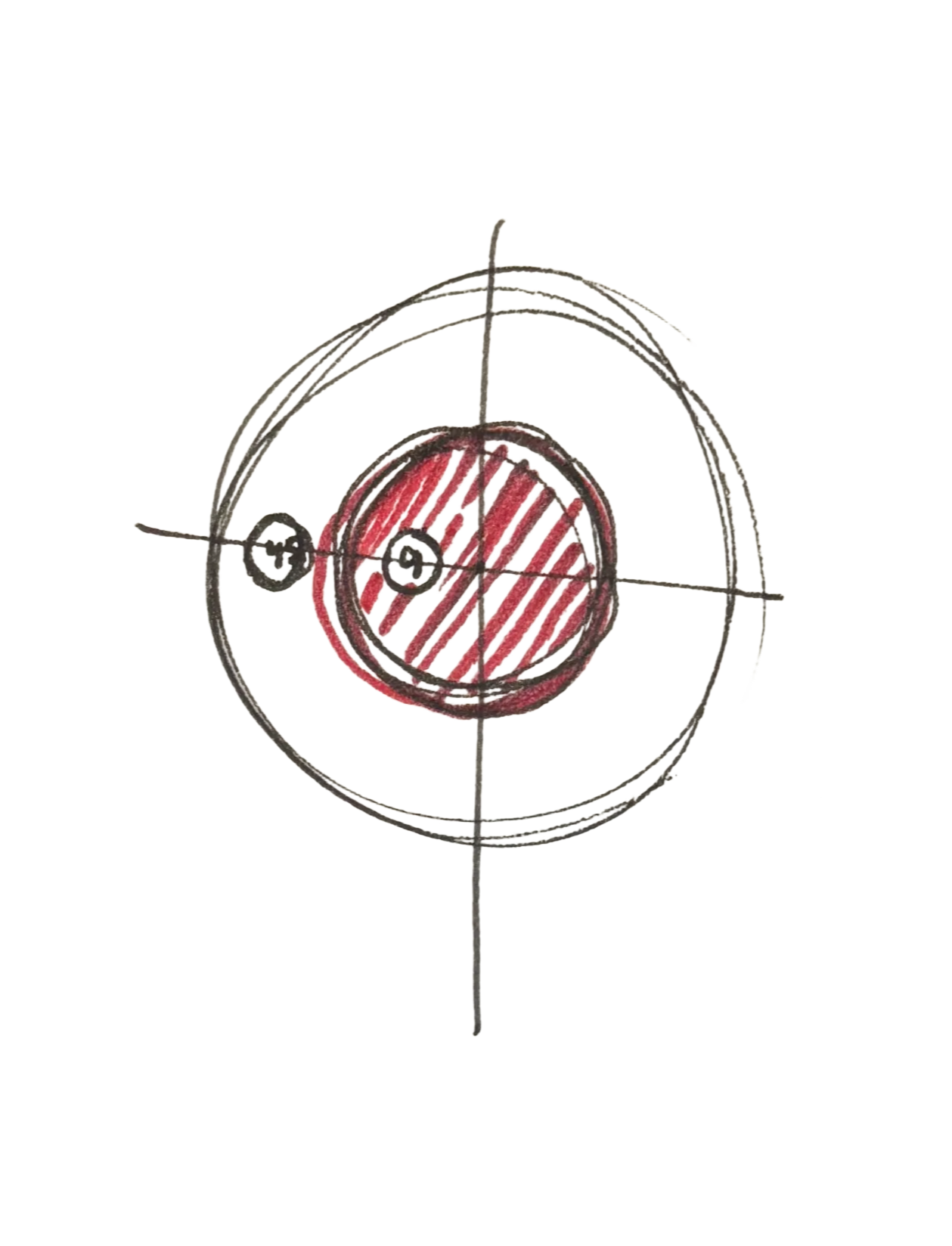
He sketched a stack of concepts. One kept standing out.
Exploring Variations
.png)
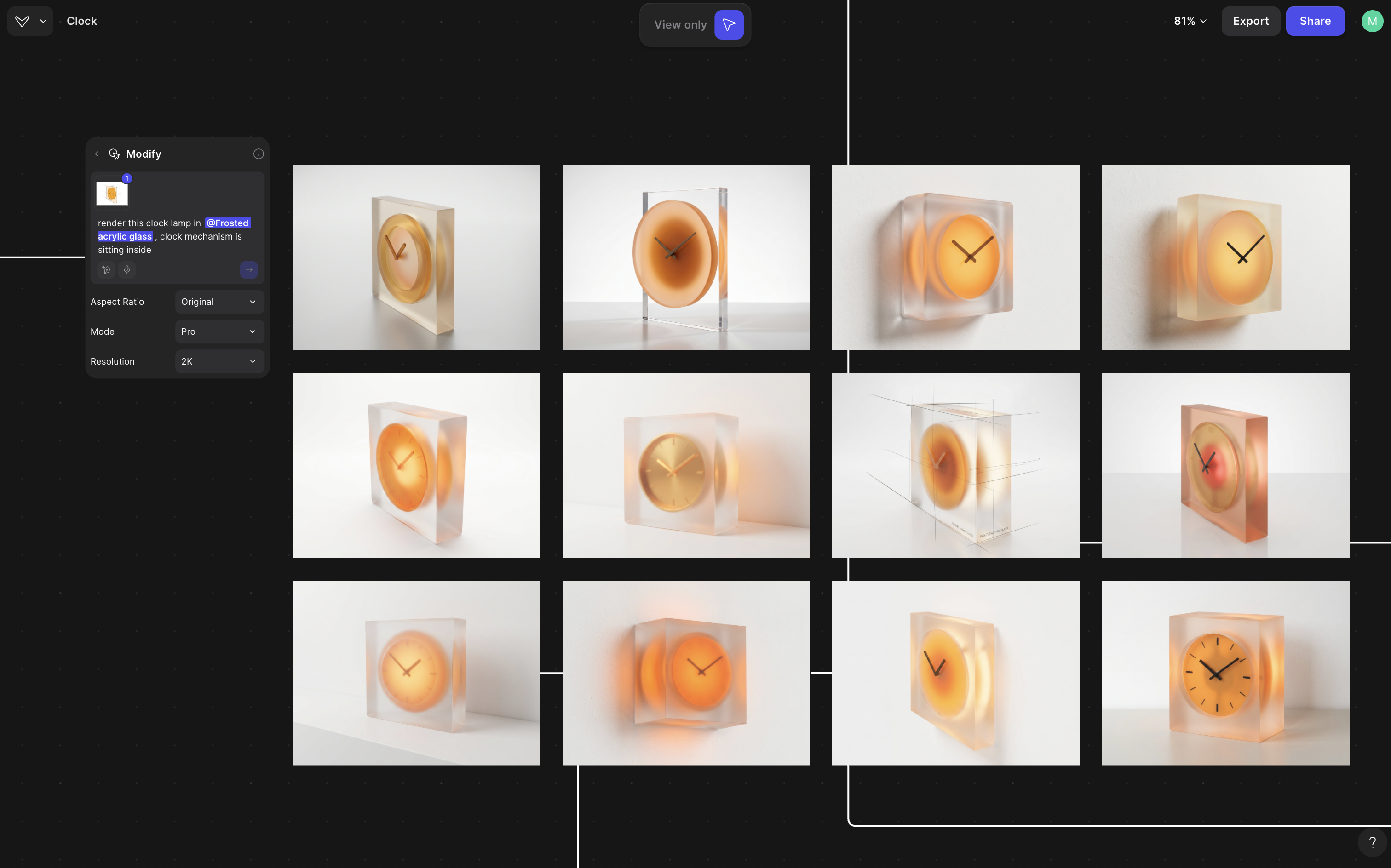
Kai took a photo of the sketch, brought it into Vizcom, and rendered it clean: a frosted block with a warm disc glowing inside it. Then he ran the variation tool on it.
"That thing is wild for generating a ton of variation super fast."
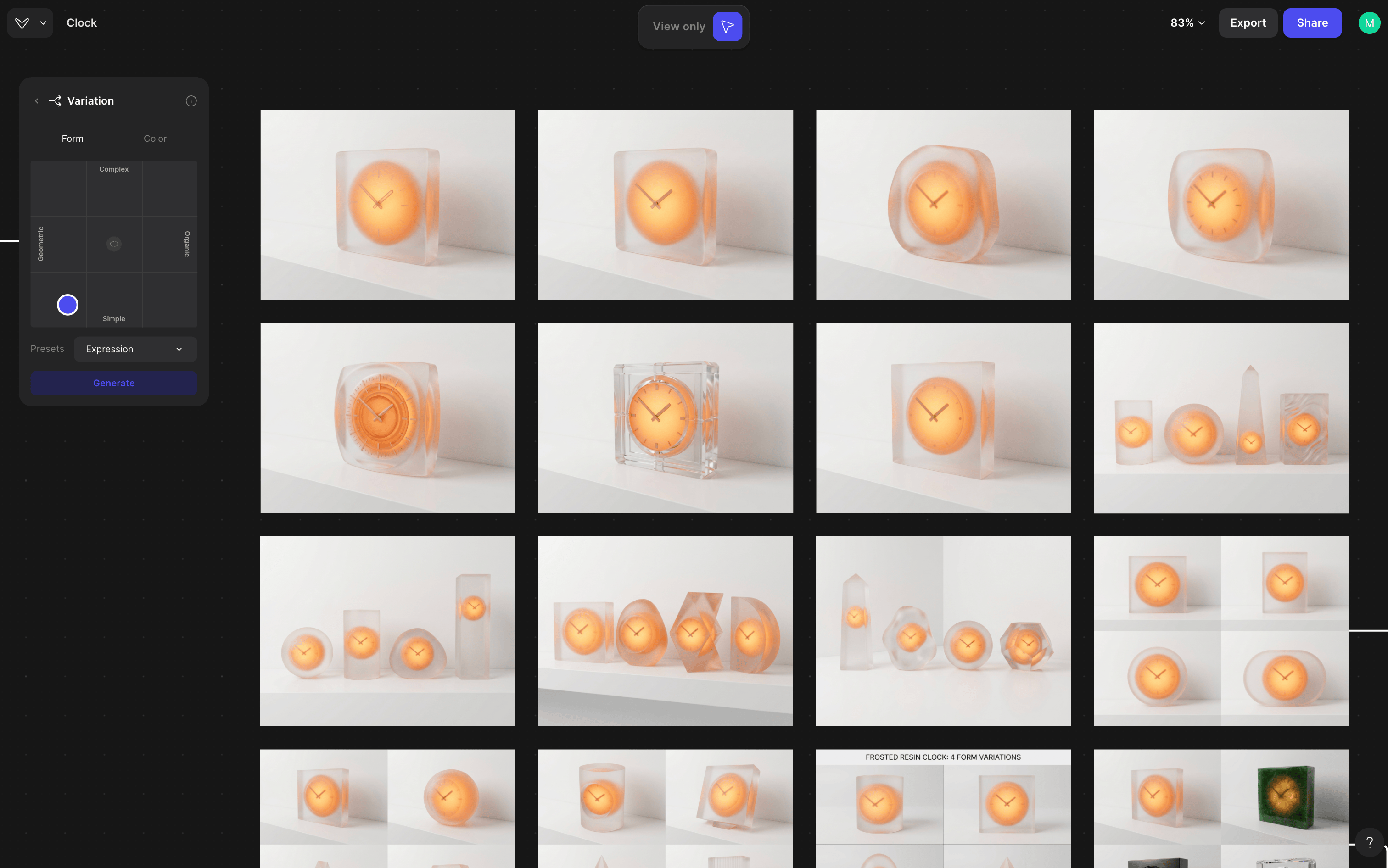
The grid isn't output. It's a way of finding out how much of the concept is load-bearing and how much was just the first way you happened to draw it. Look at the grid and the answer is obvious. The disc survives everything. The frosted square block is the only body that makes it look like a sun and not a lamp.
Kai landed the form. Then a second idea started forming.
What if it cast its own shadow?
A sundial has one dependency, and it's a big one. Kai's clock was going to live indoors, and it needed to work after dark.
"I've got another idea brewing too, building light into it, so it casts its own clock shadow."
Build the sun in. A ring of light behind the pointers, throwing a shadow onto a frosted face. The clock becomes its own sun.
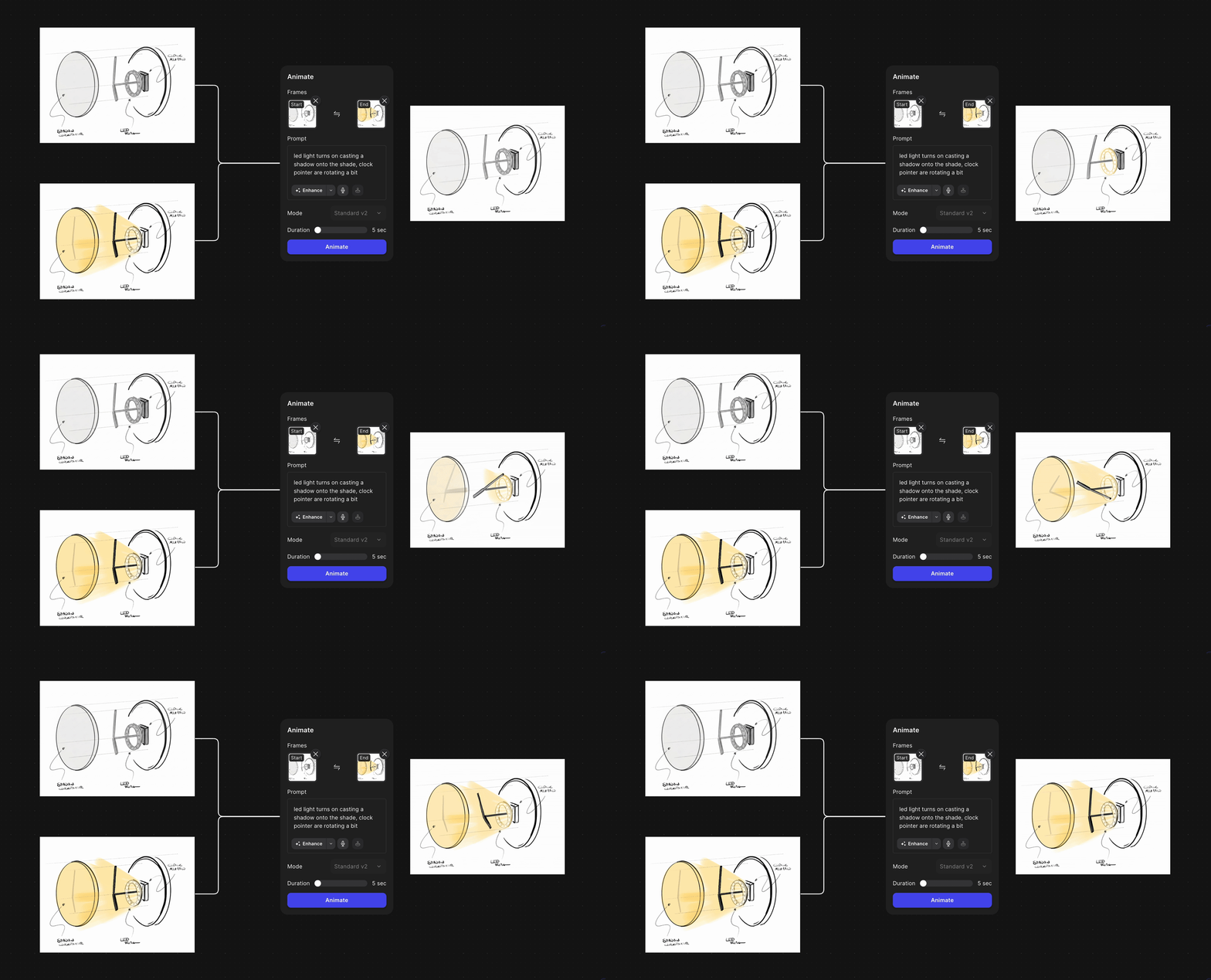
Before he built anything, Kai drew the principle as an exploded view, colored a second frame with the light switched on, and ran Animate between the two. Five seconds of a pen sketch turning itself on.
That animation isn't proof. It's the hypothesis, drawn. It's also the moment the project stopped being a form study and became a question that no picture could answer.
Would it even work?
This is the part of the story we want to slow down on.
At this point Kai had a resolved concept, an animated sketch of how it should behave, and a tool that could render it any way he liked. A render would have made the clock look finished in an afternoon. What a render could not tell him is whether a ring of LEDs behind a shade actually throws a shadow you can read from across a room. How sharp the edge is. How much the diffusion eats. Whether it reads as a clock or as a lamp with a smudge in it.
Only a lamp can answer that.
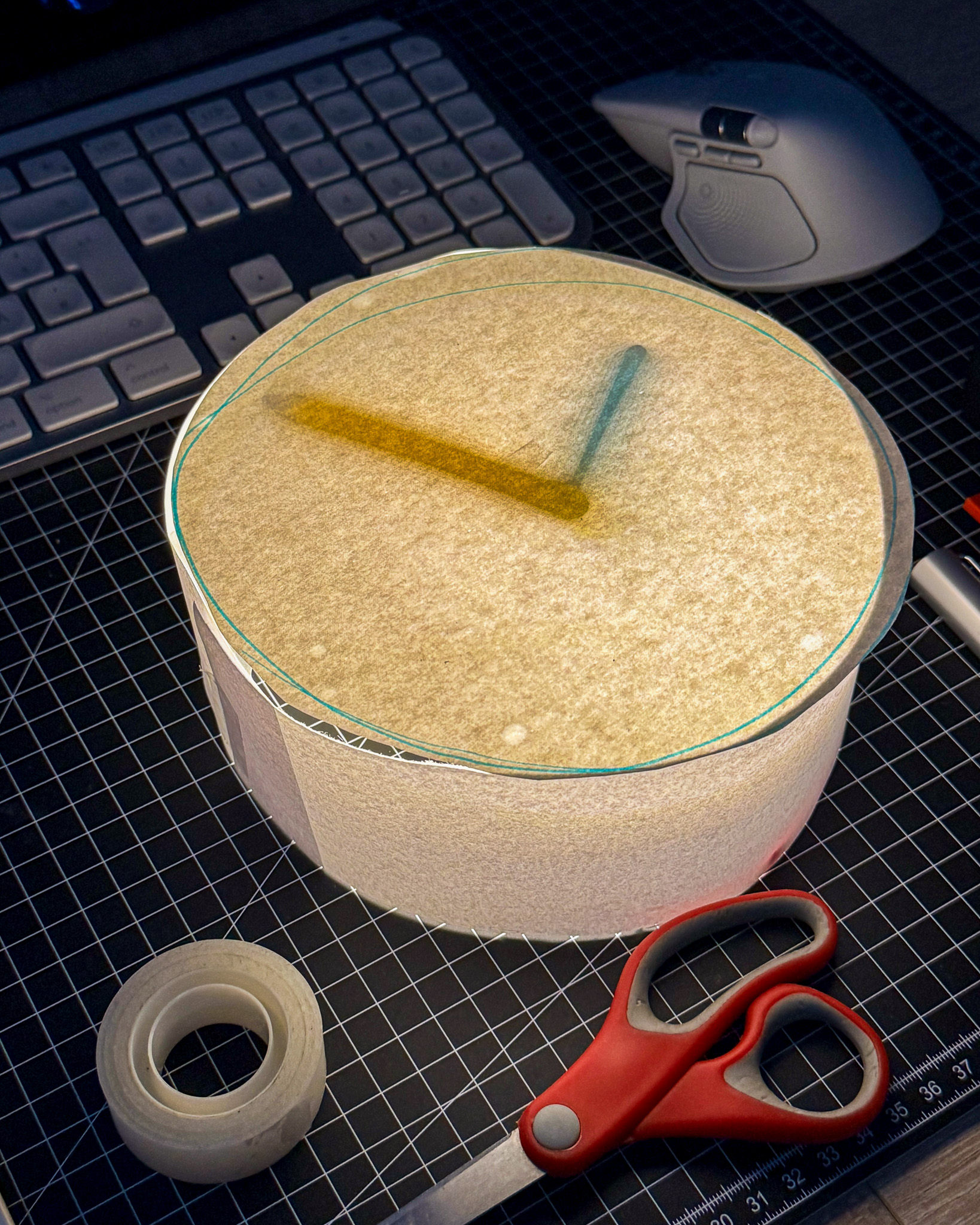
Prototype one. A paper cylinder, a hand-traced face, tape, scissors, and two pointers casting soft shadows from a light underneath. Total build time: less than the video about it.
So he did the honest thing. A paper tube, some printed pointers, a ring light off the shelf. It worked, and it worked better than expected, which is a sentence you only get to say after you've built something.
Then he treated it like an engineering problem, because it is one. The size of the light. The distance from the light to the shade. Two more prototypes, each one moving a variable.
None of those decisions are aesthetic yet. They're physics. Where the shadow goes soft. Where the glow gets too even. Where it stops being a clock.
The click
And then, a couple of prototypes in, the aesthetic decision showed up on its own.
"The ring light shaping a soft round glow, right up against a sharp edgy box. That contrast is what I really liked."
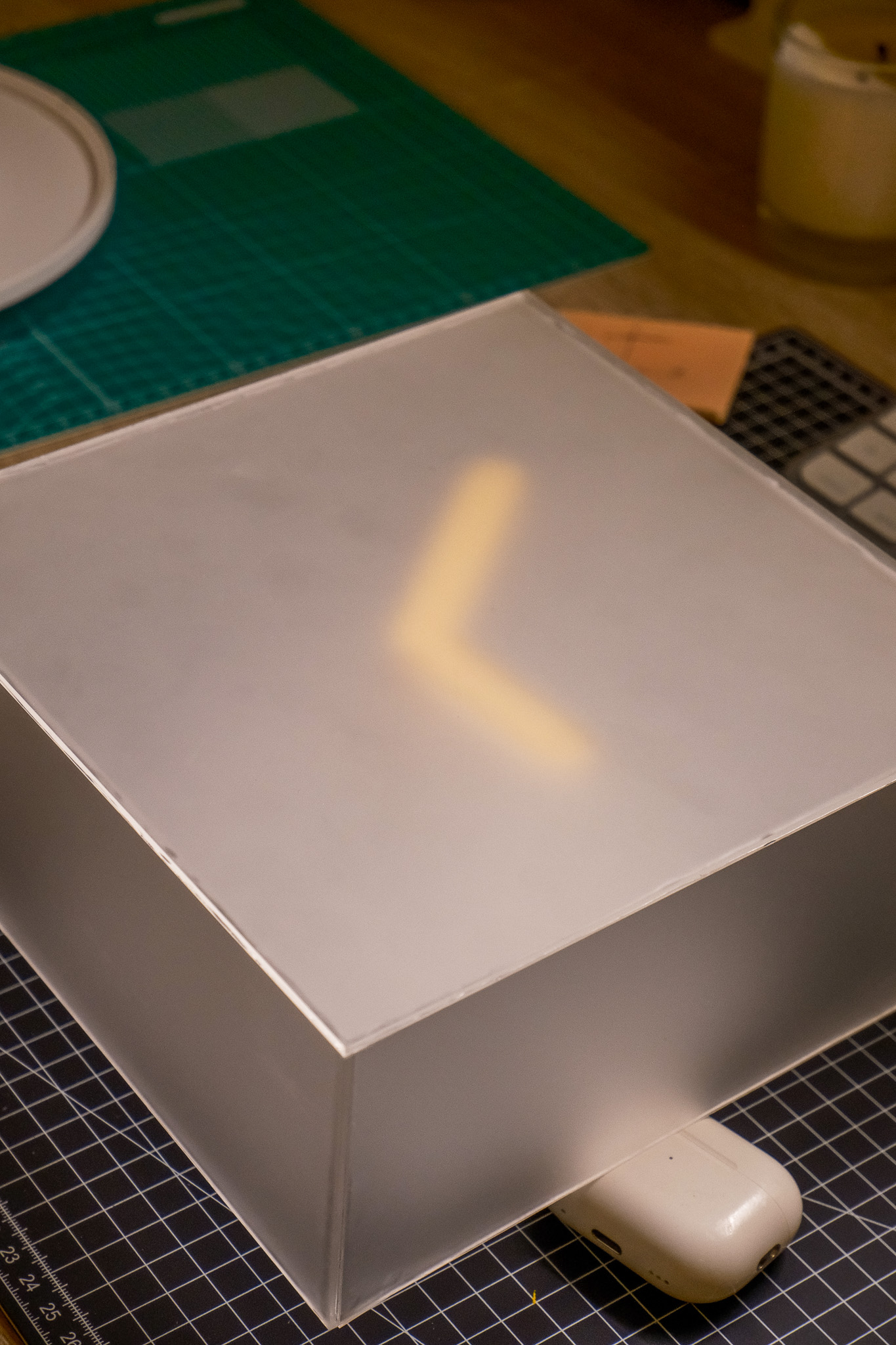
This is the photo where the design shows up. A frosted box on a cutting mat, propped on an AirPods case, the ring light just out of frame. Round glow, square edge.
Notice where this happened. Not on a moodboard. Not in a render. In a box with a lamp in it, sitting on a desk. The first prototype was round. The moment the round glow landed inside a square, something clicked. Soft light against a hard edge. That's the whole design language, and it was found by building.
Once you can name it, everything downstream has a rule to obey. The material has to carry the glow. The form has to keep the edge. The tool's job from here isn't to invent the look. It's to hold it steady while Kai explores around it.
Locking the look
Frosted acrylic with a hint of color. That was the material call, and it's the one material that does both jobs at once: diffuses the light into a glow, holds a crisp cut edge.
To explore it without losing the thesis, Kai built a style collection.
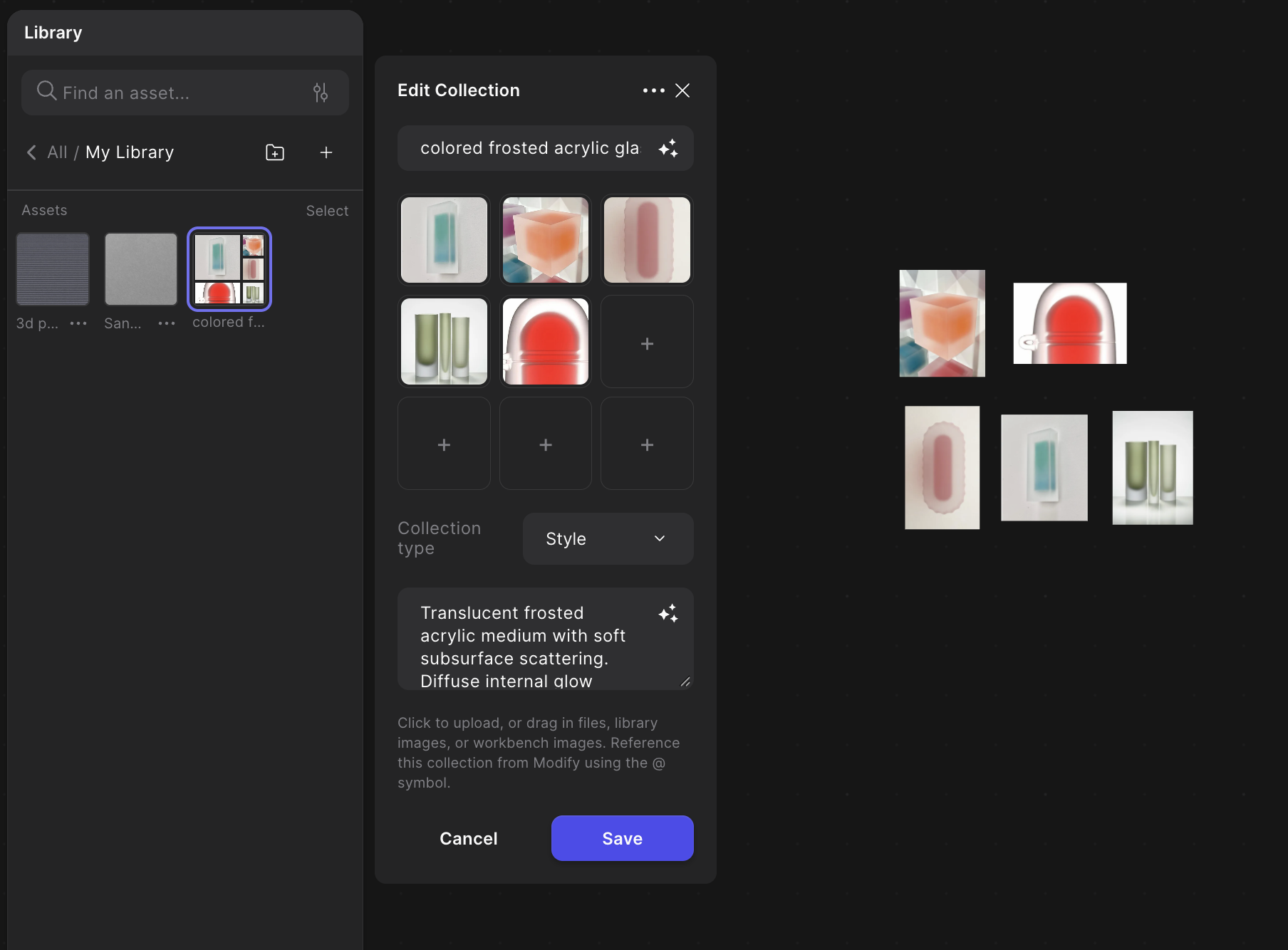
"Threw some reference images into Vizcom to build a style collection. Ran my sketch through it and got a clean render back."
The mechanic here is worth a sentence. A style collection takes something Kai found physically, that soft-against-hard contrast, and makes it repeatable on screen. Every variant he generated afterward carried the same rule. Which is what made the next step legible.
"I really like how it looks, but also experimented with different shapes and materials."
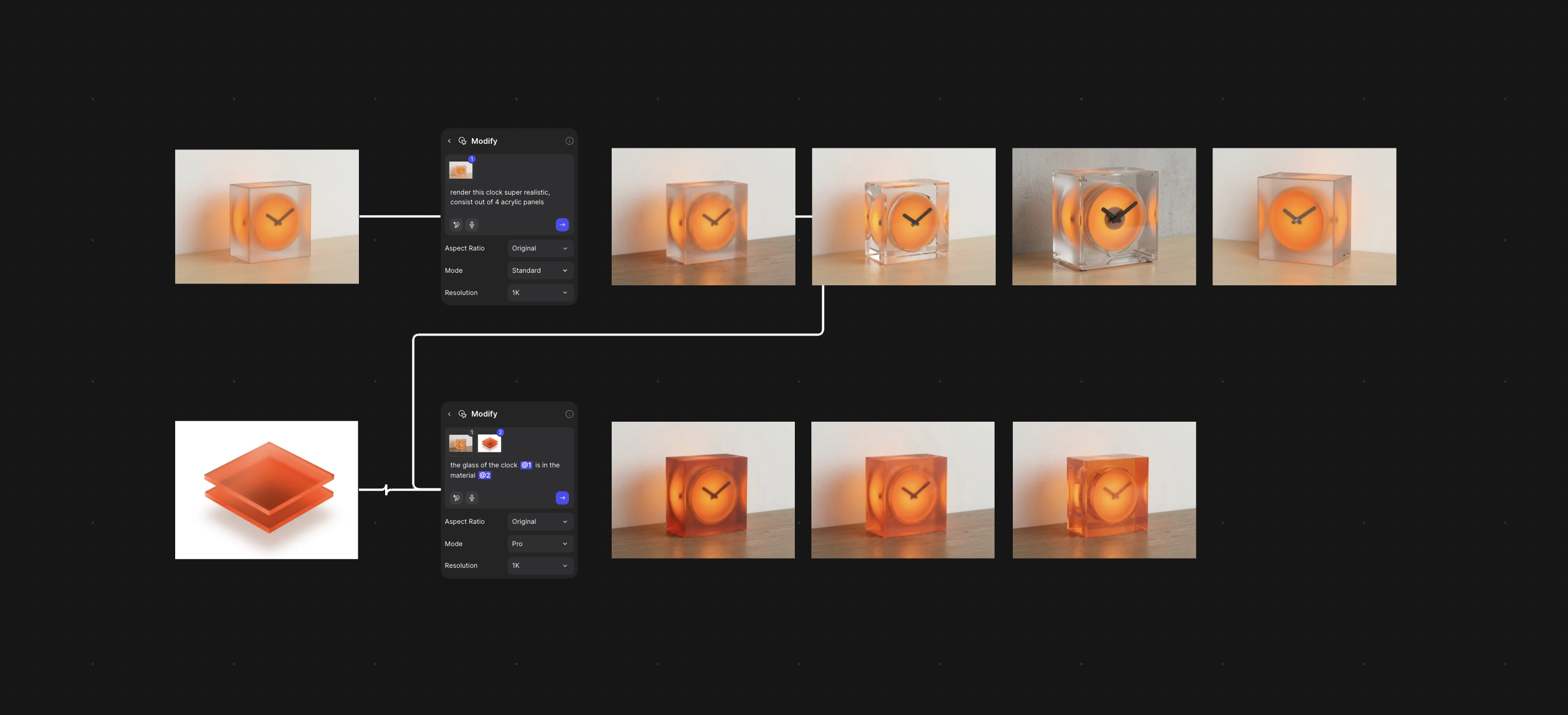
Look at the second prompt. He didn't type "orange." He gave Vizcom a picture of the actual sheets and told it the clock is made of that. The render is now wearing the material he was about to cut. That's the difference between a variation grid and a pile of nice pictures. The grid has a constant, and here the constant is a real thing you can buy.
Bought it. Cut it. Broke it. Glued it.
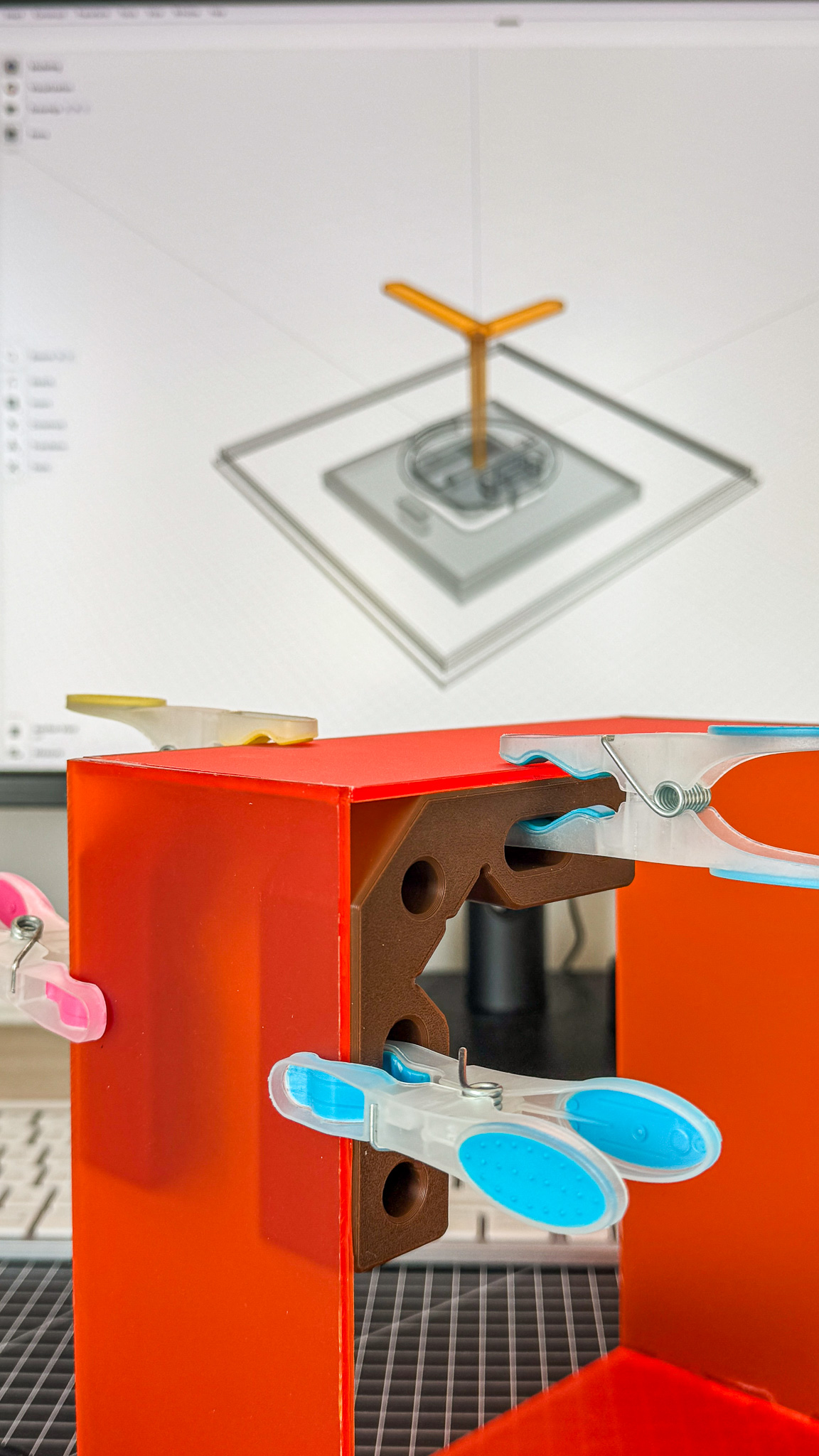
Clothespins as clamps. A 3D-printed corner bracket holding two orange panels square. On the screen behind it, the pointer and its mount, modeled. Every part of the build is in this one frame.
Every process story on this blog has a line like this, and it's usually the most useful one. Acrylic is unforgiving. It broke. He glued it and kept going, and you can't tell in the finished piece.
Then the mechanism.
"Modeled the mechanism so once it's hanging, you push it in and it lights up."
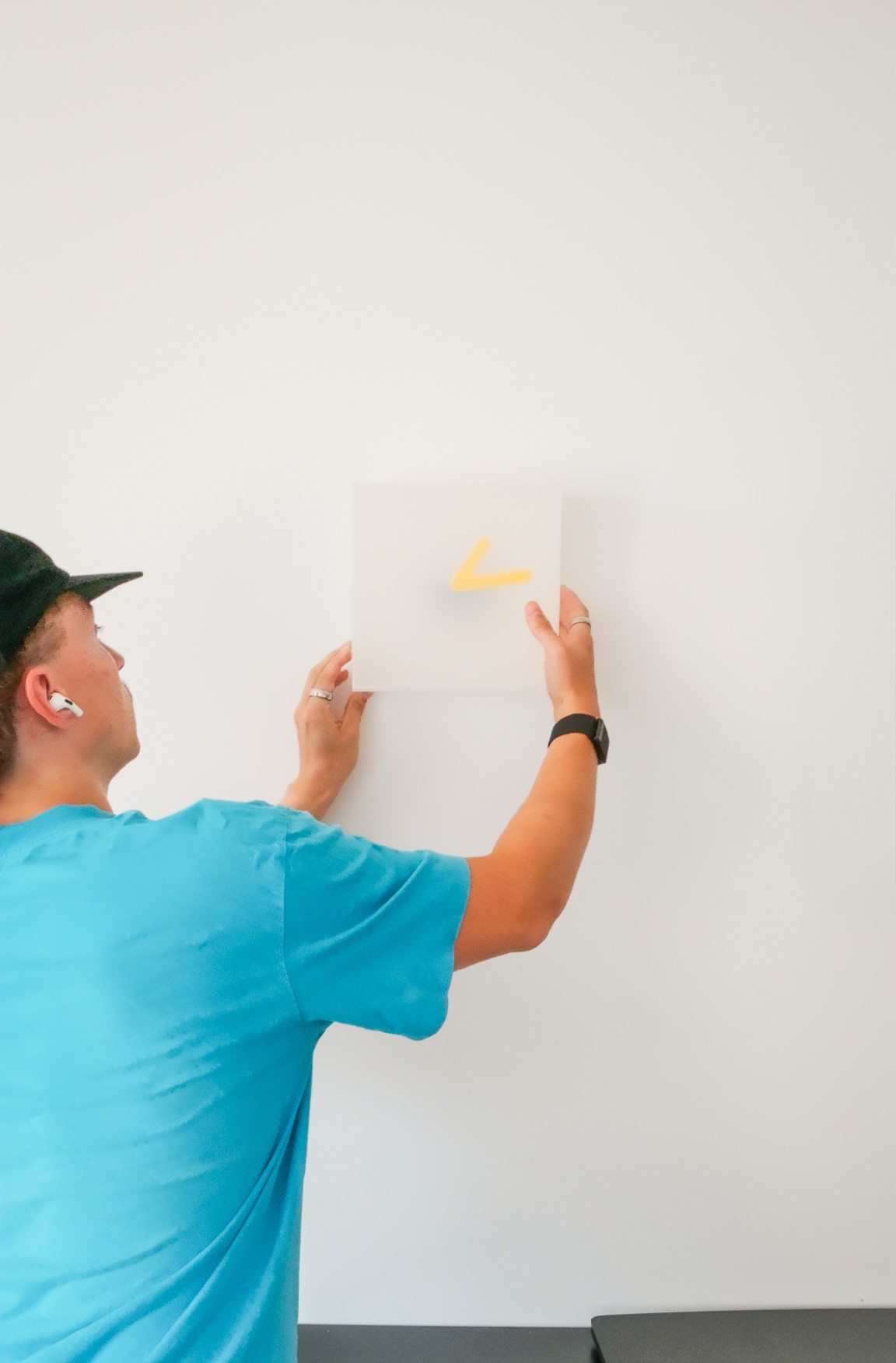
Hung, pushed, lit.
No switch on the side. No cable to find in the dark. Once it's hanging, you push the face in and it lights. The object is its own button, which is the right answer for a clock whose whole idea is that there's nothing to read and nothing to figure out.
The back housing went to the printer.
While the print was running
Here's the beat that's easy to miss in the video.
The backside was still printing when Kai opened Vizcom and made the final images. A few basic product shots. In-context renders. A clean video.
"It's crazy how fast it is nowadays."
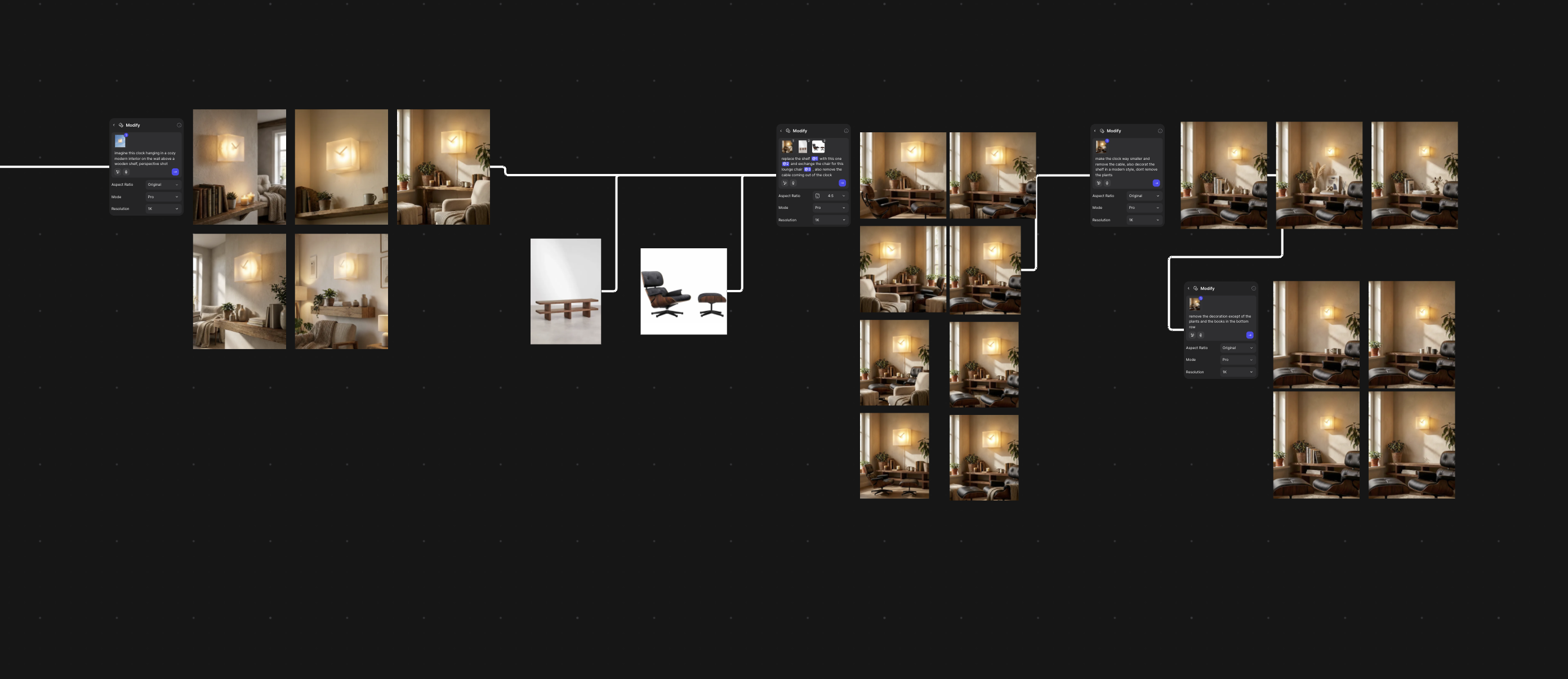
Four prompts deep into a living room. "Imagine this clock hanging in a cozy modern interior on the wall above a wooden shelf, perspective shot." Then swap the shelf for this one, swap the chair for this lounge chair, "remove the cable coming out of the clock." Then make the clock smaller. Then take the decoration away except the plants and the books.
Read the chain and you're watching someone art direct a room the way you'd dress a set. Swap the furniture. Lose the cable. Shrink the hero. Clear the shelf. Each prompt is one decision, and the room keeps the last one.
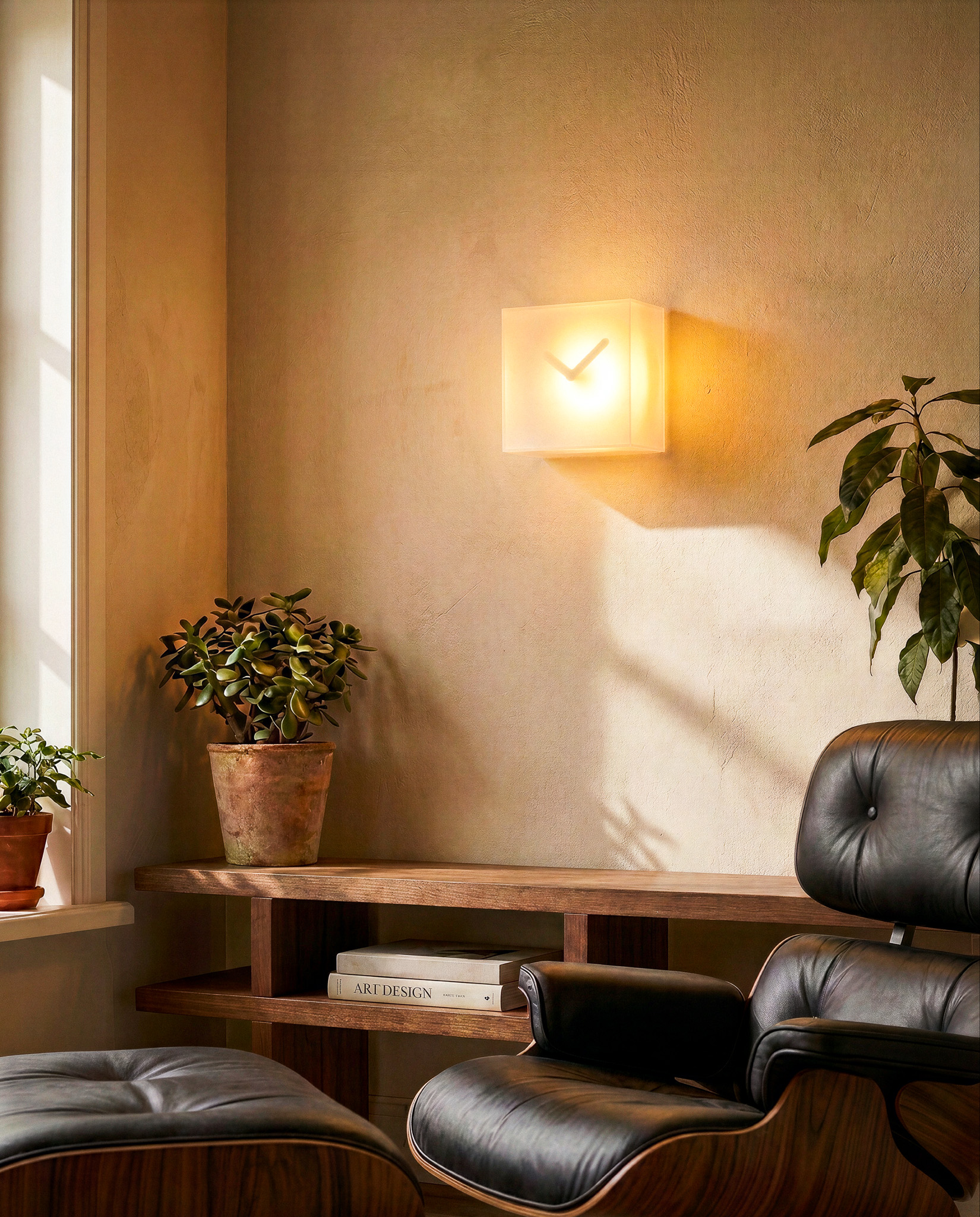
Take the speed line at face value and you get the wrong lesson. Speed isn't the point, and it never has been on this blog. The point is where the speed landed: not in a separate production after the object was finished, but in the dead time of a print. The campaign and the object were being made in the same hour, on the same desk.
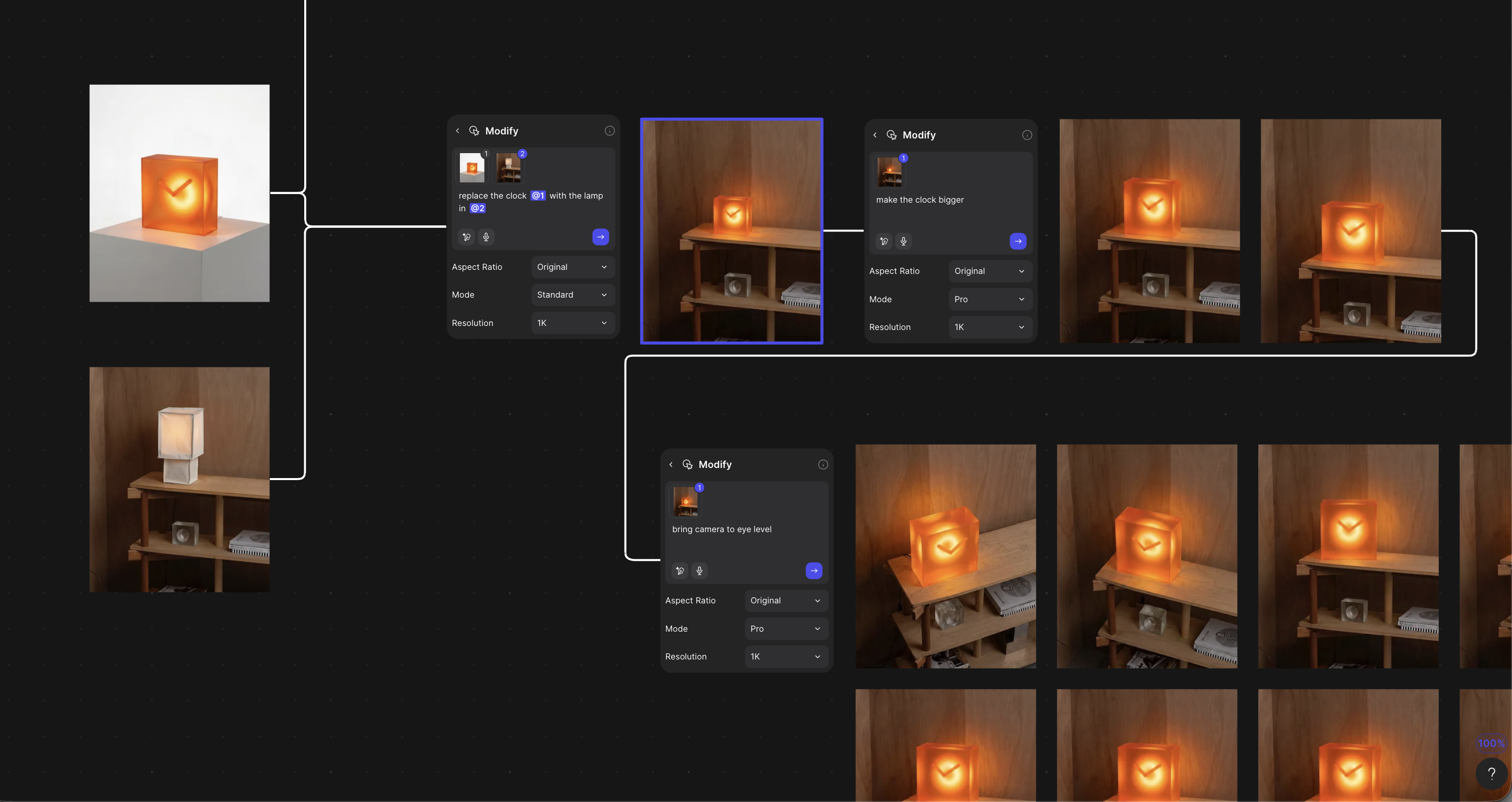
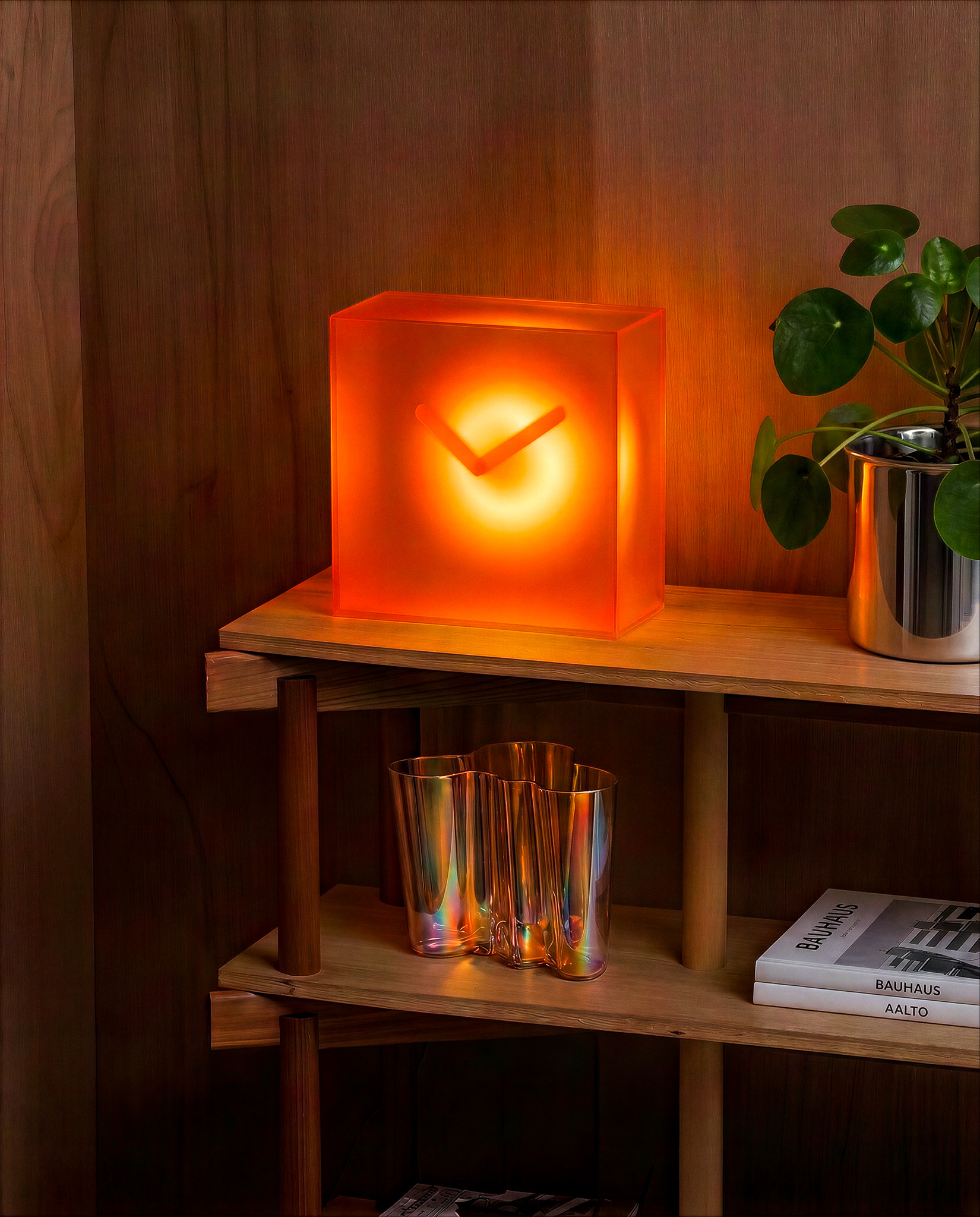
The photos were done before the clock was.
On the piano
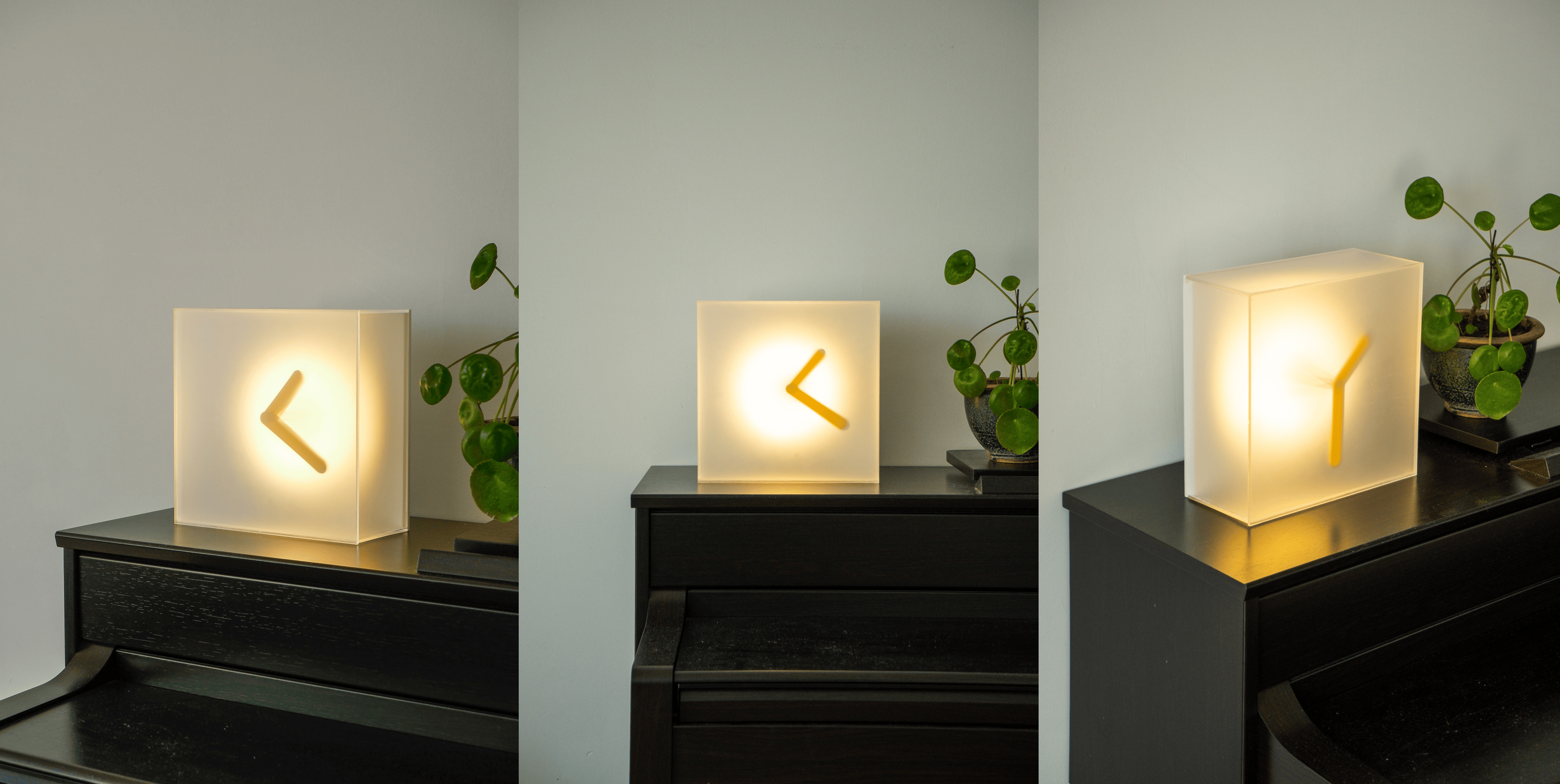
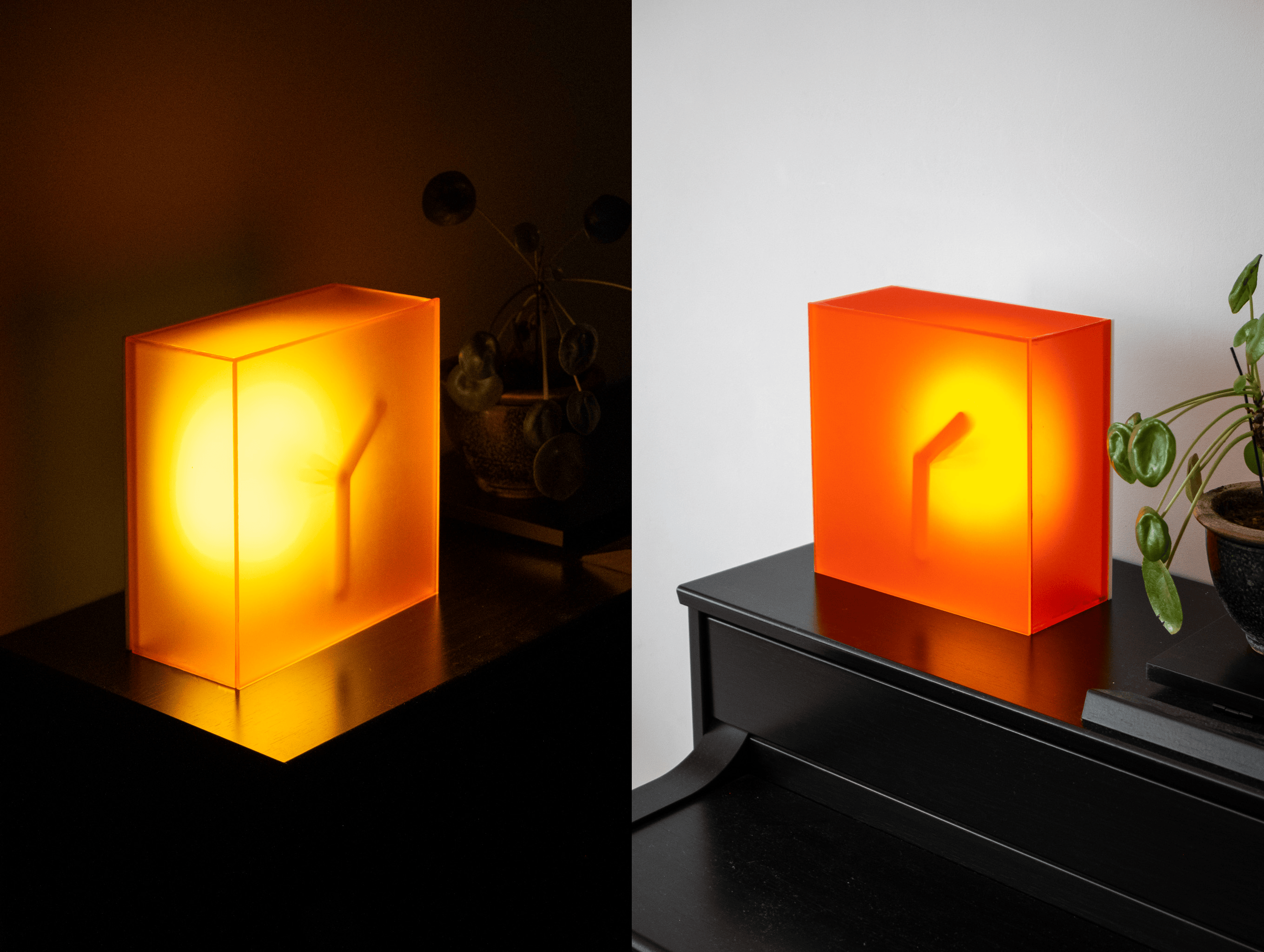
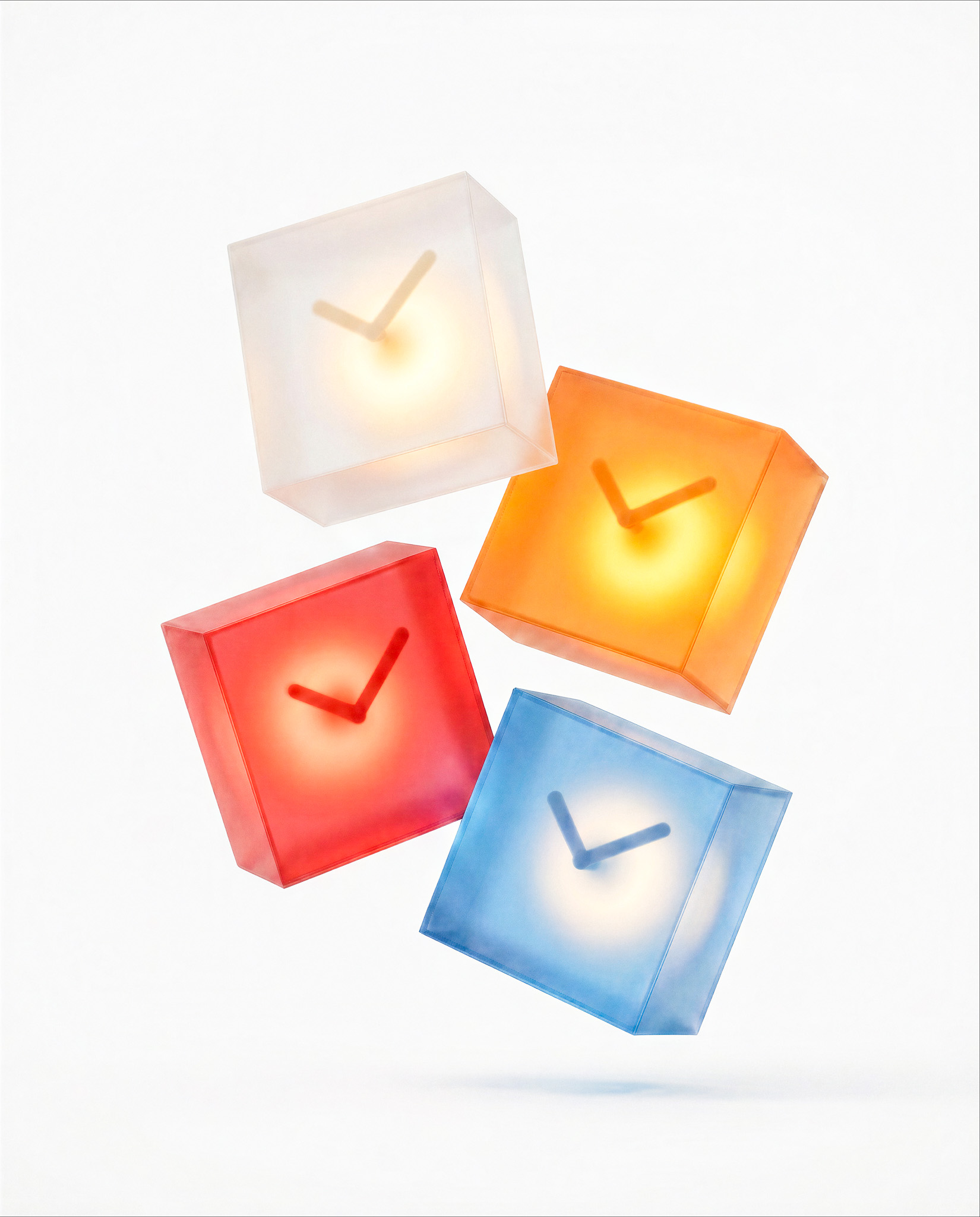
He ended the video with a question, and we'll leave it open here too.
"Which colorway would you go with?"
And if you're not sure it'll work
Build the ugly version. A paper tube, a lamp, some printed pointers. The render will still be there when you know the answer, and it'll be a better render for it.
Watch the full series: Part 1 · Part 2 · Part 3
Explore the Vizcom workbench:[open the file →
https://app.vizcom.com/workbench/05ece2d9-acea-4882-b59b-d0be4e7c4bdd#sharing_secret=d62b8e48-6d50-4e06-9c90-7f6f28dd46d4
https://app.vizcom.com/workbench/4afbcfe7-e9a0-450e-9533-385c0b916de3#sharing_secret=55675c54-76f9-4d8a-8bf0-f776880c2f9f
Follow Kai: @kaibe.design for sketching and process work. He also runs the Design Sketch Bootcamp.
Try Vizcom at vizcom.com.
This is our favorite kind of work. He asked whether it would work before he asked what it would look like. Thanks for sharing the file, Kai.
Explore
Explore more blog posts & resources to get inspired
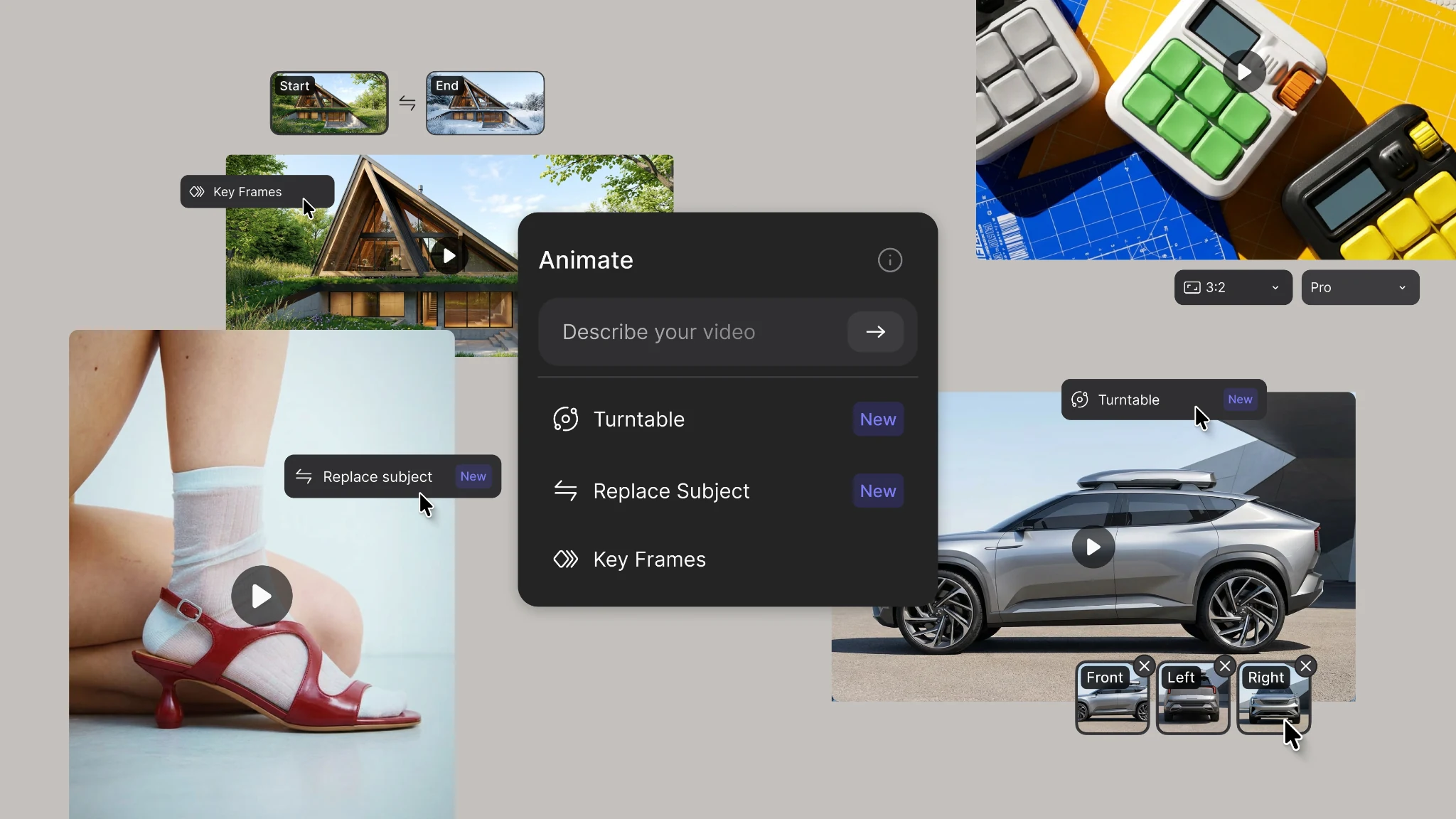
New animation capabilities in Vizcom: more references, four modes, and up to 15 seconds of motion.
.webp)
Hatch Duo is a design studio based in San Jose built around a simple premise: great products hatch when two forces meet, your insight and their execution. Hatch's focus sits squarely in consumer packaged goods. For their latest collaboration with Vizcom, industrial designer Alec Comido wanted to see what he could design in one hour.
Frequently asked questions
Yes of course! Our starter plan is completely free, no credit card required. This is a great plan to explore vizcom with.
We accept all major credit and debit cards.
Admins (paid) – can edit files, manage workspace settings, billing, teams, and invite members. Editors (paid) – can edit files but not manage settings, billing, or teams. Viewers (free) – can only view files in read-only mode.
Team billing is handled centrally by the Admin. All paid seats, whether Admins or Editors, are included in a single invoice under the same billing cycle, while Viewers remain free and do not affect the cost.
Yes, you can. An Admin can update the plan in the billing settings, and the switch will take effect on the next billing cycle at the annual rate.
Yes, you own everything you create in Vizcom. For free users, while Vizcom may use generated images to improve its services, it does not claim ownership of your designs, concepts, or original ideas—you keep full rights to them. For paid users, your images and designs remain entirely private and are only used to deliver the service. Every design, concept, and image you create or upload is fully yours and kept confidential.
Vizcom does not use your data to train AI models if you’re on a paid plan. Everything you create stays private and is only used to provide the service. Free users may have their generated images included to help improve Vizcom’s services, but even then, Vizcom does not claim ownership of your designs, concepts, or original ideas—you retain full rights.