Meet the new Vizcom Studio: Where ideas move faster
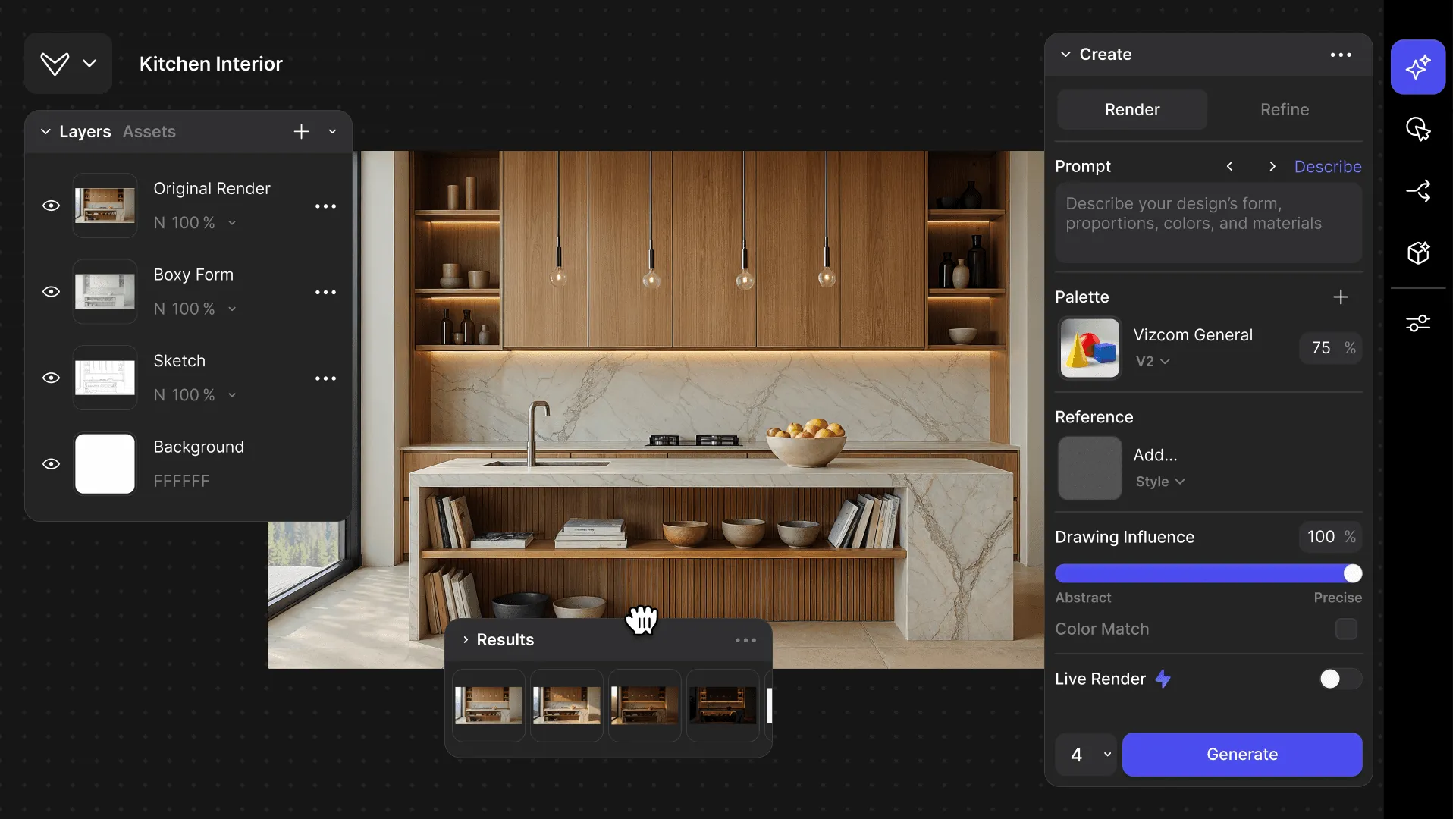
The updated Vizcom Studio introduces fully customizable layouts, a unified AI workflow sidebar, and background generation that lets designers work without interruption. These changes create a more intuitive, adaptable experience that removes friction from the creative process and helps designers move seamlessly from concept to completion.

Meet the new Vizcom Studio
The updated Studio is a reimagining of Vizcom’s design experience. This update makes Vizcom Studio more adaptable, efficient, and intuitive. From introducing flexible layouts to organizing all AI workflows in one spot: these updates give you full control over how you create, helping you move from idea to outcome effortlessly with Vizcom.
Why we built it
Designers using Vizcom come from all corners of creativity, from concept artists and illustrators to industrial designers and beyond. Yet one challenge that unites designers of any kind is when the rhythm of creation gets disrupted.
Switching between tools, waiting on renders, and working within a fixed layout can slow the process down and break momentum.
We wanted to change that.
What's new in Vizcom Studio

Flexible Layouts: Your studio, your way
The Studio is now fully customizable. Panels can be resized, collapsed, and moved anywhere inside Vizcom Studio, giving you full control over your setup.
When switching between Studio and Workbench, Vizcom will remember your layout. Whether you prefer a clean, open canvas or a detailed control view, Studio adapts to your process.
AI Workflow Sidebar
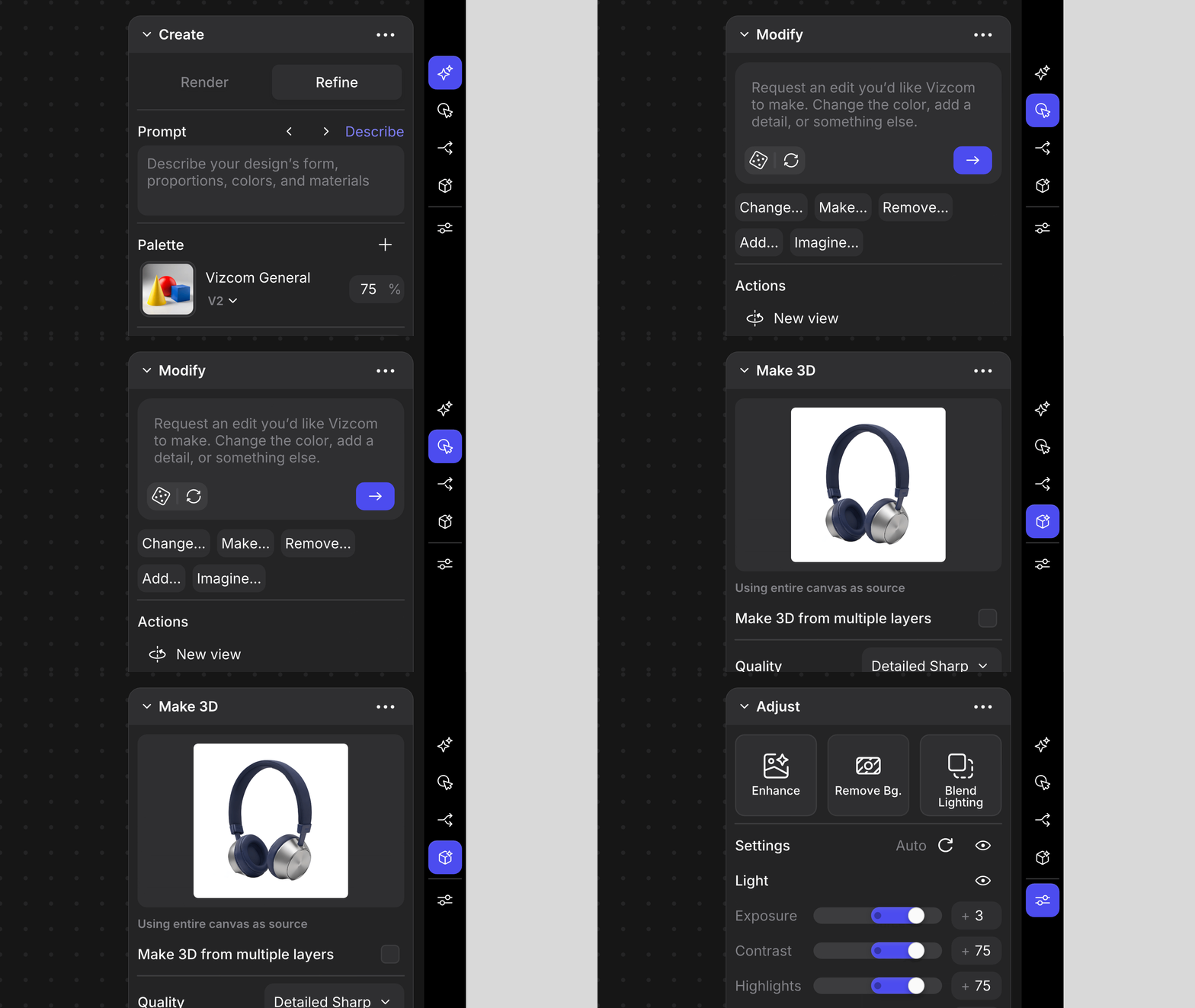
All AI workflows now live in a single, centralized sidebar on the right side of Studio. Every workflow, from render to Modify to 3D generation and more is now accessible in one place, including what was previously only available in Workbench.
This makes it easier than ever to explore, discover, and combine AI workflows, speeding up experimentation and keeping your focus on iterating your designs.
Background Generation & the Results Panel
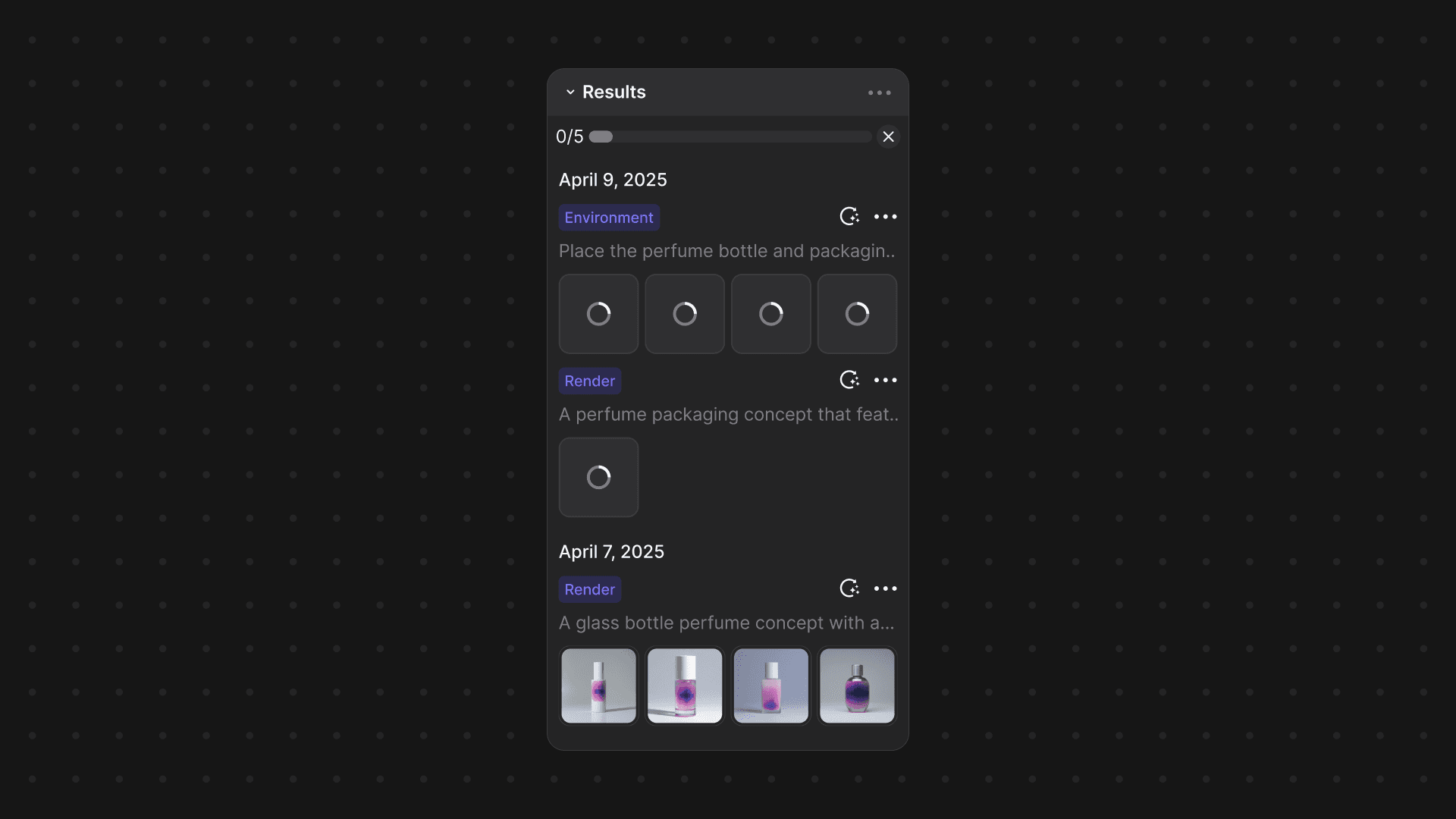
Generations now run quietly in the background, letting you design without interruption. You no longer need to pause to wait for designs to generate because Vizcom keeps working while you do. As results load in, they appear instantly in an expandable results panel, where you can explore and compare every output based on your prompt.
Available now for all users
For the next month, you’ll have the option to toggle between the refreshed Studio and the previous interface as you get familiar with the updates to the Studio experience.
The Studio Refresh pushes Vizcom closer to its mission of helping designers turn ideas into reality faster than ever before. By creating a more intuitive, connected experience, the new Studio removes friction from every stage of the creative process, empowering you to move seamlessly from concept to completion — and between Studio and Workbench.
And this is just the beginning. The new Studio lays the foundation for even more powerful workflows and creative possibilities still to come.
Start creating in the refreshed Studio ➡️
Stay up to date with everything new in Vizcom
Follow us on Instagram, X, and LinkedIn for tips and inspiration.
Have feedback? DM us or drop a note in our Discord — we’re listening.
Explore
Explore more blog posts & resources to get inspired
.webp)
Hatch Duo is a design studio based in San Jose built around a simple premise: great products hatch when two forces meet, your insight and their execution. Hatch's focus sits squarely in consumer packaged goods. For their latest collaboration with Vizcom, industrial designer Alec Comido wanted to see what he could design in one hour.
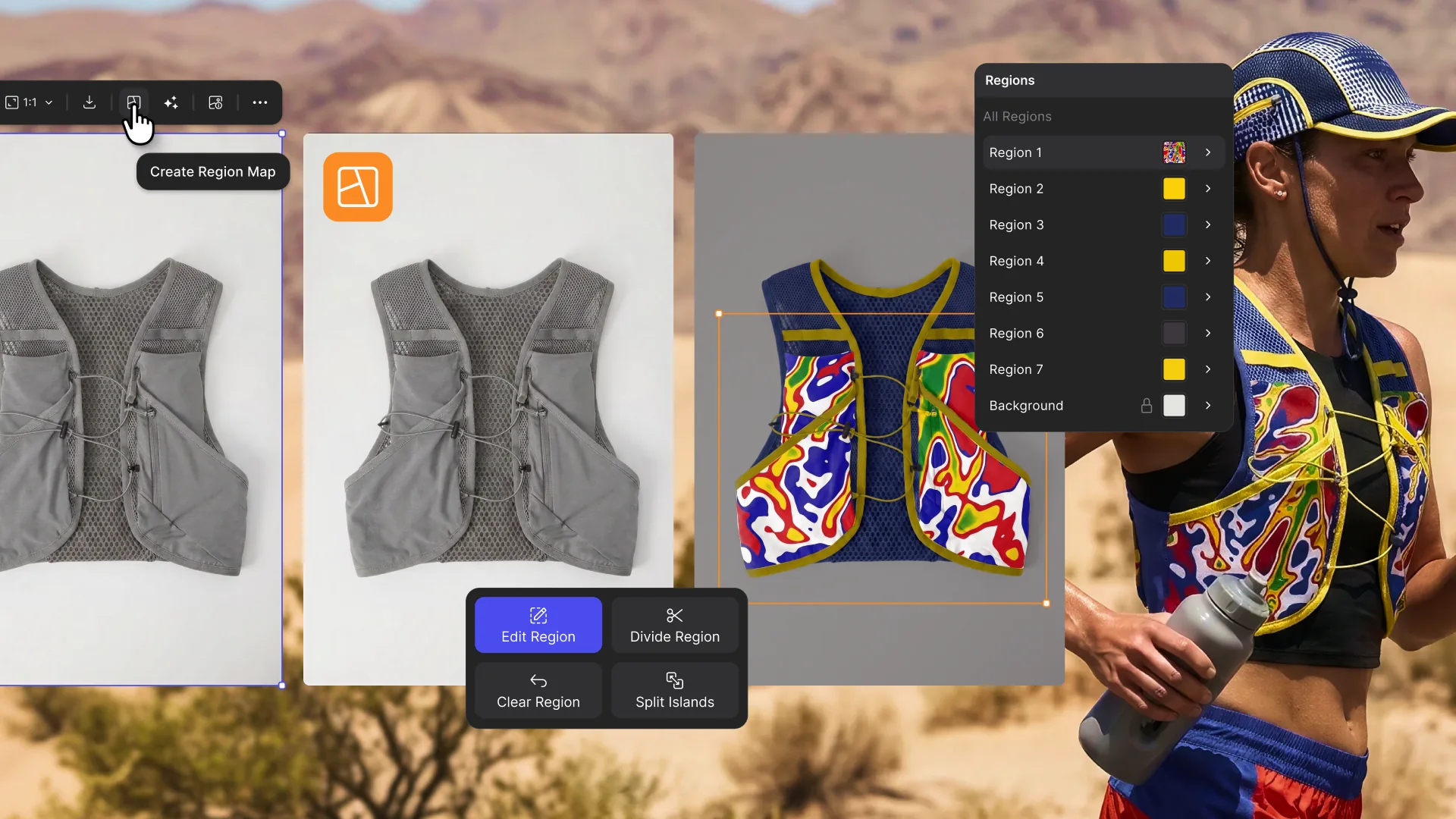
Explore color and material variations part-by-part without leaving Vizcom.

Frequently asked questions
Yes of course! Our starter plan is completely free, no credit card required. This is a great plan to explore vizcom with.
We accept all major credit and debit cards.
Admins (paid) – can edit files, manage workspace settings, billing, teams, and invite members. Editors (paid) – can edit files but not manage settings, billing, or teams. Viewers (free) – can only view files in read-only mode.
Team billing is handled centrally by the Admin. All paid seats, whether Admins or Editors, are included in a single invoice under the same billing cycle, while Viewers remain free and do not affect the cost.
Yes, you can. An Admin can update the plan in the billing settings, and the switch will take effect on the next billing cycle at the annual rate.
Yes, you own everything you create in Vizcom. For free users, while Vizcom may use generated images to improve its services, it does not claim ownership of your designs, concepts, or original ideas—you keep full rights to them. For paid users, your images and designs remain entirely private and are only used to deliver the service. Every design, concept, and image you create or upload is fully yours and kept confidential.
Vizcom does not use your data to train AI models if you’re on a paid plan. Everything you create stays private and is only used to provide the service. Free users may have their generated images included to help improve Vizcom’s services, but even then, Vizcom does not claim ownership of your designs, concepts, or original ideas—you retain full rights.