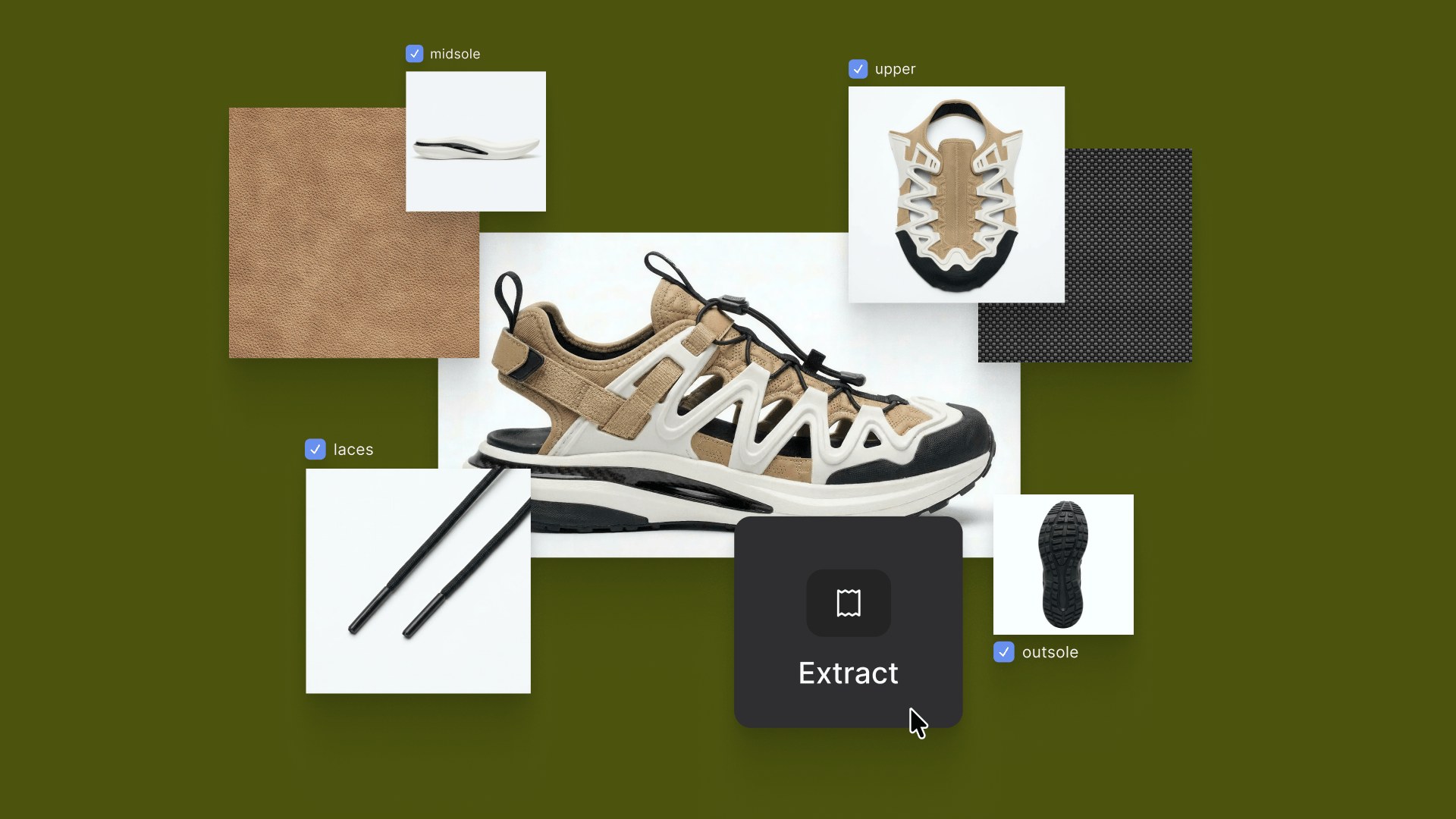
A render is only the beginning: Introducing Extract, Try On & Export

Design is a physical act. Reach, adjust, isolate, refine and the tools designers use should move the same way.
At Vizcom, we build tools that let designers work at the speed of thought. But generation is only part of the story. For years, we've heard the same thing: the render looks great, but now I need to keep working on it. Change one color without the whole image shifting. Swap a component without starting over. See this on a body before making a decision. Get it into the tools that come next.
That's why today we're launching Extract, Try on, and Export: three tools built to work together as one continuous flow, so designers can keep working with precision long after the first render.
Why we built this
Design doesn't stop after the first render, that's where the real work begins. Refining color, adjusting details, visualizing in context, and handing off to other teams. We built Extract, Try on, and Export so designers can keep working, with precision, long after the first render.
How they work together
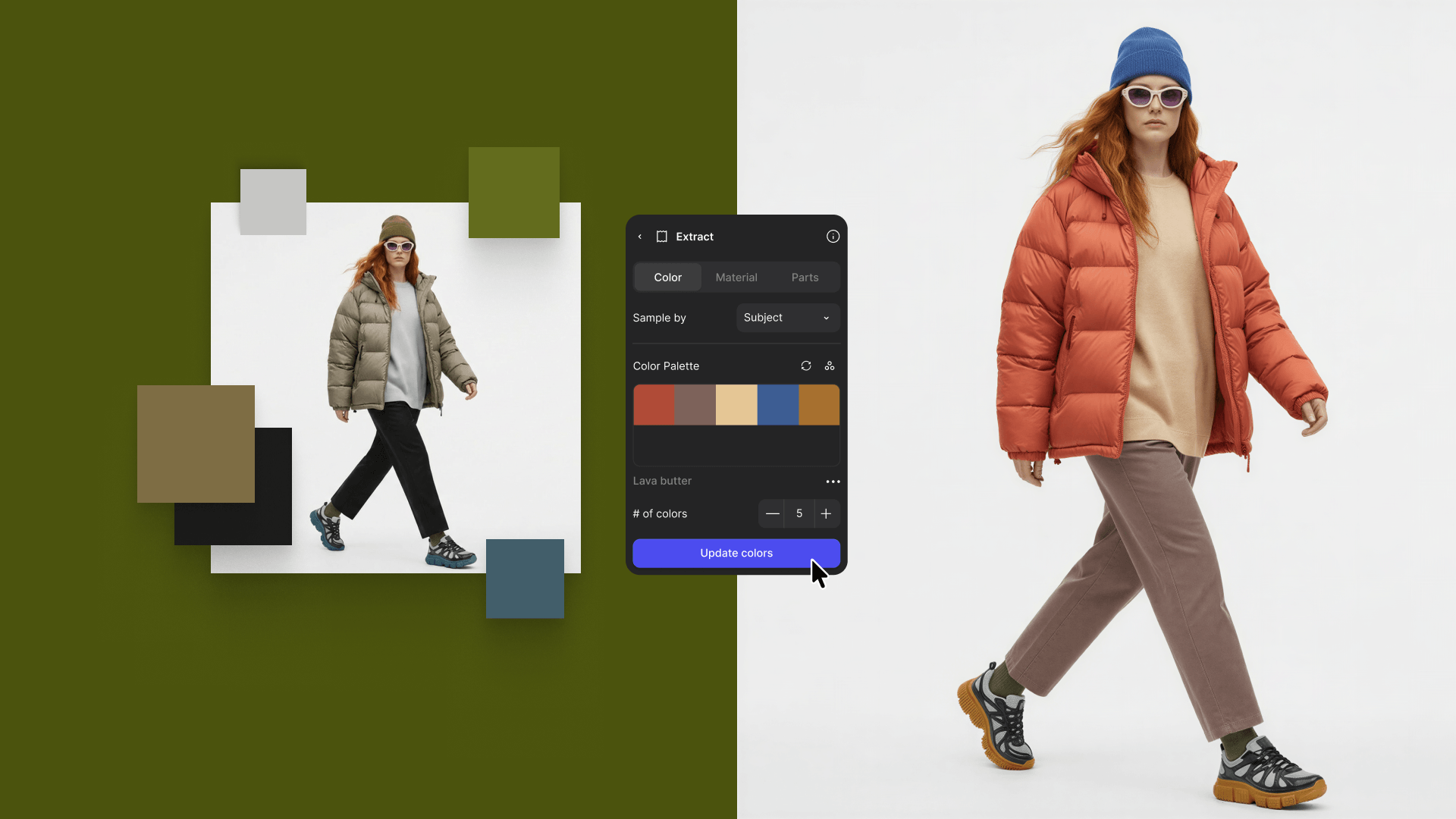
Change one color, not the whole concept with Extract.
Extract colors to break any image down into its palette — up to ten individual colors, each isolated and editable. Make a targeted change to one color and the output regenerates precisely, without touching the rest of the design.
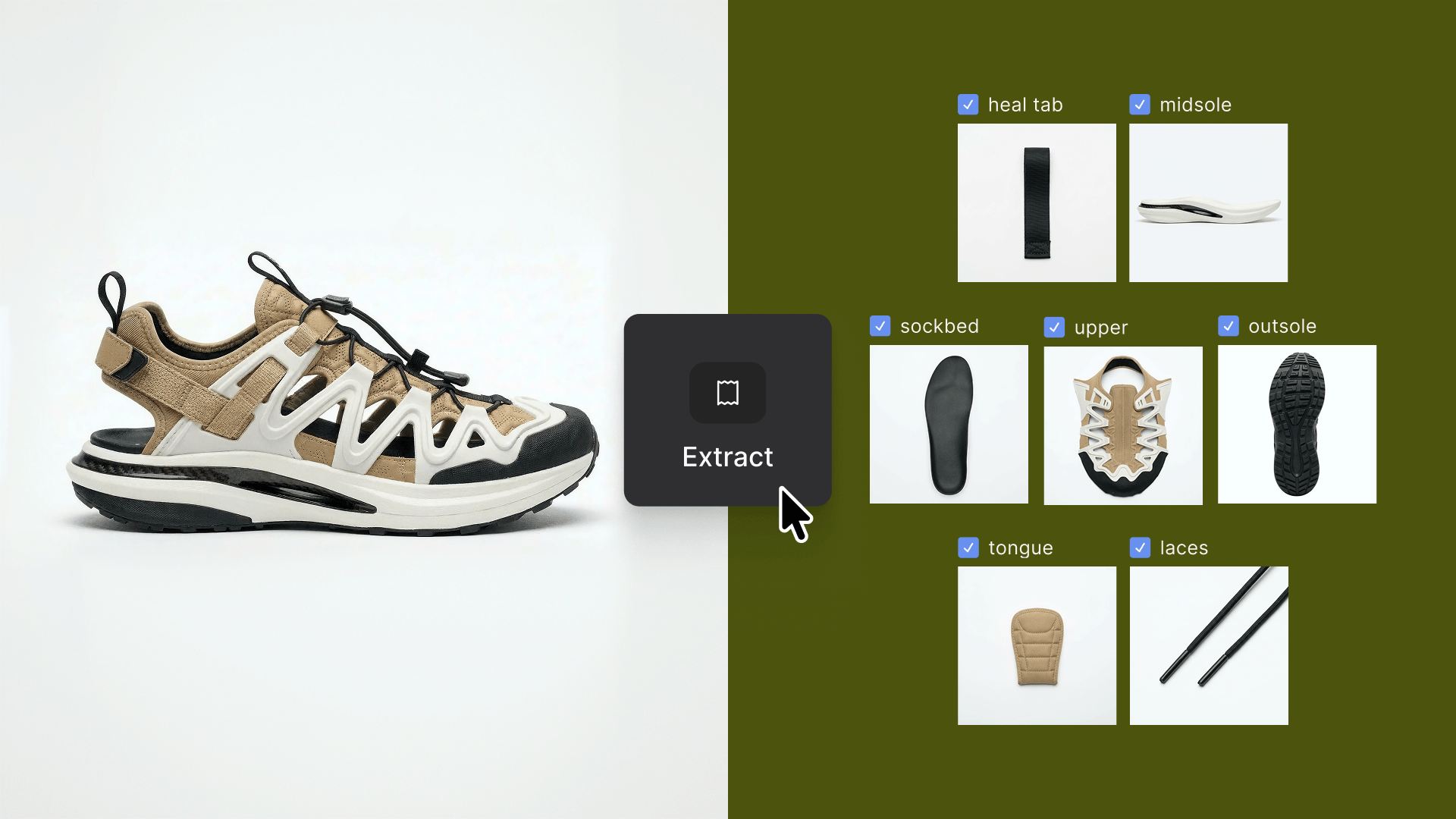
Iterate on one part and re-composite it back with Extract + Modify.
Extract parts to break an image into up to ten individual components. Pull out a single element, take it into Modify to explore variations, then re-composite it back into the original while everything else stays locked.
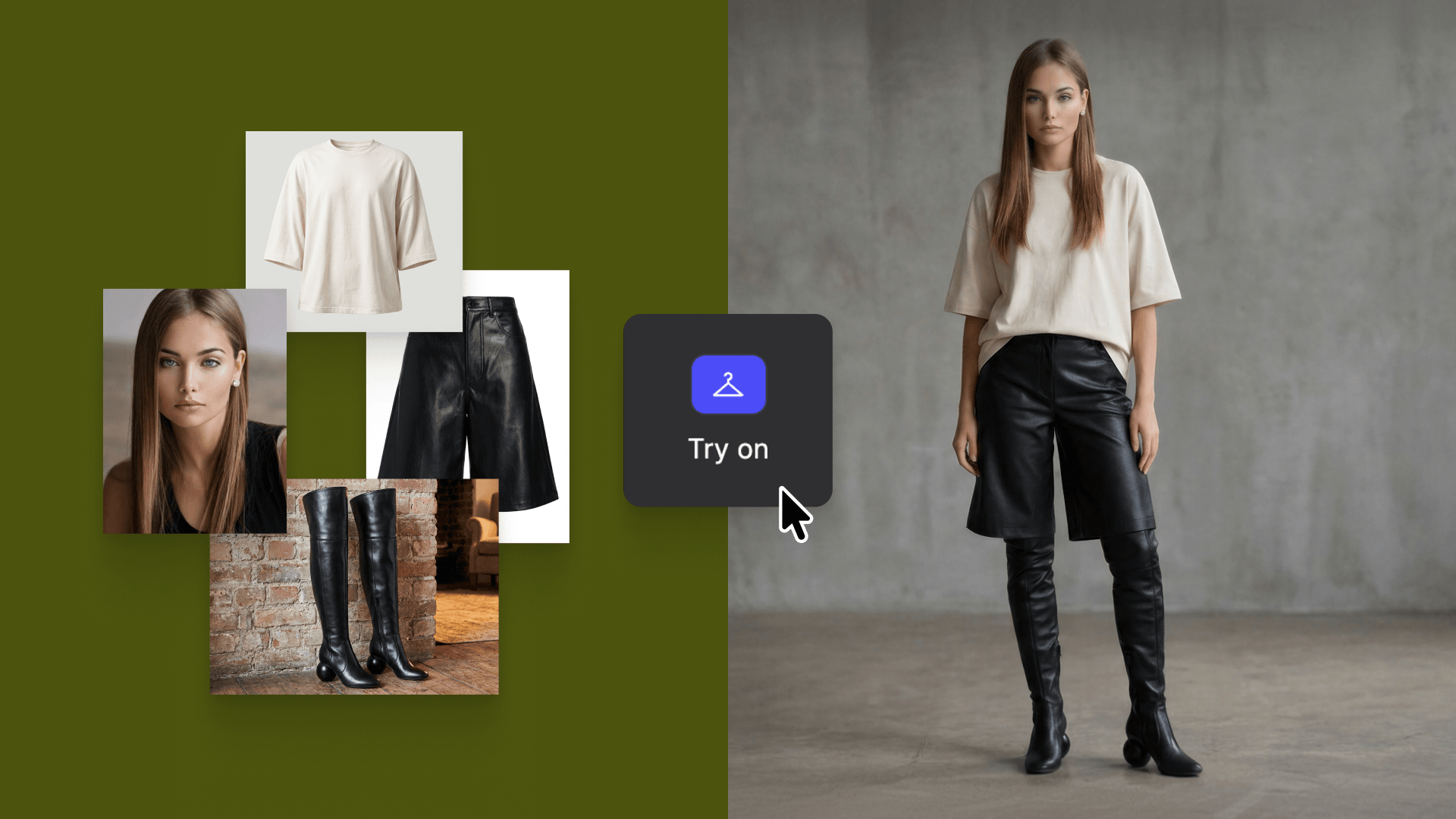
See the full look on a model in seconds with Try on.
Try on is a purpose-built tool for apparel, footwear, and accessory designers. Add up to eight items, connect a model or generate one from scratch, and set a pose via the slider or a custom prompt to render in seconds.
For broader coverage, batch generation applies the same outfit across up to four models at once, matched to the same pose.

Hand it off in the right format with our new exportable formats.
The refreshed Export panel adds SVG, FBX, and USDZ support alongside a faster download flow for large mixed asset sets. SVG moves vector output into Illustrator or Figma, FBX drops 3D models into DCC tools and real-time pipelines, and USDZ makes assets immediately AR-ready for stakeholder review, all without leaving Vizcom.
Available now — for all Vizcom users.
Extract, Try on, and Export are built to work together, taking a design from first edit through to final handoff without switching tools, re-prompting, or starting over. The workflow stays connected, because the best ideas don't wait for the tools to catch up.
See these updates in action ➡️ Watch the video
Get Started ➡️ Open Vizcom
Explore
Explore more blog posts & resources to get inspired
.webp)
Hatch Duo is a design studio based in San Jose built around a simple premise: great products hatch when two forces meet, your insight and their execution. Hatch's focus sits squarely in consumer packaged goods. For their latest collaboration with Vizcom, industrial designer Alec Comido wanted to see what he could design in one hour.

Explore color and material variations part-by-part without leaving Vizcom.


Frequently asked questions
Yes of course! Our starter plan is completely free, no credit card required. This is a great plan to explore vizcom with.
We accept all major credit and debit cards.
Admins (paid) – can edit files, manage workspace settings, billing, teams, and invite members. Editors (paid) – can edit files but not manage settings, billing, or teams. Viewers (free) – can only view files in read-only mode.
Team billing is handled centrally by the Admin. All paid seats, whether Admins or Editors, are included in a single invoice under the same billing cycle, while Viewers remain free and do not affect the cost.
Yes, you can. An Admin can update the plan in the billing settings, and the switch will take effect on the next billing cycle at the annual rate.
Yes, you own everything you create in Vizcom. For free users, while Vizcom may use generated images to improve its services, it does not claim ownership of your designs, concepts, or original ideas—you keep full rights to them. For paid users, your images and designs remain entirely private and are only used to deliver the service. Every design, concept, and image you create or upload is fully yours and kept confidential.
Vizcom does not use your data to train AI models if you’re on a paid plan. Everything you create stays private and is only used to provide the service. Free users may have their generated images included to help improve Vizcom’s services, but even then, Vizcom does not claim ownership of your designs, concepts, or original ideas—you retain full rights.