
Design Narrative: How to Tell the Story Behind Your Product
Learn how to communicate design decisions to stakeholders using a design narrative and storytelling frameworks.

You sketch something that feels right, render it beautifully, and present it to stakeholders. They nod, ask a few questions, then pick a different direction. Sound familiar?
The pattern is common. Designers jump straight into solutions without laying the foundation of character research, user understanding, and problem definition. But stakeholders can't evaluate design merit without context. Establish who the user is, what problem exists, and why it matters before showing any design solution. Only then will stakeholders understand not just what you designed, but why it matters.
Design narrative uses storytelling frameworks to communicate design decisions, user insights, and value propositions in ways that win approval and secure buy-in.
Why Design Narrative Actually Matters
You develop a concept that solves real user problems and differentiates from competitors. Then a stakeholder rejects it because "it doesn't feel premium enough." You haven't equipped them with the right evaluation criteria.
Design narrative bridges the gap between how designers think and how non-designers evaluate work. Stakeholders map their own experiences onto presented stories, creating deeper attachments to the concept. When someone can see themselves in the story you're telling, they shift from judging your design to co-owning the solution.
The Three Stories Every Designer Must Tell
Mastering three distinct story types lets you communicate effectively whether you're gathering feedback, presenting final solutions, or showcasing your capabilities.
The Process Review: Telling the Story So Far
This is the working session with your internal team or close collaborators. The format should feel informal. Pin boards and sketches on the wall, and treat the session like a dialogue. You're showing iteration in progress.
Think of this as "the trailer" — the least formal but most important story type because it operates as dialogue, as much about receiving information as giving it.
Start with character boards and user models that show who you're designing for. Present the problem space before offering solutions. People don't find flawless storytelling believable. The goal isn't polish. You're gathering input and channeling discussion toward the feedback you need.
Design consultancies use process reviews to draw clients into their workflow and make them part of the team. When someone contributes to shaping direction during exploration, they advocate for that direction in final decisions.
The Final Presentation: Connecting Solution to User Need
This is where the complete story comes together. Your narrative should:
- Demonstrate how your design solution addresses user problems and emotional needs
- Show the thinking process and constraints you navigated
- Connect everything back to business outcomes
This requires the most integrative storytelling, drawing on everything that came before. Your visuals should show the design in use: final models in users' hands, contextual environments, and short videos that bring the experience to life.
The purpose extends beyond getting approval. When you deliver a compelling final presentation, you inspire the core team within the client organization and equip them with the tools they need to sell it internally.
The Portfolio: Revealing Design Thinking
Portfolio presentations represent the capability story you tell to prospective employers or clients. This is your director's commentary: the behind-the-scenes look at your thinking and making process.
The critical mistake here is formulaic structure. When every project follows the same pattern — research, sketches, final product — reviewers stop paying attention.
Vary the pace. Some projects might warrant a couple spreads while others need a full process book. Showcase different skills in different projects. One project should dive deep into research methodology, while another demonstrates sketch exploration or prototyping problem-solving. Sometimes the challenges you overcame can be as compelling as the solution.
Communicating Design Rationale
Competent work presented with a clear rationale secures buy-in far more effectively than superior designs presented without context. Your rationale must connect design decisions to user needs, business goals, and measurable outcomes.
Effective design rationale includes three elements:
- User needs revealed through research
- Business objectives that define success
- How your solution addresses both simultaneously
The relationships between these elements demonstrate your thinking. They show that you understand the multidimensional problem space.
Present alternative solutions with explicit evaluation criteria. While many designers avoid this, fearing stakeholders will choose the "wrong" option, showing alternatives actually demonstrates that you've explored the solution space systematically. Walk through why you're recommending one approach over others, making your reasoning transparent.
Understanding What Decision-Makers Actually Care About
Executives focus on outcomes. They want to understand revenue impact, how efficiency will improve, and whether users will succeed. They face accountability pressures to their own stakeholders and boards, making them inherently risk-averse when evaluating design proposals.
Build ownership through participation. Interactive prototypes give stakeholders a sense of power when they navigate through functionality themselves. This participation transforms the psychological dynamic from evaluating "your design" to refining "our solution."
User research videos that show real people struggling with current solutions encourage empathy in stakeholders. Seeing or hearing the pain that users experience brings UX to life in ways that abstract descriptions can't match.
Focus on high-impact decisions. When you push back on everything, stakeholders cannot distinguish critical choices from preferences. Reserve strong advocacy for high-impact decisions that are always grounded in evidence, and you build trust through demonstrated business judgment.
Building Narratives That Actually Work
The most effective design narratives don't feel like narratives at all. They feel like a logical progression from problem to solution, with each step following inevitably from what came before.
You achieve this by establishing user context and problem definition first—allowing stakeholders to see how each design decision responds to validated needs and constraints.
Balance your rationale across four dimensions:
- Business needs — revenue, efficiency, market position
- Design principles — form, function, brand alignment
- User research findings — validated pain points and preferences
- Development constraints — technical feasibility, timeline, budget
When decisions start skewing heavily toward any single dimension, stakeholders notice. A solution that perfectly serves users but ignores technical feasibility won't ship. One that optimizes for business metrics while creating a terrible user experience will fail in the market.
Frame presentations to facilitate productive dialogue about trade-offs and priorities. This positions you as a strategic partner, clarifying decisions.
How Visual Tools Support Your Narrative
When stakeholders evaluate alternatives, showing beats telling. Vizcom accelerates this across the presentation arc.
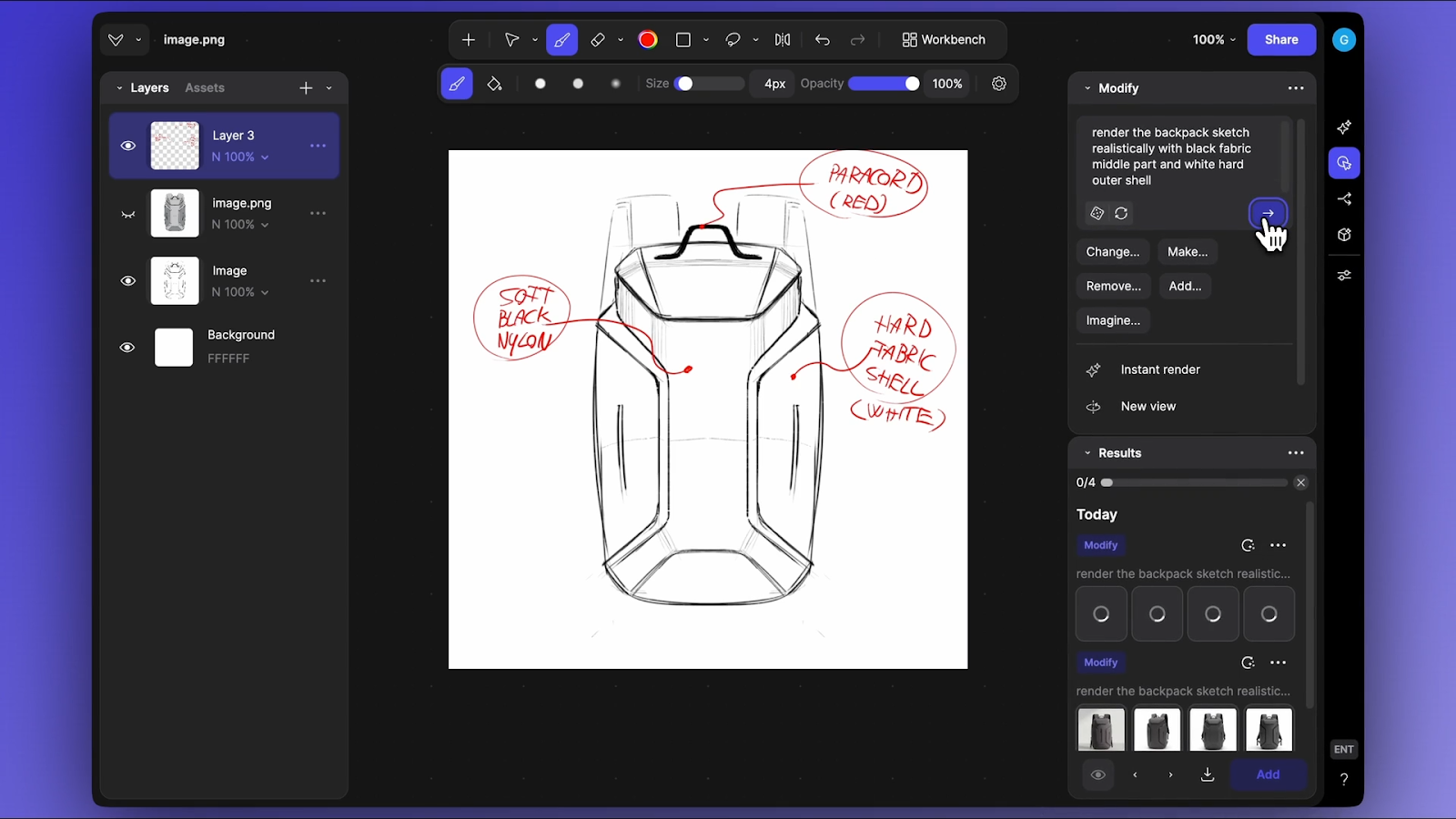
Strong narratives start with intent. Moodboards and storyboards communicate the why behind the form before showing solutions. Stakeholders see your references rather than imagining them. Once you've established intent, Render and Make 3D let stakeholders evaluate proportions, details, and trade-offs from every angle.
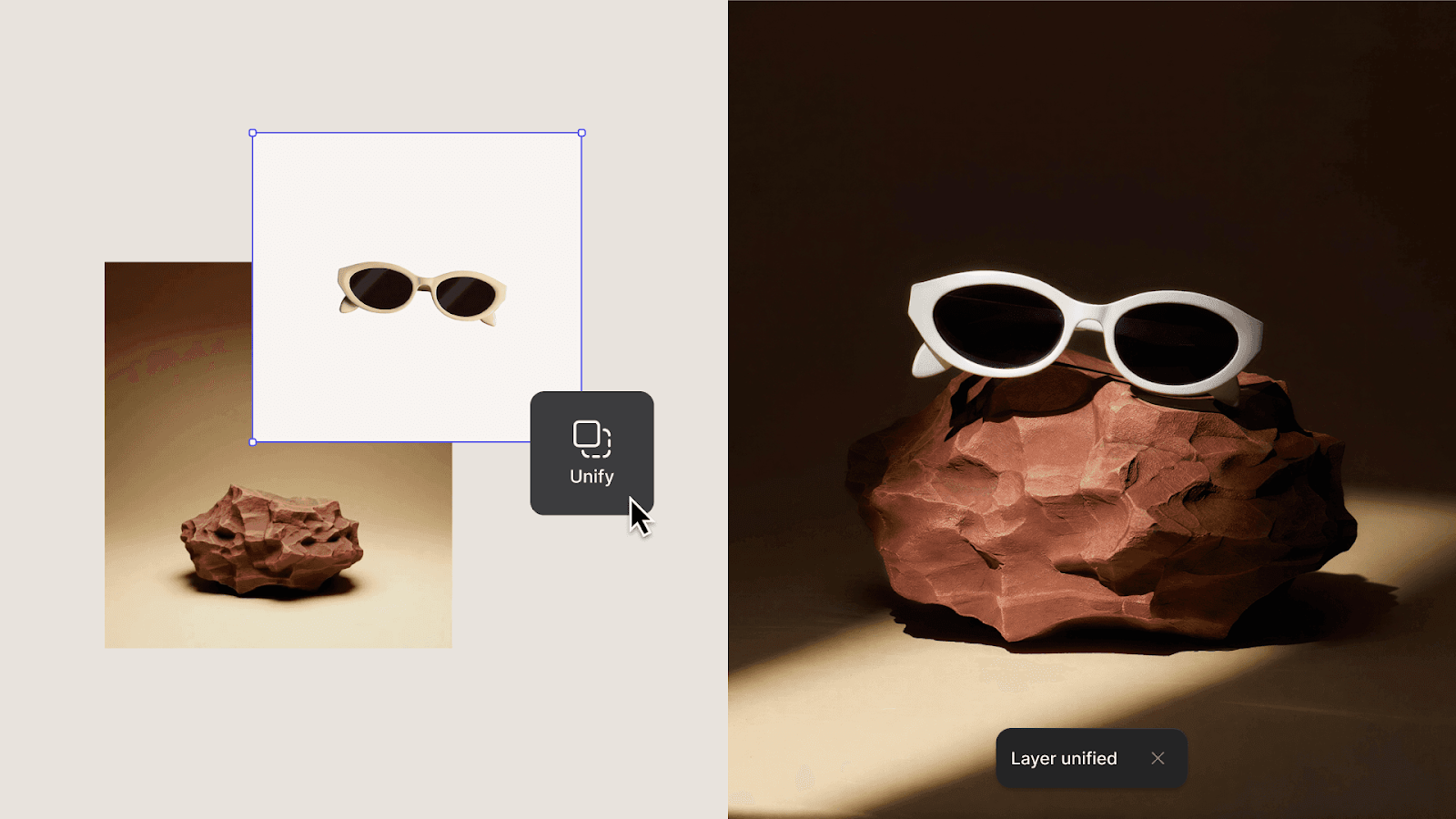
The real power emerges during live discussion. An executive asks, "What if we tried a different material?" and Modify lets you show them in seconds rather than promising a follow-up. They want to see it in context? Unify drops the render into a real-world setting. The mechanism needs explaining? Animate shows it in motion. This responsiveness turns evaluation into collaboration and accelerates buy-in faster than any slide deck.
When generating these assets takes seconds instead of hours, you spend less time on execution and more time building the narrative.
Make Your Work Speak for Itself
Design narrative makes excellent work legible as thinking. When stakeholders understand the constraints you navigated and the evidence that guided your decisions, they evaluate your work on the right criteria.
As tools accelerate technical execution, your ability to articulate why decisions matter becomes the skill that differentiates your work. The competitive advantage shifts from technical craft to thinking and communication.
The designers who thrive aren't necessarily creating the most aesthetically sophisticated work—they're the ones who effectively communicate their design rationale so stakeholders understand why the work matters.
Ready to spend less time waiting for renders and more time building compelling narratives? Try Vizcom and see how quickly you can generate the visual alternatives that demonstrate systematic thinking.
Explore
Explore more blog posts & resources to get inspired
.webp)
Hatch Duo is a design studio based in San Jose built around a simple premise: great products hatch when two forces meet, your insight and their execution. Hatch's focus sits squarely in consumer packaged goods. For their latest collaboration with Vizcom, industrial designer Alec Comido wanted to see what he could design in one hour.

Explore color and material variations part-by-part without leaving Vizcom.


Frequently asked questions
Yes of course! Our starter plan is completely free, no credit card required. This is a great plan to explore vizcom with.
We accept all major credit and debit cards.
Admins (paid) – can edit files, manage workspace settings, billing, teams, and invite members. Editors (paid) – can edit files but not manage settings, billing, or teams. Viewers (free) – can only view files in read-only mode.
Team billing is handled centrally by the Admin. All paid seats, whether Admins or Editors, are included in a single invoice under the same billing cycle, while Viewers remain free and do not affect the cost.
Yes, you can. An Admin can update the plan in the billing settings, and the switch will take effect on the next billing cycle at the annual rate.
Yes, you own everything you create in Vizcom. For free users, while Vizcom may use generated images to improve its services, it does not claim ownership of your designs, concepts, or original ideas—you keep full rights to them. For paid users, your images and designs remain entirely private and are only used to deliver the service. Every design, concept, and image you create or upload is fully yours and kept confidential.
Vizcom does not use your data to train AI models if you’re on a paid plan. Everything you create stays private and is only used to provide the service. Free users may have their generated images included to help improve Vizcom’s services, but even then, Vizcom does not claim ownership of your designs, concepts, or original ideas—you retain full rights.