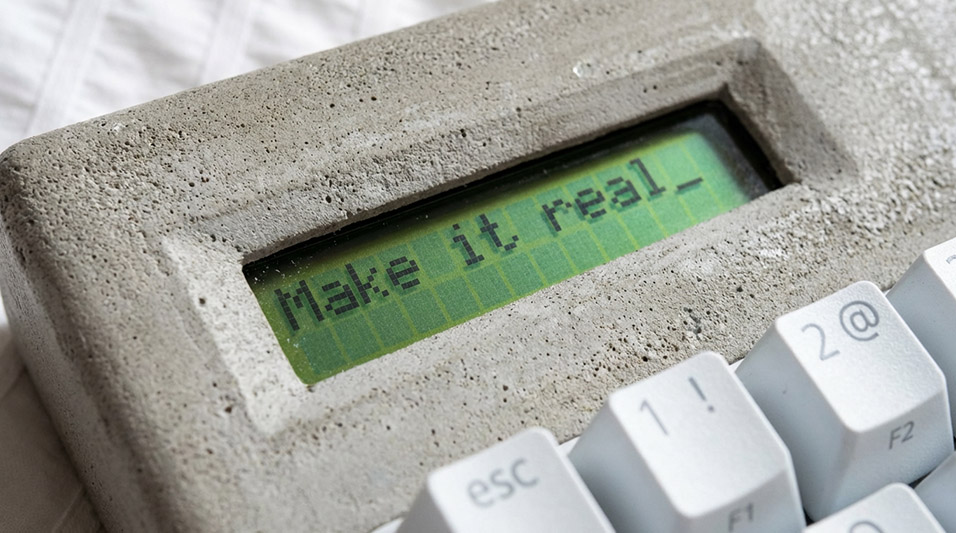
Most Ideas Die in Sketchbooks
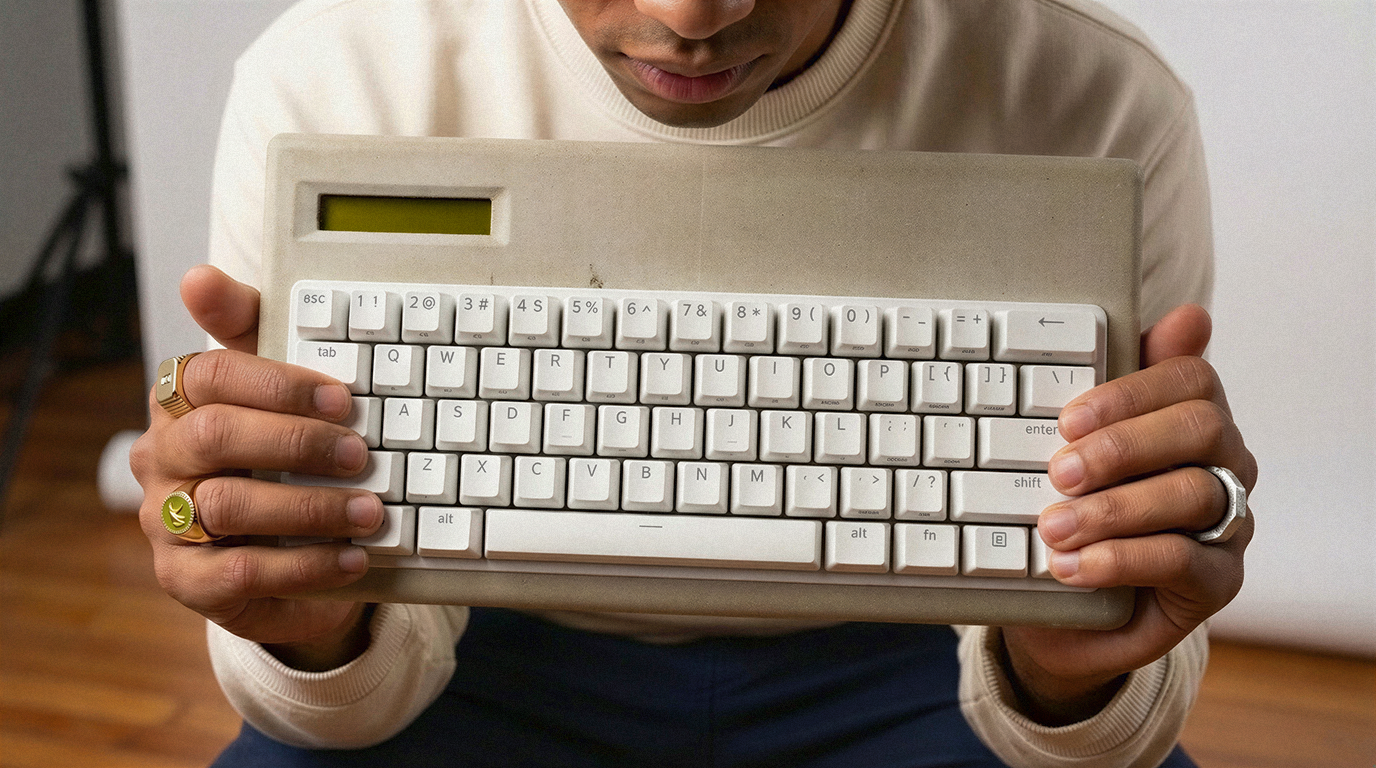
How AI and Vizcom helped one designer move beyond the sketchbook, visualizing a concrete keyboard from rough idea to finished build, and finding the confidence to actually make it.
There's a moment in every project where it stops being flexible.
You've committed to materials. Tolerances. You're buying parts. And suddenly every decision has consequences — failure being one of them.
I hit that moment building a concrete keyboard.
I'm a designer. I visualize things for a living. I know how to make an idea look real. But actually making it real is something different, and I don't think I fully understood that until I was pulling a cracked concrete cast out of a mold at 11pm wondering what I was doing.
This is what I learned.
But let me back up
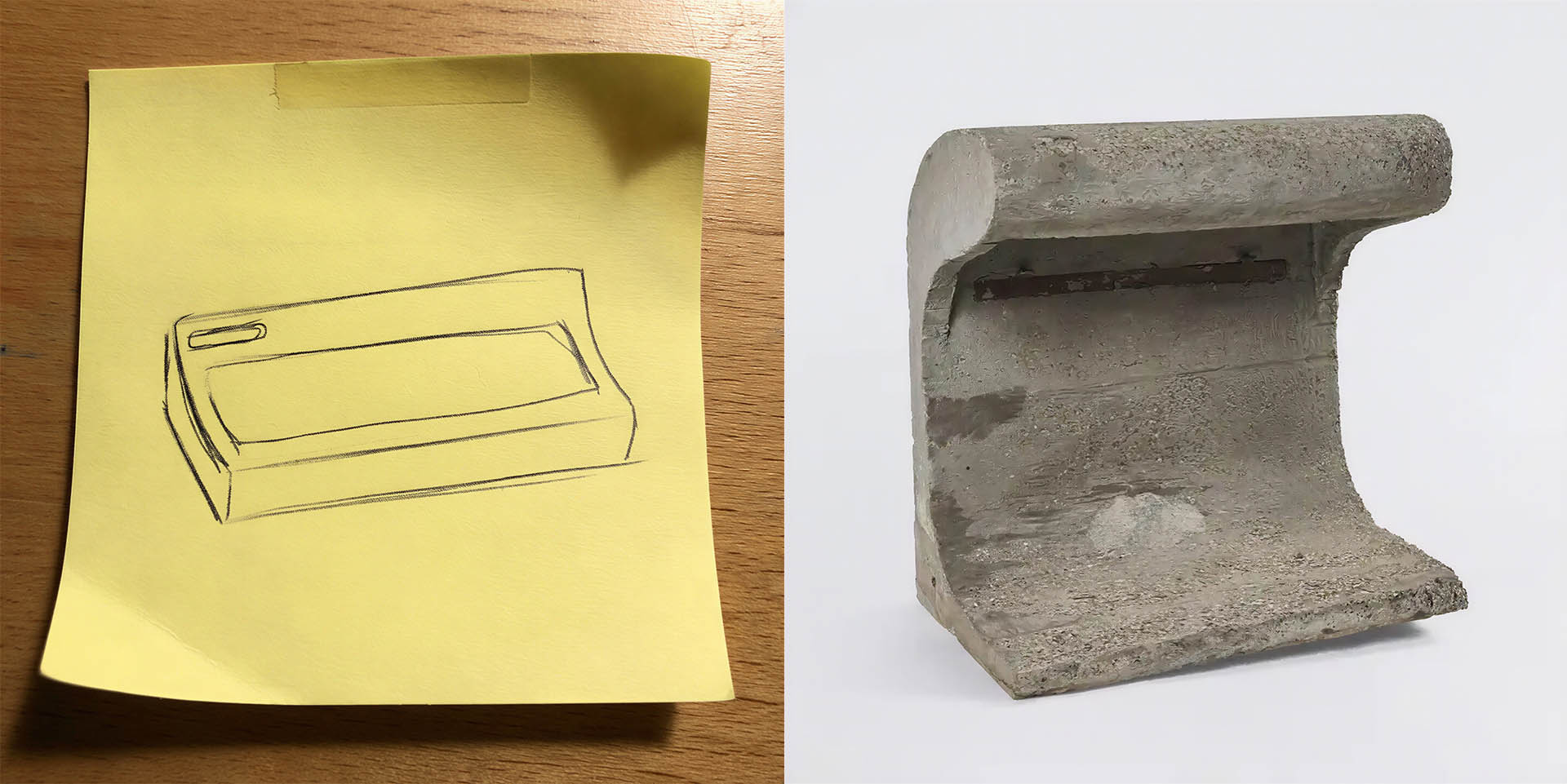
I work at Vizcom. And over the last year I've been using it the way most designers do... to see ideas clearly. To take something vague and make it high fidelity fast. To remove the ambiguity that makes it easy to let an idea die.
It works. Exceptionally well.
But I kept hitting the same wall. Seeing something clearly creates a different kind of pressure. It makes you ask a harder question.
Could I actually build this?
So I decided to find out.
Figuring it out as I go
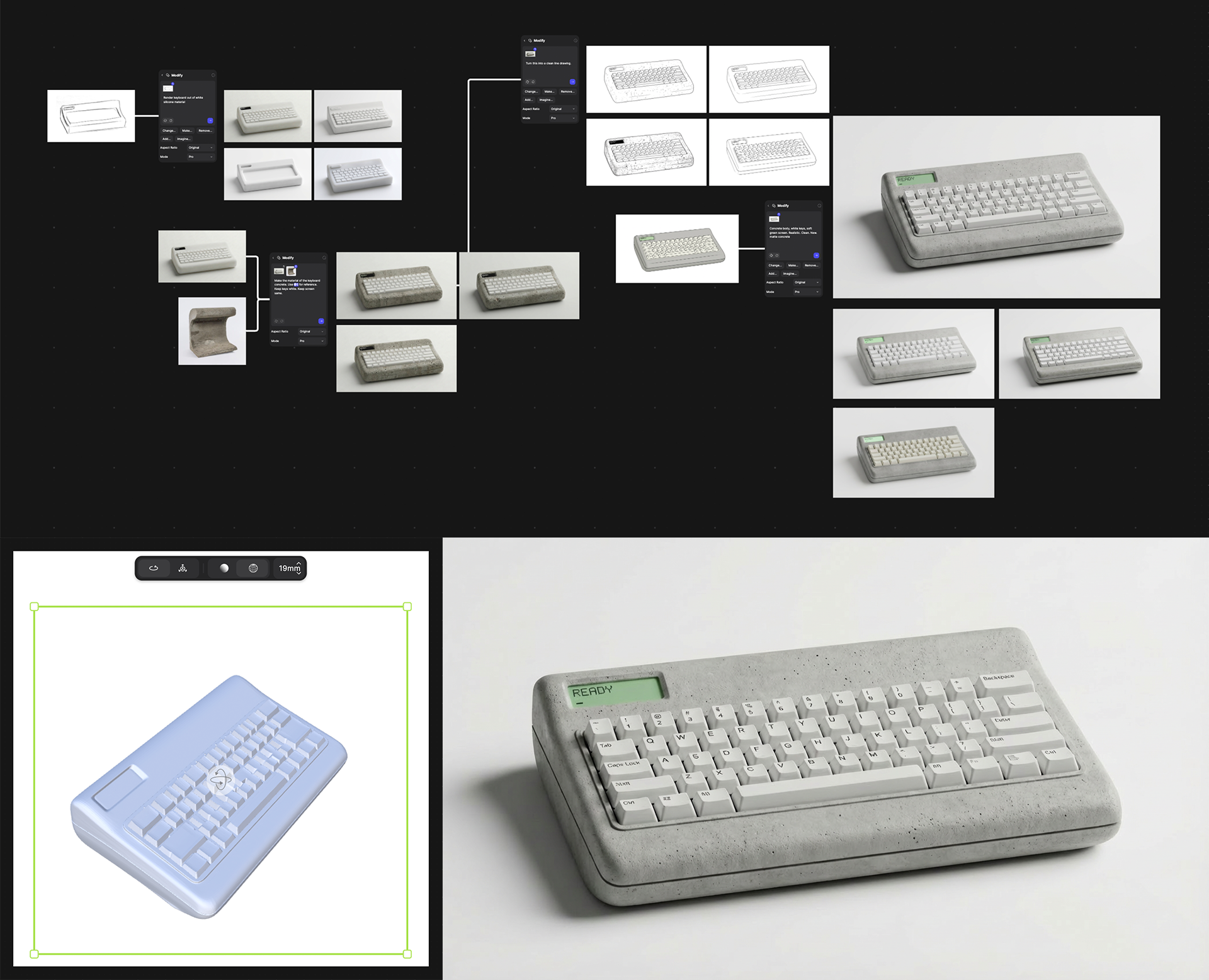
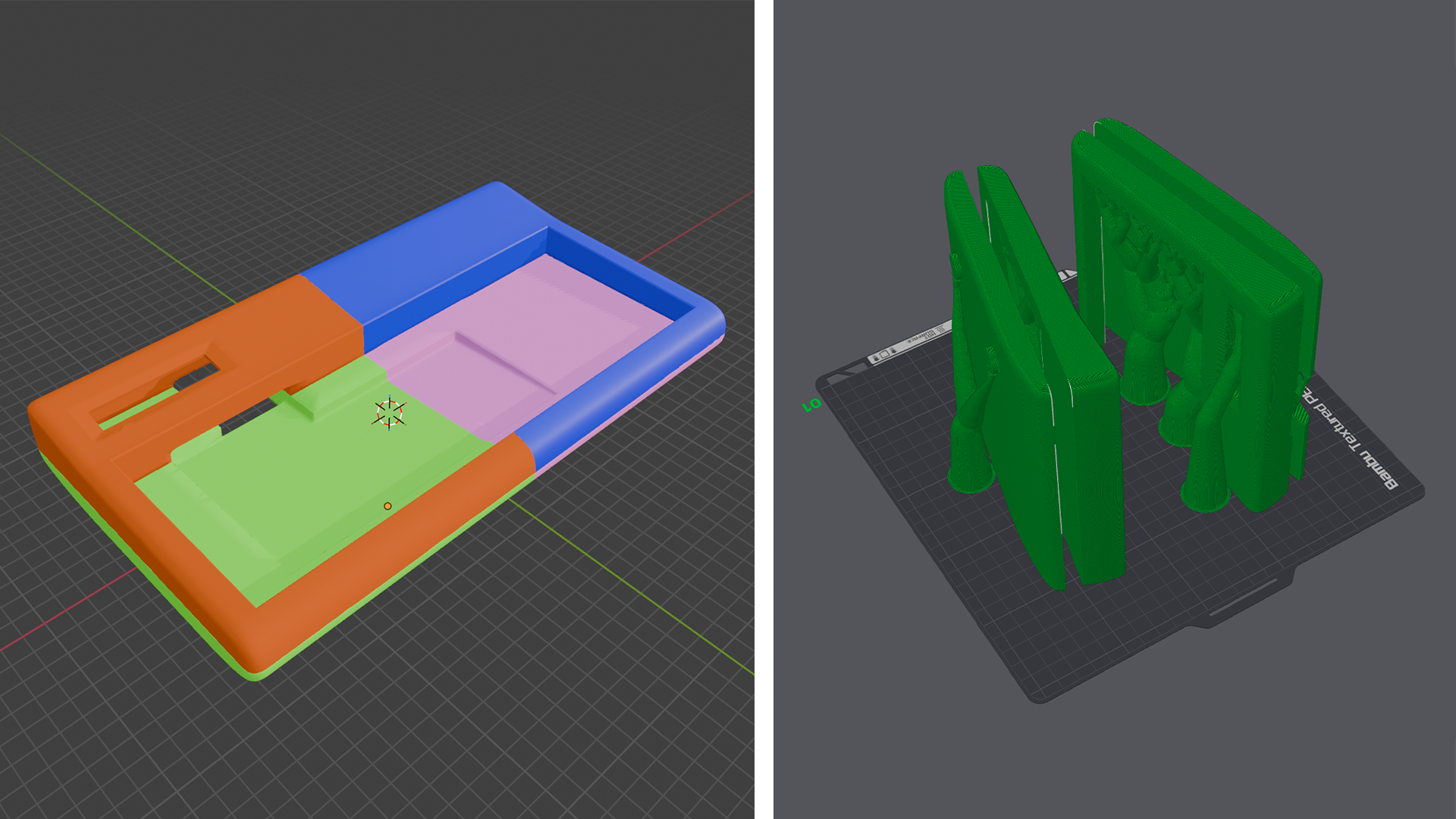
I used Vizcom to get the idea to high fidelity, then built a rough 3D model to work from. Then I started buying parts.
I hadn't soldered in years. I don't come from a hardware background. I'd never worked with concrete at this scale. I didn't know how I was going to power or control the screen.
Normally, that's where a project dies.
This time it didn't.
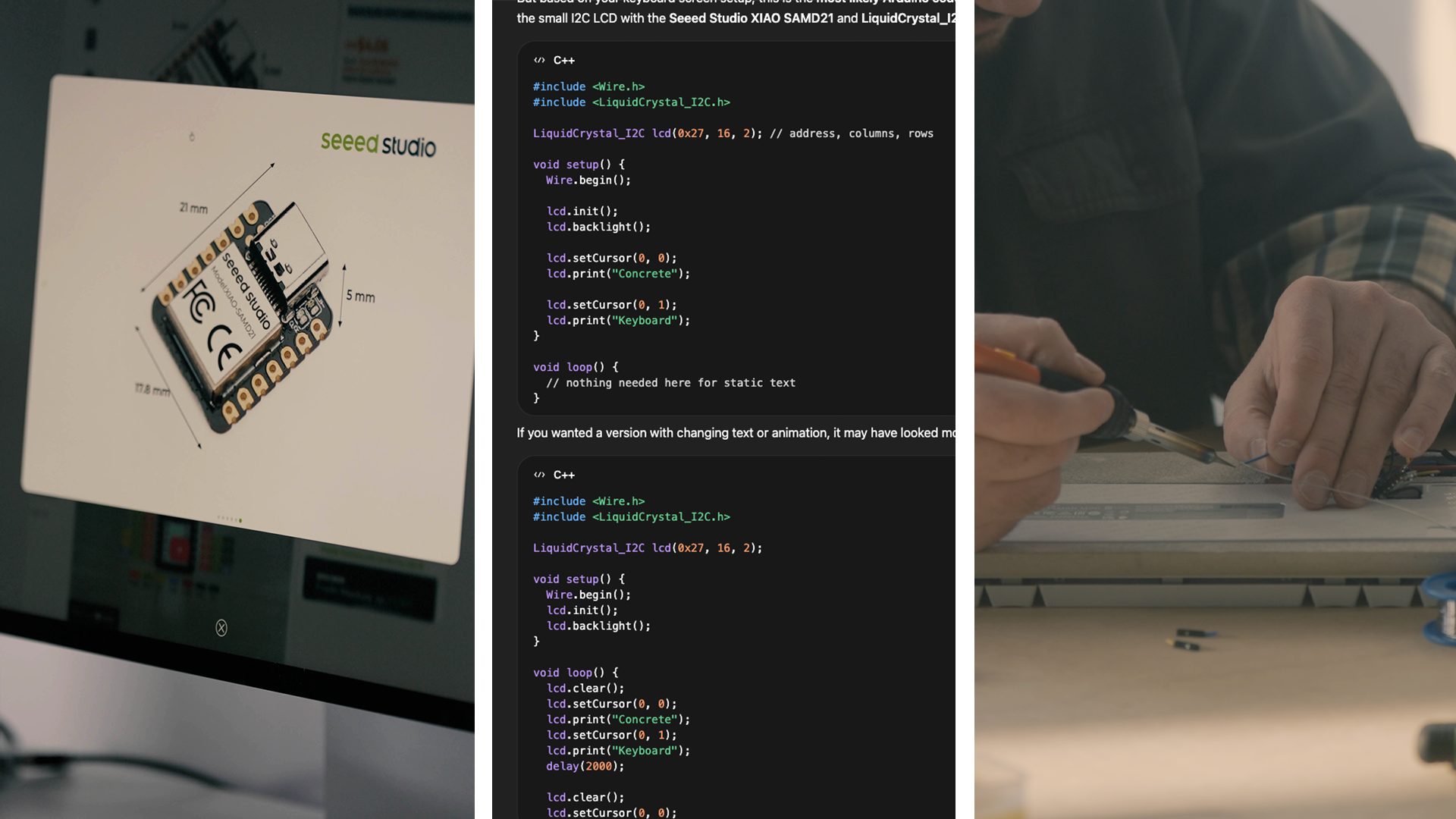
When I hit walls I couldn't design my way through — hardware compatibility, wiring, code — I used AI tools to troubleshoot and keep moving.
Not to replace figuring it out, but to give me just enough direction to take the next step. It reminded me of being in my dad's workshop as a kid, getting stuck, asking a question, and having someone help me find the next move.
Where it broke
A lot of this project was just things going wrong.
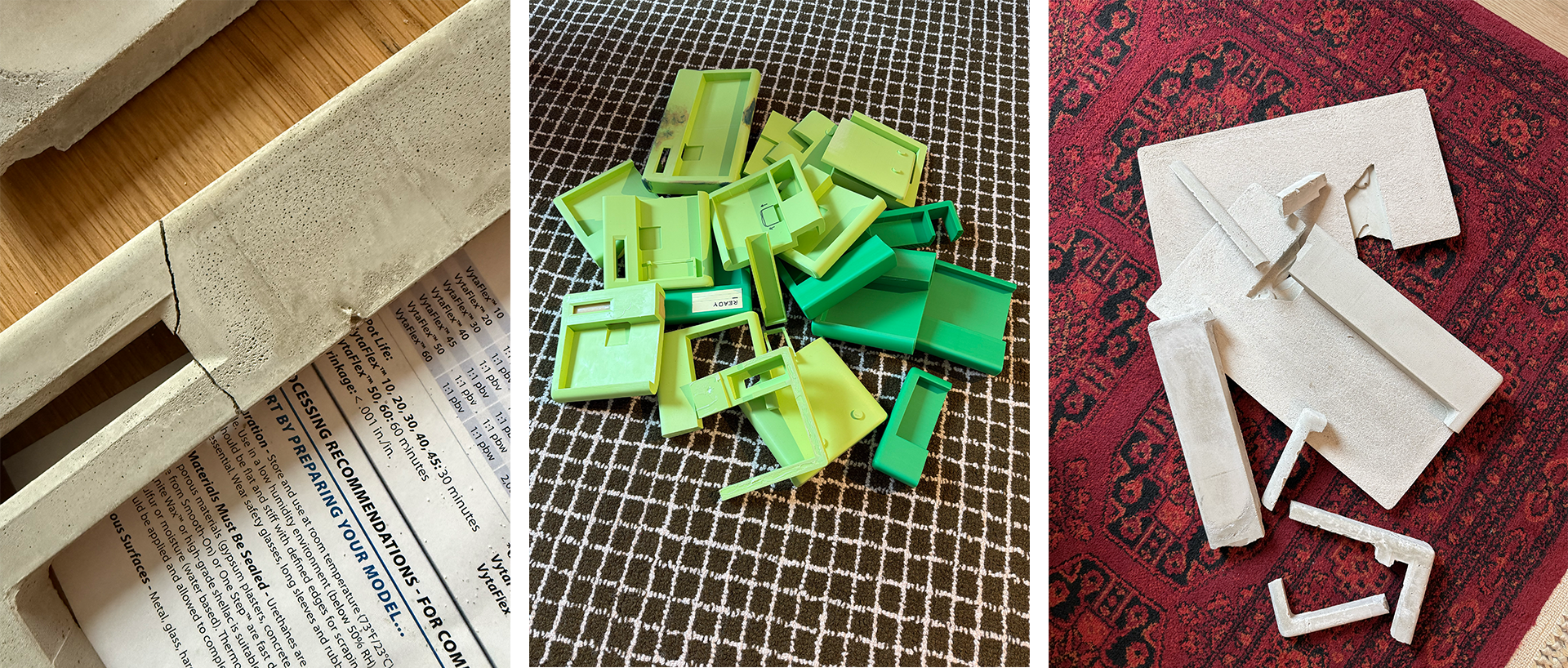
The first mold didn't hold its shape. The silicone was too flexible and the concrete warped under its own weight. So I switched to a stiffer, higher-strength rubber mix. That fixed one problem and created another. The cast broke when I tried to pull it out of the mold.
Air bubbles were weakening the structure. I started vibrating the mold with a palm sander to remove air pockets and added thin steel rods inside the form for strength. Even near the end, during filming, the body cracked.
At that point, you either start over or you adapt.
I repaired it. Epoxy, more concrete, sanding it back. Not trying to hide the failure, just deciding to keep going after it.
That's a big part of building. Not avoiding mistakes. Just deciding they don't stop you.
Making it work
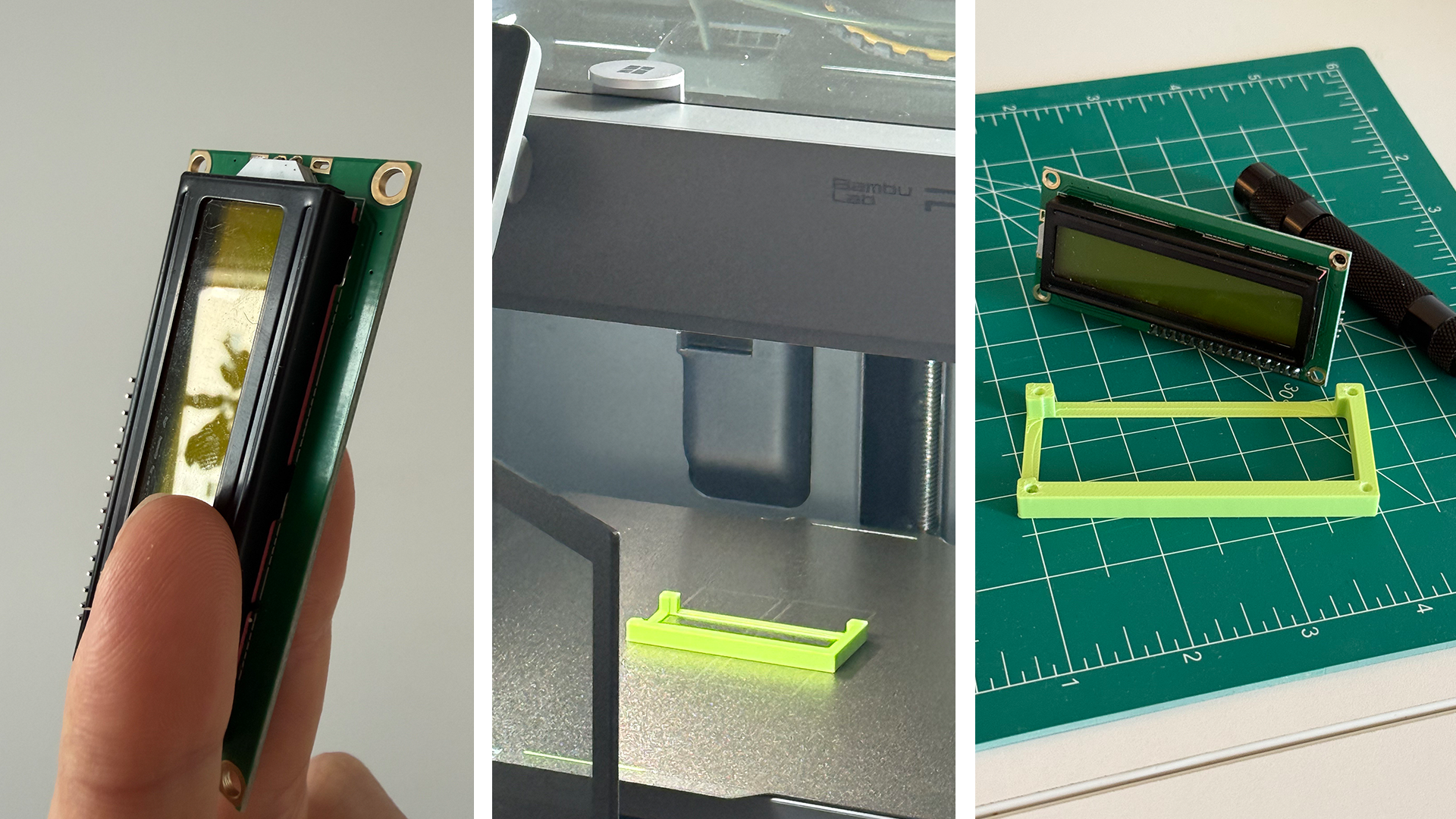
One of the biggest shifts in the project was deciding to make the screen functional. It wasn't part of the original plan. I don't know how to code and I had no real experience with this kind of hardware.
The easy path was obvious — the screen could stay blank. It would still look right. No one would know.
I could have left it there. But it felt wrong.
At that point the project was already real. Faking that part didn't make sense. So I used AI to figure out what I had, what was compatible, how to wire it, and how to get something on the screen. Not perfectly, but enough to make it work. I ended up wiring everything into the keyboard's PCB so it all pulled power from a single USB connection.
That decision pushed the project further than I originally intended. And it changed how I think about what I can actually build.
Art directing the final images
When the keyboard was done I needed final images. For a second I thought about borrowing a camera, finding a photographer. Then I thought — why?
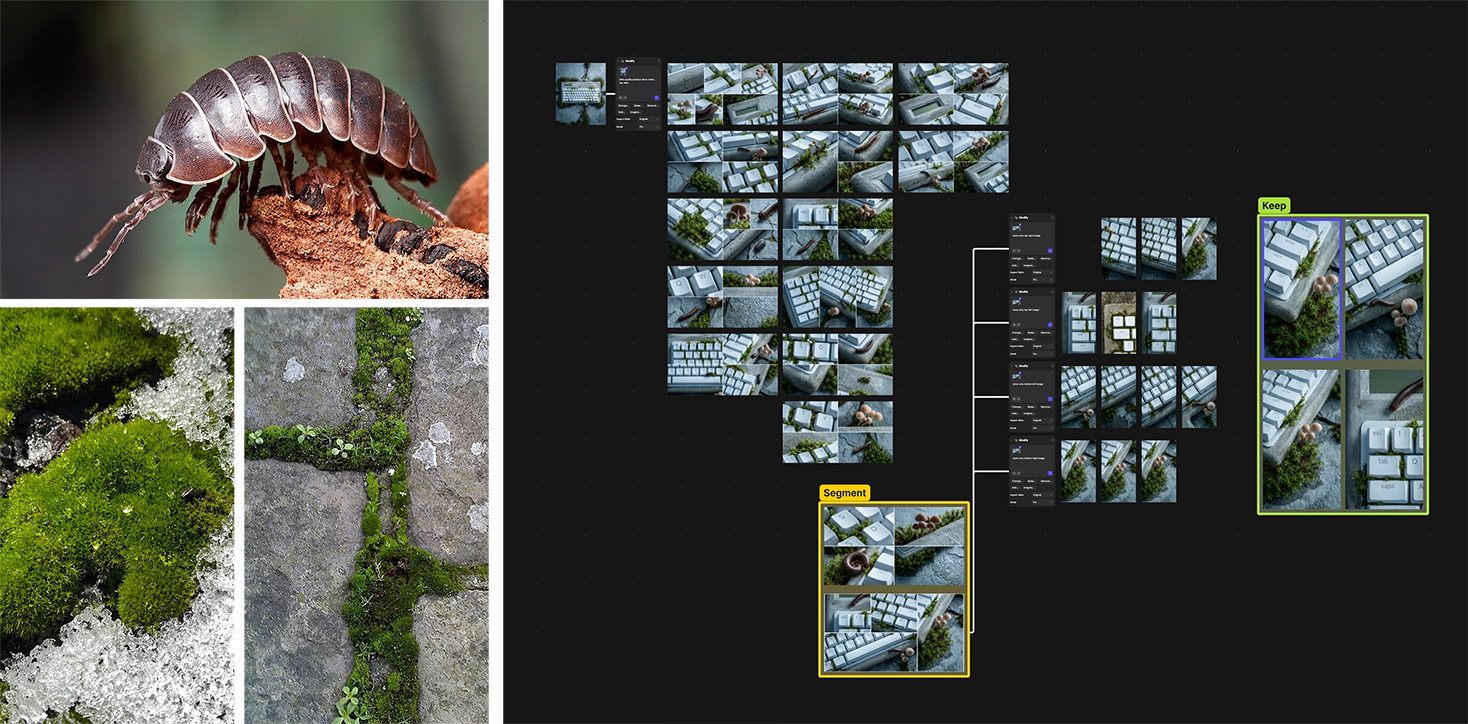
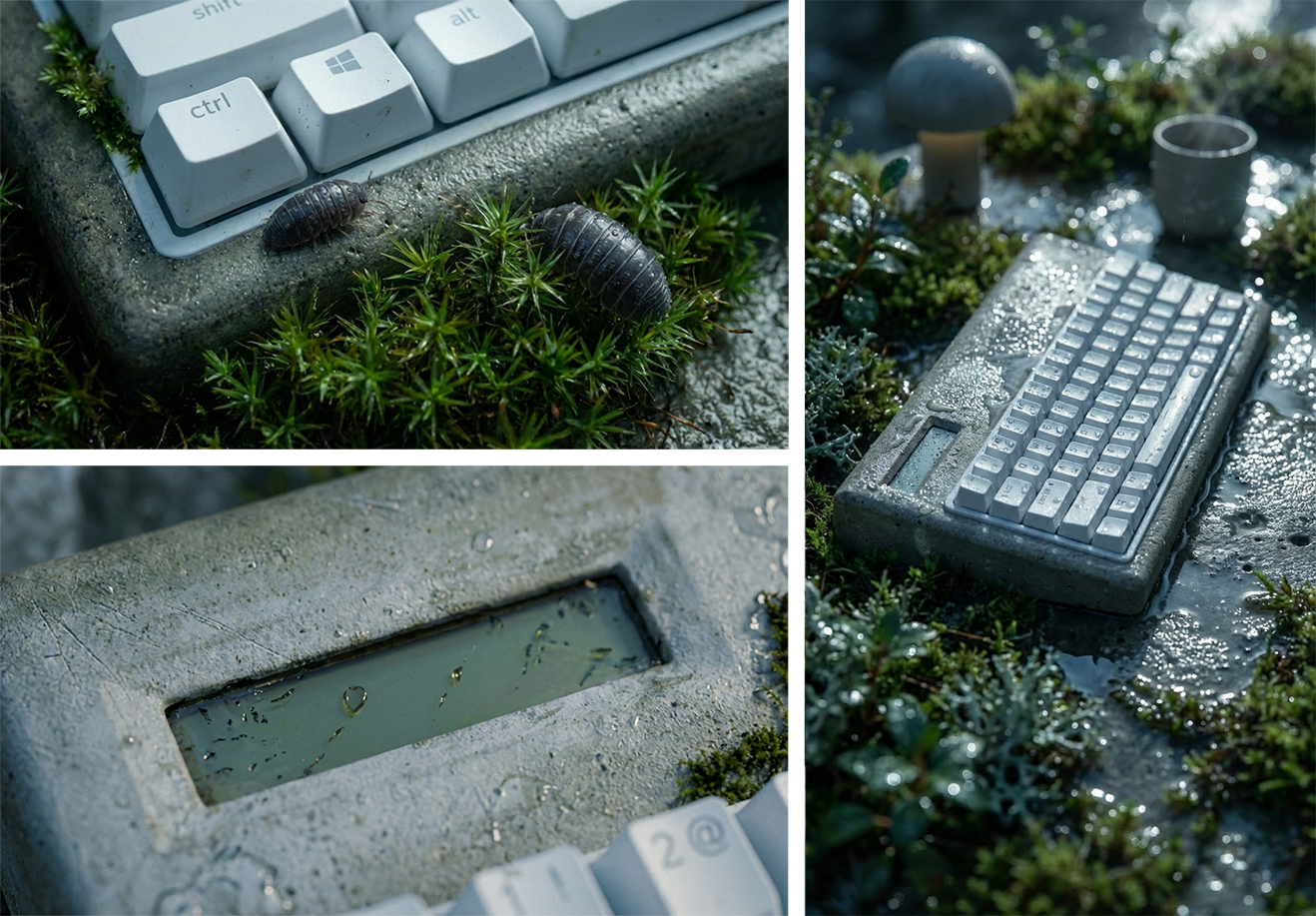
I'd just gotten back from Portland. The whole city has this thing where moss creeps into the sidewalks, the walls, the buildings. This visual harmony between nature and man-made things. I wanted that feeling around this object.
So I took some quick photos on my phone and brought them back into Vizcom alongside reference images from Portland. And I made the final images there.
I wasn't designing. I was art directing.
Directing light, environment, atmosphere, story. Taking a real physical object and building a world around it. That's not something most designers think they can do. But we actually have the vision for it. We've always had the vision for it. Vizcom just gives us the tools to execute it.

The packaging
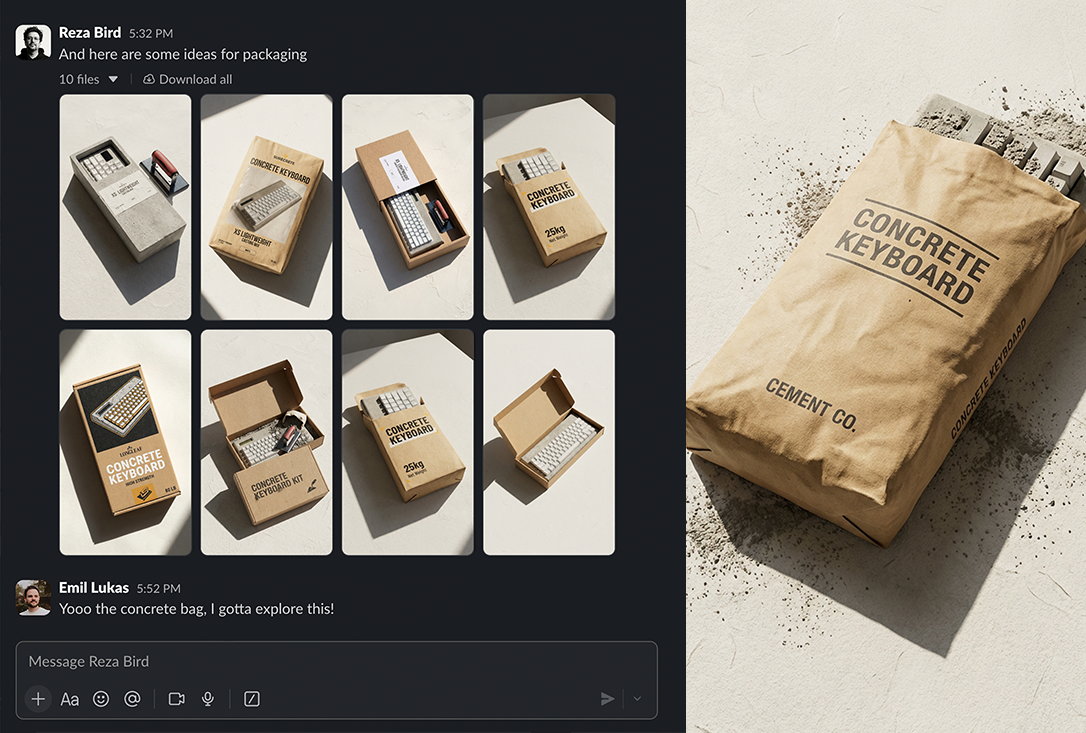
I shared the final images with a friend. He got excited and started thinking on his own — sent me a few pictures of what he thought the packaging could look like.
One idea stopped me immediately. Package the keyboard in a concrete bag. The same material it came from.
The finished object, returned to its raw origin. I couldn't ignore it.
I brought it back into Vizcom and started developing it like it was always part of the project. Structure, graphics, how it would open, how it would hold the object. But this one pushed the limits of what AI can easily interpret — a concrete bag as luxury packaging isn't something that exists yet, so there's no visual language for it to draw from.
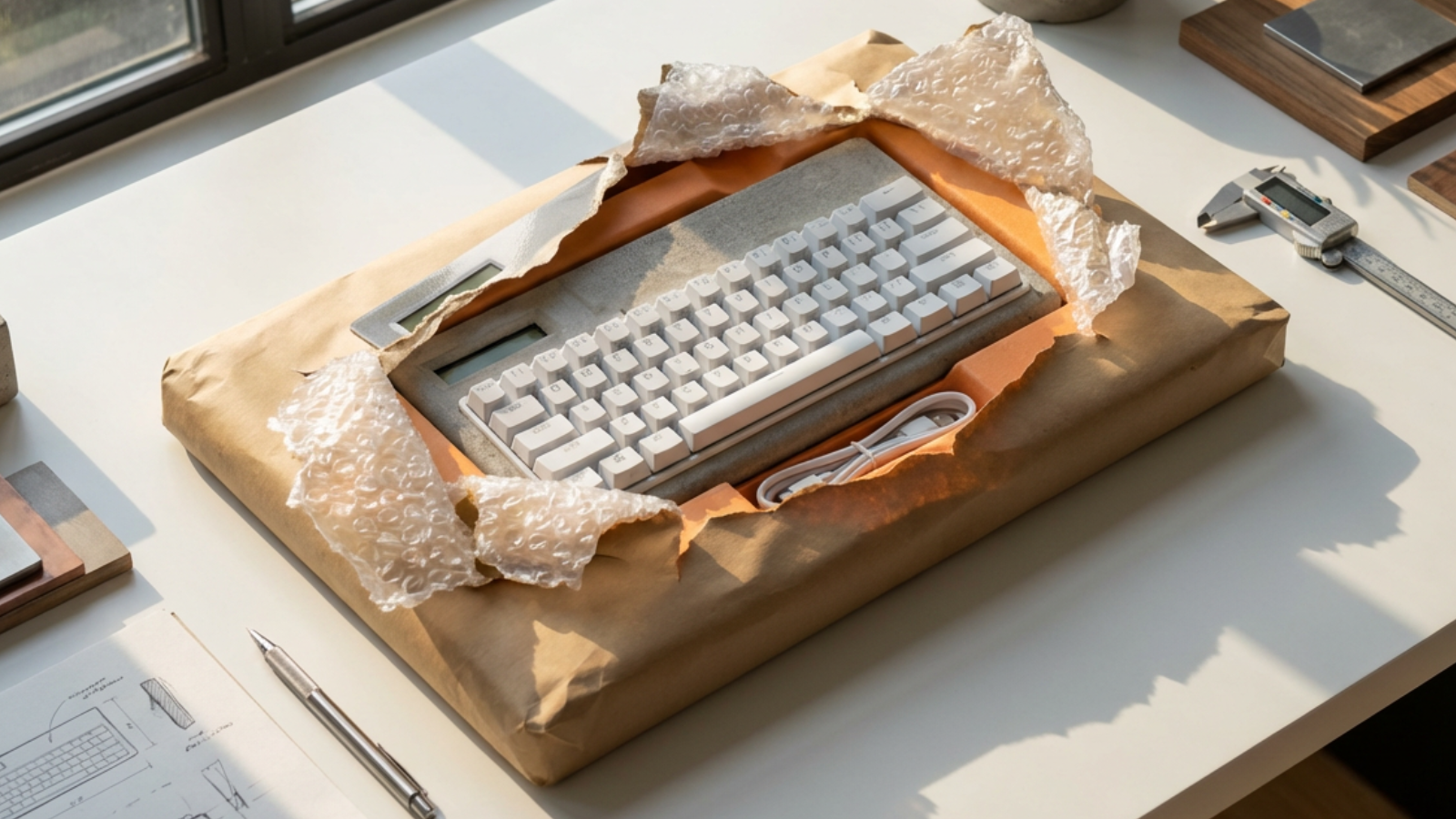
That's where Photoshop came in. I use PS to support Vizcom, not replace it. Traditional tools to close the gaps, then back into Vizcom to land the vision. The two together consistently get me further than either one alone.
What this actually is
At the end of the day, everything we make as designers is representing an idea. Something that will eventually be held, used, interacted with. Loved or hated.
We're stewards of those ideas. And the more of the process we're involved in, from the first sketch to the final object, the better those ideas get.
That used to require skills most designers don't have. Now it requires curiosity and a willingness to figure it out as you go.
The concrete keyboard is not a good product. It's heavy, uncomfortable, and difficult to produce. But I can tell you that because I made it. I held it. I used it. I know exactly where it fails and why.
Vizcom didn't just help me visualize this idea. It helped me see it clearly enough to build it, art direct it, and develop a world around it. That's a different relationship with your ideas than most designers have ever had.
Push it further than you think you can. See what's actually possible.
The concrete keyboard is project one. The next idea is already in a sketchbook somewhere and this time I'm not leaving it there.
Words only go so far ➡️ Watch the video
Explore
Explore more blog posts & resources to get inspired
.webp)
Hatch Duo is a design studio based in San Jose built around a simple premise: great products hatch when two forces meet, your insight and their execution. Hatch's focus sits squarely in consumer packaged goods. For their latest collaboration with Vizcom, industrial designer Alec Comido wanted to see what he could design in one hour.

Explore color and material variations part-by-part without leaving Vizcom.


Frequently asked questions
Yes of course! Our starter plan is completely free, no credit card required. This is a great plan to explore vizcom with.
We accept all major credit and debit cards.
Admins (paid) – can edit files, manage workspace settings, billing, teams, and invite members. Editors (paid) – can edit files but not manage settings, billing, or teams. Viewers (free) – can only view files in read-only mode.
Team billing is handled centrally by the Admin. All paid seats, whether Admins or Editors, are included in a single invoice under the same billing cycle, while Viewers remain free and do not affect the cost.
Yes, you can. An Admin can update the plan in the billing settings, and the switch will take effect on the next billing cycle at the annual rate.
Yes, you own everything you create in Vizcom. For free users, while Vizcom may use generated images to improve its services, it does not claim ownership of your designs, concepts, or original ideas—you keep full rights to them. For paid users, your images and designs remain entirely private and are only used to deliver the service. Every design, concept, and image you create or upload is fully yours and kept confidential.
Vizcom does not use your data to train AI models if you’re on a paid plan. Everything you create stays private and is only used to provide the service. Free users may have their generated images included to help improve Vizcom’s services, but even then, Vizcom does not claim ownership of your designs, concepts, or original ideas—you retain full rights.