.webp)
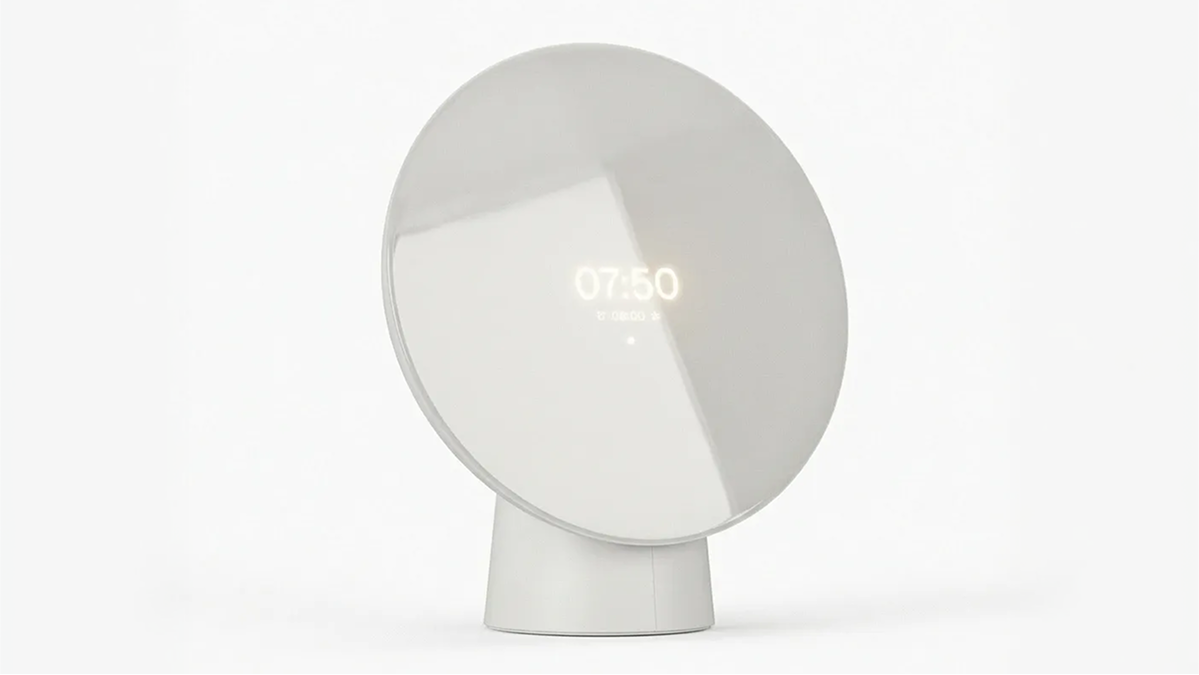
Hold Your Ideas: Liven Sunrise Alarm Clock
How designer Otto Loikkanen used Vizcom to bring a sunrise alarm clock from sketch to physical prototype.

The Spark
As daylight saving ended and Finland slipped into its darkest season, Liven the Sunrise Alarm Clock was born.
Otto Loikkanen had been using a sunrise alarm clock for years, but would often find himself hiding it away. He loved the function, but hated the look and feel. This frustration — similarly shared among his friends, planted a seed that grew into Liven.
When Vizcom reached out with an invitation to contribute to the Hold Your Ideas campaign, Otto pitched the sunrise alarm clock concept as a natural fit.
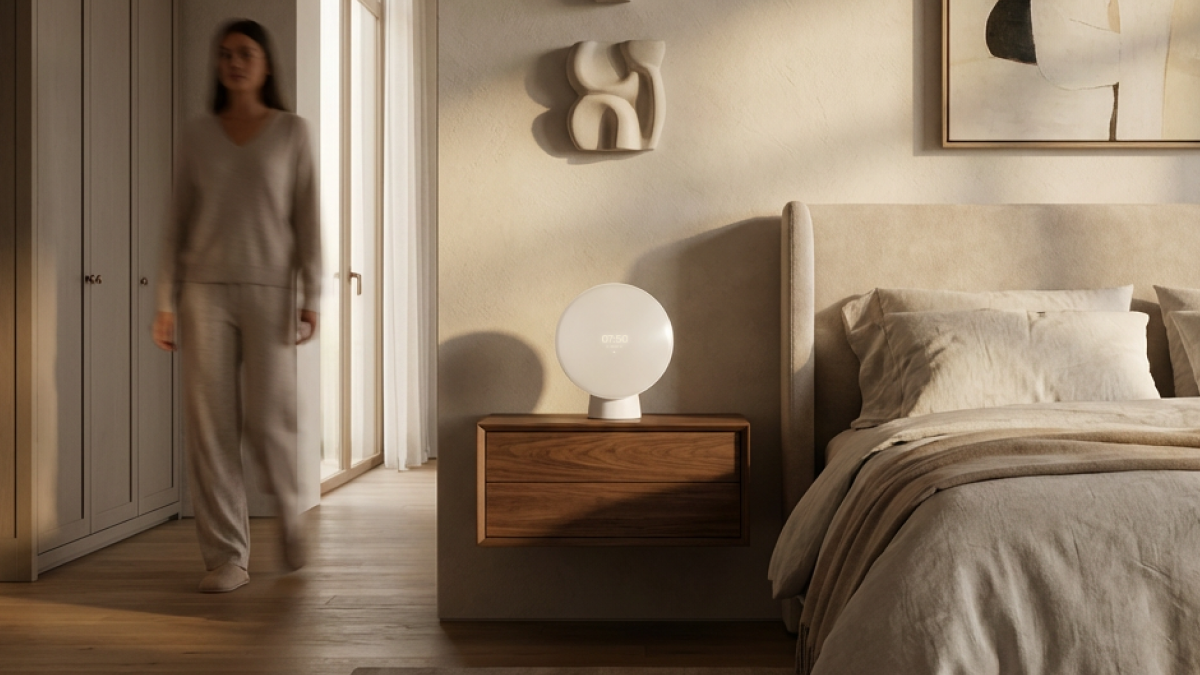
"The concept originated from a desire to create a sunrise alarm clock that fits real interiors, rather than imagined futuristic space stations."
Rethinking a Niche
Sunrise alarm clocks remain a curiously underserved category. Most are what Otto describes as "one trick ponies": products that are laser-focused on their signature feature but indifferent to how they actually live in a bedroom. Liven sets out to change that.
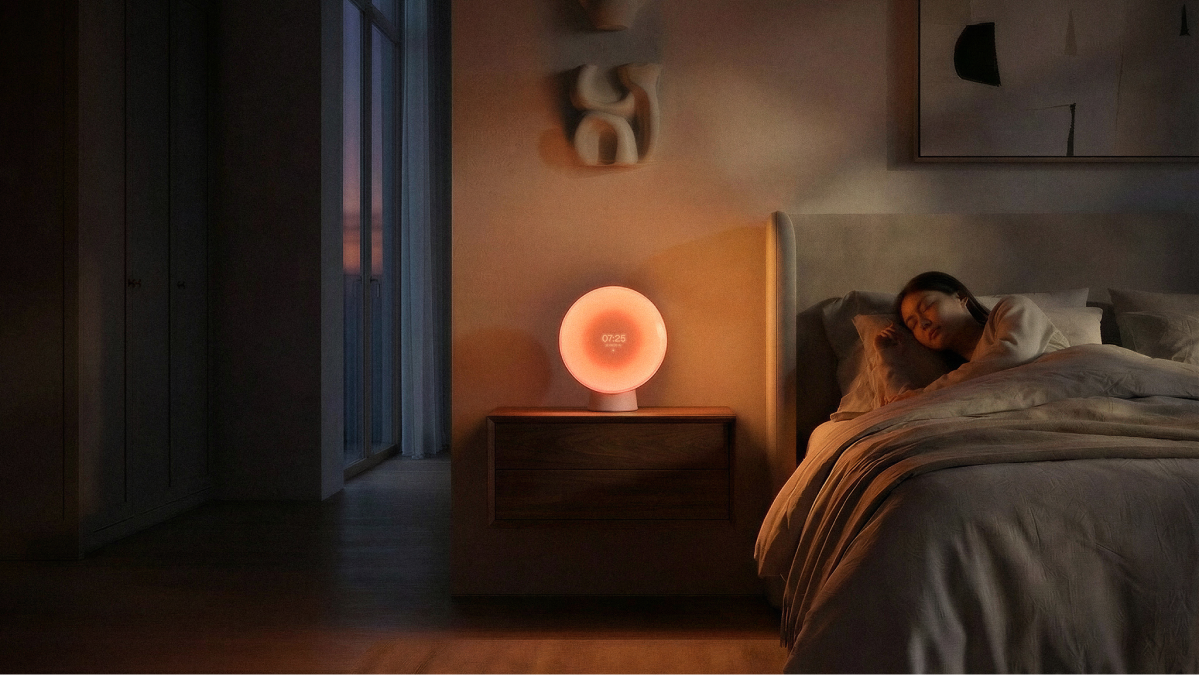
The concept: the ultimate bedside companion, designed for lounging, reading, and gentler wake-ups. Its core feature: the simulated sunrise, is particularly valuable during periods of low natural light, helping shift workers, health-conscious users, and anyone living far from the equator ease into the morning with less grogginess. But unlike existing solutions, Liven is designed to earn its place on the bedside table, not hide behind it.
The Form: Familiar by Design
Liven's shape came before anything else. Otto anchored the design in the half-dome, a staple of classic lighting design. His experience with existing clocks confirmed a simple truth: people in this category want forms that feel traditional, not experimental. From that starting point, scale was determined practically, by measuring existing bedside table products and finding the proportions that would feel natural in real homes.
Otto's design approach resists fixed frameworks: he prefers to meet each product with a blank mind and let its essence guide form and function. For Liven, that meant honoring the familiar while quietly elevating it.
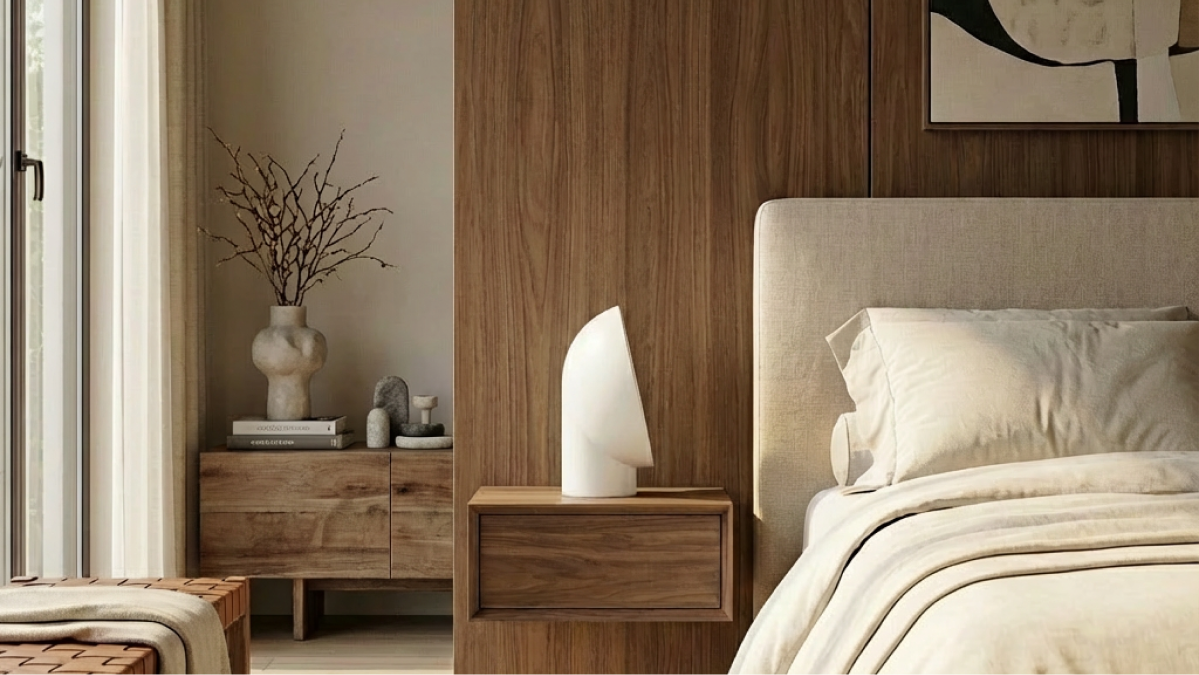
"My design philosophy is to have as little philosophy as possible. The goal is to approach each product as a blank canvas."
Material Choices: Matte Plastic
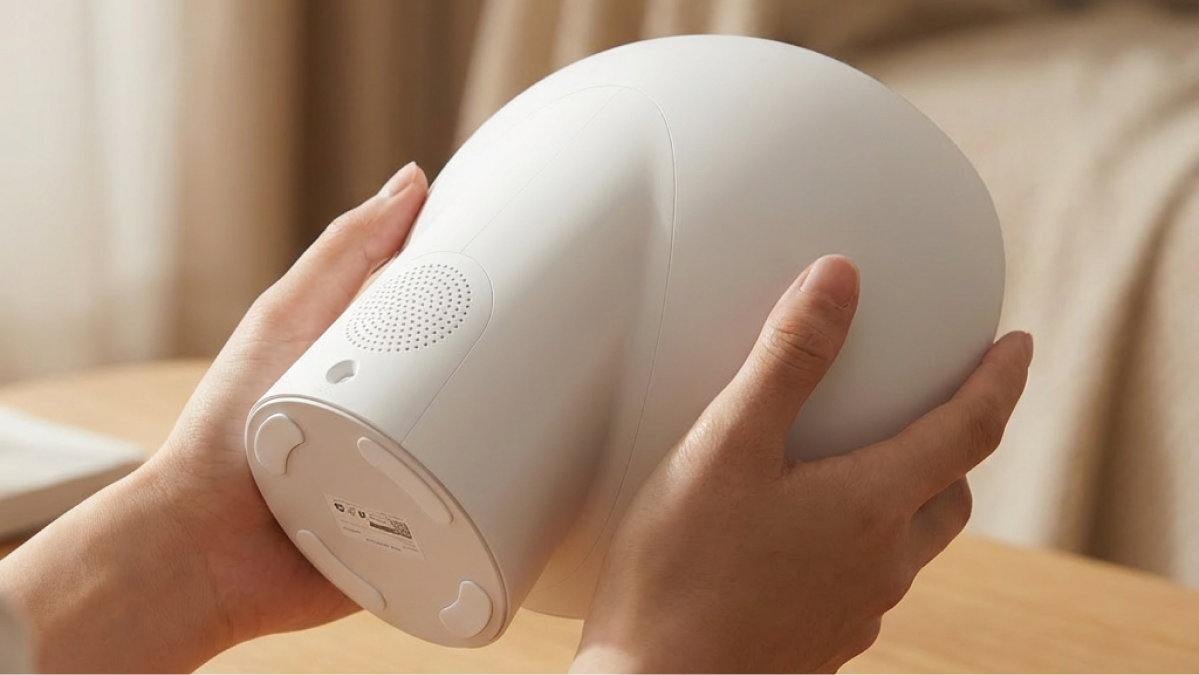
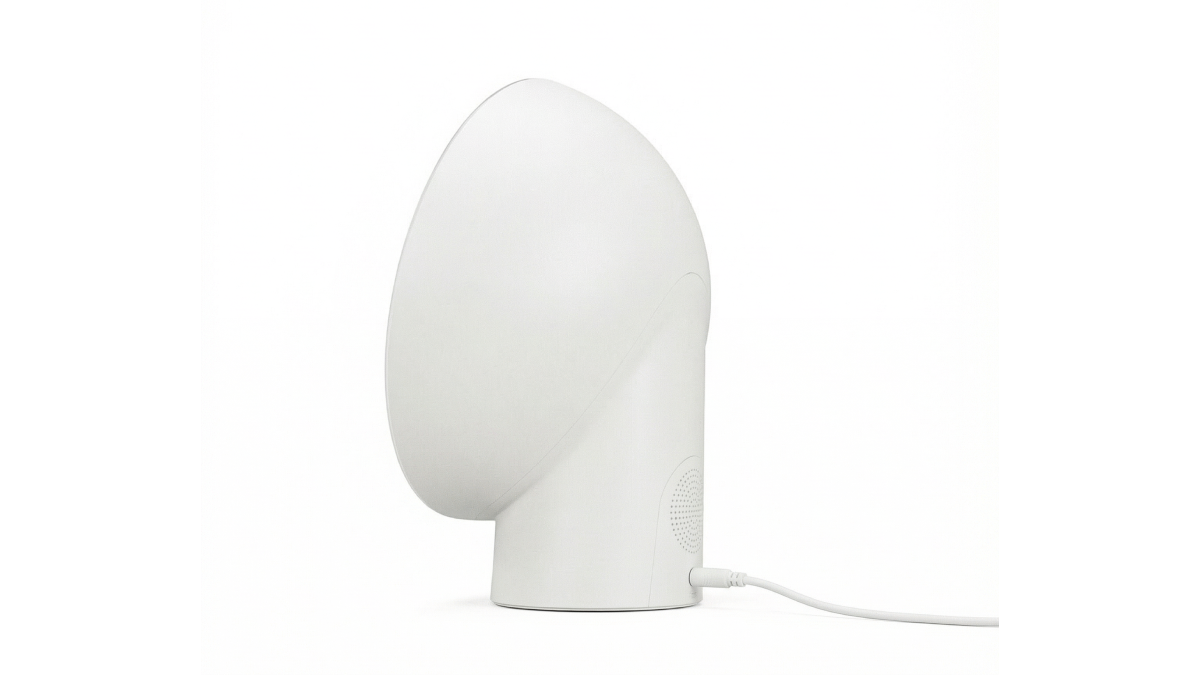
The body of the clock is a matte, slightly off-white textured plastic — a deliberate choice for wide appeal and a premium feel. Similar to most consumer electronics, plastic is used here for durability, function and performance. The screen uses transparent plastic to enable touch functions, keeping the interface clean and unobtrusive.
Otto's Vizcom Workflow
Rapid Detail Exploration
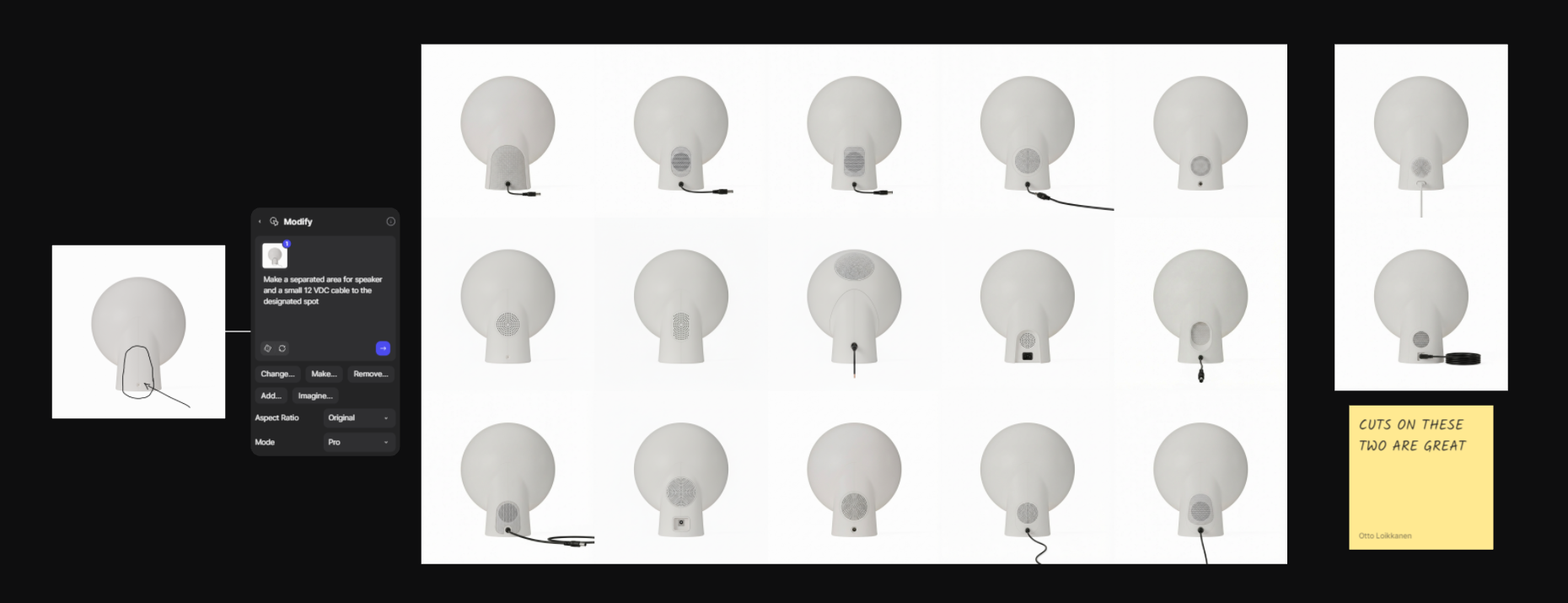
Vizcom entered Otto's process early, as a tool for quickly visualizing initial sketches and iterating on details. The ability to draw directly onto a product and immediately see how different detailing ideas resolve was particularly useful when working through a large volume of options in a short span of time.
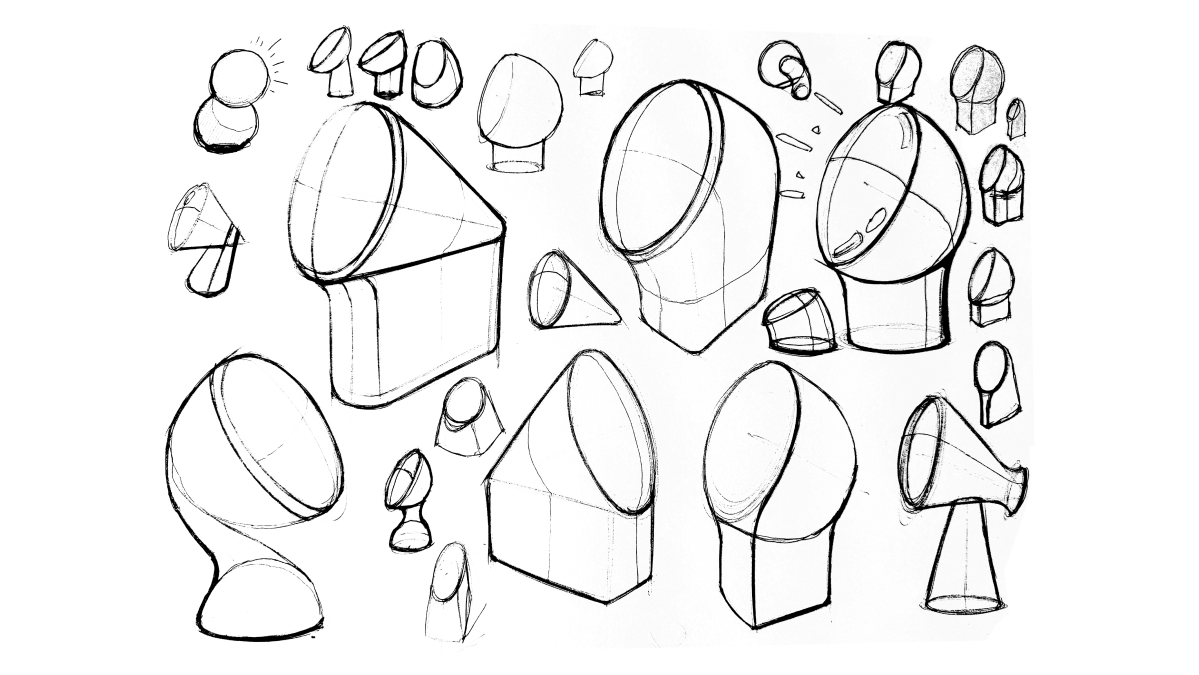
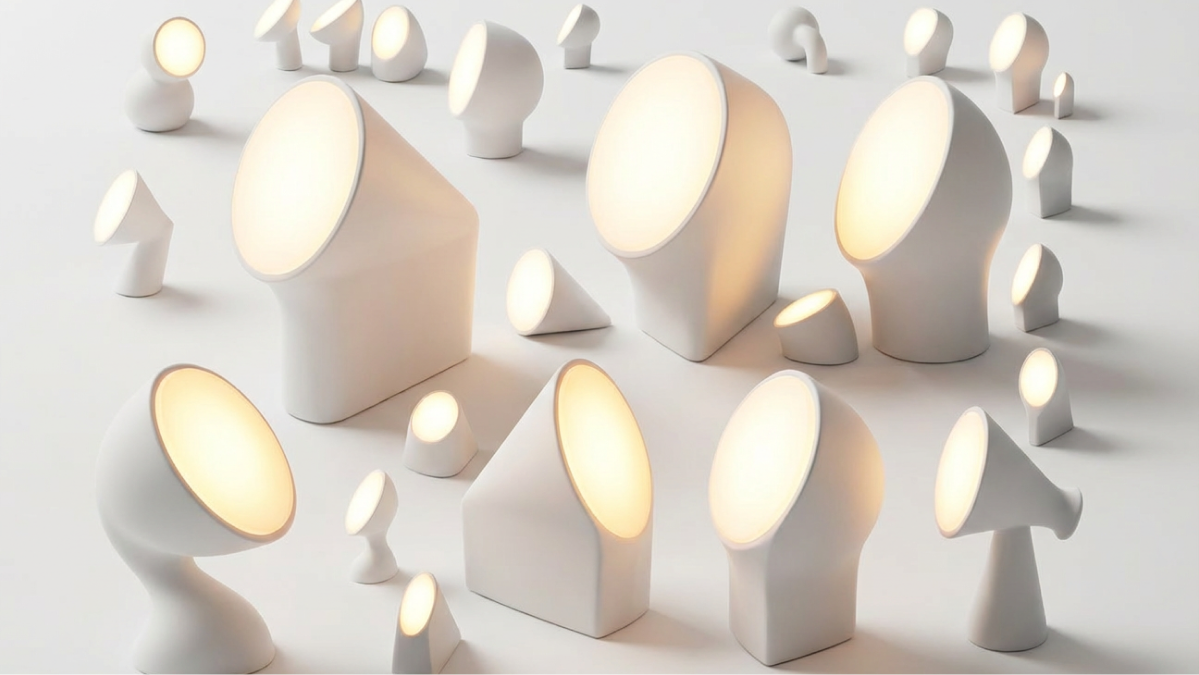
"Vizcom was very useful for designing some of the details, as I could quickly iterate on a large variety of detailing, with just drawing on the product."
One back-panel detail emerged unexpectedly from dozens of generated options: a speaker area solution Otto hadn't considered and initially assumed wouldn't work. Seeing it rendered revealed its potential. With some manual refinement, it became a key resolved detail in the final design.
Context and Interaction Imagery
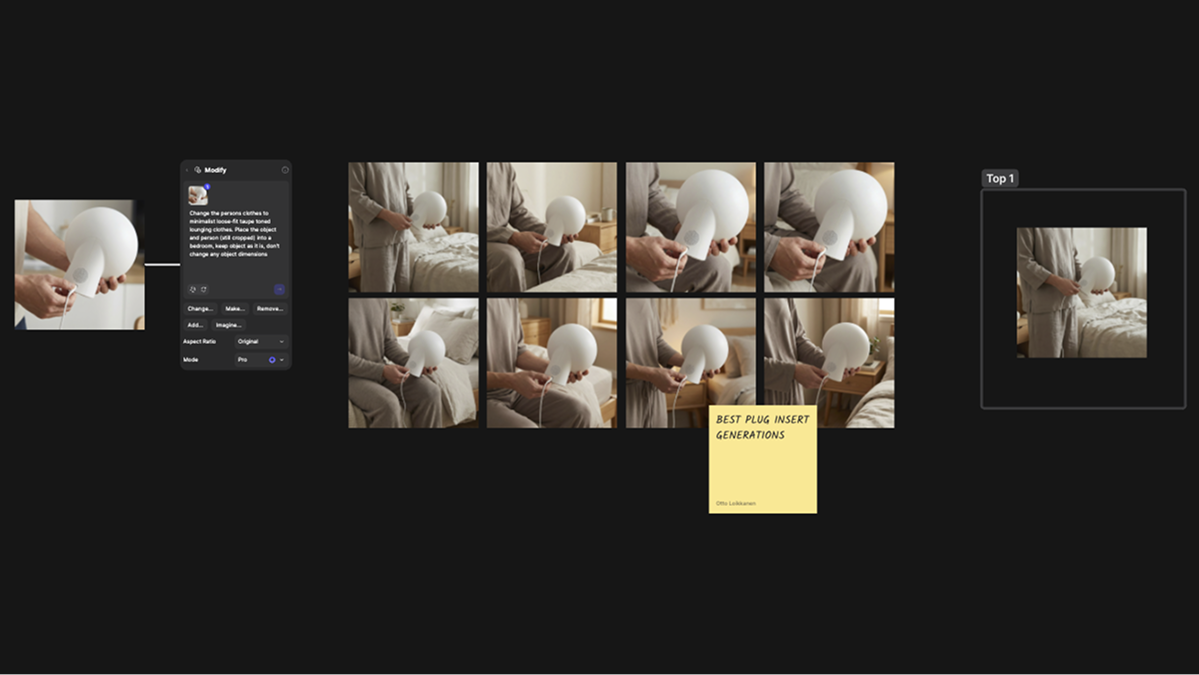
For Otto, creating compelling contextual renders had always been a friction point: a slow, tedious hunt for high-quality source images that might not even match the product's aesthetic. This is where Vizcom was most valuable for Otto.
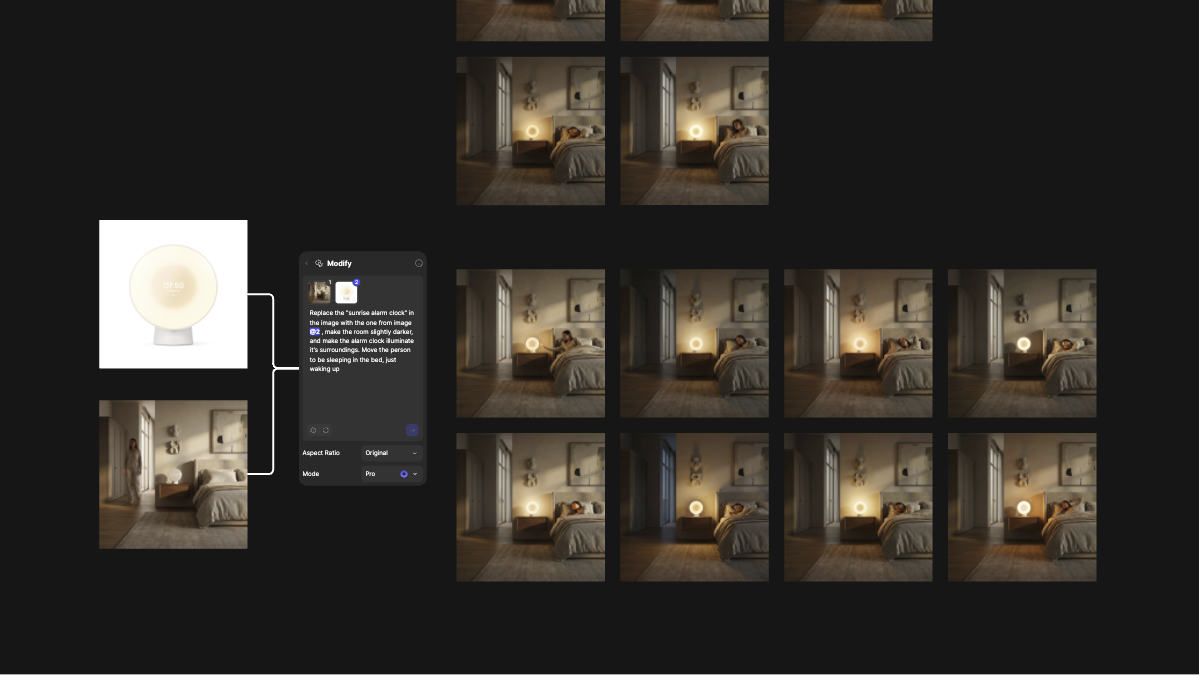
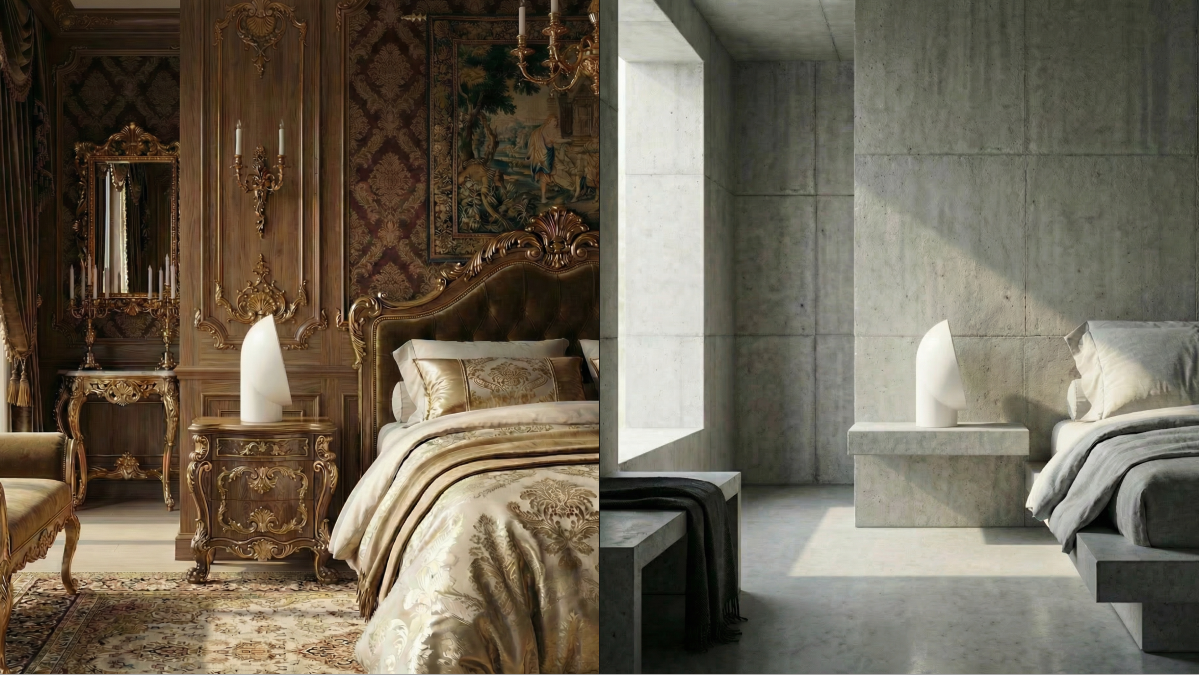
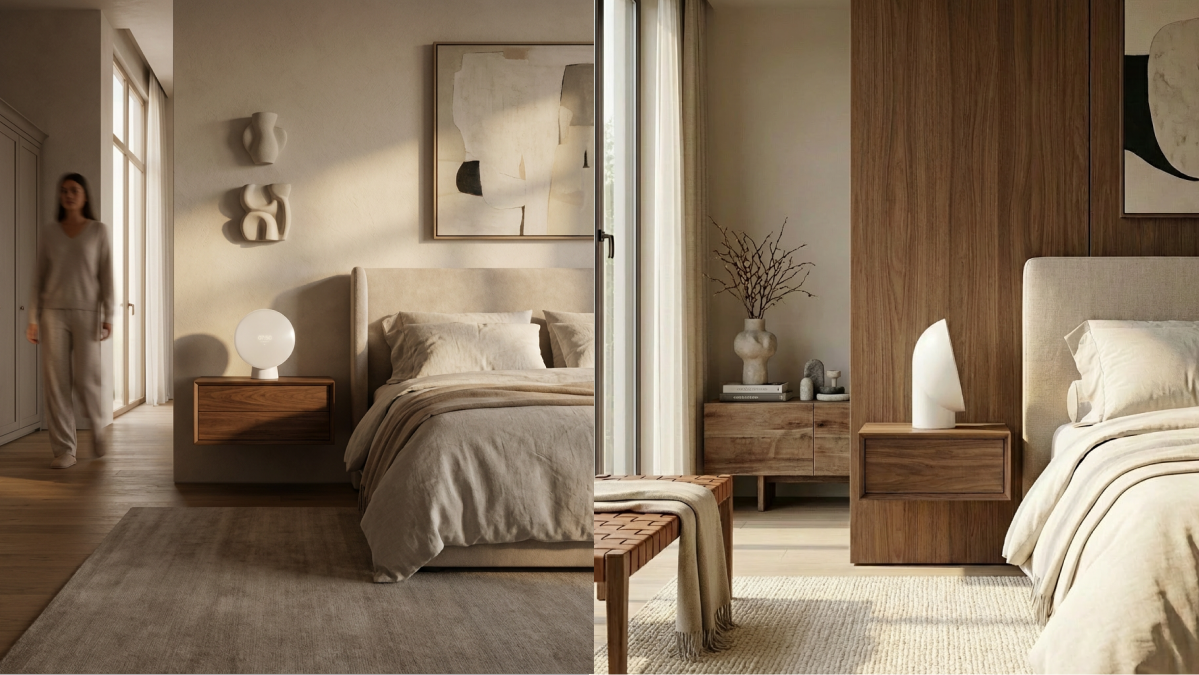
"Vizcom was amazing at creating interaction and contextual renderings, as previously this process has been a tedious hunt for high-quality source images. Vizcom both made this part easier, and gave greater control over the details and style of the image generation."
The result was contextual imagery that brought Liven to life without distorting the product and at a fraction of the usual effort. The animation feature added a final layer, making interaction demonstrations fast and efficient to produce.
From Vizcom to Bedside Table
When the designs were refined enough to build, Otto translated his Vizcom renders into CAD and immediately 3D printed the physical prototype.
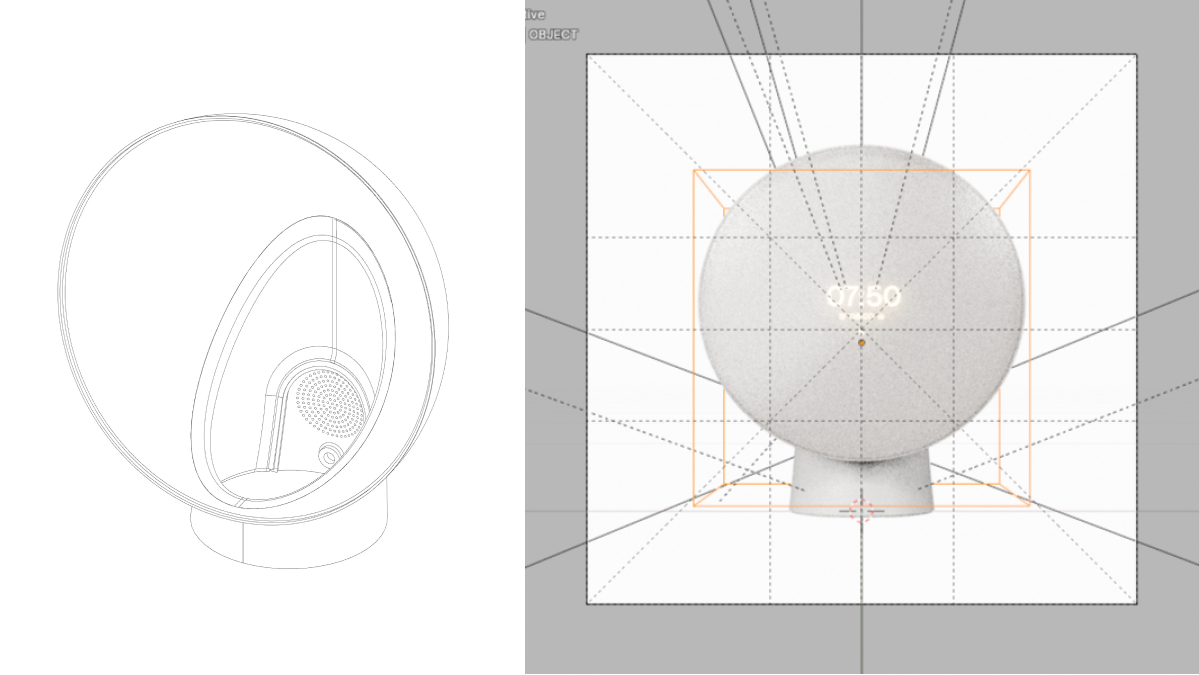
For Otto, the relationship between digital and physical is a two-way street. The digital tools are important in the visualization and refinement phases. But understanding fabrication constraints is equally as important to hold your ideas. Neither can fully substitute for the other.
"It's a two way process, both affecting each other. Designers need to be proficient in both. Digital tools can be used to create unseen physical objects, but without a good grasp on the physical world, the digital tools fall flat."
A Note to Fellow Designers
Otto's advice cuts straight to the point: keep creating, and embrace the process. Unmaterialized ideas aren't worth much. The work of bringing something into the world — through iteration, through making, through the friction between digital and physical, is what separates a good design from a good idea.
His view on tools is equally clear-eyed. Vizcom isn’t meant to replace your design work. It helps you create great designs and bring your vision to life. Understanding that distinction, and knowing when and how to reach for AI in the process, is what makes the difference.
Design: Otto Loikkanen — ottoloikkanen.com and @otto.loikkanen
Location: Finland
Specialization: Product Design
Visualization: Vizcom
Materials: Matte textured plastic body, transparent plastic screen
Want to bring your own ideas to life at the speed of thought? Try Vizcom for Yourself →
Explore
Explore more blog posts & resources to get inspired
.webp)
Hatch Duo is a design studio based in San Jose built around a simple premise: great products hatch when two forces meet, your insight and their execution. Hatch's focus sits squarely in consumer packaged goods. For their latest collaboration with Vizcom, industrial designer Alec Comido wanted to see what he could design in one hour.

Explore color and material variations part-by-part without leaving Vizcom.


Frequently asked questions
Yes of course! Our starter plan is completely free, no credit card required. This is a great plan to explore vizcom with.
We accept all major credit and debit cards.
Admins (paid) – can edit files, manage workspace settings, billing, teams, and invite members. Editors (paid) – can edit files but not manage settings, billing, or teams. Viewers (free) – can only view files in read-only mode.
Team billing is handled centrally by the Admin. All paid seats, whether Admins or Editors, are included in a single invoice under the same billing cycle, while Viewers remain free and do not affect the cost.
Yes, you can. An Admin can update the plan in the billing settings, and the switch will take effect on the next billing cycle at the annual rate.
Yes, you own everything you create in Vizcom. For free users, while Vizcom may use generated images to improve its services, it does not claim ownership of your designs, concepts, or original ideas—you keep full rights to them. For paid users, your images and designs remain entirely private and are only used to deliver the service. Every design, concept, and image you create or upload is fully yours and kept confidential.
Vizcom does not use your data to train AI models if you’re on a paid plan. Everything you create stays private and is only used to provide the service. Free users may have their generated images included to help improve Vizcom’s services, but even then, Vizcom does not claim ownership of your designs, concepts, or original ideas—you retain full rights.