Sports Car Design: The Foundation of Performance Design
Master sports car design fundamentals: proportional relationships, stance engineering, and surface treatments that create visual performance impact.

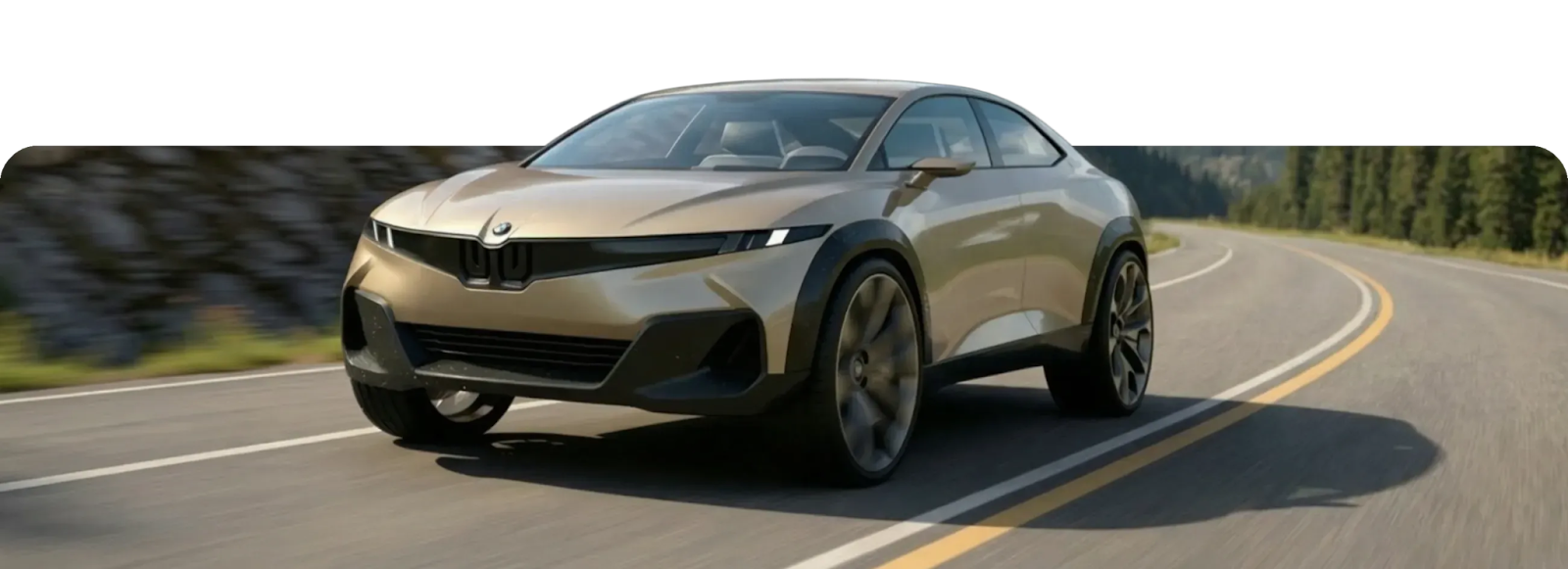
Some cars look fast standing still. The cabin sits further back, the hood stretches long, the whole form hunkers down like it's ready to launch. You're reading proportional relationships that communicate speed before a single character line or aerodynamic element gets added.
Sports car design follows a hierarchy. Proportions establish the foundation before surface details work effectively. Get them wrong, and no amount of sharp body lines or carbon fiber splitters will save your concept.
This guide covers that hierarchy. You'll learn how to master proportion, stance, and the visual language that communicates performance, along with common mistakes to avoid and how rapid iteration helps you find what works.
What are Sports Car Proportions?
Three proportional relationships define whether a design reads as a sports car:
Cab-Rearward Positioning
Cab-rearward positioning creates forward thrust. Pushing the cabin toward the rear suggests longer hood space for engine placement and emphasizes front-engine, rear-wheel-drive dynamics.
Cabin position relative to wheelbase is critical to vehicle stance. The Mercedes-AMG Vision GT demonstrates an extreme cab-rearward stance, where the proportional relationship becomes instantly readable as performance-oriented.
Long Hood, Short Deck
Longer dash-to-axle (the distance between the front wheel centerline and the windshield base) combined with shorter rear decks creates the proportion that moved from 1956 exclusivity to mass-market appeal in 1965 with the Ford Mustang.
This proportion works because it suggests mechanical capability through implied engine placement while creating visual momentum that pulls the eye forward.
Testing Proportions Early
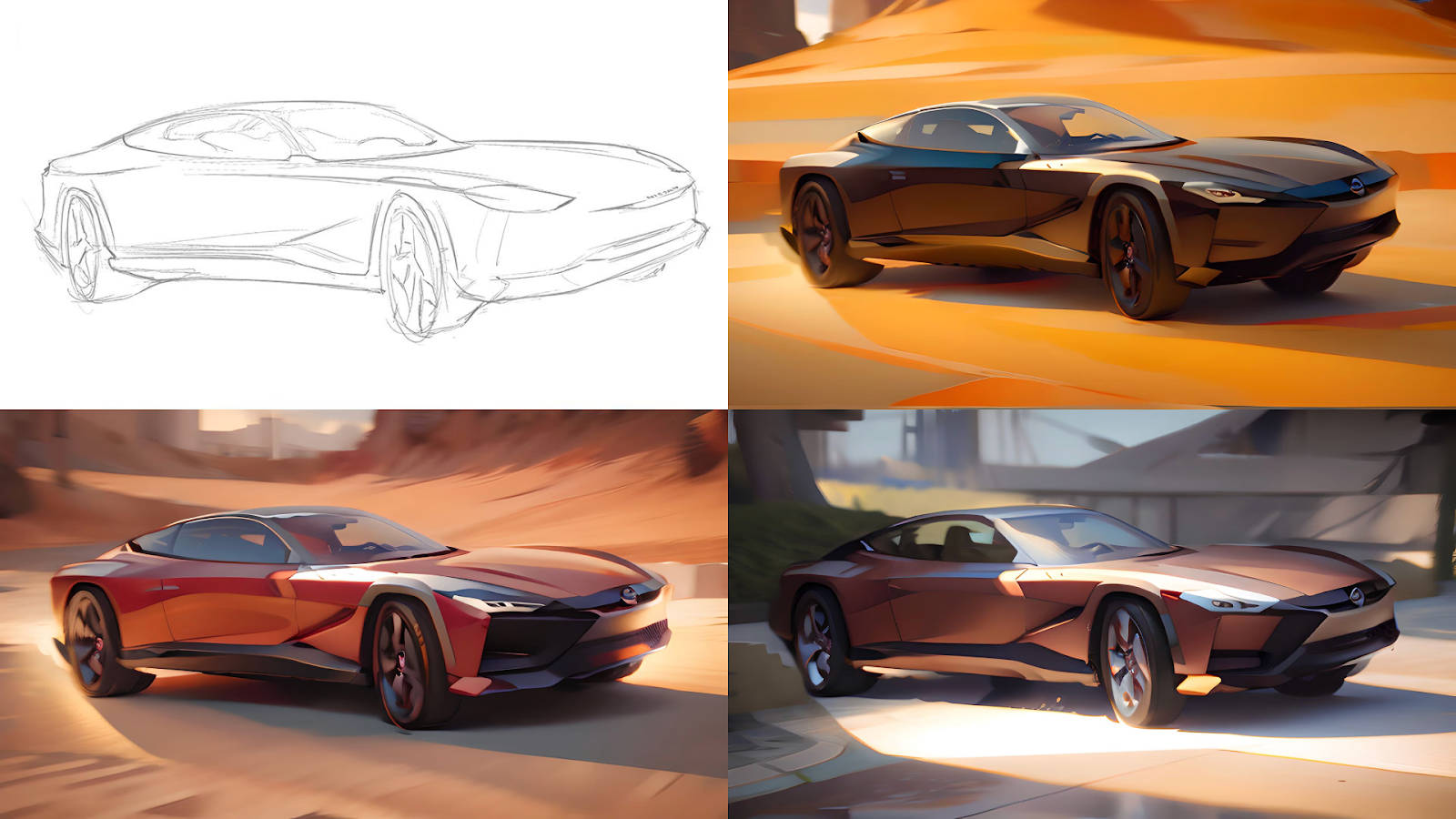
The Vizcom Render mode shows you which proportional direction has potential in seconds rather than hours. Test how different cab positions read with materials and lighting applied before committing to detailed development.
When you can see multiple variations rendered quickly, you make better decisions about which direction to pursue. You're evaluating real output, not imagining what your sketches might become.
Stance and Visual Weight Distribution
Visual weight distribution determines whether a sports car looks ready to launch or sits awkwardly on its wheels. Professional automotive design education emphasizes evaluating how forms sit on their wheels, referencing Bauhaus equilibrium principles where physical balance equals visual balance.
Balancing Proportional Elements
Balanced proportions require individual elements (cabin, hood, and trunk) to complement each other without one overpowering the others.
When sketching sports car concepts, evaluate whether the hood volume overwhelms the cabin or whether the rear deck creates trailing visual weight that contradicts the forward-thrust narrative.
Track Width
Track width drives planted appearance. Wider track pushes wheels toward body edges, creating visual tension that suggests lateral grip and cornering stability.
Mainstream vehicles maintain body overhang beyond the tire at each corner of approximately 85-90mm. Performance vehicles reduce this to 40-60mm, creating "wheel-at-corner" stance that immediately communicates intent.
Ian Callum, former Design Director at Jaguar, describes the 1968 XJ6: "Its wheels appeared huge, almost out of proportion to its body, and they were visually right at each corner of the car. It really looked as if it was hunkered down on the road."
Wheel Gap Ratio
The wheel gap ratio separates track-focused designs from refined road cars. This ratio measures the visible space between the tire top and wheel arch, divided by the total wheel diameter.
Porsche’s 992 911 GT3 rides about 20 mm lower than a standard 911 Carrera and has a wider track, giving it a much more hunkered‑down stance even though the underlying body shell is closely related.
Exploring Stance Variations
You need to test enough wheel gap and track width variations to find what works, but each variation requires sufficient realism to evaluate properly.
Custom Palettes maintain consistent material treatments across variations. The same chrome finish, the same carbon fiber weave, the same paint metallic flake. You're comparing stance options, not getting distracted by material drift between renders.

Performance Cues and Visual Language
Surface treatments and aerodynamic elements communicate capability through controlled light, shadow, and functional integration. These elements serve dual purposes: actual performance and visual signification.
Surface Tension
Contemporary concept vehicles illustrate tension technique through an interplay of soft, contoured surfaces alongside sharp, precise lines.
- Concave surfaces catch shadows, creating depth perception through light absorption
- Convex surfaces reflect light and project volume
This interplay creates visual "musculature" that implies both structural strength and aerodynamic shaping. Just as muscles define 3D form on top of bones, surface language defines a car's character.
Character Lines
Character lines function as structural organizing elements that guide viewer perception toward performance narratives.
When applied effectively, character lines visually broaden the car through careful surface treatment. This creates perceived width and ground-hugging stance without changing actual dimensions.
Aerodynamic Elements
Front splitters generate downforce while managing airflow to cooling systems. Modern performance vehicles integrate splitters and air intakes to guide air efficiently, improving cooling and minimizing drag.
Rear diffusers manage low-pressure zones underneath the vehicle while serving as prominent visual signatures. CFD analysis shapes these elements as part of integrated front-to-rear aerodynamic systems. Their dramatic visual presence represents genuine functional optimization rather than decorative exaggeration.
Air intakes positioned throughout the vehicle communicate high-performance cooling requirements. When sketching these elements, constantly evaluate whether they reinforce the performance narrative or appear superficially applied.
Refining Performance Details
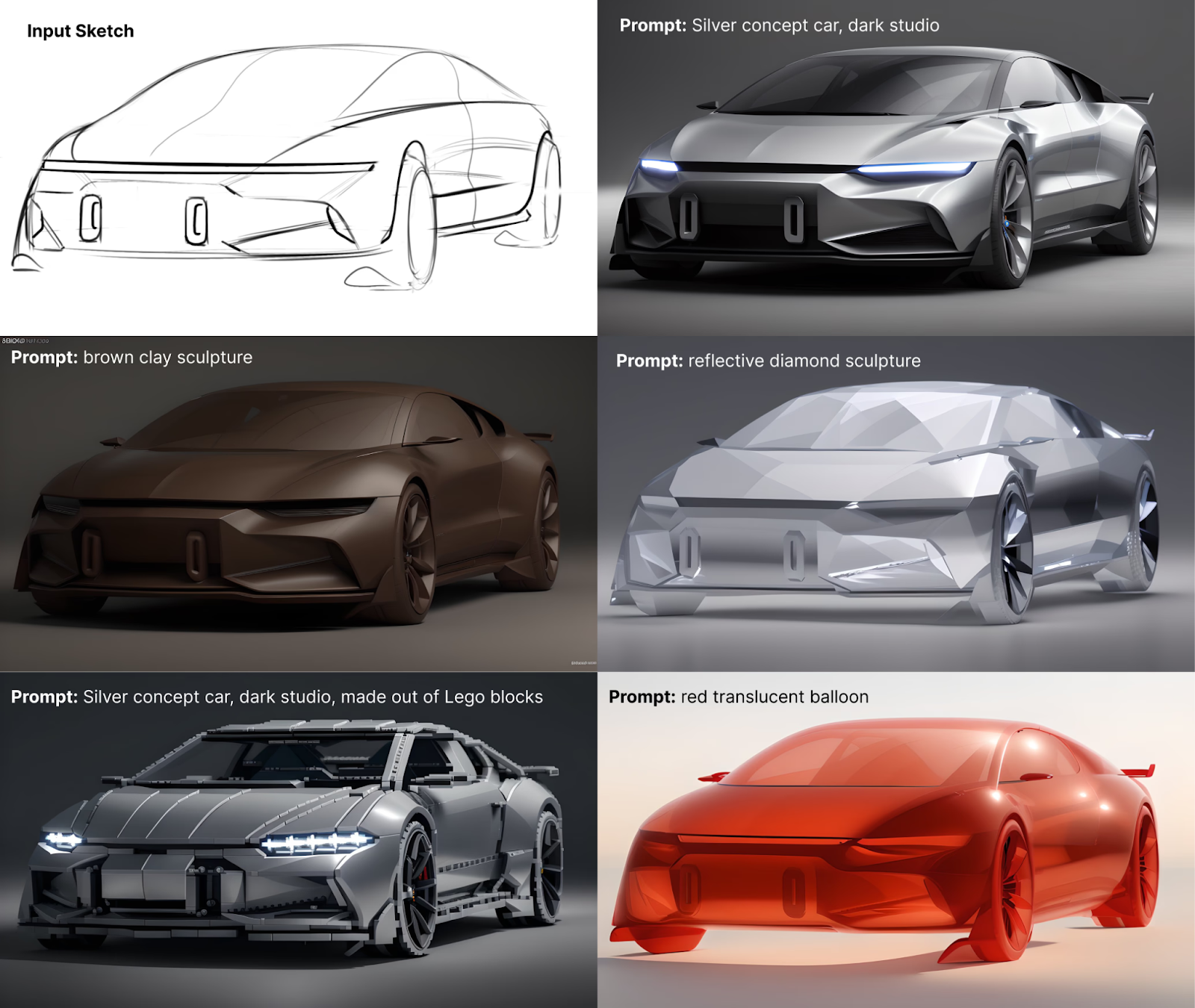
The Refine feature lets you tweak performance cues without starting over. Add or remove splitter depth, adjust diffuser angles, test different air intake configurations on the same base render.
This targeted iteration means you can explore dozens of aerodynamic variations on a single proportional foundation rather than re-rendering the entire concept each time.
How These Elements Work Together
The design evaluation hierarchy professional studios follow starts with "bones" (proportions and stance), moves to "muscles" (surface treatment), and ends with "graphics" (visual elements).
Why Hierarchy Matters
This hierarchy matters because changing proportions creates a ripple effect throughout the design.
Adjust cabin position and that changes dash-to-axle ratio. That affects where the A-pillar lands, which influences door proportions. Surface treatments that worked with the original stance might contradict the new one.
Finding the right combination requires evaluating multiple variations rather than committing to direction based on line work alone.
Surface Continuity
Surface continuity guides how viewers read the musculature you've created.
Efficient curve networks and smooth surface patches that flow seamlessly into one another create continuous forms. This flowing geometry guides viewer perception along intended paths. Continuous forms suggest aerodynamic efficiency through uninterrupted surface treatment.
Verifying Integration from Every Angle
The Make 3D feature converts your renders into meshes you can rotate and verify from every angle.
Check that proportions working in side view also read correctly from three-quarters or front angles. Verify that your surface continuity holds when viewed in the round, not just from your primary sketch angle. Catch integration problems before building physical models.
Common Proportion Mistakes to Avoid
Tail-Heavy Visual Weight
The 2010 Saab 9-5 demonstrates what happens when rear overhang creates trailing visual weight. Despite similar overall length to successful designs, its proportionally excessive rear overhang killed the stance. The dimensions worked on paper. The visual weight didn't.
Platform Mismatch
The 2008 BMW 1-Series shows what happens when proportional principles misalign with platform architecture. The car put a hatchback volume traditionally associated with front-wheel drive onto a rear-wheel-drive proportion, resulting in an ungainly marriage that no amount of surface treatment could resolve.
Superficial Aero
Air intakes and splitters that don't reinforce the performance narrative read as decorative rather than functional. The balance between functional necessity and visual communication distinguishes authentic sports car design from superficial styling exercises.
Ignoring Manufacturing Constraints
Platform constraints create hard points that can't change: fixed front axle position, wheelbase, door openings. Understanding these constraints early lets you explore viable proportional variations rather than developing concepts that won't work within manufacturing reality.
Faster Iteration, Deeper Exploration
Sports car design communicates performance through proportional relationships, stance engineering, surface treatments, and aerodynamic elements. These decisions follow a hierarchy where proportions establish the foundation before surface details can work effectively.
When you can see 100+ variations in the time it used to take to render ten, you test approaches that might surprise you.
Exploring proportional variations for automotive concepts? Try Vizcom to see how Render, Custom Palettes, Refine, and 3D help you evaluate stance, surface treatment, and materials before committing to detailed development.
Explore
Explore more blog posts & resources to get inspired
.webp)
Hatch Duo is a design studio based in San Jose built around a simple premise: great products hatch when two forces meet, your insight and their execution. Hatch's focus sits squarely in consumer packaged goods. For their latest collaboration with Vizcom, industrial designer Alec Comido wanted to see what he could design in one hour.

Explore color and material variations part-by-part without leaving Vizcom.


Frequently asked questions
Yes of course! Our starter plan is completely free, no credit card required. This is a great plan to explore vizcom with.
We accept all major credit and debit cards.
Admins (paid) – can edit files, manage workspace settings, billing, teams, and invite members. Editors (paid) – can edit files but not manage settings, billing, or teams. Viewers (free) – can only view files in read-only mode.
Team billing is handled centrally by the Admin. All paid seats, whether Admins or Editors, are included in a single invoice under the same billing cycle, while Viewers remain free and do not affect the cost.
Yes, you can. An Admin can update the plan in the billing settings, and the switch will take effect on the next billing cycle at the annual rate.
Yes, you own everything you create in Vizcom. For free users, while Vizcom may use generated images to improve its services, it does not claim ownership of your designs, concepts, or original ideas—you keep full rights to them. For paid users, your images and designs remain entirely private and are only used to deliver the service. Every design, concept, and image you create or upload is fully yours and kept confidential.
Vizcom does not use your data to train AI models if you’re on a paid plan. Everything you create stays private and is only used to provide the service. Free users may have their generated images included to help improve Vizcom’s services, but even then, Vizcom does not claim ownership of your designs, concepts, or original ideas—you retain full rights.