
Design Templates: Reusable Frames That Speed Up Repetitive Work
Learn how to build design templates that remove setup friction and preserve creative flexibility to speed up work.

Every project starts the same way. You configure the grid, set up the color system, and rebuild the component hierarchy. This setup work adds no creative value, yet it keeps eating hours that could go toward actual design decisions.
The best design templates remove that friction while preserving creative flexibility. When built correctly, they function as frameworks that handle repetitive setup so you can focus on the decisions that actually matter.
This guide covers what to template, how to build flexible systems, and how to integrate AI-powered tools that learn your visual language, so you can spend less time on setup and more time designing.
What Design Templates Actually Do
When automotive designers build parametric body assembly templates, they encode relationships between surfaces, structural logic, and manufacturing constraints. This approach lets them explore dozens of variants without rebuilding fundamental geometry every time.
When footwear designers develop shoe-last templates, they capture biomechanics and proportional relationships that took months to validate. These templates adapt to different sizing while maintaining structural decisions.
Professional design templates preserve hard-won decisions so you can focus on new problems.
Templates should capture your approach to problem-solving beyond just finished solutions. When you template decision-making frameworks instead of complete designs, you maintain creative agency while eliminating setup friction.
What to Template (And What to Leave Flexible)
Some elements benefit from templatization more than others. Over-constraining creative work produces worse outcomes than starting fresh.
Template the repetitive foundations
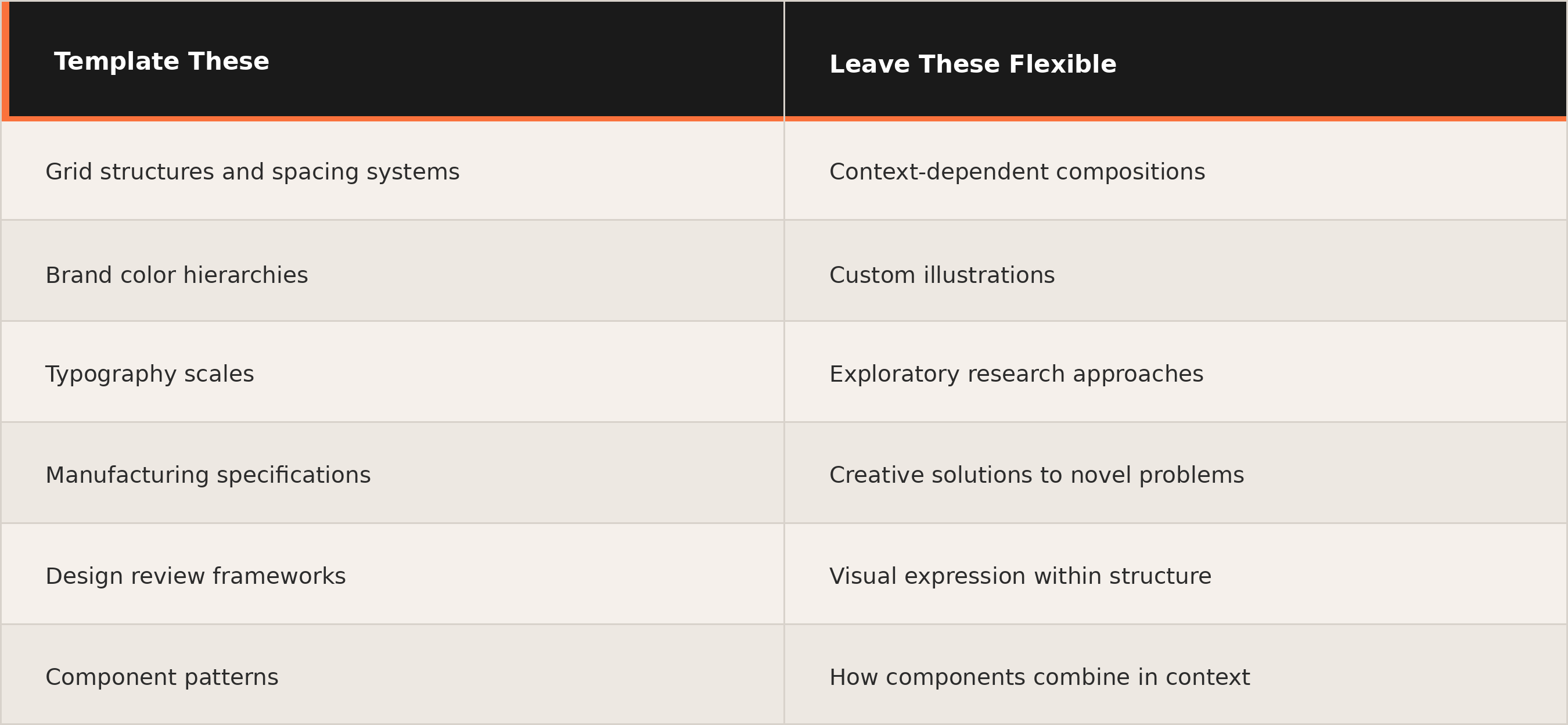
If you're building the same grid structure or configuring the same spacing system across projects, those are prime candidates. Your color hierarchies encode communication meaning and accessibility requirements, so these shouldn't vary project to project.
Template collaborative touchpoints
Design review presentations, feedback forms, and critique frameworks coordinate teams by establishing shared language. Standardizing operational workflows removes friction so teams can focus energy on design decisions.
Keep creative judgment flexible
Context-dependent compositions, custom illustrations, and novel problem-solving shouldn't be constrained by rigid templates. Templates that restrict creative judgment become obstacles instead of tools.
Template elements only when you can clearly document when and how to use them. Without clear usage guidance, templates create confusion instead of clarity.
Building Templates That Guide Rather Than Restrict
Effective templates establish clear hierarchies while preserving flexibility in visual expression. Apple's Human Interface Guidelines and Google's Material Design demonstrate this balance by templating structural elements while leaving creative application open.
Apple's guidelines work through three foundational principles:
- Clear visual hierarchy that guides users through content
- Platform harmony so applications feel native to the ecosystem
- Consistency across contexts for reliable experiences
The guidelines establish structure rather than prescribing exact visual implementations. Designers receive clear guidance on spacing rules and interaction patterns while maintaining creative control over specific visual expression.
This reveals the professional approach: layered structure.
- First layer: Foundational elements like grid systems, spacing principles, and platform conventions. This scaffolding removes setup friction.
- Second layer: Component patterns with multiple valid applications rather than prescribed solutions.
- Third layer: Creative expression through designer decisions within the established system.
Each layer guides the one above it without dictating specific creative outcomes. Your templates should achieve shared principles while allowing variation in specific solutions.
When designers consistently work around your templates, pay attention. Either the templates constrain too much, or they don't match actual working patterns.
CMF Systems as Physical Product Templates
In product and industrial design, Color, Material, Finish (CMF) systems function as frameworks that shape how design ideas become real, scalable products.

CMF covers more than how products look. It defines how they feel. Physical products encode brand through material selection and finish processes, creating an identity you can touch. CMF translates color intent into measurable targets, converts materials into precise specifications, and guides design vision into factory reality.
Consistent form language across product lines builds immediate brand recognition. Apple's minimalist design philosophy demonstrates how smart constraints allow variation across decades and product categories while maintaining a coherent brand identity.
AI-Powered Templates That Learn Brand Language
Modern AI design tools maintain consistency through systems that combine brand intelligence with adaptive learning. Instead of manually configuring rendering parameters for every concept, you can train systems once on your existing work, then apply that visual language automatically across future projects.
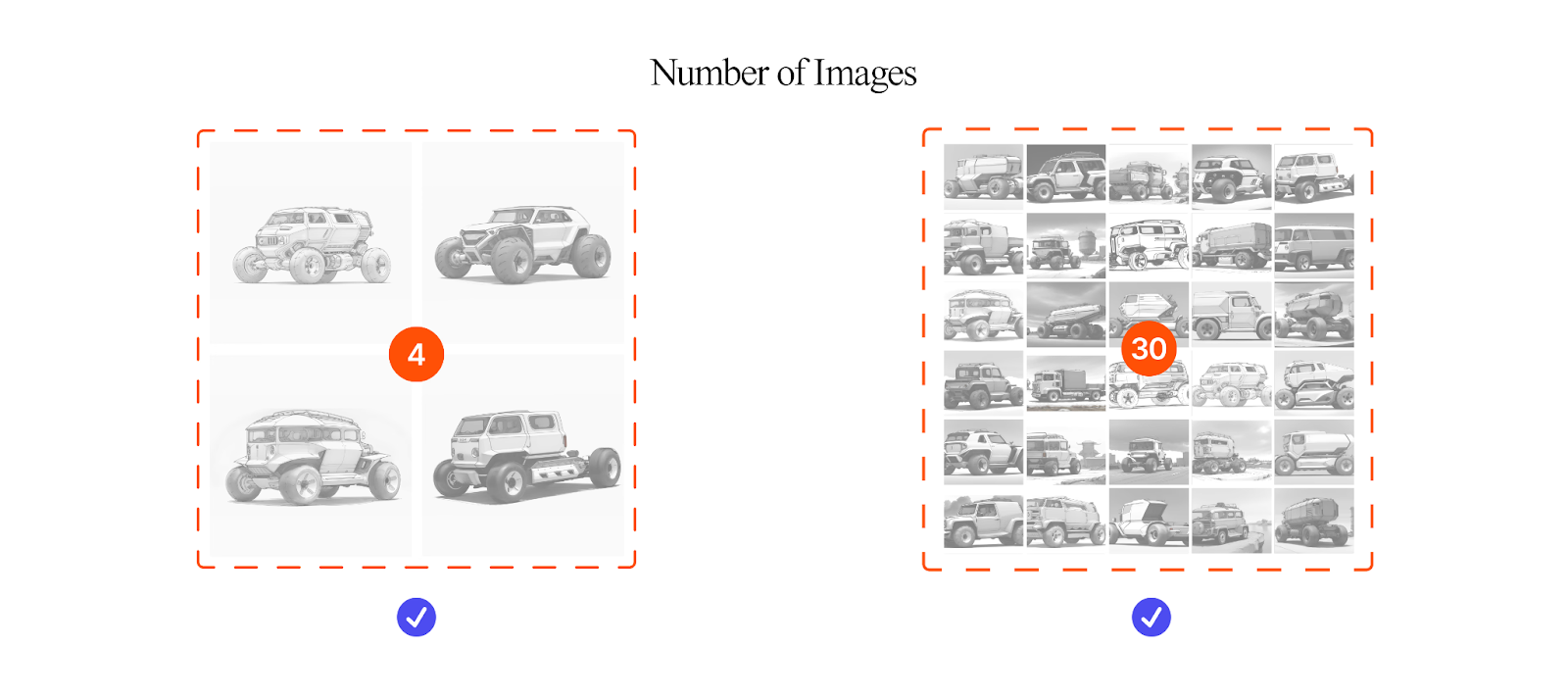
Vizcom demonstrates this approach through Custom Palettes. You train the system on 4-30 images from your existing work. Your sketches define the form, and the trained palette ensures rendering matches your visual language automatically.
The setup work happens once. The benefit applies to every sketch after.
For teams managing multiple product lines, this means brand-consistent rendering across projects while freeing designers to focus on form iteration rather than material specification setup. Just as CMF systems encode brand DNA through material hierarchies, Custom Palettes encode visual brand language through learned patterns.
Workbench extends this consistency across collaborative workflows. The infinite canvas lets teams work on multiple concepts simultaneously, with shared palettes applied across every prompt box. Annotations capture material decisions and design rationale in context, so CMF specifications stay visible alongside the renders they inform. When a team member needs to understand why a particular finish was chosen, the reasoning lives next to the work rather than buried in separate documentation.
Whether you're working solo or rolling out consistent rendering across a team, AI-powered templates make it practical to maintain brand coherence without manual configuration every time.
Integrating Templates Into Daily Work
Teams that integrate templates successfully balance efficiency with creative freedom.
The goal is taking administrative tasks off designers' plates — tracking feedback, hunting for brand assets, configuring workspaces — so creative energy goes toward actual design decisions.
You open a new project file. The grid is already configured.
Your color tokens are loaded. Your component library is linked.
You sketch a rough layout, grab the components that fit, and start refining.
The template handled the setup, so you started designing immediately.
Before implementing templates, audit your current workflow
How do teams design, hand off, and build right now? Where's the actual friction? Systems fail when they're treated as documentation projects rather than products solving real workflow problems.
Start with pilot teams
Test workflows, gather feedback, and iterate before scaling. Track cycle time from brief to delivery to measure whether templates actually accelerate work or just add overhead.
Build in feedback mechanisms
When designers present creative workarounds, that signals where templates should evolve rather than being rigidly enforced. The most effective systems treat template libraries as living products that adapt through feedback loops.
Build Templates That Accelerate Creative Work
Templates that speed up repetitive work without constraining creativity share common characteristics. They encode decisions and foundational structure while preserving flexibility in creative application. They remove setup friction so you can focus on design decisions that actually matter. And they function as frameworks rather than finished solutions.
Start by identifying what's genuinely repetitive in your workflow: grid configurations, brand specifications, and operational touchpoints that don't benefit from reinvention. Template those foundations as frameworks rather than rigid constraints. Leave context-dependent compositions and novel problem-solving flexible.
When templates encode structure, assembly logic, and design principles, they function as scaffolding that accelerates work instead of slowing it down.
Ready to see how AI-powered templates fit into your workflow? Try Vizcom and explore how Custom Palettes learn your visual language so you can focus on form development instead of rendering setup.
Explore
Explore more blog posts & resources to get inspired
.webp)
Hatch Duo is a design studio based in San Jose built around a simple premise: great products hatch when two forces meet, your insight and their execution. Hatch's focus sits squarely in consumer packaged goods. For their latest collaboration with Vizcom, industrial designer Alec Comido wanted to see what he could design in one hour.

Explore color and material variations part-by-part without leaving Vizcom.


Frequently asked questions
Yes of course! Our starter plan is completely free, no credit card required. This is a great plan to explore vizcom with.
We accept all major credit and debit cards.
Admins (paid) – can edit files, manage workspace settings, billing, teams, and invite members. Editors (paid) – can edit files but not manage settings, billing, or teams. Viewers (free) – can only view files in read-only mode.
Team billing is handled centrally by the Admin. All paid seats, whether Admins or Editors, are included in a single invoice under the same billing cycle, while Viewers remain free and do not affect the cost.
Yes, you can. An Admin can update the plan in the billing settings, and the switch will take effect on the next billing cycle at the annual rate.
Yes, you own everything you create in Vizcom. For free users, while Vizcom may use generated images to improve its services, it does not claim ownership of your designs, concepts, or original ideas—you keep full rights to them. For paid users, your images and designs remain entirely private and are only used to deliver the service. Every design, concept, and image you create or upload is fully yours and kept confidential.
Vizcom does not use your data to train AI models if you’re on a paid plan. Everything you create stays private and is only used to provide the service. Free users may have their generated images included to help improve Vizcom’s services, but even then, Vizcom does not claim ownership of your designs, concepts, or original ideas—you retain full rights.