.jpg)
What Is the Design Approval Process? And How To Make It Go Faster
Understand the design approval process and learn practical ways to speed up your approval cycles.

You've spent weeks refining a concept, and the proportions finally feel right. You have your final, rendered prototype ready for approval. And then — everything stalls at the approval gate.
The design approval process determines whether your work advances or gets stuck in revision limbo. When you work on physical goods like cars, shoes, furniture, and consumer electronics, these approval cycles can eat into timelines and limit how many concepts ever see full development.
This guide breaks down how the design approval process works, why approvals tend to slow down, and practical ways to move your concepts through gates faster without sacrificing quality.
What the Design Approval Process Looks Like
Design approval follows a gate structure where decision-makers stop projects or greenlight them for the next stage. You need to validate material specifications, tooling requirements, regulatory compliance, and manufacturing capability at each checkpoint. For example, a footwear design team needs sign-off on fit grading across size ranges, and an automotive designer must clear Advanced Product Quality Planning (APQP) gates.
Each stage in the design involves project activities like sketching, prototyping, and testing, while each approval gate involves business evaluations and "go/kill" decisions.
Gate reviews bring together senior leadership, cross-functional team leads, finance representatives, and technical experts. They evaluate coordination with business goals, financial viability, technical feasibility, risk levels, and manufacturing capability.
The outcome determines whether your design gets a green light, a request for revisions, a hold for more information, or a kill decision that ends the project entirely.
Why Design Approvals Drain Time and Energy
Design approvals drain time and energy because each approval gate requires alignment across multiple stakeholders, who can have competing priorities.
Most companies spend the majority of their project timelines in pre-launch phases because every checkpoint requires sign-off from leadership, finance, engineering, and manufacturing before work can advance. This creates approval processes that consume months or years from initial proposal to budget authorization, since each stakeholder reviews sequentially rather than simultaneously. And any single objection can send the design back for revisions.
Organizations with decentralized or streamlined approval processes typically reach market faster than those with heavily centralized hierarchies. Which means your competitors with more streamlined approval flows may be shipping products while your team cycles through revision rounds.
Slow approvals also drain creative energy. When bold ideas consistently die in committee, you eventually stop proposing ambitious concepts altogether.
The cost shows up in conservative design choices. When you know a concept will face months of review cycles, you naturally gravitate toward safer directions that navigate bureaucratic processes more easily.
And that breakthrough design that could differentiate your product never gets explored because the approval overhead makes experimentation impractical.
The Stages Your Design Moves Through
Physical product development follows a predictable sequence of gates, though timelines vary dramatically by industry. Designing a car could take up to five years. Whereas designing shoes can take anywhere from a few weeks to over a year.
Optimizing each stage of the design approval process could shorten approval times and get your design to advance more quickly — ideally, before your competitors can launch their new ideas.
Discovery and Scoping
The first stage of the design approval process focuses on whether the opportunity justifies further investment. You start by scanning the market and talking to customers. What problem needs solving? Can we build it with current capabilities? Design teams generate early concepts while marketing evaluates how the opportunity fits business goals.
You create opportunity briefs, initial sketches, market research findings, and a preliminary business case at this stage. Stakeholders assess coordination with business goals and market attractiveness before committing resources to detailed design work.
Building the Business Case
After your idea is approved, you can start building your business case with full financial analysis. Teams analyze market data, study competitors, and review what's manufacturable. Finance runs net present value (NPV) and return on investment (ROI) projections. Engineering assesses technical requirements.
Deliverables include the product requirements document, detailed user research, and project plans with timelines and resource allocations. Gate approval here means full funding commitment and clear product definition.
Development and Design
Then, industrial design development starts, with a focus on form, aesthetics, ergonomics, and materials selection. Engineering creates CAD models and technical drawings. Multiple prototype iterations refine the concept. Design for Manufacturing (DFM) analysis identifies production issues early.
Multiple internal reviews occur throughout the development process, including preliminary design review (PDR), critical design review (CDR), and manufacturing readiness review (MRR). Each checkpoint validates that the design meets specifications before advancing.
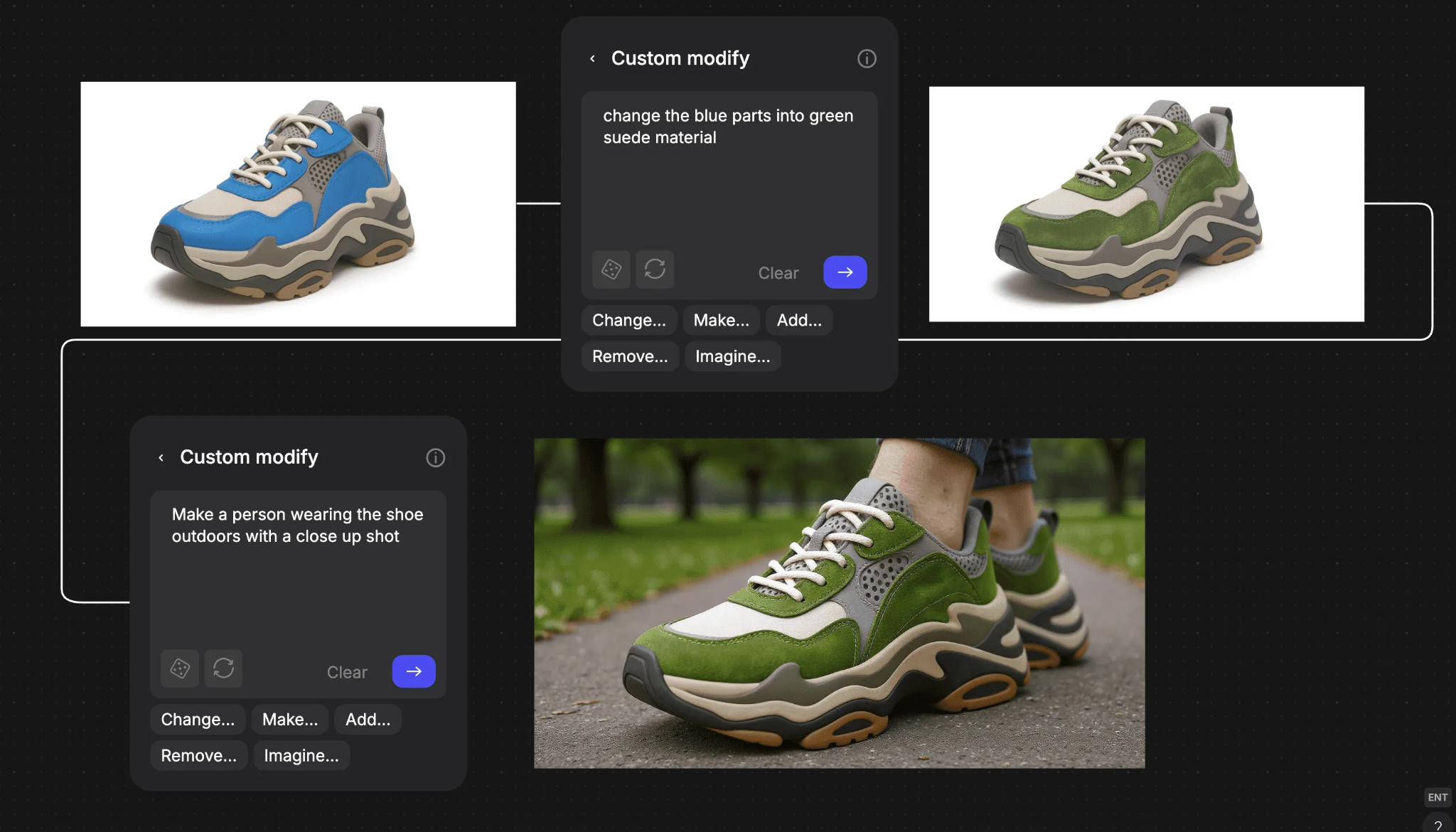
This is the stage where designers start using tools to render both visually and physically. Designers who want to test more use tools like Render to turn their sketches into photorealistic outputs, so they can evaluate more directions instead of waiting three days for a single physical render. You see materials, proportions, and form language clearly, then make better decisions about which concepts deserve full development.
For example, you can see different chair colors and dimensions in different settings before ever having to manufacture a prototype:
[Embed: https://framerusercontent.com/assets/bsvwqgLizbP3oTL1NVLmE8mCSU.mp4]
Testing and Validation
After your design is approved, it's time to test it in real life. Functional testing covers performance, durability, and safety requirements, while user testing with target customers validates that the design meets real needs. A manufacturing pilot runs then proves production capability, and regulatory compliance testing addresses any industry-specific requirements before you can move forward.
An example of a testing and validation process is the Production Part Approval Process that the automotive industry usually does at this stage. It's a critical quality control procedure to ensure that a supplier's parts meet specified requirements before mass production begins.
Aerospace companies, on the other hand, use different procedures, such as First Article Inspection (FAI), for similar purposes. Footwear goes through a multi-stage size grading validation process, namely, initial fit and comfort evaluation on the model foot size, verification that middle sizes retain intended fit and cushioning through pattern grading, and testing across a range of sizes to confirm consistency throughout the full size range.
Launch Preparation
When your design finally passes testing, you can start preparing to launch your design. This means you're almost through the design approval process. Final tooling and production setup converge with manufacturing ramp-up for volume production. The production-ready manufacturing line comes online while marketing campaign development, sales training, and distribution channel setup progress in parallel. You finalize launch logistics planning, establish customer support protocols, then deploy quality monitoring systems and production control procedures.
At the final approval gate is the pre-launch, when all tests are typically completed, manufacturing is validated, costs are confirmed to be within target, and required regulatory approvals are obtained.
How to Get Approvals Faster
Design for Manufacturing (DFM) principles have led to significant improvements in manufacturing efficiency. You can reduce approval cycle times through practical changes to how you prepare, present, and follow up on design work.
Front-Load Manufacturing Constraints
Bring manufacturing engineers into initial concept reviews before detailed CAD work begins. When manufacturing weighs in early, you catch issues like material availability, tooling complexity, and assembly challenges before they become expensive to fix.
Create Design for Manufacturing (DFM) review checklists covering material selection, assembly complexity, tooling requirements, and supply chain constraints. Define specific criteria that must be met at each iteration before advancing to detailed design. This prevents late-stage rejections where manufacturing flags problems that could have been addressed months earlier.
Run Parallel Review Workflows
Sequential handoffs create bottlenecks where work stops while waiting for the next reviewer. When you restructure workflows so industrial design, mechanical engineering, and manufacturing engineering review simultaneously, you cut calendar time without adding resources.
Cross-functional design review sessions replace sequential handoffs by having all disciplines evaluate and provide feedback at once. Product data management systems track which disciplines have reviewed and approved each design iteration, preventing confusion about who's seen what and maintaining a centralized approval record that speeds gate decisions.
Make Your Concepts Easier to Evaluate
Organizations using interactive 3D models generally experience faster approval cycles compared to traditional presentation methods, as stakeholders approve more quickly when they can clearly see what they're evaluating.
The same tools that speed up your own design evaluation also accelerate stakeholder approvals. When reviewers can see exactly what they're evaluating without waiting days for renders, they make faster decisions with more confidence. You're getting approvals in one meeting instead of three follow-ups.
Real-time rendering makes visualization an efficient, integral part of the everyday design process rather than a separate, time-consuming step. You iterate within the same working session instead of waiting hours for renders to complete.
Establish Clear Decision Criteria
Many approval workflows lack specificity, creating confusion about what constitutes approval. Approval meetings work best when reviewers know exactly what they're evaluating against. Specific, measurable criteria for each stage cut through ambiguity and prevent endless debates about subjective preferences.
At the concept stage, reviewers should evaluate whether the design addresses the core user need, aligns with brand guidelines, demonstrates appropriate proportions and form language for the target market, and shows manufacturability with current capabilities.
Detailed design stage criteria should cover dimensions, material specifications, assembly requirements, and manufacturing process compatibility.
Engineering release criteria needs to address manufacturability with existing tooling, regulatory requirements, and supply chain feasibility.
When everyone knows what "approved" means, reviewers spend less time debating subjective preferences and more time evaluating against agreed standards.
Bring Physical Prototypes Earlier
Tangible artifacts can accelerate decisions. Stakeholders who struggle to evaluate 2D representations generally make faster, more confident calls when they can hold something in their hands.
Rapid prototyping methods like 3D printing, CNC machining, and foam mockups create physical models at the concept stage rather than waiting for engineering sign-off. Make 3D generates textured meshes from 2D renderings that you can export and prepare for 3D printing, moving from sketch to physical prototype without switching between disconnected tools.
Successful teams also review live supply chain data at the time of design and integrate Bill of Materials cost estimating into early design reviews. Supply chain representatives with authority to flag concerns should participate before designs advance too far to change economically.

Track What Actually Happens
Measurement reveals where your process breaks down. Development cycle time can decrease by 30% through effective measurement and visualization practices, according to research on product economics. Track approval cycle metrics by product type, design complexity, and project phase.
Useful metrics include time from design submission to first stakeholder review, number of revision cycles required per approval stage, average calendar time per revision cycle, and percentage of designs approved without revisions on first submission.
Conduct quarterly retrospectives analyzing which approval stages create bottlenecks to help you refine the process over time. Survey stakeholders to identify friction points. Adjust approval checklists based on patterns showing common rejection reasons.
Building an Approval Process That Advances Good Work
The design approval process doesn't have to be the place where good ideas go to die. Front-loading manufacturing validation, running parallel reviews, and making concepts easier to evaluate all reduce cycle times without compromising quality.
Faster iteration means more exploration within the same timeline. You evaluate more directions, make better decisions about which concepts deserve full development, and spend more time designing rather than waiting. Vizcom fits into this approach by removing the rendering bottleneck that traditionally limited how many variations you could explore before approval gates.
The teams shipping the best products aren't necessarily more talented. They've built processes that let good work advance efficiently.
Try Vizcom to accelerate your approval workflow, or book a demo to see how it fits into your team's processes.
Explore
Explore more blog posts & resources to get inspired
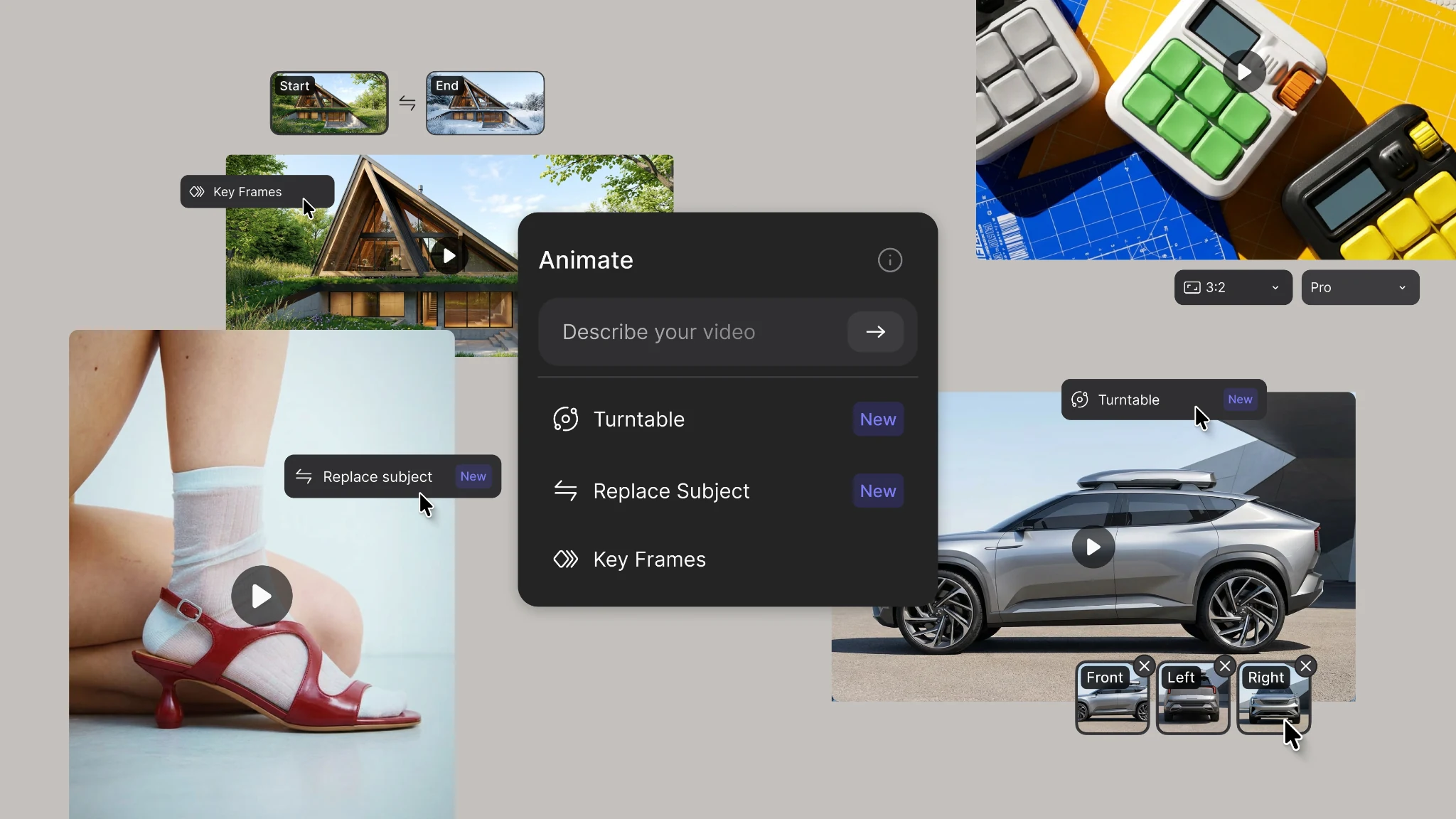
New animation capabilities in Vizcom: more references, four modes, and up to 15 seconds of motion.
.webp)
Hatch Duo is a design studio based in San Jose built around a simple premise: great products hatch when two forces meet, your insight and their execution. Hatch's focus sits squarely in consumer packaged goods. For their latest collaboration with Vizcom, industrial designer Alec Comido wanted to see what he could design in one hour.


Frequently asked questions
Yes of course! Our starter plan is completely free, no credit card required. This is a great plan to explore vizcom with.
We accept all major credit and debit cards.
Admins (paid) – can edit files, manage workspace settings, billing, teams, and invite members. Editors (paid) – can edit files but not manage settings, billing, or teams. Viewers (free) – can only view files in read-only mode.
Team billing is handled centrally by the Admin. All paid seats, whether Admins or Editors, are included in a single invoice under the same billing cycle, while Viewers remain free and do not affect the cost.
Yes, you can. An Admin can update the plan in the billing settings, and the switch will take effect on the next billing cycle at the annual rate.
Yes, you own everything you create in Vizcom. For free users, while Vizcom may use generated images to improve its services, it does not claim ownership of your designs, concepts, or original ideas—you keep full rights to them. For paid users, your images and designs remain entirely private and are only used to deliver the service. Every design, concept, and image you create or upload is fully yours and kept confidential.
Vizcom does not use your data to train AI models if you’re on a paid plan. Everything you create stays private and is only used to provide the service. Free users may have their generated images included to help improve Vizcom’s services, but even then, Vizcom does not claim ownership of your designs, concepts, or original ideas—you retain full rights.