Faster Color Exploration
Vizcom's new Color Variations feature allows designers to extract palettes from any image and instantly generate multiple colorway remixes in one click. The tool works across apparel, automotive, industrial design, and concept art to accelerate color exploration without redrawing.

Remix Colors, Fast.
Color is one of the most powerful tools in design. It’s how we signal style, intent, and emotion. But testing new color directions usually takes time.
With Vizcom’s new Color Variations, that exploration becomes instant.
Now you can extract a palette from any image and apply shuffled variations across your design in one click. From a single concept, Vizcom generates multiple colorways that are ready for review, refinement, or inspiration.
What’s new
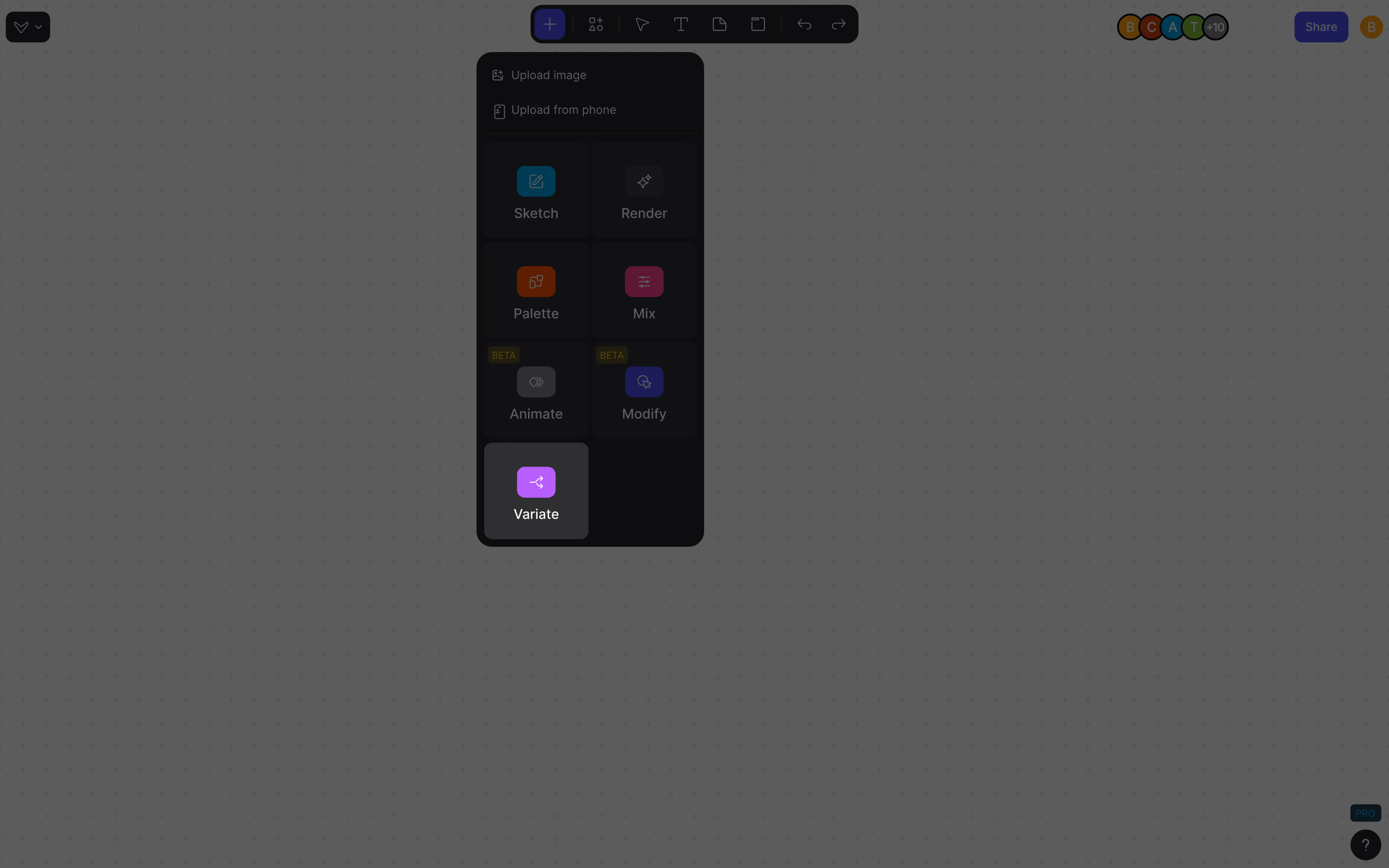
Located in the Workbench toolbar, the Color Variations block lets you:
- Extract color palettes directly from any image
- Instantly generate multiple remixes of your design using that palette
- Test styling directions without redrawing or starting over
Whether you're exploring CMF options, building a presentation, or just trying out looks, this is a faster way to find the right visual direction.
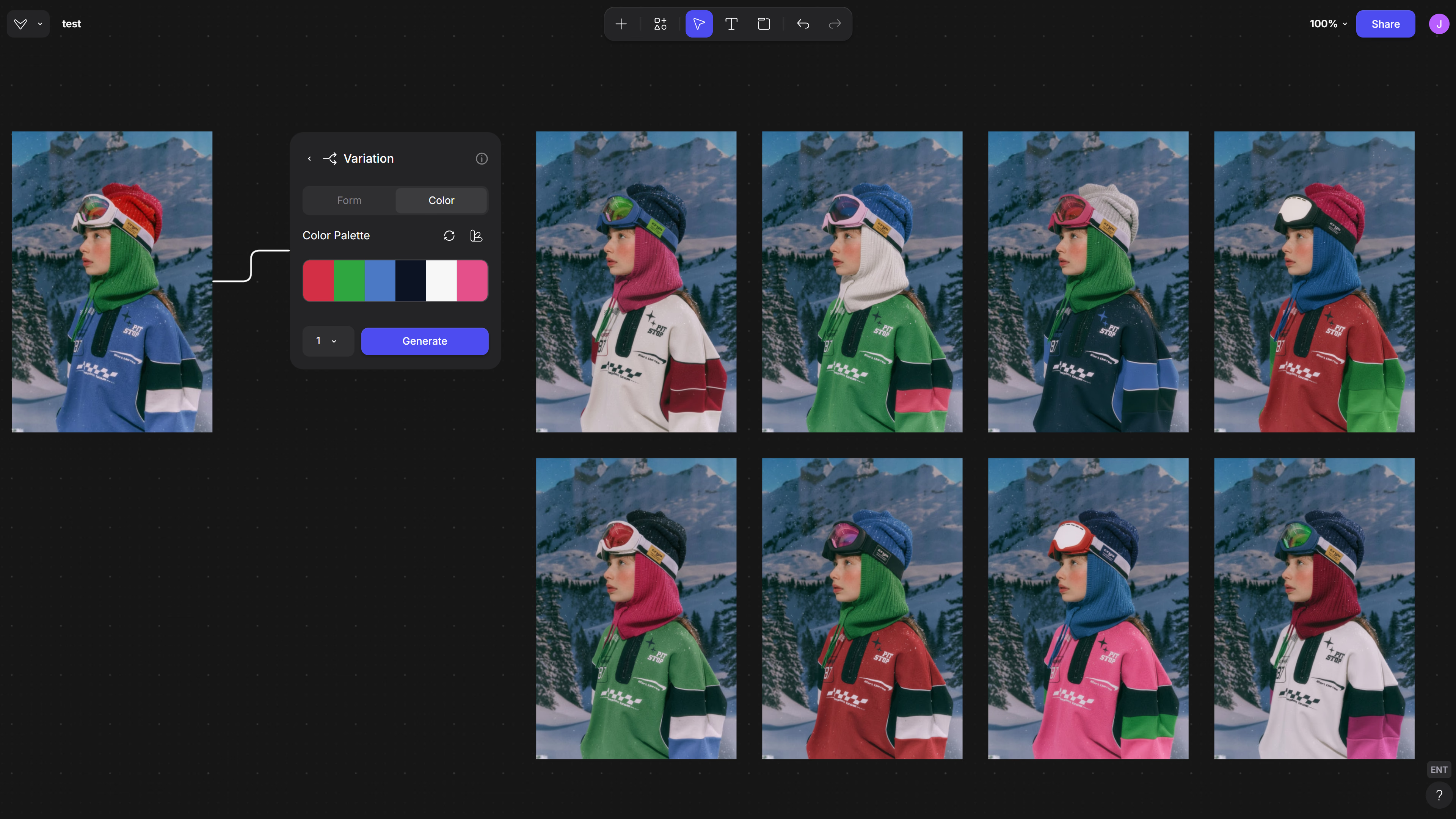
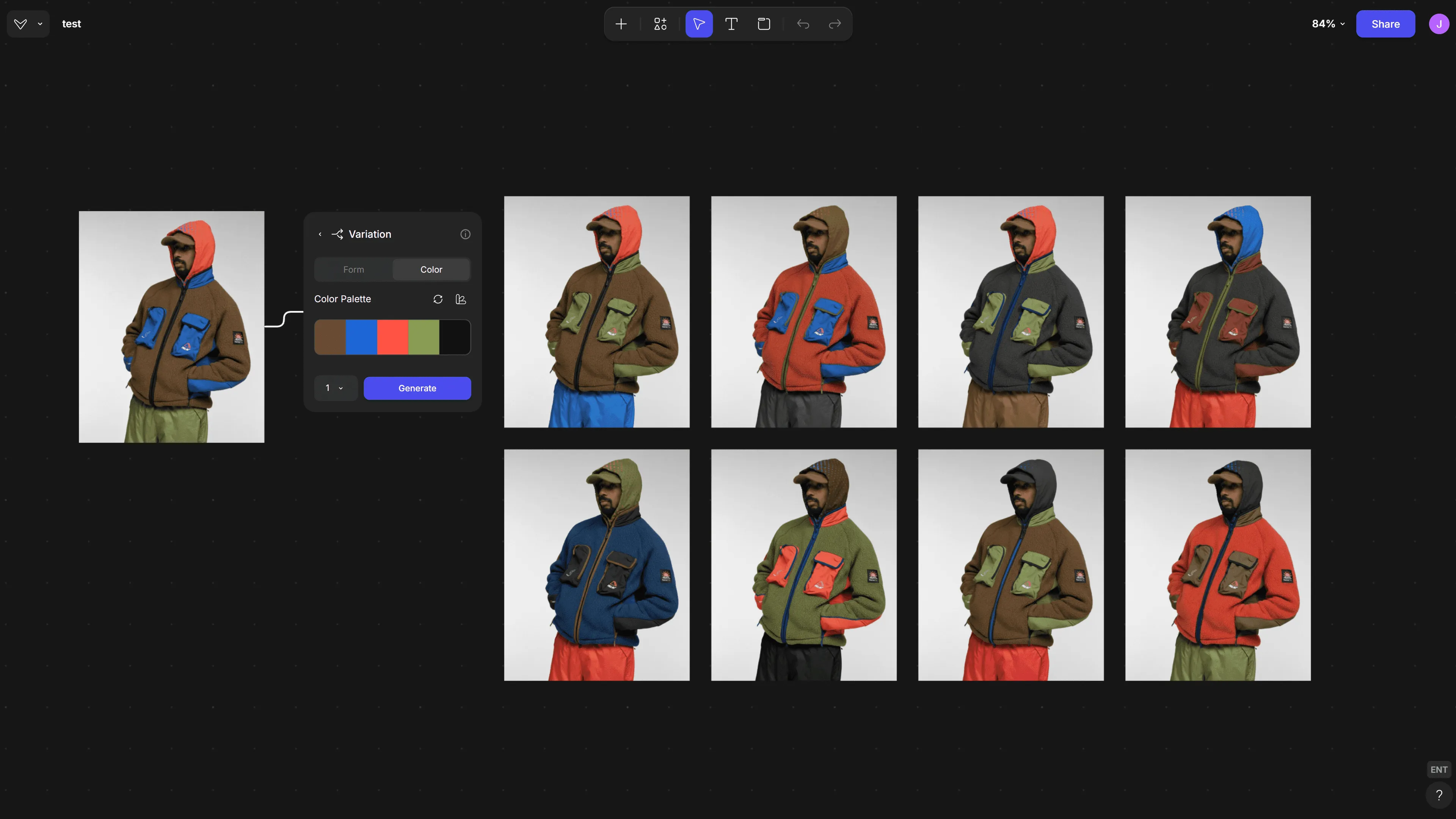
Apparel & Footwear
Try new colorways, styling directions, or material accents in seconds.
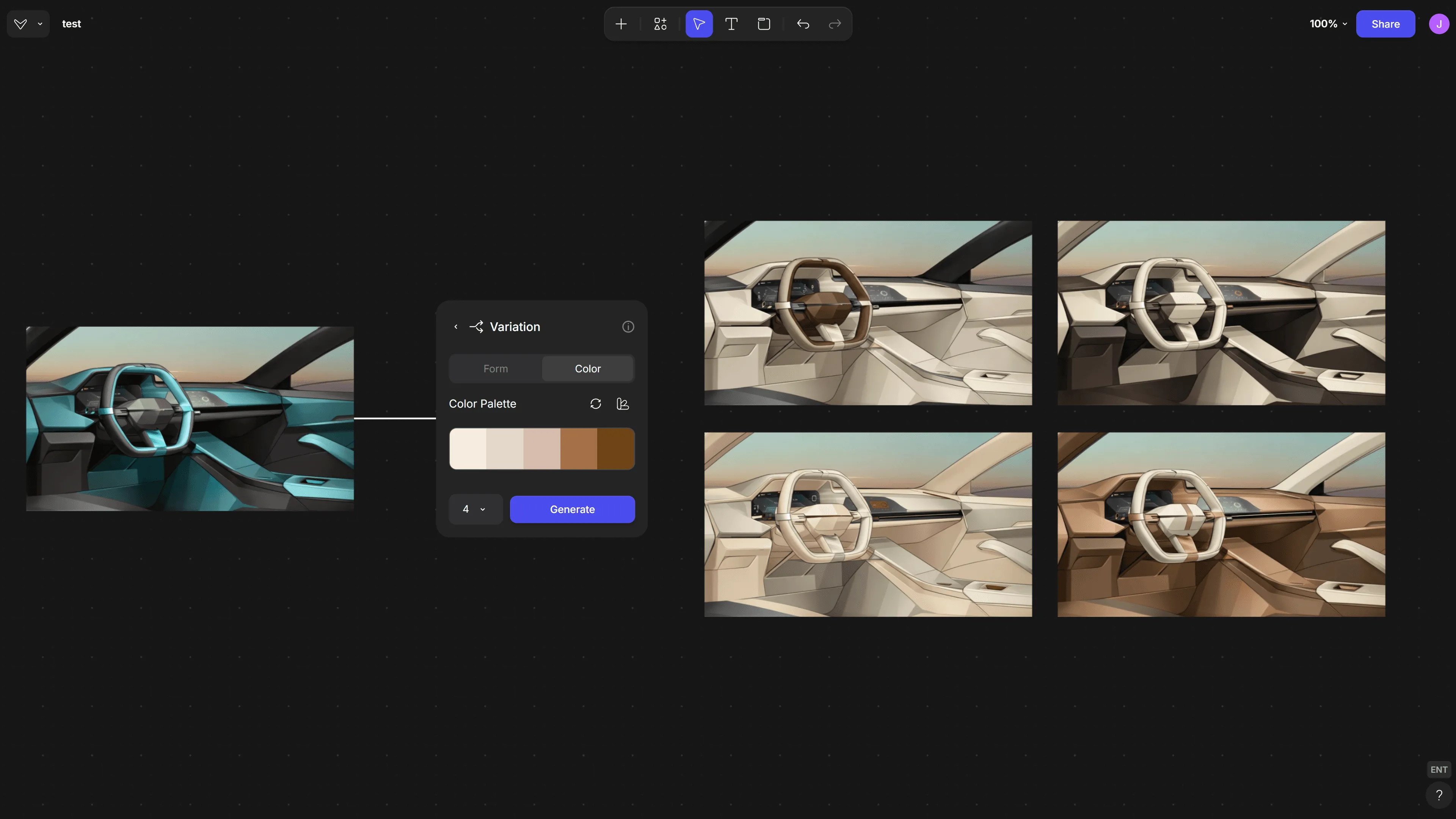
Automotive
Use Color Variations to quickly test material and color combinations across seats, panels, and dashboards.
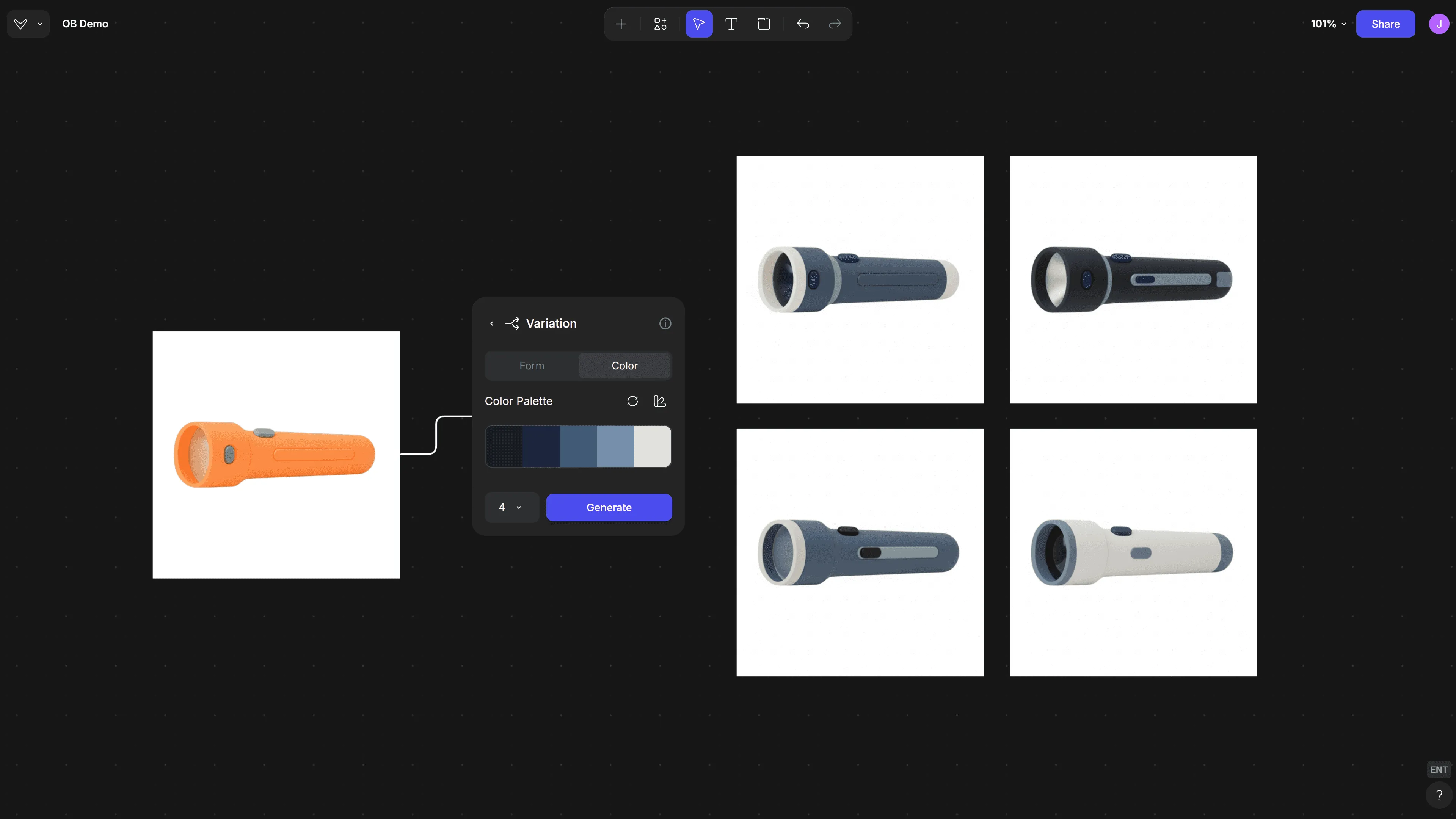
Industrial Design
Test finish combinations or shift design intent without rework.
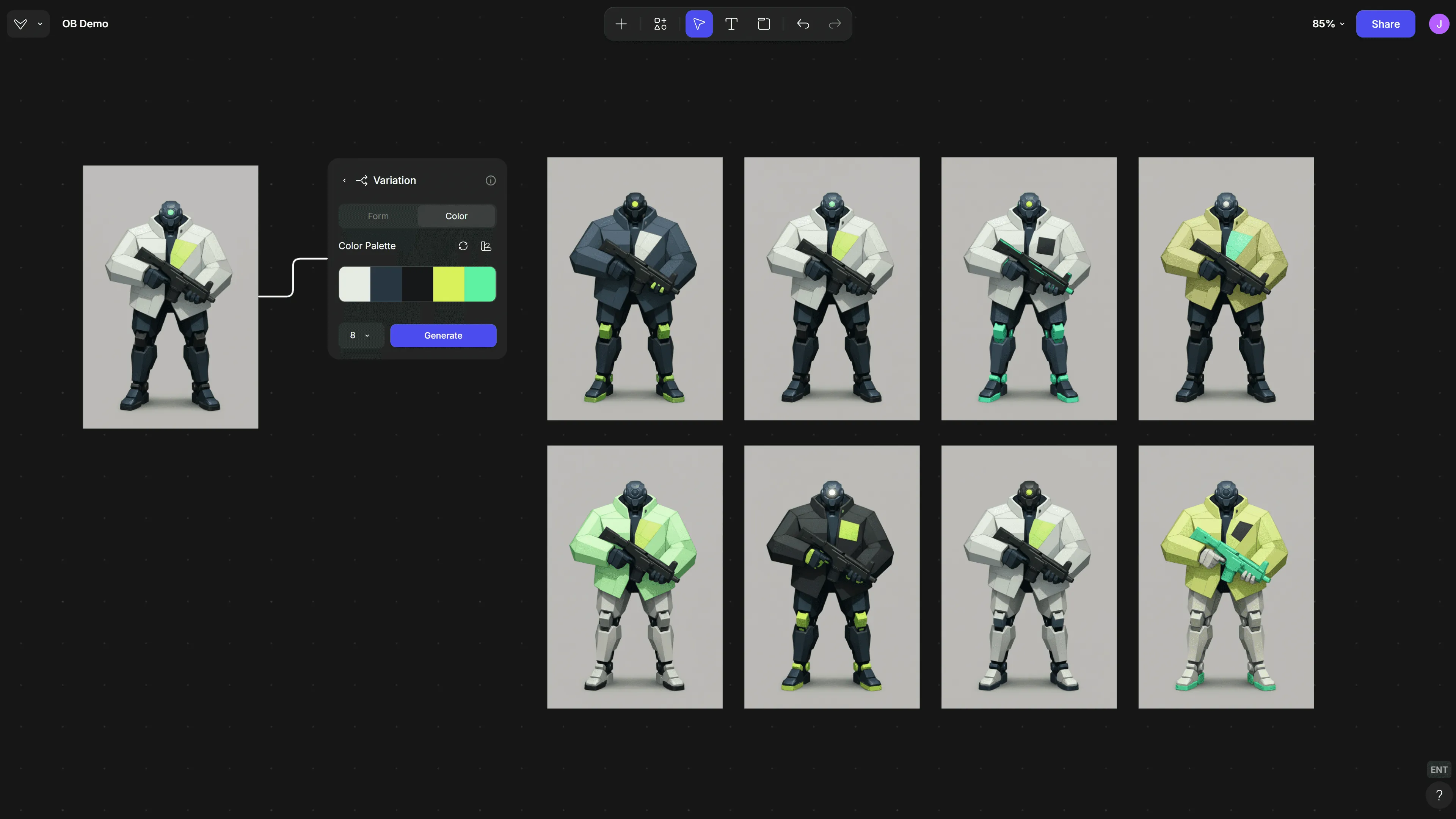
Concept Art
Quickly apply palette variations to explore tone, mood, or visual identity of particular character designs.
Available now in Vizcom
Color Variations is now live for all Vizcom users.
Free accounts can generate one variation at a time.
Pro and Enterprise users can batch generate.
This feature is built to support exploration, speed up reviews, and give designers more room to play.
Explore
Explore more blog posts & resources to get inspired
.webp)
Hatch Duo is a design studio based in San Jose built around a simple premise: great products hatch when two forces meet, your insight and their execution. Hatch's focus sits squarely in consumer packaged goods. For their latest collaboration with Vizcom, industrial designer Alec Comido wanted to see what he could design in one hour.

Explore color and material variations part-by-part without leaving Vizcom.


Frequently asked questions
Yes of course! Our starter plan is completely free, no credit card required. This is a great plan to explore vizcom with.
We accept all major credit and debit cards.
Admins (paid) – can edit files, manage workspace settings, billing, teams, and invite members. Editors (paid) – can edit files but not manage settings, billing, or teams. Viewers (free) – can only view files in read-only mode.
Team billing is handled centrally by the Admin. All paid seats, whether Admins or Editors, are included in a single invoice under the same billing cycle, while Viewers remain free and do not affect the cost.
Yes, you can. An Admin can update the plan in the billing settings, and the switch will take effect on the next billing cycle at the annual rate.
Yes, you own everything you create in Vizcom. For free users, while Vizcom may use generated images to improve its services, it does not claim ownership of your designs, concepts, or original ideas—you keep full rights to them. For paid users, your images and designs remain entirely private and are only used to deliver the service. Every design, concept, and image you create or upload is fully yours and kept confidential.
Vizcom does not use your data to train AI models if you’re on a paid plan. Everything you create stays private and is only used to provide the service. Free users may have their generated images included to help improve Vizcom’s services, but even then, Vizcom does not claim ownership of your designs, concepts, or original ideas—you retain full rights.