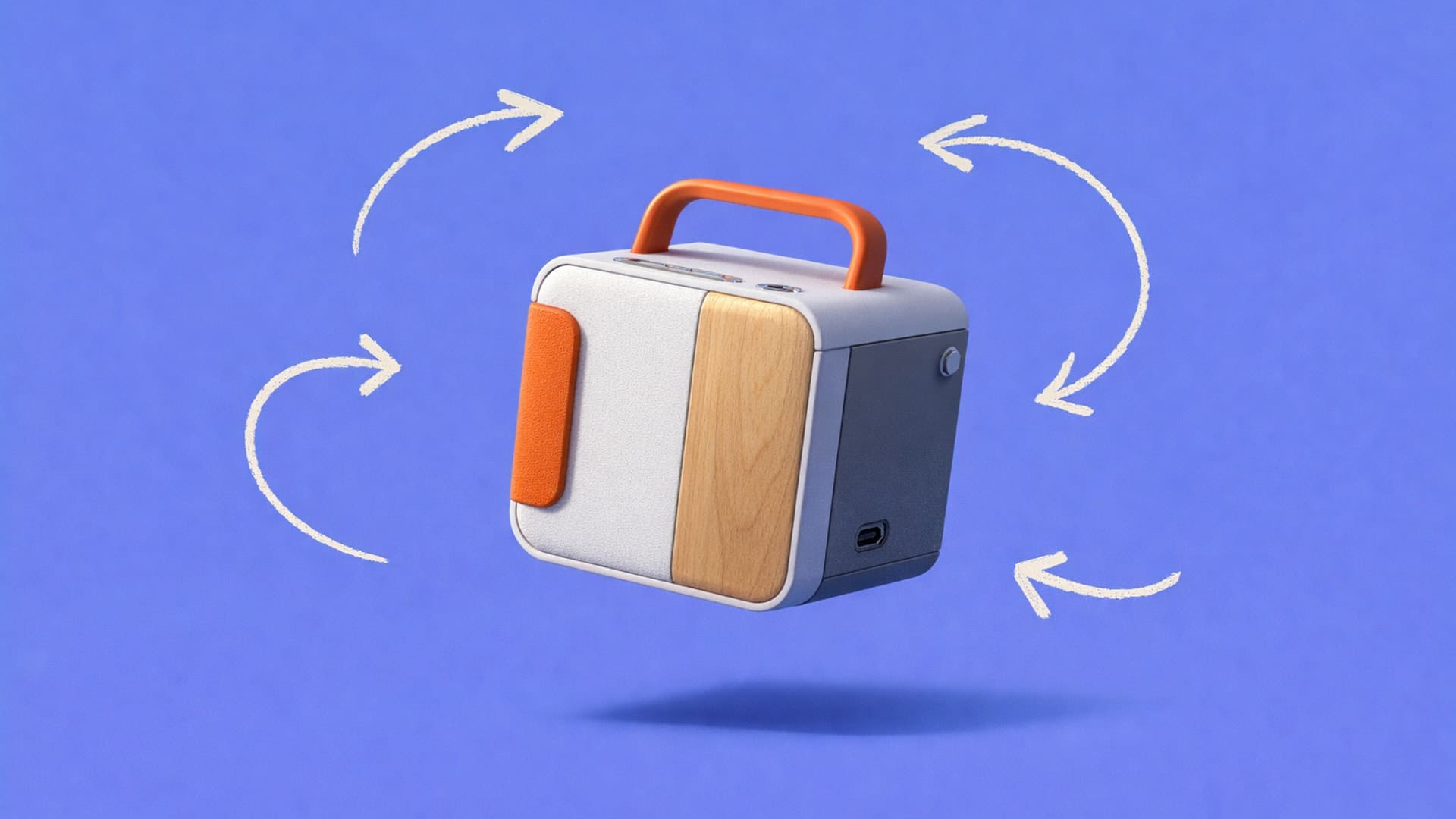
AI for Product Designers: Real Workflow Examples
AI rendering eliminates the traditional bottleneck where designers sketch hundreds of concepts but can only render a fraction, enabling exploration of 50-100+ variations in the same timeline. The article showcases real workflows across footwear, furniture, automotive, and apparel design, demonstrating how AI accelerates visualization without replacing design judgment.

Traditional rendering workflows put designers in an impossible position. You can sketch hundreds of directions, but only a small fraction will ever get rendered because high-quality visualization takes too much time and budget. Yet rendering is the stage where proportion, usability cues, and overall viability finally become clear.
When most ideas stay at the sketch stage, you’re forced to make decisions without the information that actually matters. A promising direction can disappear simply because it never made it past a rough drawing.
AI for product designers eliminates this constraint. Instead of spending hours per render, you generate multiple high-fidelity variations quickly, exploring materials, proportions, and colorways before investing in physical prototypes.
Benefits of AI for Product Design
AI for product design brings machine learning directly into the way designers explore, visualize, and evaluate ideas. Instead of limiting progress with slow, manual workflows, AI for product design enables rapid concept development, iteration, and validation, so more ideas can be seen, assessed, and improved earlier in the design process.
The rendering bottleneck shapes every designer's workflow. You sketch 200 to 300 concepts, but traditional rendering takes four to eight hours per image. That math forces you to develop only 20 to 40 ideas, choosing which sketches deserve investment before you've really seen them realized.
This constraint has downstream effects:
- You make design decisions with incomplete information
- You hedge toward safer concepts because exploring radical directions costs too much time
- You miss problems that would have been obvious in a rendered view
AI rendering changes that equation:
- More exploration, same timeline. Push into 50 to over 100 variations instead of committing early to five to ten. For agencies juggling multiple client projects or in-house teams managing a full product pipeline, this speed compounds across every concept in the queue.
- Earlier problem detection. Rendered variations reveal form, proportion, and material issues before prototyping.
- Lower costs. Traditional rendering outsourcing can run $100–500 per concept. AI keeps exploration in-house and on demand.
- Clearer communication. Quick renders help clients and stakeholders see what you're seeing, making feedback conversations more productive and decisions more informed.
How Does AI Product Design Work?
The AI-assisted design process follows a straightforward workflow that keeps you in control while accelerating visualization:
- Sketch your concept. Start with your preferred method: paper, Procreate, tablet, or reference photos. Good AI tools accept multiple input types, including color swatches for brand alignment.
- Control AI interpretation. Adjust influence settings to balance AI creativity with design intent. Higher settings explore unexpected directions; lower settings preserve your specific choices.
- Generate multiple variations. Create several rendered interpretations from a single sketch to explore materials, finishes, and proportions quickly.
- Refine promising directions. Use region-specific editing tools to adjust details and perfect concepts worth developing further.
- Export for next steps. Output final renders for presentations or generate 3D models ready for CAD refinement and prototyping.
Tools like Vizcom streamline this entire workflow with sketch-first features designed specifically for product designers, including real-time rendering, material customization, and direct 3D model generation.
How Designers Are Using AI for Product Design
Product designers in different industries are already integrating AI into their workflows.
Footwear Design and Material Exploration
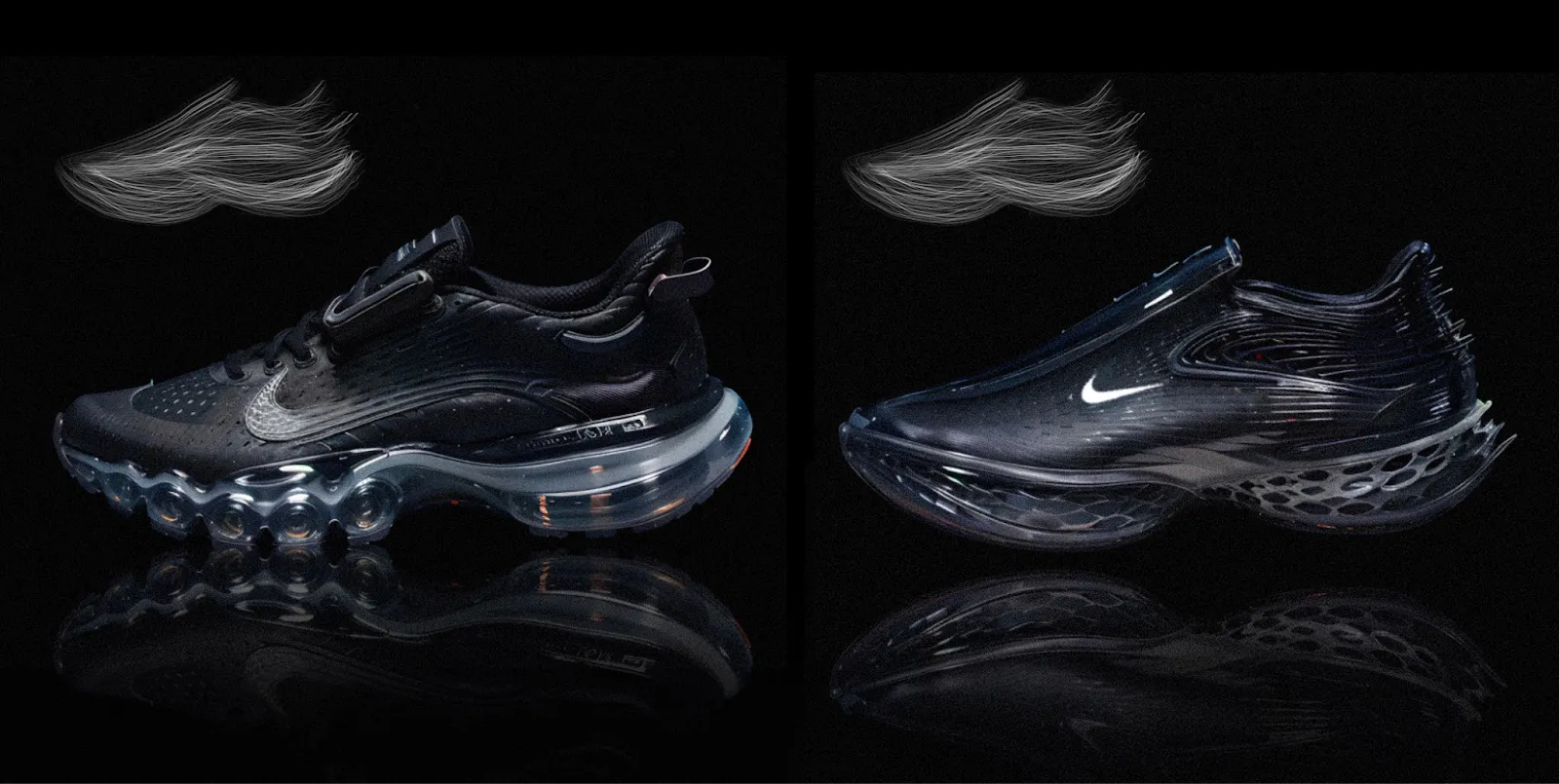
Material combinations, colorways, and proportion decisions are expensive to prototype physically. Seeing a sketch is different from seeing how that sketch looks in tumbled leather versus synthetic mesh versus knit. A slight proportion change that looks fine in linework might throw off the whole shoe once you see it rendered with realistic materials.
AI rendering lets designers explore dozens of materials and color variations from a single sketch, catching form language problems before committing to physical samples. You can test whether a design holds up across the colorways you'll need to offer, not just the hero color you sketched first.
For example, footwear designer Dennis Johann Mueller has built his workflow around this approach. In a recent conversation about his process, he described treating Vizcom as a co-creator that responds to his direction while he makes the decisions. He starts with rough sketches in Procreate, then moves into Vizcom to explore material and color options quickly. The value isn't replacing his eye for design, but giving him more visual information to make decisions with.
Furniture and Product Form Exploration
Furniture designers need to explore form variations like proportions, silhouettes, and structural approaches quickly. Because a chair that works at one scale might feel wrong at another. Surface transitions that look smooth in a sketch can appear awkward once they’re rendered with realistic lighting.
Traditional rendering wouldn't justify the time for experimental ideas. When each variation takes hours to visualize, you stick with safer directions. But when rendering takes seconds, you can explore "what if" concepts without betting your deadline on them.
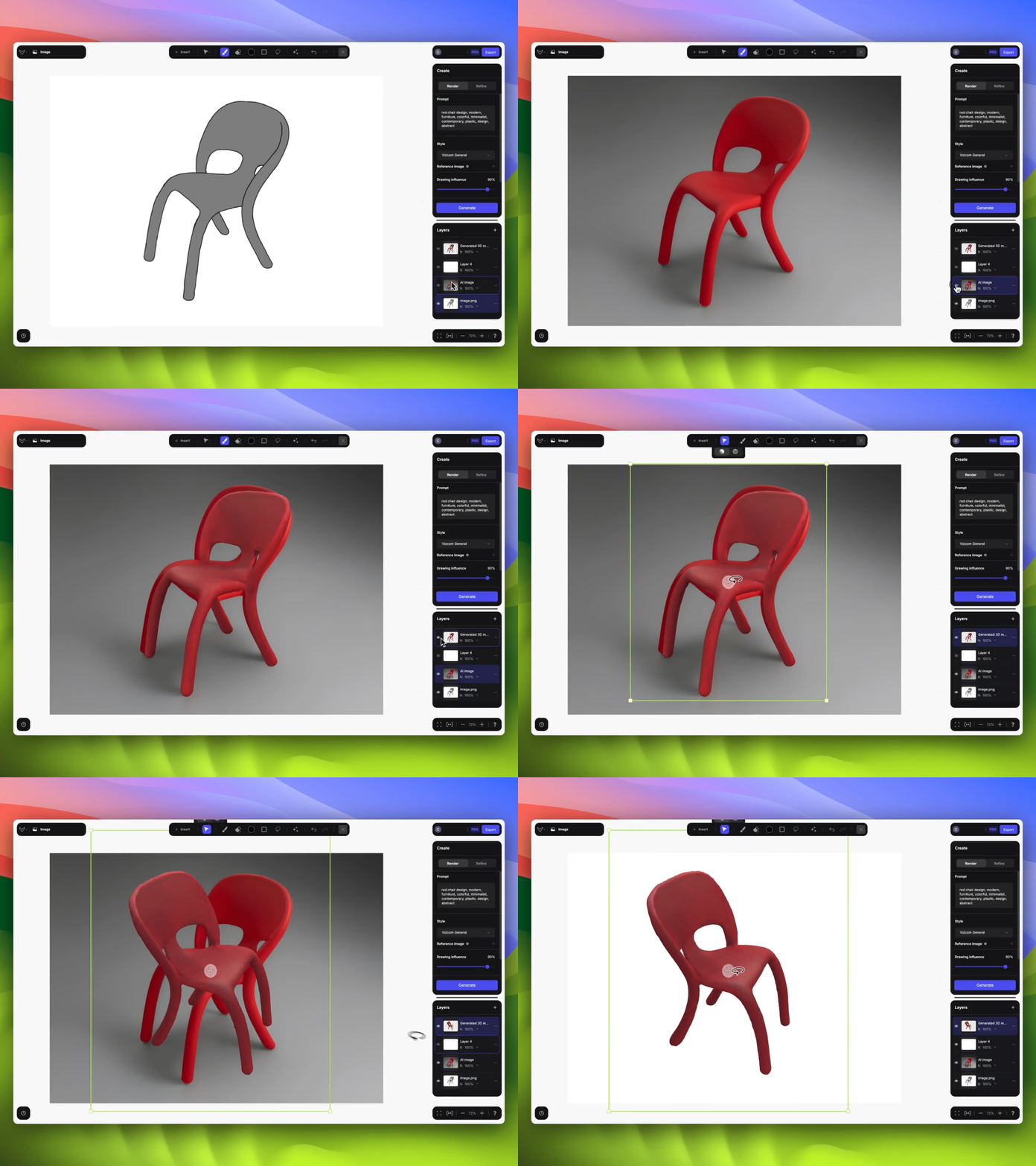
Claas Kuhnen, an educator at Wayne State University, documented one of these experimental workflows using Vizcom. He started with an unconventional input, a photo reference rather than a sketch, and used Live Render for real-time iteration. Multi-view 3D let him see the chair from multiple angles without rebuilding, and the Modify feature handled targeted refinements without starting over.
Rapid Prototyping and Sketch-to-3D Workflows
Moving from 2D concept to a physical prototype has traditionally required CAD expertise and weeks of time. Getting from sketch to something you can hold meant either learning complex 3D software or waiting for someone else to model it.
AI-powered 3D generation compresses that timeline. You go from sketch to rendered variations to exportable 3D models without switching applications or learning new tools.
To test this workflow, Chris from the Vizcom team ran a 48-hour challenge: take a chair concept from initial sketch to 3D-printed prototype. Using the integrated Sketch, Render, and 3D capabilities in Vizcom, he moved from rough sketch to rendered variations to 3D model generation to export for printing, all within two days.
Automotive and Consumer Electronics
Automotive designers generate hundreds of sketches but traditionally develop only a fraction into full renders. This can trick designers into making premature decisions about which directions to pursue.
AI rendering trained on hard materials like chrome, paint, and glass maintains the dimensional accuracy this work demands. Whether presenting in internal design reviews or client pitches, teams can show more developed concepts, leading to better-informed decisions. When rendering is fast, designers can push further into experimental territory. A concept that might have seemed too unconventional to spend render time on becomes worth exploring when you can see it visualized in minutes.
Consumer electronics designers face similar dynamics. They need to visualize products in context: on desks, in hands, in environments. Material accuracy matters for stakeholder communication because different plastics, metals, and finishes read differently in renders. Realistic renders help non-designers understand and evaluate concepts before prototyping.
Apparel and Soft Goods
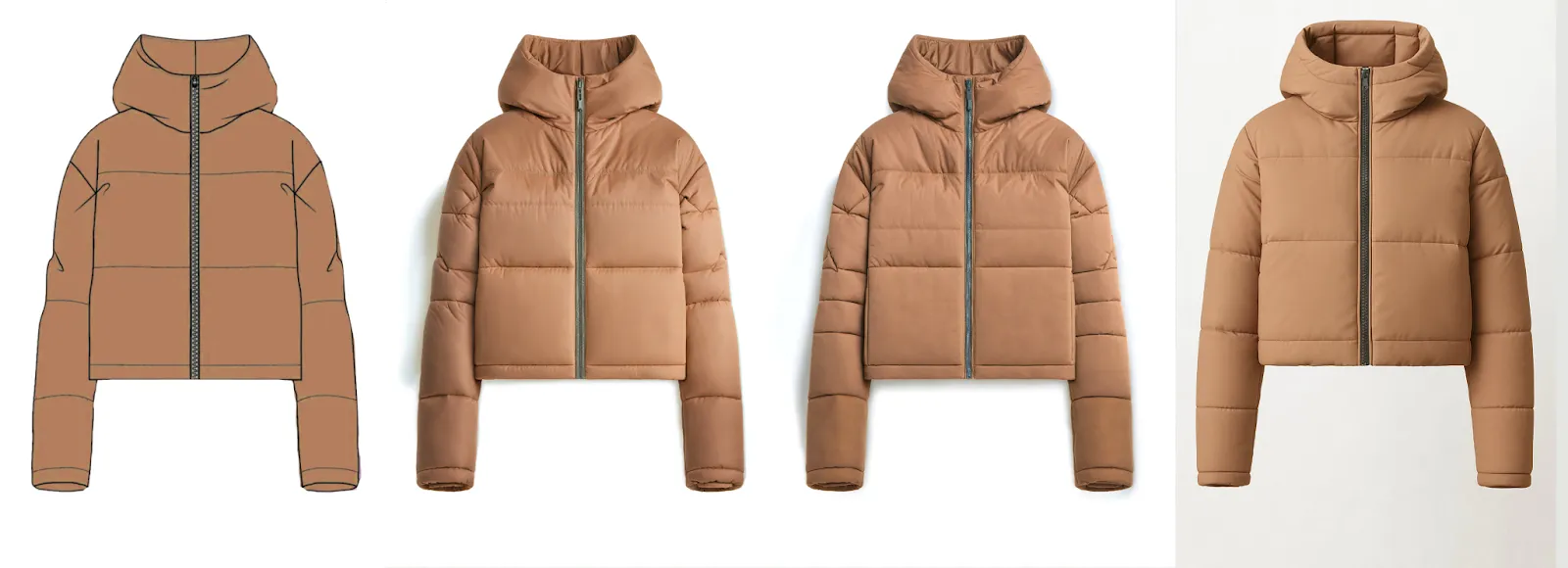
Apparel designers need to see fabric drape, color accuracy, and garment construction before sampling. Each physical sample costs time and money, and when what arrives from the factory doesn't match what you imagined, it can derail a timeline.
AI helps explore colorways and pattern placement quickly, reducing physical samples in the development process. Tech pack visualization communicates intent to manufacturers more clearly than sketches alone.
Color fidelity is particularly critical in this space. Brand colors need to render accurately from initial concept through final production. A color that looks right on screen needs to translate correctly to fabric. The Color Match feature in Vizcom maintains brand-accurate colors from sketch through output, reducing the disconnect between design intent and manufactured result.
Best AI Tools for Product Design
According to the State of AI in Design 2025 report, 89% of designers say AI has improved their workflow. But not all tools are built for product design.
General AI image generators produce compelling imagery but lack the dimensional accuracy and material representation you need for manufacturing discussions. They excel at evocative concept imagery but don't understand product design constraints.
Architectural rendering tools focus on buildings and environments. While they handle materials well, they're not built for the iterative sketch-to-render workflows product designers need.
Industry-specific tools like Vizcom are built for product design sketch-to-render workflows. You bring hand-drawn sketches and get higher-fidelity visualizations. These tools work with CAD systems and offer features like real-time rendering, material customization, and iterative refinement.
When evaluating options, look for:
- Training on real-world products. Dimensional accuracy matters when you're designing things that will be manufactured. Concept art generators don't cut it.
- Sketch-first workflow. Prompt-only input doesn't work for designers who think with their hands.
- Multimodal flexibility. The tool should accept sketches, photos, and references, matching how you already work.
- Integrated platform. Switching between separate sketch, render, and 3D applications burns time.
Start Exploring More Design Directions
Designers today use AI as a visualization accelerator, not a replacement for design judgment. Vizcom supports this workflow with purpose-built features for product designers: sketch inputs that preserve your intent, real-time rendering that speeds iteration, and integrated 3D generation that moves concepts toward manufacturing.
Test these workflows on your next project, whether it's an internal initiative or client brief, and see whether faster visualization helps you make better design decisions. Start with Vizcom and explore what becomes possible when rendering stops being the bottleneck.
Explore
Explore more blog posts & resources to get inspired
.webp)
Hatch Duo is a design studio based in San Jose built around a simple premise: great products hatch when two forces meet, your insight and their execution. Hatch's focus sits squarely in consumer packaged goods. For their latest collaboration with Vizcom, industrial designer Alec Comido wanted to see what he could design in one hour.

Explore color and material variations part-by-part without leaving Vizcom.


Frequently asked questions
Yes of course! Our starter plan is completely free, no credit card required. This is a great plan to explore vizcom with.
We accept all major credit and debit cards.
Admins (paid) – can edit files, manage workspace settings, billing, teams, and invite members. Editors (paid) – can edit files but not manage settings, billing, or teams. Viewers (free) – can only view files in read-only mode.
Team billing is handled centrally by the Admin. All paid seats, whether Admins or Editors, are included in a single invoice under the same billing cycle, while Viewers remain free and do not affect the cost.
Yes, you can. An Admin can update the plan in the billing settings, and the switch will take effect on the next billing cycle at the annual rate.
Yes, you own everything you create in Vizcom. For free users, while Vizcom may use generated images to improve its services, it does not claim ownership of your designs, concepts, or original ideas—you keep full rights to them. For paid users, your images and designs remain entirely private and are only used to deliver the service. Every design, concept, and image you create or upload is fully yours and kept confidential.
Vizcom does not use your data to train AI models if you’re on a paid plan. Everything you create stays private and is only used to provide the service. Free users may have their generated images included to help improve Vizcom’s services, but even then, Vizcom does not claim ownership of your designs, concepts, or original ideas—you retain full rights.