.avif)
Modify, Variate, Refine: Jara Freund's PlyForm Shelf
Industrial designer Jara Freund turned a familiar frustration—books constantly toppling over and shelves drowning in clutter—into the PlyForm Shelf, a modular system that pairs functional clarity with Bauhaus-inspired personality. This spotlight explores her process, from early sketches to rapid iteration in Vizcom, and how digital tools helped carry the idea from concept to physical reality.

The spark
The PlyForm Shelf was born from a familiar frustration: books constantly toppling over, shelves drowning in clutter. Jara Freund, a Frankfurt-based Industrial Designer at Braun Household, saw an opportunity to create something functional, beautiful, and simple. Her vision was clear: a modular shelving system built from just two components that anyone could assemble at home. The integrated, bent sheet metal bookends became the hero of the design, transforming a functional need into a striking visual statement.
"The design goal was a system that is easy to build on your own, delivering a minimal, beautiful storage solution."
Modular simplicity meets personality
At its core, the PlyForm Shelf solves a practical problem with elegant efficiency. The streamlined plywood base with soft edges provides the foundation, while the colorful bent metal bookends bring the personality. The color choices: vibrant primary blue, warm burnt orange, and sunny yellow, draw directly from the foundational palettes of the De Stijl and Bauhaus movements, evoking a sense of mid-century modern design.

The modular system makes the shelves versatile and scalable. Users can arrange the bookends as single supports or double, offset units, customizing their storage to match their current needs. It's shelving that grows and adapts with you.
Material considerations: function and contrast
Material selection was driven by simplicity and cost-effectiveness. Plywood offered the perfect balance of strength and affordability for the base. Bent sheet metal was chosen for the bookends because it's thin yet strong enough to prevent books from falling, while enabling the crucial modularity of the system.
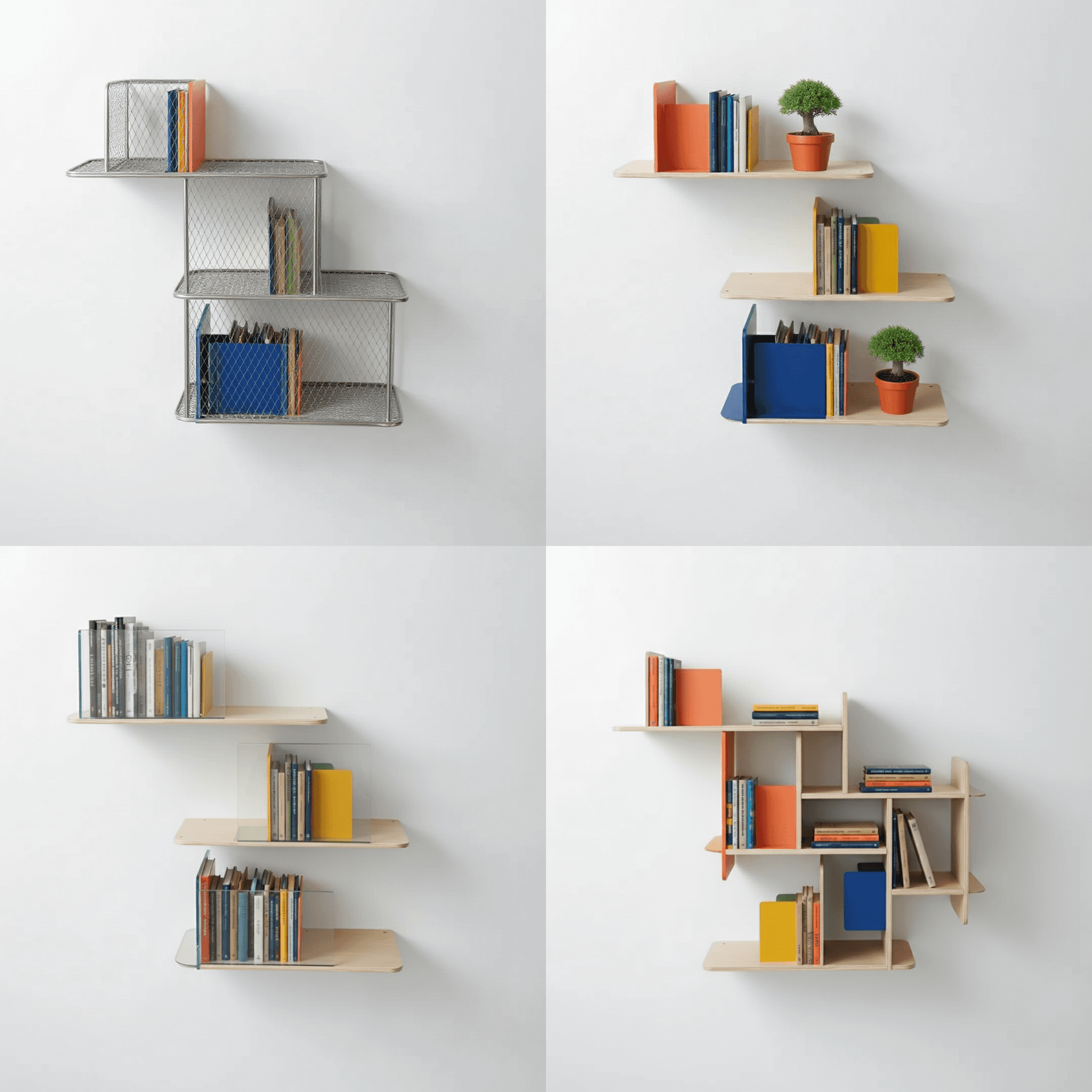
Aesthetically, Jara aimed for graphic contrast: the warm, natural grain of plywood against vibrant metal colors. The result is a design language that feels both grounded and playful, inspired by clean, modern principles.
Jara’s Vizcom workflow
Fast explorations with the Modify Tool
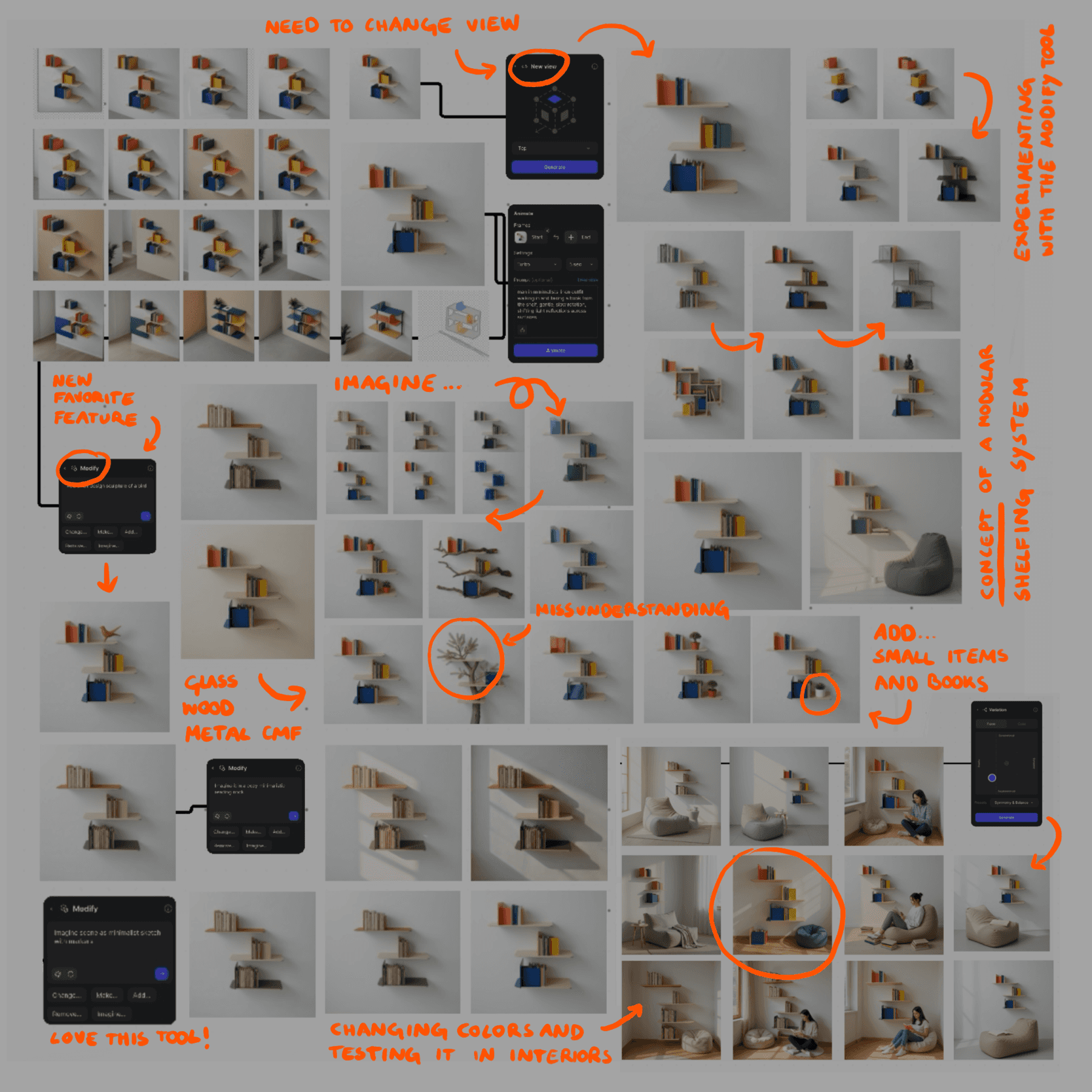
Jara's process began with a quick napkin sketch — capturing the core idea before moving to refinement. She then further explored this idea in Procreate before uploading her enhanced sketch into Vizcom. This is where the design truly accelerated.
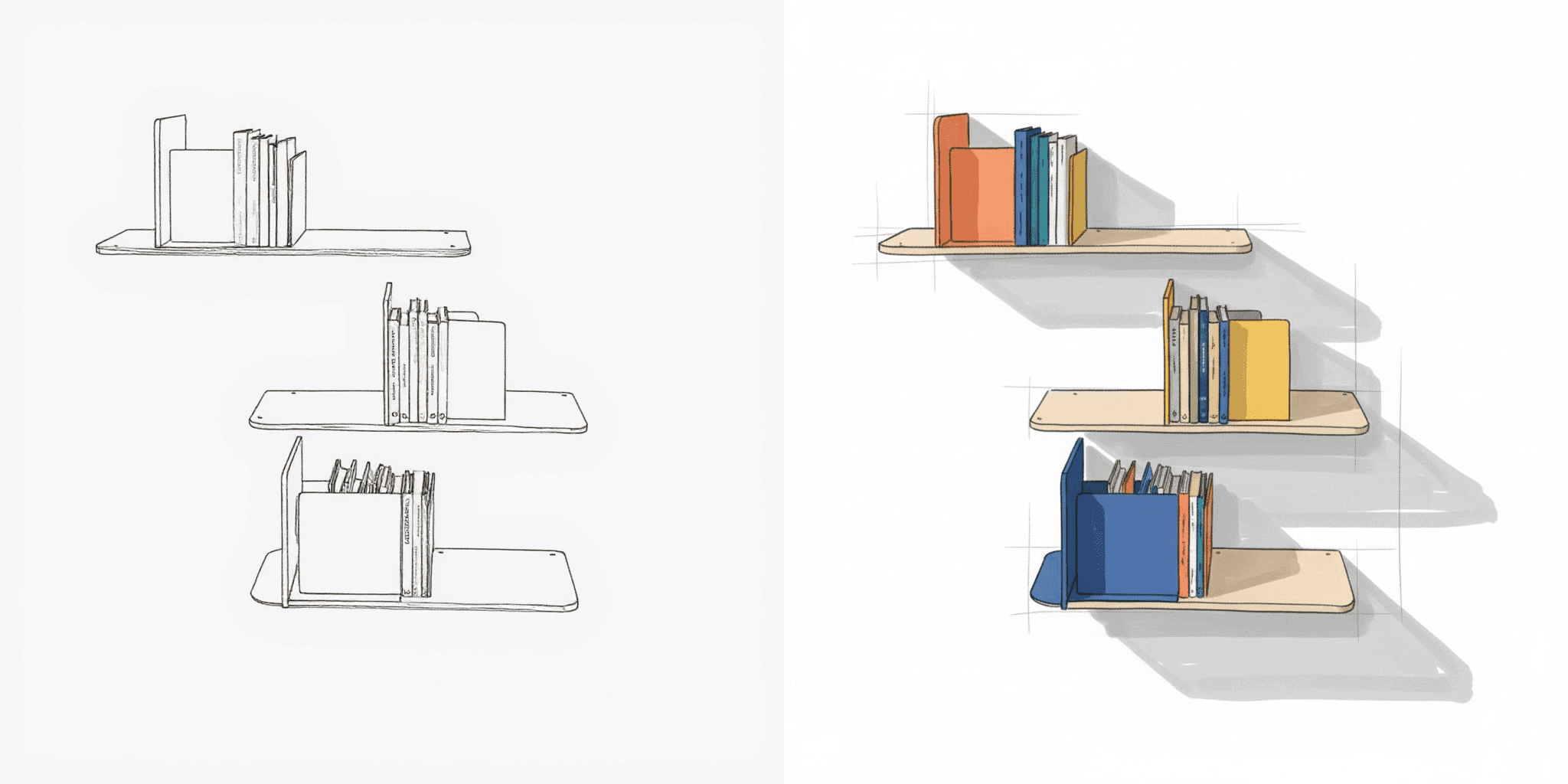
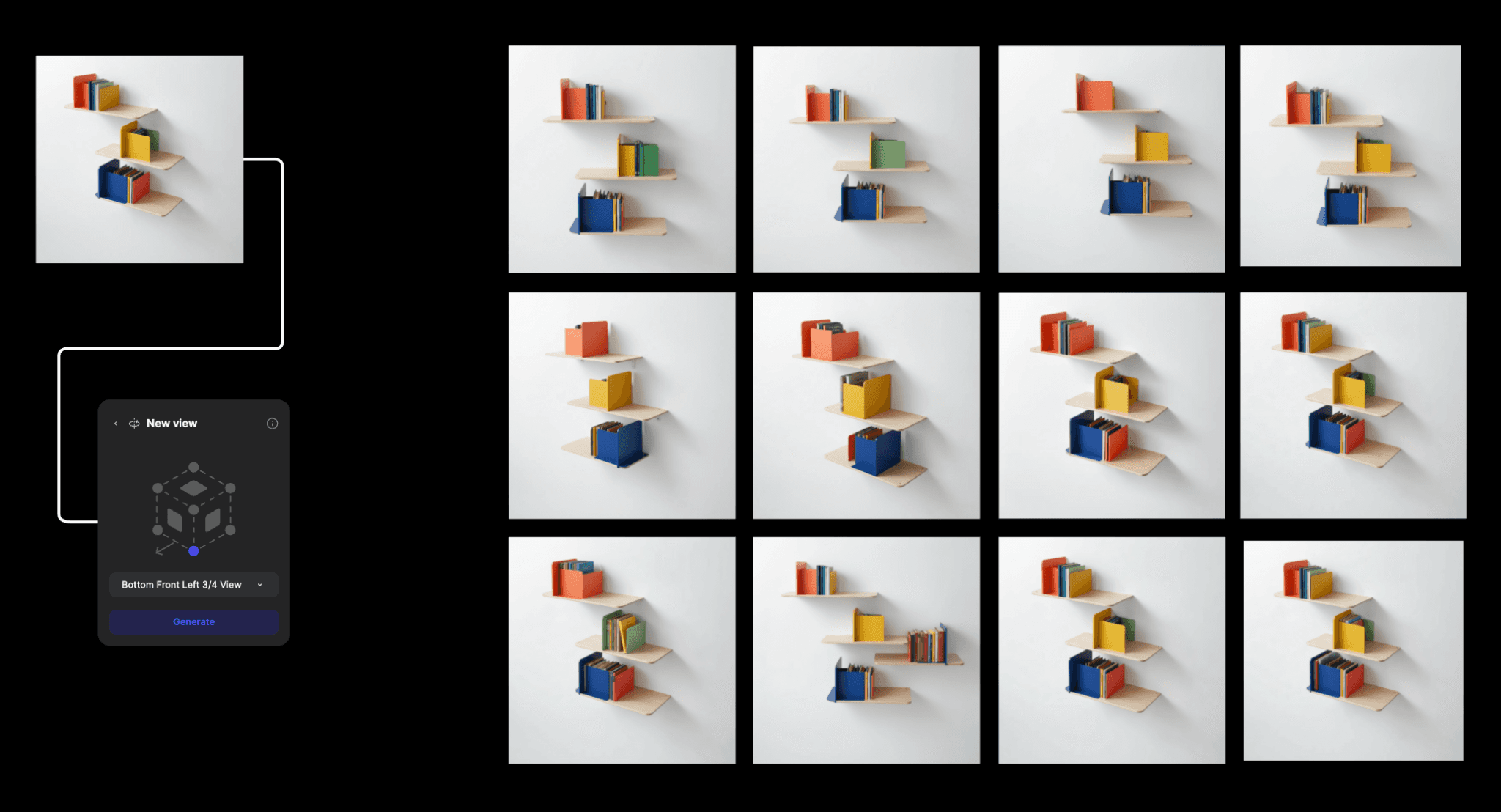
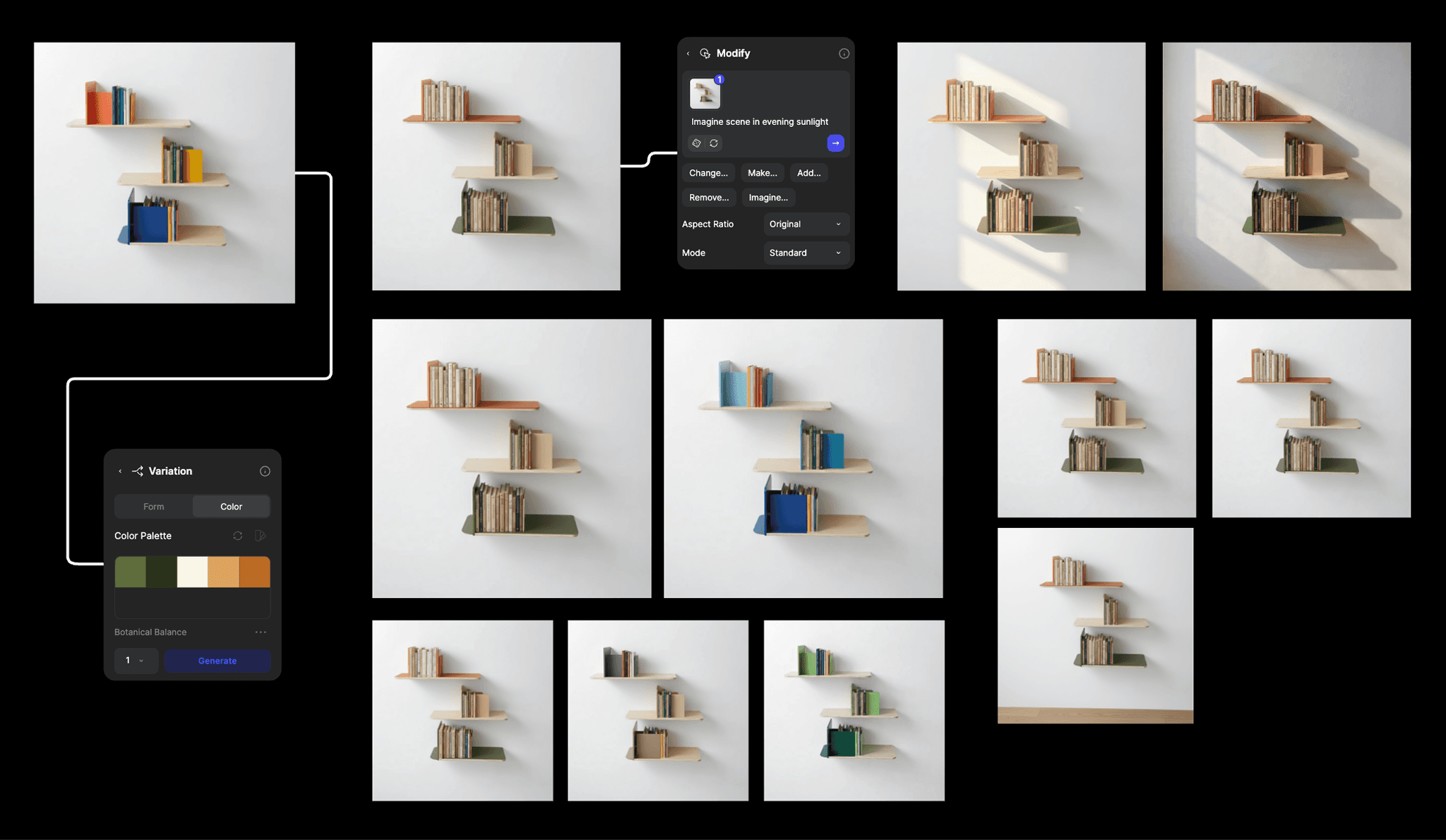
Vizcom became her rapid exploration lab, allowing her to instantly test materials, colors, and modular configurations through quick rendering. Modify enabled exploration of alternative shelf materials like glass and metal, while Variate let her experiment with different color combinations and bookend arrangements. The view changing tool was also essential for instantly rotating the sketch from front view to multiple perspectives, evaluating the design from every angle.
For the final presentation, Jara used these animations to showcase the shelf's proportions and modular functionality with minimal effort.
"The animation tool is so easy for quick results and really brings ideas to life, especially for demonstrating dimensions."
.gif)
Wandering to find focus
The Modify tool led to some unexpected detours, including a whimsical exploration of a shelf visually growing out of a tree. While these experiments were fun, they ultimately confirmed the strength of the original PlyForm Shelf concept. It allowed Jara to return to the initial idea with renewed focus to fine-tune the core elements.
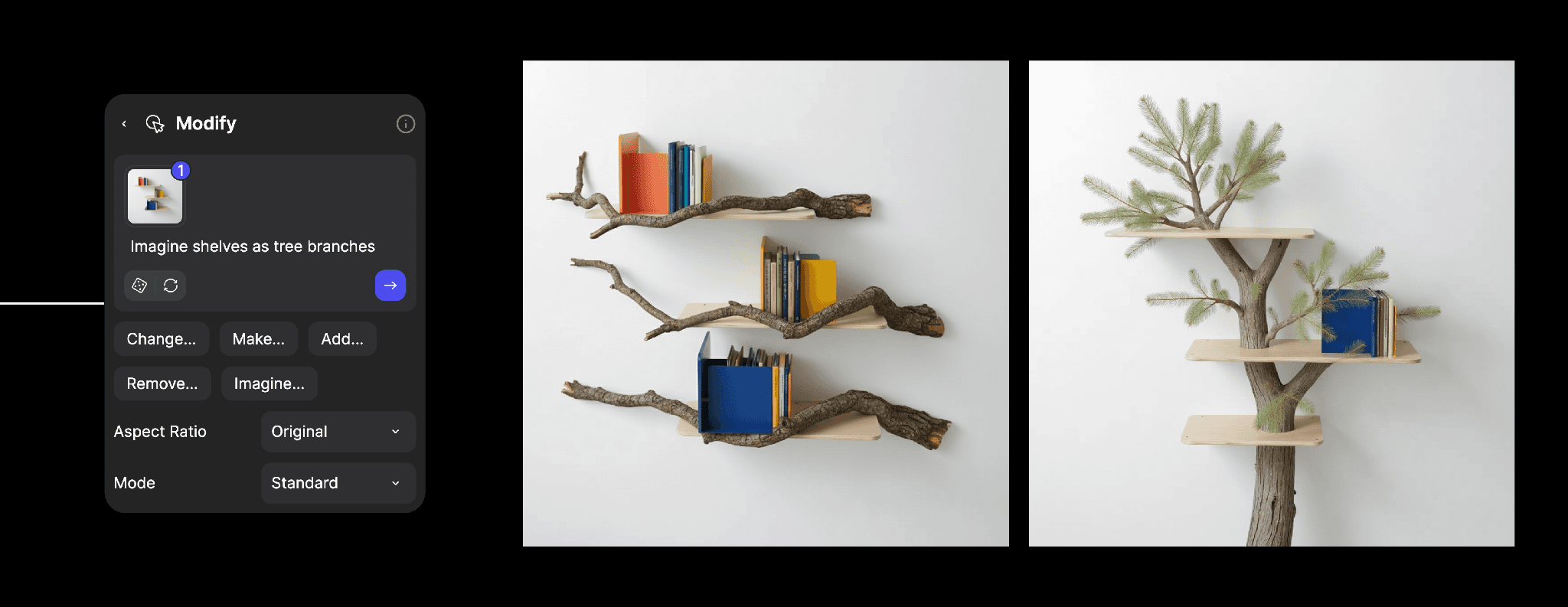
This iterative loop of exploring alternatives quickly, then refining what works highlights how digital tools can accelerate decision-making without sacrificing creative rigor.
From digital to physical
For Jara, the relationship between digital and physical design is becoming seamlessly iterative. The digital space is where you can use tools like Vizcom to rapidly explore, test materials, and refine concepts. The physical realm focuses on validation and fine-tuning proven ideas.
"Technology must serve the initial idea by making the whole process faster, cheaper, and simpler, ensuring the focus remains on designing good solutions."
In her view, the role of technology is to minimize design friction — reducing time spent on tedious rendering or complex prototyping and instead maximizing certainty that the design works aesthetically and functionally before production. This ensures what you build matches what you envisioned and close the gap between digital exploration and physical reality.
A note to fellow designers
Jara's advice is practical and direct: sketch fast to capture the core idea.
Then leverage rapid visualization tools like Vizcom to instantly test materials, colors, and design alternatives, skipping long render times.
Jara believes that good design is achieved by finding a well-balanced solution that combines functionality, ease of use, aesthetics, and technical feasibility. She believes in creating products that bring joy and foster an emotional bond with users, inspiring them toward repair rather than replacement.
"Always prioritize simplicity, aiming for minimal components, and ensure your design is easy to manufacture (or 3D print) so your idea can actually become a tangible product."
Design: Jara Freund: jarafreund.de and @jarafreund
Location: Frankfurt am Main, Germany
Specialization: Interior Design
Visualization: Vizcom
Materials: Plywood base, bent sheet metal bookends
Want to bring your own ideas to life at the speed of thought?
Try Vizcom for Yourself →
Follow us on Instagram, X, and LinkedIn for tips and inspiration.
Have feedback? DM us or drop a note in our Discord — we're listening.
Explore
Explore more blog posts & resources to get inspired
.avif)
Bloom is a 3D-printed lamp series by Anshuman Kumar that draws inspiration from the organic act of blooming, blending spiral growth with digital fabrication to create a calm, wire-free light. This spotlight follows his process—from hand intent to rapid iteration in Vizcom—and how speed, serendipity, and making helped refine the design from screen to object.
Add-ons and the new Premium Usage Dashboard give you more control over how and when you create in Vizcom, removing hard limits and making premium usage flexible. Top up actions when you need them, track everything in one clear view, and keep your creative flow moving without interruption.
Industrial designer Jara Freund turned a familiar frustration—books constantly toppling over and shelves drowning in clutter—into the PlyForm Shelf, a modular system that pairs functional clarity with Bauhaus-inspired personality. This spotlight explores her process, from early sketches to rapid iteration in Vizcom, and how digital tools helped carry the idea from concept to physical reality.

When Rishav Kumar set out to create MAJE TD, his vision was clear: give transportation design students and professionals the tools, guidance, and intensity needed to create portfolio-defining work. The four-week workshop doesn't just teach design: it challenges participants to think critically about brief selection, how to integrate AI into their workflow, and craft presentations that resonate with industry leaders. Rishav, a Level II Interior Designer at KIA America with experience at Polestar and Canoo, started his career in automotive design through competitions and intensive workshops hosted by industry leaders. Now, as the founder of MAJE TD, he’s bringing his journey full circle by creating those same opportunities for students.
Frequently asked questions
Lorem ipsum dolor sit amet, consectetur adipiscing elit sed do eiusmod tempor incididunt ut labore.
Yes of course! Our starter plan is completely free, no credit card required. This is a great plan to explore vizcom with.
We accept all major credit and debit cards.
Admins (paid) – can edit files, manage workspace settings, billing, teams, and invite members. Editors (paid) – can edit files but not manage settings, billing, or teams. Viewers (free) – can only view files in read-only mode.
Team billing is handled centrally by the Admin. All paid seats, whether Admins or Editors, are included in a single invoice under the same billing cycle, while Viewers remain free and do not affect the cost.
Yes, you can. An Admin can update the plan in the billing settings, and the switch will take effect on the next billing cycle at the annual rate.
Yes, you own everything you create in Vizcom. For free users, while Vizcom may use generated images to improve its services, it does not claim ownership of your designs, concepts, or original ideas—you keep full rights to them. For paid users, your images and designs remain entirely private and are only used to deliver the service. Every design, concept, and image you create or upload is fully yours and kept confidential.
Vizcom does not use your data to train AI models if you’re on a paid plan. Everything you create stays private and is only used to provide the service. Free users may have their generated images included to help improve Vizcom’s services, but even then, Vizcom does not claim ownership of your designs, concepts, or original ideas—you retain full rights.